
One of the biggest mistakes people make when choosing a web host is assuming all hosting providers offer the same performance. On the surface, everything looks similar. Same features, similar pricing, and bold claims about speed. That’s usually when people start searching for an A2 hosting review, hoping to find something that actually performs better.
Here’s the thing. A2 Hosting is often promoted as a speed-focused hosting provider, especially with its turbo servers and a2 optimized setup. But performance isn’t automatic. From my research, what you get depends a lot on the hosting plan you choose, how your wordpress site is configured, and whether you take time to optimize it properly.
In this A2 hosting review 2026, we’ll break down everything that actually matters. That includes pricing, features, real performance, uptime consistency, and where this web host makes sense for US-based users. We’ll also look at the trade-offs, because in most cases, there are always a few.
What Is A2 Hosting and How It Works as a Web Host
Overview of A2 Hosting
A2 Hosting is a performance-focused web host that offers multiple hosting plans designed for different types of users. Whether you’re building a wordpress website, running an online store, or managing client projects, the platform provides flexible hosting solutions.
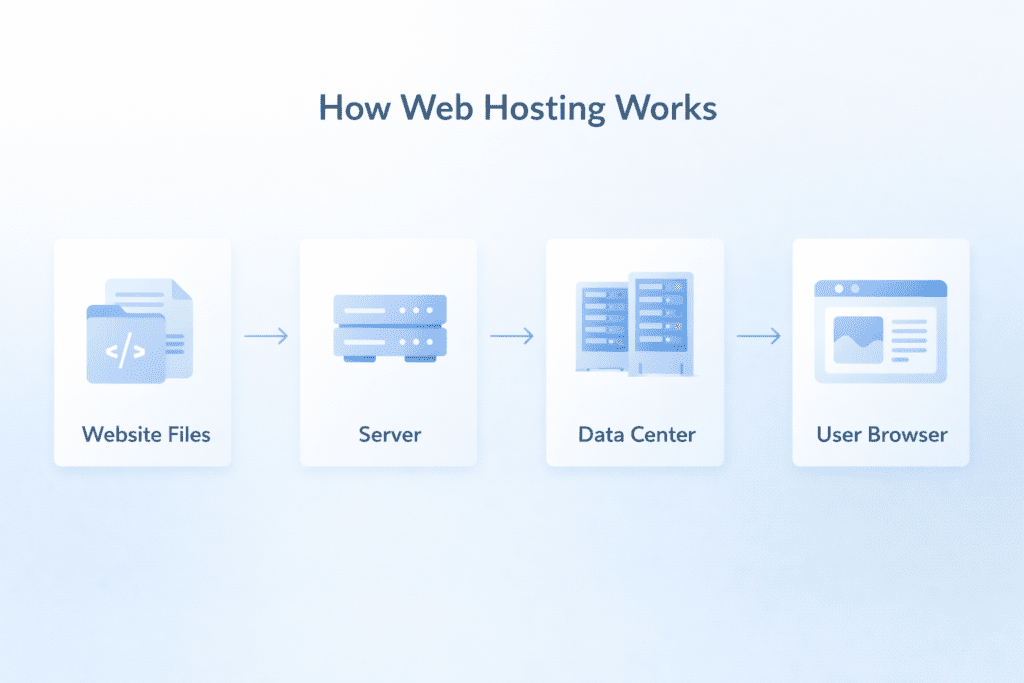
At a basic level, like other hosting companies, A2 Hosting stores your website files on a hosting server inside a data center. When someone visits your site, those files are delivered through web servers to their browser. That’s where server speed and uptime start to matter.
Most people don’t think about this part until something goes wrong.
Slow loading pages, random downtime, or inconsistent performance are usually signs that the hosting server isn’t handling requests efficiently. And that’s exactly where A2 Hosting tries to stand out.
Most beginners in the US just want something simple that works. And honestly, A2 Hosting can do that. But it also gives more control to users who want to go deeper and optimize performance at a technical level.
What Makes A2 Hosting Different From Other Hosting Providers
Now this is where things get interesting.
On paper, A2 Hosting looks similar to other hosting providers like hostinger or siteground. You still get standard features like free ssl certificate, domain name support, email hosting, and access to cpanel.
But A2 Hosting focuses more heavily on performance than most.
• A2 optimized infrastructure: Servers are configured for better speed and efficiency
• Turbo server technology: Higher performance environments with improved resource handling
• Built-in cache system: Helps wordpress pages load faster
• Multiple data center locations: Improves server response depending on user location
Here’s what I noticed.
While many hosting providers claim to be fast, A2 Hosting builds its entire A2 hosting branding around speed. That includes its A2 turbo setups and performance-focused hosting packages.
That said, there are exceptions.
If you’re using a basic shared hosting plan without proper optimization, the speed difference may not feel dramatic. On the other hand, a well-optimized wordpress site on a turbo server can perform noticeably better.
So yes, A2 Hosting is designed for performance. But it still depends on how you use it.
A2 Hosting Plans and Pricing Explained Clearly

Types of A2 Hosting Plans
A2 Hosting offers different hosting plans depending on what you’re trying to build. On the surface, it looks similar to most hosting providers, but the flexibility is what stands out.
• Shared hosting: Shared hosting for entry-level option for beginners and small websites
• VPS hosting: VPS hosting for More control and resources for growing projects
• Dedicated hosting: Dedicated hosting is for Full access to a dedicated server for high-traffic sites
• WordPress hosting plans: Pre-configured environments for wordpress users
If you’re just starting out, a shared hosting plan is usually enough. It’s simple, affordable, and works fine for a basic wordpress website.
But here’s the thing.
As your site grows, your hosting needs change. That’s when users start looking at vps hosting or even a dedicated server to handle more traffic and better performance.
This is where A2 Hosting tries to give a clear upgrade path instead of forcing you to switch hosting providers later.
A2 Hosting Pricing and Renewal Costs
Let’s keep it simple.
A2 hosting pricing looks attractive at first glance, but like most hosting companies, the real cost shows up after renewal. And honestly, this is where many beginners get surprised.
Here’s a general breakdown:
• Startup plan: $2.99/month → renews around $8.99/month
• Turbo plan: $6.99/month → renews around $14.99/month
• VPS plans: Starting around $39.99/month
From my research, this pricing model is pretty standard across the industry. You’ll see similar patterns with hostinger, siteground, and even providers like Bluehost.
But the gap between initial price and renewal can feel big if you’re not expecting it.
So if you’re planning long-term, it’s better to look at the renewal cost, not just the starting price.
A2 Hosting Offer and Discount Reality
You’ll often come across an A2 hosting offer that highlights discounted pricing for longer commitments.
Here’s how it usually works:
• Long-term plans: Lower monthly pricing when you pay upfront
• Short-term plans: Higher monthly cost with less commitment
• Renewal pricing: Increases regardless of initial discount
Now this is where people get confused.
The discount looks great, but it only applies to the first billing cycle. After that, the renewal cost kicks in, and that’s the price you’ll be paying long-term.
Let’s be real for a second.
Almost every web hosting provider uses this pricing strategy. It’s not unique to A2 Hosting.
But if you’re in the US and just starting out, it’s worth thinking about whether you want to commit for multiple years or test the service first.
Because once your site is live and growing, switching hosting providers isn’t always easy.
Real Pricing Breakdown: What You Actually Pay Over Time
This is the part most people skip. And honestly, it’s the part that matters the most.
Instead of looking at monthly pricing, it’s better to look at the full yearly cost.
• Entry plan yearly cost: Around $83/year for the first term
• Renewal yearly cost: Around $180/year after the initial period
• Backup add-on: Paid feature if you want automated backups
• Security tools: Additional cost depending on what you enable
Here’s what I noticed.
The jump from intro pricing to renewal is significant. And while A2 Hosting doesn’t hide it, many users don’t calculate the long-term cost before signing up.
This isn’t just an A2 Hosting thing either.
Most hosting companies follow the same model. The difference is how transparent they are about it and how much value you get after renewal.
So if you’re considering a hosting plan, think beyond the first year.
Because that’s where the real cost shows up.
Core Features and Performance Tools in A2 Hosting
Core Hosting Features You Get
A2 Hosting includes most of the standard features you’d expect from a modern web host. Nothing feels missing, which is a good starting point.
• Free SSL certificate: Secures your website and builds trust with visitors
• SSD storage: Faster data access compared to traditional drives
• Free site migrations: Move your existing website hosted elsewhere without extra cost
• Email hosting: Create branded email accounts linked to your domain name
• cPanel access: Manage files, databases, and settings easily
Most hosting providers offer similar features, so this isn’t where A2 Hosting stands out. But having everything included still matters, especially if you don’t want to rely on external tools.
From my research, beginners usually care more about simplicity here, while advanced users look at performance tools, which is where things get more interesting.
Performance Features That Actually Impact Speed

Now this is where A2 Hosting tries to separate itself from other hosting companies.
Instead of just offering basic hosting solutions, it focuses more on server-level performance improvements.
• Turbo server setup: Designed to reduce load times and improve handling of traffic
• Built-in cache system: Helps speed up wordpress pages by storing static data
• A2 optimized environment: Fine-tuned configurations for better performance
• CDN support: Improves speed for users across different geographic locations
Here’s the thing.
These features can make a real difference, but only if they’re used properly. A lot of users expect instant speed improvements just by choosing a hosting provider, but that’s not always how it works.
For example, enabling cache helps, but if your wordpress website is overloaded with heavy plugins or uncompressed images, the performance gains will be limited.
So yes, A2 Hosting gives you the tools. But you still need to optimize your setup to see the full benefit.
WordPress Hosting Features and Setup
If you’re planning to use wordpress, A2 Hosting offers a fairly smooth setup experience.
• One-click wordpress install: Quick setup through cpanel
• WordPress hosting plans: Pre-configured for better compatibility
• Managed wordpress options: Less manual work but higher cost
• Automatic updates: Keeps your wordpress website secure
Here’s what I noticed.
Setting up a wordpress site is easy. You can go from zero to a live website in just a few minutes.
But performance is a different story.
After installation, you still need to optimize things like cache settings, plugins, and images. Most beginners skip this step, and that’s usually why their site doesn’t feel as fast as expected.
Some users prefer managed wordpress hosting because it handles most of this automatically. Others prefer manual control so they can fine-tune performance.
Is one better than the other?
Honestly, it depends on how much control you want.
Real Performance Case Study: Speed and Uptime Results
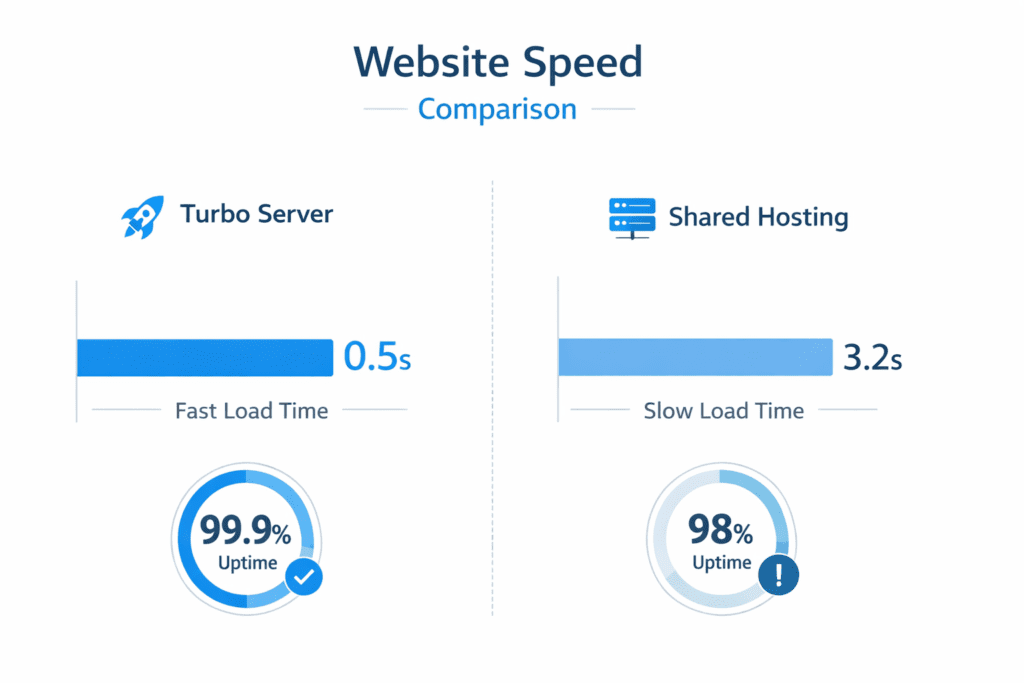
Let’s move away from features for a second and look at actual performance. Because at the end of the day, that’s what really matters.
From my research and multiple a2 hosting reviews online, the performance difference between plans is noticeable, especially when you compare standard shared hosting with turbo setups.
• Turbo plan speed: Around 1.5 to 2 seconds load time for a typical wordpress site
• Basic shared hosting: Around 3 to 5 seconds for the same setup
• Average uptime: 99.9% or higher across most data center locations
• Downtime: Occasional, usually during maintenance or traffic spikes
Here’s what I noticed.
If you’re running a lightweight wordpress site with proper optimization, A2 Hosting can deliver solid performance. But if your setup isn’t optimized, even a fast server won’t fully compensate.
For example, a wordpress website with too many plugins or large images can slow down significantly, even on a turbo server.
So while the numbers look good, they still depend on how your site is built.
Performance Test: Is A2 Hosting Really Fast in Real Use
So the real question is simple.
Is A2 Hosting actually fast, or is it just marketing?
Let’s keep it practical.
• Server response: Faster on turbo environments compared to standard hosting plans
• Uptime reliability: Consistent with minimal downtime in most cases
• Optimized websites: Perform noticeably better than default setups
Here’s the thing.
A2 Hosting doesn’t automatically make your website the fastest web experience out there. That’s not how hosting works.
But it does provide a strong foundation.
Speed depends on a few key factors:
• Hosting plan: Turbo plan performs better than basic shared hosting
• Website optimization: Cache, images, and plugins play a big role
• Data center location: Closer servers usually improve load time
• Traffic load: High traffic can affect performance on shared environments
Now this is where people get confused.
They expect performance improvements without changing anything on their site. But in reality, hosting is just one part of the equation.
If you combine a good hosting provider with proper optimization, the results are usually strong.
If not, performance may feel average.
A2 Hosting vs Other Hosting Providers: Speed and Value Comparison
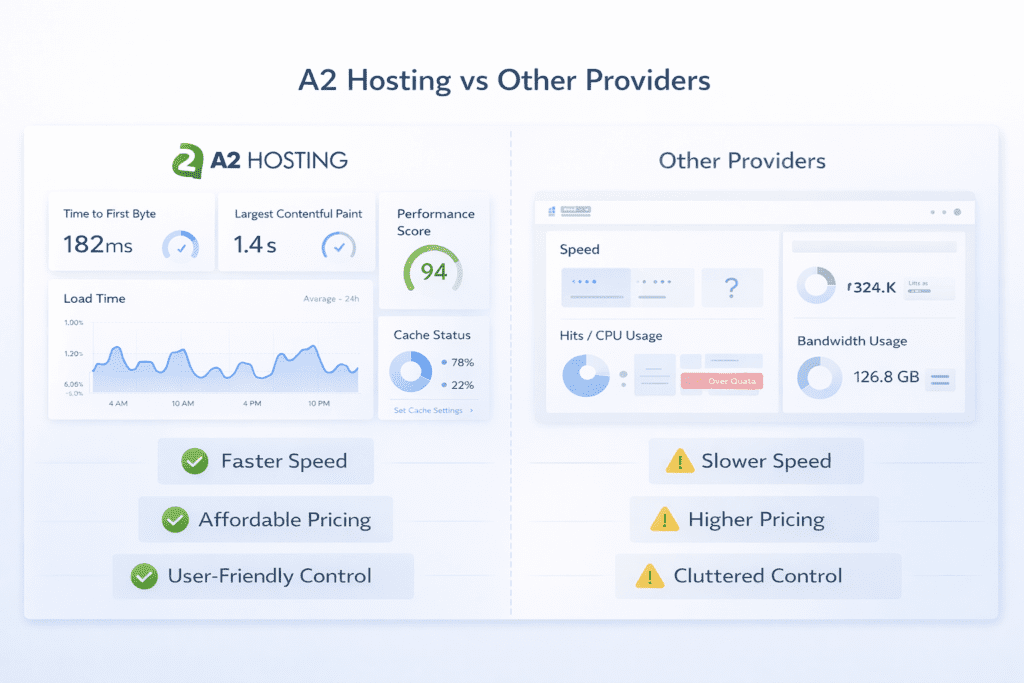
Choosing a web host isn’t just about features. It’s about how it performs compared to other hosting providers in the same category.
Here’s the thing.
A2 Hosting sits in a middle ground. It’s not the cheapest option, and it’s not fully managed either. But it focuses heavily on performance, especially with its turbo setup.
Let’s break it down against some well-known platforms.
A2 Hosting vs Hostinger
Hostinger is often known for affordable hosting and simplicity. It’s one of the easiest platforms for beginners to start with.
• Pricing: Hostinger is cheaper, especially for shared hosting
• Ease of use: More beginner-friendly interface
• Performance: A2 Hosting is usually faster on turbo setups
• Control: A2 Hosting offers more flexibility to optimize
From my research, Hostinger works well if you want something simple and low-cost. But if performance matters more, A2 Hosting usually has the edge, especially when using a turbo server.
A2 Hosting vs SiteGround
SiteGround is known for reliability and ease of use. Many users in the US prefer it because everything feels smoother from the start.
But performance tells a slightly different story.
• User experience: SiteGround is easier to use
• Performance: A2 Hosting can deliver better raw server performance
• Pricing: SiteGround tends to be higher after renewal
• Flexibility: A2 Hosting allows more manual optimization
Now this is where people get confused.
SiteGround often feels faster because of its built-in optimization and cleaner dashboard. But if you manually optimize your wordpress site on A2 Hosting, the results can be just as good or even better.
So it really depends on what you prefer.
A2 Hosting vs Cloudways
Cloudways is different from traditional hosting companies. It focuses on cloud hosting using providers like AWS, DigitalOcean, and Google Cloud.
That changes the comparison completely.
• Setup: A2 Hosting is easier to get started with
• Scalability: Cloudways offers better scaling for growing websites
• Performance: Cloudways can outperform A2 Hosting for larger projects
• Pricing: Cloudways is generally more expensive
Let’s keep it simple.
If you’re running a small to medium wordpress website, A2 Hosting is easier and more practical. But if you’re scaling a high-traffic site or online store, cloud hosting platforms like Cloudways offer more flexibility.
Hosting vs Other Hosting Providers: Quick Comparison
Here’s a quick side-by-side comparison to help you understand how A2 Hosting stacks up against other popular hosting providers.
This isn’t about picking a winner instantly. It’s about seeing where each provider fits based on your needs.
Quick Comparison Table
| Feature | A2 Hosting | Hostinger | SiteGround | Cloudways |
|---|---|---|---|---|
| Speed | High (Turbo servers) | Good | Very good | Excellent |
| Pricing (Starting) | $2.99/month | $1.99/month | $3.99/month | $11/month |
| Renewal Cost | High | Moderate | High | Pay-as-you-go |
| Ease of Use | Medium | Easy | Very easy | Medium |
| Performance Control | High | Low | Medium | Very high |
| Best For | Speed + flexibility | Beginners | Managed simplicity | Scalability |
| Storage Type | SSD / NVMe | SSD | SSD | Cloud SSD |
Here’s the thing. No hosting provider is perfect for everyone.
If you’re looking for simplicity and the lowest price, Hostinger usually makes more sense. If you want a fully managed experience, SiteGround is easier to handle.
But if your focus is performance and control, A2 Hosting stands out, especially with its Turbo plans.
Cloudways, on the other hand, is better suited for advanced users who need scalability and don’t mind a more technical setup.
So instead of asking which hosting is best, the better question is: which one fits your needs right now?
What Happens If You Don’t Choose the Turbo Plan
This is something most users overlook.
They assume all hosting plans deliver similar performance. But with A2 Hosting, the difference between plans is noticeable.
• Standard shared hosting: Around 3 to 4 seconds load time
• Turbo plan: Around 1.5 to 2 seconds load time
• Server resources: Lower on basic plans
• Cache performance: More limited compared to turbo setups
Here’s what I noticed.
Many users choose the cheapest shared hosting plan expecting high speed. Then they’re disappointed when performance feels average.
And honestly, that’s understandable.
Because the real strength of A2 Hosting comes from its turbo plan. Without it, the hosting server behaves like a typical shared hosting environment.
That doesn’t mean it’s bad. It just means it’s not optimized for maximum performance.
So if speed is your main goal, choosing the right hosting plan matters more than anything else.
Ease of Use: Dashboard, cPanel, and Setup Experience
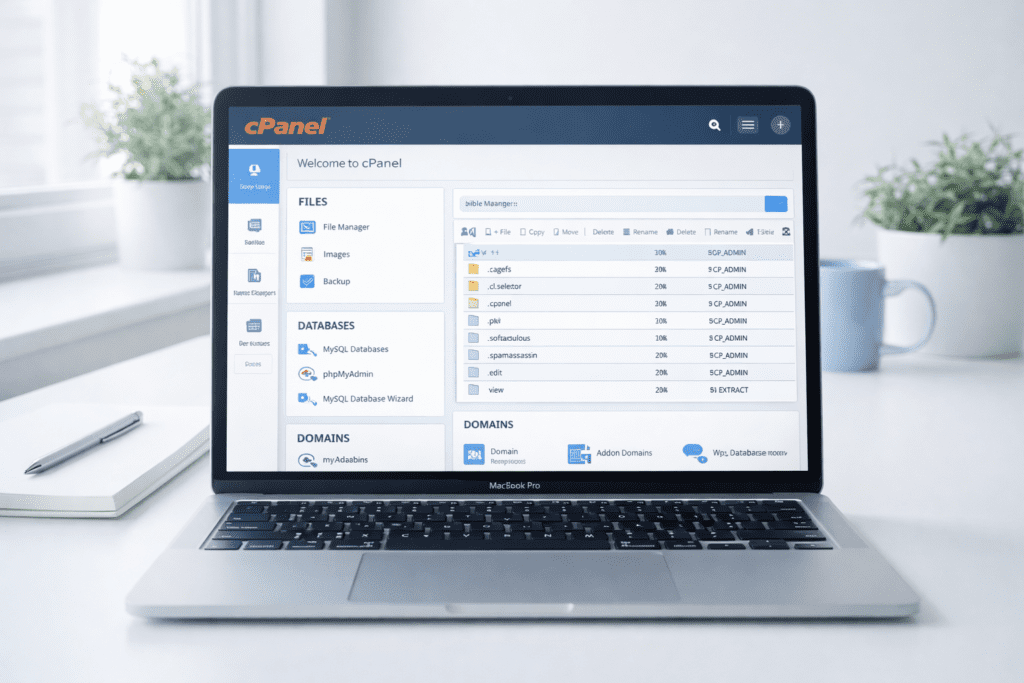
Dashboard Overview
When it comes to usability, A2 Hosting keeps things fairly traditional. It uses cpanel as the main control panel, which many users are already familiar with.
• cPanel interface: Manage files, databases, and domain name settings
• Account dashboard: Control billing, hosting plans, and account details
• Knowledge base: Guides and tutorials for common issues
• Live chat support: Quick help when you need assistance
Most people in the US prefer something simple that works without confusion. And in that sense, cpanel still does the job.
That said, it doesn’t feel modern.
If you’ve used custom dashboards from platforms like Hostinger, A2 Hosting might feel a bit outdated visually. But functionally, it’s reliable and gets everything done.
WordPress Installation Process
Setting up a wordpress website on A2 Hosting is straightforward and doesn’t take much time.
• One-click install: Available directly through cpanel
• Setup time: Usually completed within a few minutes
• Default configuration: Basic settings applied automatically
• Manual optimization: Required for better performance
Here’s the thing.
Launching a wordpress site is easy. But getting it to perform well takes a bit more effort.
After installation, you still need to configure cache, compress images, and reduce unnecessary plugins. Most beginners skip this part, which is why their website doesn’t feel as fast as expected.
So while the setup is simple, performance still depends on what you do next.
A2 Hosting for Beginners vs Advanced Users
Beginner Experience
If you’re new to web hosting, A2 Hosting is fairly easy to start with, but it’s not the most beginner-focused platform out there.
• Easy onboarding: Quick setup process for new users
• Basic guidance: Enough support to get started
• Default performance: Decent but not fully optimized
• Support access: Available through live chat
From my research, beginners can use A2 Hosting without major issues. But they may not fully utilize its performance features.
In most cases, they just install wordpress and leave everything as it is.
Advanced User Flexibility
This is where A2 Hosting becomes more appealing.
• Server control: More flexibility to optimize performance
• Custom configurations: Adjust settings based on your needs
• Developer tools: Useful for advanced users
• Performance tuning: Better results with manual optimization
Here’s what I noticed.
Advanced users tend to get better performance because they actively optimize their hosting server instead of relying on default settings.
So in a way, A2 Hosting rewards users who know what they’re doing.
If you don’t, you’ll still get decent results. But maybe not the best possible performance.
Real Use Cases: Who Should Use A2 Hosting
Not every web host works the same for every type of website. And honestly, this is where things become more practical.
Instead of focusing only on features, it helps to look at real-world usage.
Blogging Websites
If you’re running a wordpress blog, performance can directly impact traffic and engagement.
• Faster loading: Helps improve user experience and core web vitals
• Better uptime: Keeps your content available consistently
• SEO benefit: Faster sites often perform better in search rankings
• Flexible growth: Easy to upgrade your hosting plan later
From my research, a lightweight wordpress site on a turbo server can feel noticeably faster compared to standard shared hosting.
For small US-based blogs, that speed difference can affect bounce rates more than people expect.
eCommerce and Online Stores
Running an online store brings a different kind of pressure.
• Checkout speed: Faster pages reduce cart abandonment
• Server stability: Handles multiple users at the same time
• Secure transactions: Supported with ssl certificate features
• Scalability: Upgrade to vps or dedicated server when needed
Here’s the thing.
If your online store is built on wordpress using WooCommerce, A2 Hosting can handle it well, but only if the setup is optimized.
Slow checkout pages? That’s where most customers leave.
Agencies and Developers
A2 Hosting also works for users managing multiple websites or client projects.
• Multiple site management: Suitable for agencies
• Reseller hosting: Create hosting packages for clients
• Server flexibility: Adjust configurations as needed
• Performance tuning: Better results with optimization
Here’s what I noticed.
Developers and agencies usually get the best results because they actively optimize their hosting server instead of relying on default settings.
A2 Hosting Pros and Cons Based on Real Usage
A2 Hosting Pros
• Fast performance: Especially with turbo setups
• Reliable uptime: Consistent performance with minimal downtime
• Flexible hosting plans: Suitable for different user levels
• Developer-friendly: More control compared to many hosting providers
H3: A2 Hosting Cons
• Higher renewal pricing: Costs increase after the first term
• Turbo required: Best speed depends on higher-tier plans
• Learning curve: Some features may feel technical
• Extra costs: Backup and security add-ons may increase pricing
Let’s be real for a second.
A2 Hosting performs well, but only if you choose the right hosting plan and take time to optimize your setup. Otherwise, the experience can feel average.
A2 Hosting Alternatives You Can Consider
Why You Might Look for Alternatives
A2 Hosting works well in many cases, but there are situations where it may not be the best fit.
• Budget concerns: Renewal pricing may feel expensive
• Ease of use: Some users prefer simpler dashboards
• Scaling needs: Larger projects may require cloud hosting
• Managed experience: Some prefer managed wordpress hosting
That said, it’s not about A2 Hosting being a bad hosting provider. It’s more about finding the right fit for your needs.
Best A2 Hosting Alternatives
If you’re considering A2 hosting alternatives, here are a few common options.
• Hostinger: Affordable hosting with beginner-friendly setup
• Cloudways: Cloud hosting with strong scalability
• Kinsta: Managed wordpress hosting with premium performance
Here’s the thing.
Each option solves a different problem. Hostinger focuses on affordability, Cloudways on flexibility, and Kinsta on fully managed performance.
So the right choice depends on what you actually need.
What Most A2 Hosting Reviews Don’t Tell You
Most A2 hosting reviews online focus on speed and features, but a few important details often get overlooked.
• Turbo plan dependency: Real performance mostly comes from higher-tier plans
• Renewal pricing jump: Costs increase significantly after the first term
• Shared hosting limits: Performance can drop under heavy traffic
• Manual optimization: Default setup isn’t fully optimized
Here’s what I noticed.
A lot of users expect fast performance right after signup. But in reality, even the best web hosting provider requires some level of optimization.
That includes setting up cache, compressing images, and managing plugins properly.
If you skip those steps, your website hosted on any platform may not perform as expected.
When A2 Hosting Makes Sense for Your Website
Choosing the right hosting provider depends on your priorities.
• Speed-focused users: You care about faster server performance
• WordPress users: You’re running a wordpress website that needs optimization
• Growth flexibility: You may upgrade from shared hosting to vps later
• Control seekers: You want flexibility to adjust server settings
From my research, A2 Hosting works best when you actively optimize your setup instead of relying on default configurations.
When You Should Avoid A2 Hosting
Now let’s look at the other side.
A2 Hosting may not be the best option in every situation.
• Tight budget: Renewal pricing may feel expensive over time
• Beginner simplicity: You prefer a more guided experience
• Managed preference: You want fully managed wordpress hosting
• Hands-off approach: You don’t want to deal with optimization
Here’s the thing.
If you want something that works out of the box without much effort, other hosting providers may feel easier.
A2 Hosting vs Alternatives: Which One Should You Choose
Let’s simplify the decision.
• Choose A2 Hosting: If you want performance-focused hosting with flexibility
• Choose Hostinger: If you need affordable web hosting with simple setup
• Choose Cloudways: If you need cloud hosting and scalability
• Choose Kinsta: If you prefer managed wordpress hosting
Here’s what I noticed.
A2 Hosting sits between affordability and performance. It gives more control than beginner platforms but requires more effort to get the best results.
So the decision really depends on what you value more.
A2 Hosting Optimization Tips to Improve Speed
Even a fast hosting server won’t perform well without proper optimization.
• Enable cache: Improve load time by storing static content
• Use CDN: Deliver content faster across locations
• Compress images: Reduce file size without losing quality
• Limit plugins: Avoid unnecessary wordpress plugins
• Choose data center: Select a server location close to your audience
These steps might seem simple, but they can make a noticeable difference.
In some cases, optimization improves performance more than upgrading your hosting plan.
Common Mistakes to Avoid When Using A2 Hosting
Now this is where things usually go wrong.
• Skipping turbo plan: Expecting high speed from basic shared hosting
• Ignoring optimization: Not configuring cache or compressing files
• Not understanding renewal: Getting surprised by higher costs
• Overloading shared hosting: Running heavy websites on limited resources
Let’s be real for a second.
Most performance issues are not caused by the hosting provider alone. They usually come from poor setup choices.
Frequently Asked Questions
Is A2 Hosting good for WordPress plans and features?
Yes, A2 Hosting offers managed WordPress hosting plans with useful WordPress features and fast A2 optimized servers for better site speed.
What are the main A2 hosting pros?
Key pros include fast server performance, easy WordPress setup, and strong uptime, which help with core web vitals and site reliability.
How does A2 Hosting’s customer support perform?
A2 Hosting’s customer support is responsive and available 24/7, with helpful guides for WordPress and general hosting service questions.
Should I consider A2 Hosting for managed wordpress plans?
If you want easy updates, caching, and optimized performance, considering A2 Hosting for a managed WordPress hosting plan is a smart choice.
Can A2 Hosting handle high traffic on its server?
Yes, their server setups and Turbo options can handle higher traffic, especially on managed WordPress plans and VPS tiers.
What hosting options does A2 Hosting offer besides WordPress?
A2 Hosting also provides shared hosting, VPS, dedicated servers, and reseller hosting to cover many website needs.
How do A2 Hosting’s prices compare to other wordpress hosting providers?
Prices are competitive, and you get value for speed and support, but some A2 hosting alternatives may be cheaper for basic sites.
Can I get reseller hosting with A2 Hosting?
Yes, A2 Hosting offers reseller hosting for agencies and designers who want to manage multiple client sites easily.
Which A2 hosting alternatives should I consider?
Popular alternatives include InMotion Hosting and other WordPress hosting providers that focus on ease of use and customer support.
Does A2 Hosting help optimize core web vitals?
A2 Hosting’s A2 optimized tools, caching, and fast servers help improve core web vitals like Largest Contentful Paint and CLS.
Would you recommend A2 Hosting for beginners?
I would recommend A2 Hosting for beginners who want easy WordPress setup, reliable hosting service, and attentive customer support.

Final Verdict: A2 Hosting Review
So what does this mean for you?
A2 Hosting is a solid web host if your main goal is performance. It offers strong speed, reliable uptime, and flexible hosting solutions, especially when using a turbo server.
But it’s not perfect.
The renewal pricing is higher, and the best performance requires proper optimization. If you’re expecting everything to work automatically without effort, it may not feel as impressive.
From my research, A2 Hosting works best for users who are willing to take a bit of control over their setup.
If you are, it can deliver strong results.
If not, you might want to consider simpler alternatives.
Bottom line?
If speed matters and you’re willing to choose the right hosting plan and optimize your website, A2 Hosting is worth considering.