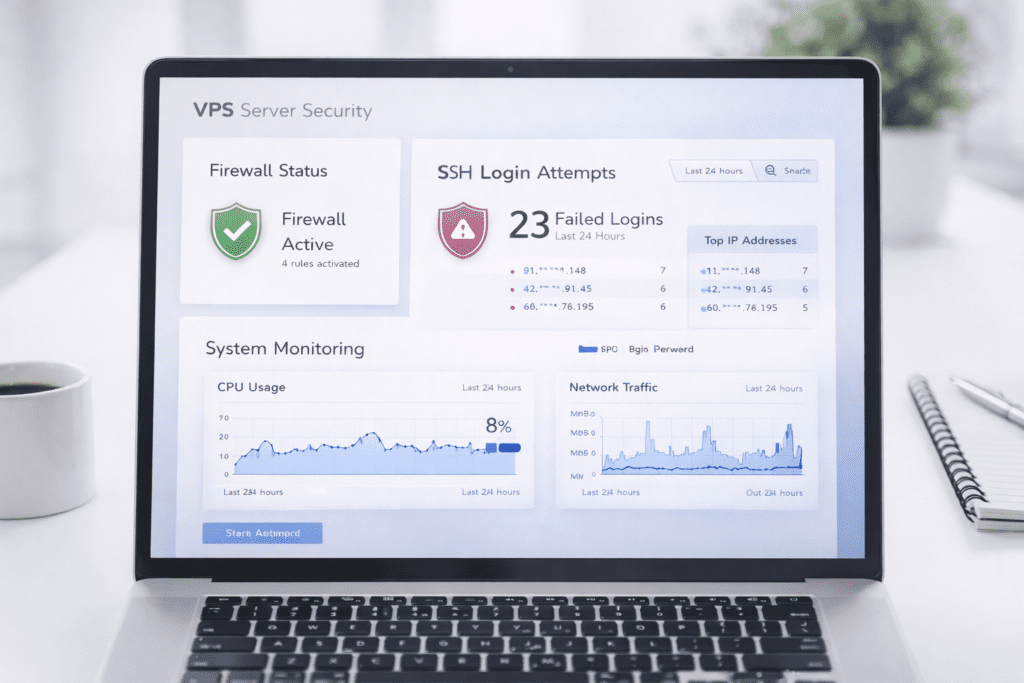
One of the biggest mistakes people make with VPS security is assuming their server is safe right after setup. You launch a VPS, install your web server, and everything seems fine. But in reality, that server is already exposed to the public internet, and attackers start scanning it almost immediately.
Here’s the thing. When you use VPS hosting, especially unmanaged or self-managed setups, security becomes your responsibility. Without proper protection, a simple misconfiguration or weak SSH setup can open the door to brute-force attacks, data loss, or even full server compromise.
This guide keeps it practical by including a hardening checklist for your VPS running. You’ll go through a real checklist you can use to secure a VPS, including SSH hardening, firewall setup, backup strategy, and access control. Nothing overly complex, just the security measures that actually matter.
Quick VPS Security Checklist
• SSH key authentication: disable password login
• Firewall: allow only required ports
• Non-root user: avoid root access
• System updates: apply patches regularly
• Logging: monitor server activity
• Backups: automate and test regularly
Why VPS Security Is Critical for Self-Managed Servers
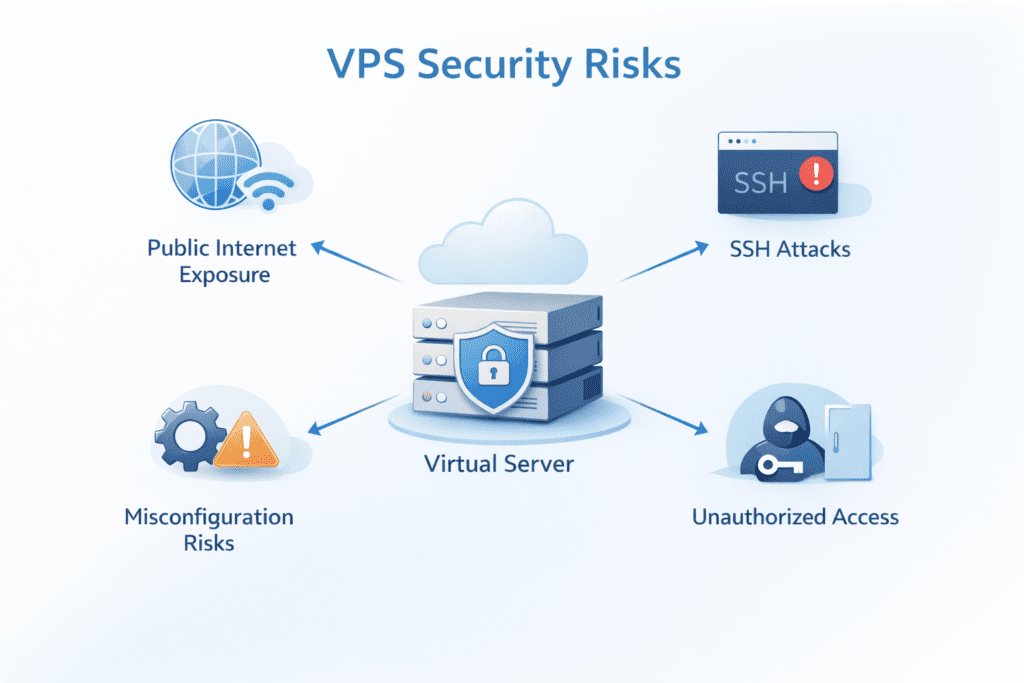
When you run a VPS, you’re not just hosting a site. You’re managing a full virtual private server that sits directly on the public internet, making security updates essential.
That changes everything.
A hosting provider may handle physical security in data centers, but everything inside your server is your responsibility. That includes configuration, updates, and access control.
Here’s why VPS security matters more than most people expect:
• Public exposure: your server is visible to bots and attackers scanning for vulnerabilities
• Full control: you manage the operating system, which means mistakes can create risk
• No automatic security: Unlike managed hosting, protection isn’t handled for you
• Direct access risk: Weak SSH access can allow unauthorized login attempts
From what I’ve seen, even a fresh ubuntu or debian setup can receive login attempts within minutes. That’s just how the internet works. In some cases, you’ll see dozens or even hundreds of failed SSH login attempts within the first hour.
What Is VPS Security and Why It Matters for Server Protection
Understanding VPS and Server Security Basics
A VPS, or virtual private server, is a virtual environment that runs on a physical machine. It behaves like a dedicated server, but shares hardware with other virtual private servers.
That said, your environment is isolated. You control your Linux server, install software, and configure everything manually.
Here’s what makes security different in this setup:
• Operating system control: You manage the Linux distribution and updates
• Server configuration: You control services running on the server
• Application layer: Your web server, database, and files must be secured
Now this is where people get confused. Having full control is powerful, but it also means you’re responsible for every security decision.
Why VPS Security Matters in Unmanaged Environments
In unmanaged VPS hosting, the provider doesn’t handle your internal server security.
That responsibility sits with you.
Here are the main risks:
• Unauthorized access: Attackers trying to connect to your VPS through SSH port or open services
• Data breaches: Sensitive data exposed due to poor configuration
• Privilege escalation: Attackers gaining higher access through vulnerabilities
• Service disruption: Downtime caused by attacks or misconfigurations
Let’s keep it real. Hosting isn’t just about getting your site online. If security is weak, even a small vulnerability can lead to serious problems.
And once a server is compromised, recovery can be time-consuming and frustrating.
Common Security Risks in Self-Managed VPS Servers
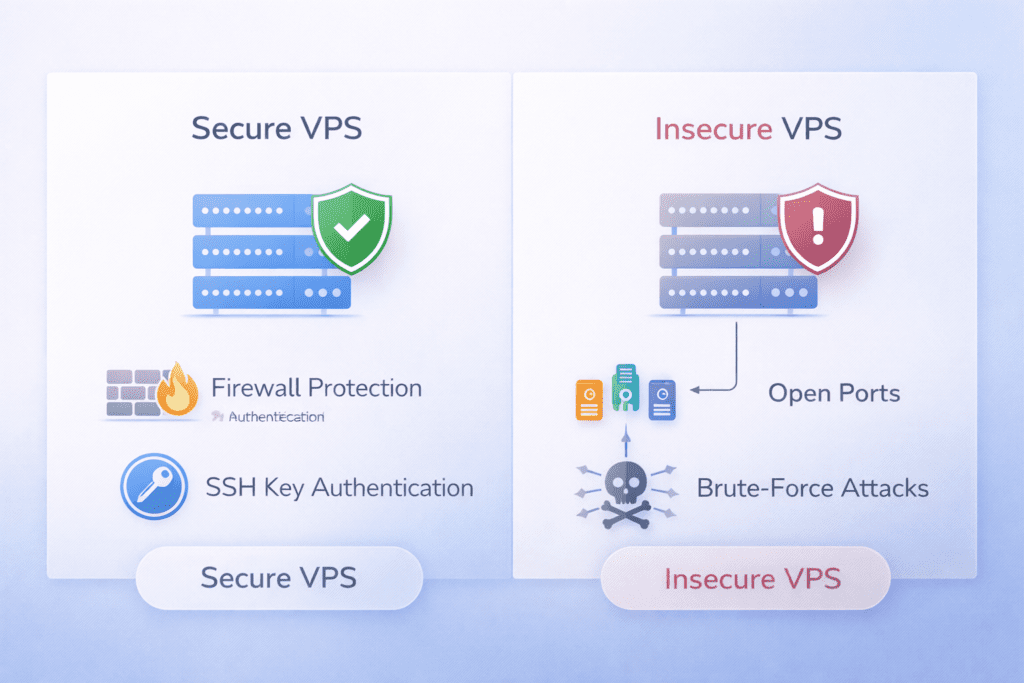
SSH is one of the most common entry points for attackers.
If it’s not configured properly, it becomes an easy target.
Here’s what usually goes wrong:
• Weak credentials: Simple passwords that attackers can guess
• Password authentication: Allows brute-force attacks on login
• Default SSH port: Using port 22 makes it easier for bots to scan
Most bots automatically scan servers for open SSH access. If your setup is weak, it’s only a matter of time before someone tries to break in.
Misconfigured Server Settings and Open Ports
Server configuration plays a big role in security.
Small mistakes can expose your entire system.
Here are common issues related to intrusion detection:
• Open ports: Unnecessary ports left accessible
• Unused services: Services running without purpose
• Poor configuration: Default settings not optimized for security
This increases your attack surface, making it easier for an attacker to find an entry point.
Lack of Monitoring and Log Tracking
Without monitoring, including intrusion detection, you won’t know what’s happening on your server.
And that’s risky.
Here’s what often gets missed:
• Missing log tracking: No visibility into login attempts
• No audit process: Issues go unnoticed
• No alerts: Suspicious activity isn’t flagged
From my experience, most people don’t check logs until something goes wrong.
Missing Backup Strategy and Data Loss
Backup is one of the most overlooked parts of VPS security.
Until something breaks.
Here’s what happens without it:
• Data loss: Files or databases lost permanently due to inadequate security measures to protect your Linux VPS hosting.
• Recovery issues: No way to restore the server
• Extended downtime: Longer time to fix problems
Is this common? Honestly, yes. A lot of people set up a server and forget about backup completely.
VPS Security Setup Checklist for Quick Protection
If you want to secure your VPS quickly, start with these basics.
• SSH key authentication is a best practice for securing access. Replace password login with a secure key pair
• Disable password login: Prevent brute-force attacks
• Enable firewall: Control which ports are accessible
• Update system packages: Apply security patches to your Linux server
• Create non-root user: Avoid using root login for daily tasks
• Basic access control: Limit who can connect to your server by applying security measures to protect it from brute force attacks.
This is your starting point. Not perfect, but it helps you avoid the most common risks.
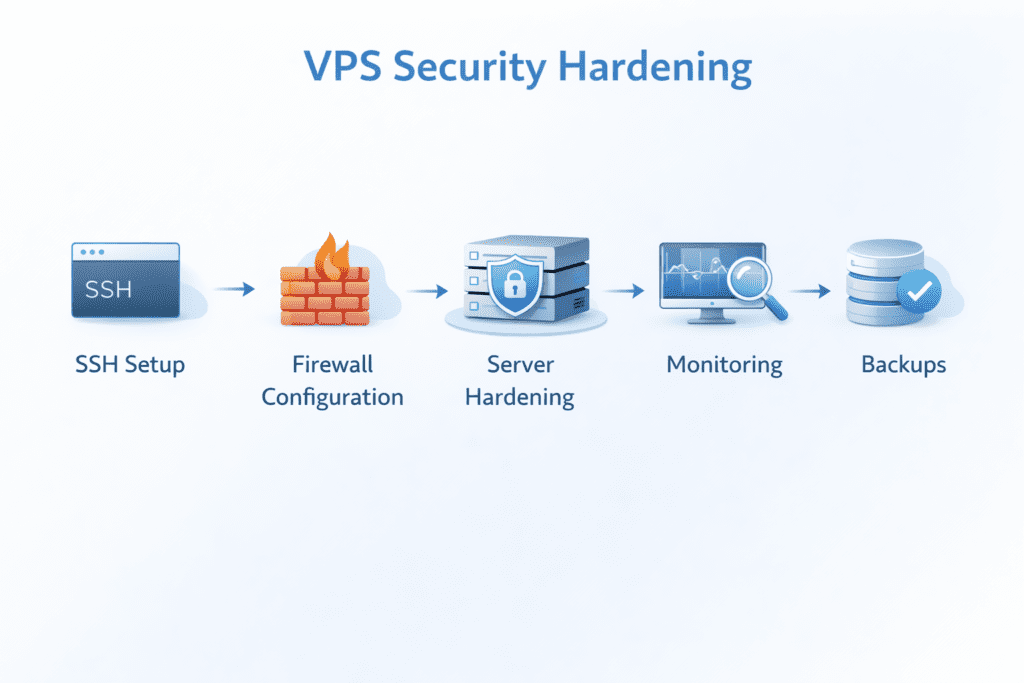
Step-by-Step VPS Security Hardening for Beginners
Step 1: Secure SSH Access and Authentication
SSH is the first thing you should lock down.
If SSH access is weak, everything else becomes easier to break.
Configure SSH Key Authentication
Start by replacing passwords with SSH key authentication. It’s more secure and reduces the risk of brute-force attacks.
Here’s the basic process:
• Generate key pair: Create a private and public key on your local machine
• Upload public key: Add it to your server authorized keys file
• Verify access: Make sure you can connect to your VPS using the key
This form of authentication uses encryption, which makes it much harder for an attacker to gain access.
Disable Password Login
Once your SSH key works, the next step is to disable password login.
Here’s what you do:
• Edit configuration files: Update SSH configuration to disable password authentication
• Restart SSH service: Apply changes safely
• Test connection: Confirm SSH access still works
This reduces brute-force attacks significantly. Bots can try passwords all day, but without password authentication, they won’t get in.
Also, consider changing the SSH port from port 22 to something custom. It won’t stop attacks completely, but it can reduce noise from automated scans.
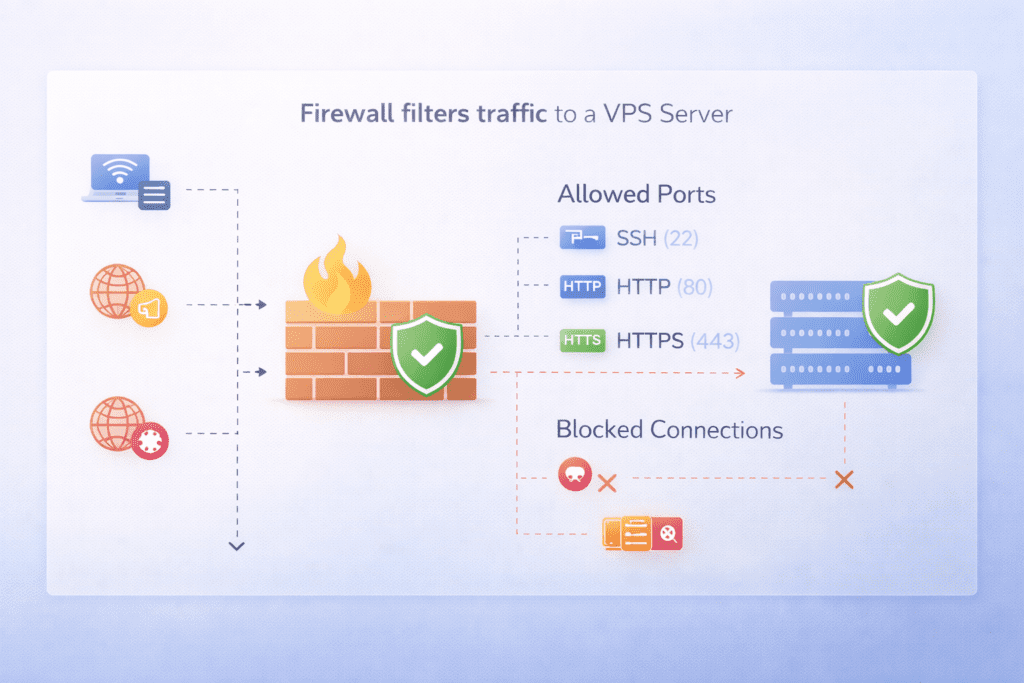
Step 2: Configure Firewall Rules and Network Protection
A firewall controls which connections are allowed to your server.
Without it, your server is open to unnecessary risk.
Enable Firewall
On most Linux systems like ubuntu or debian, you can use ufw.
Here’s what to set up:
• Install ufw: Use package manager to install firewall tool
• Allow essential ports: Open only required ports like SSH and web traffic
• Enable firewall: Activate protection on your server
This helps reduce exposure by limiting open ports.
Restrict Access
Now tighten things further.
Here’s how:
• Limit IP access: Allow connections only from trusted IP addresses
• Close unused ports: Remove access to services you don’t use
• Apply firewall rules: define clear access boundaries for your server
This step reduces your attack surface and helps block unauthorized traffic.
Step 3: Harden the VPS Server Configuration
This is where you strengthen your server setup.
Small changes here can make a big difference.
Secure Server Configuration
Start by cleaning up your system.
• Disable unused services: Stop services that aren’t needed
• Remove unnecessary packages: Reduce risk of vulnerabilities
• Review server configurations: Adjust default settings for better security
This helps reduce exposure and keeps your system lean.
Harden Linux Environment
Now focus on the Linux side.
• Set file permissions: Restrict access to sensitive files
• Use sudo privileges instead: Avoid running tasks as root
• Limit privilege escalation: Control user permissions carefully
From what I’ve seen, improper permissions are one of the easiest ways for attackers to gain control.
Step 4: Enable Logging and Monitoring Systems
If you don’t monitor your server, you’re basically guessing.
Logs give you visibility into what’s happening.
Configure Logs
Start by enabling system logs.
• Enable log tracking: Record system and user activity
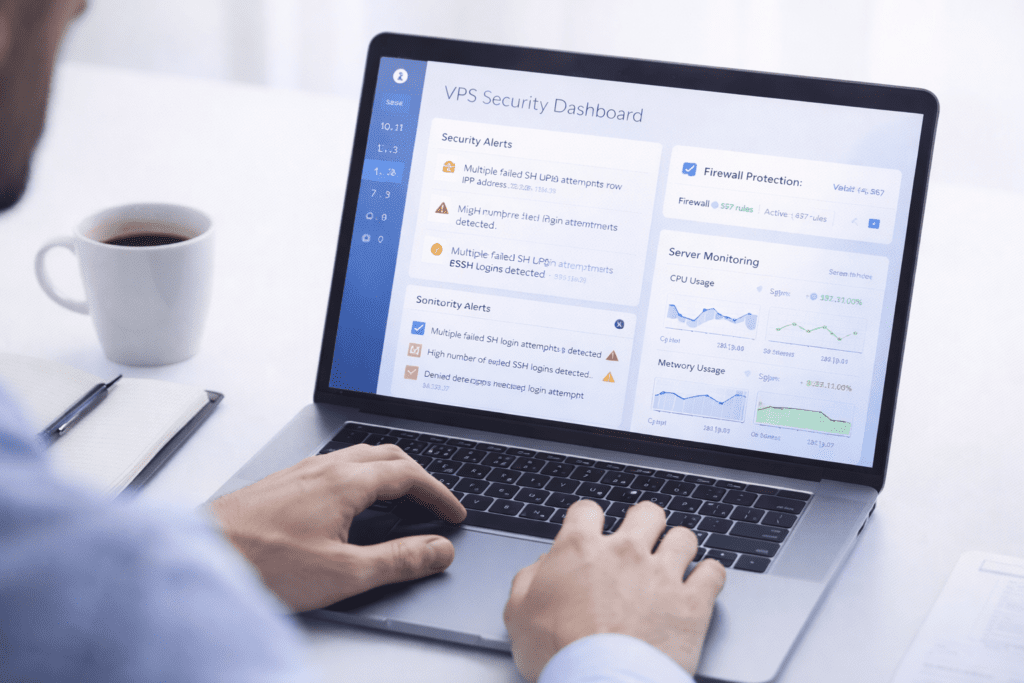
• Monitor login attempts: Watch failed SSH logins
• Store logs securely: Keep logs safe from tampering
Logs are your first clue if something goes wrong.
Set Up Security Audit
Now take it a step further.
• Run regular audit: Check for unusual activity
• Scan for vulnerabilities: Identify weak points to prevent potential intrusion.
• Review system changes: Detect unauthorized actions
This helps you catch problems early before they turn serious.
Step 5: Set Up a Reliable Backup System
Backup is your safety net in case of malicious software installed on your virtual server.
Without it, recovery becomes difficult.
Backup Configuration
Set up automated backups so you don’t forget.
• Automate backup: Schedule regular backups
• Secure storage: Store backups off-site or separately
• Multiple versions: Keep different backup copies
This protects your data if something breaks.
Backup Testing
Backup isn’t useful unless it works.
• Test restore process: Make sure backups can be restored
• Verify backup integrity: Check for corruption
• Regular checks: Ensure backup system is running
Here’s the thing. A backup you can’t restore isn’t really a backup.
Best Security Tools for VPS Hosting and Linux Servers
The right tools make a big difference when securing a Linux server.
Here are some commonly used options:
Firewall Tools
• UFW: Simple firewall for ubuntu and debian systems
• iptables: Advanced firewall configuration tool
SSH Protection Tools
• Fail2Ban: Blocks brute-force attacks by monitoring login attempts
Monitoring Tools
• Log analysis tools: Help track system activity
• Server monitoring solutions: Detect performance or security issues
Backup Tools
• Automated backup solutions: Schedule regular backups
• Snapshot tools: Create restore points for your server
From my experience, tools like Fail2Ban can quickly reduce brute-force attempts without much setup.
VPS Provider Security vs Self-Managed Server Security Explained
This is where a lot of confusion happens.
People assume their hosting provider handles everything. That’s not the case.
Here’s a simple comparison:
• Provider responsibility: Hardware, network, physical security
• Your responsibility: Server configuration, applications, user access
For example, providers like AWS, DigitalOcean, or Google Cloud secure their data centers. But once your VPS is running, you’re responsible for everything inside it.
That includes your operating system, firewall rules, and SSH setup.
Core VPS Security Controls and Hardening Checklist
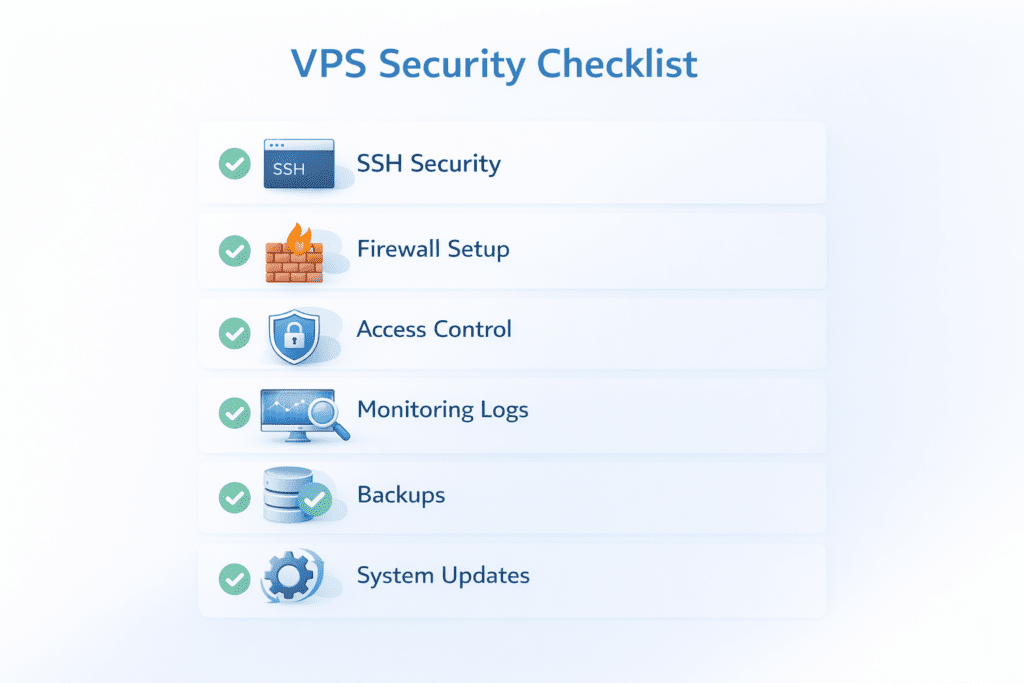
If you strip VPS security down to what actually matters, it comes down to a few core controls. This section combines hardening, auditing, and protection into one practical checklist you can follow.
Authentication and Access Control
Start with who can access your server.
• SSH key authentication: replace password-based login with a secure key pair
• Disable root login: prevent direct root access
• Non-root user: create a standard user and use sudo for admin tasks
• User permissions: limit access only where needed
Weak access control is one of the most common reasons servers get compromised. Lock this down first.
Network and Firewall Protection
Next, control what can reach your server.
• Firewall: enable tools like UFW or iptables
• Required ports: allow only SSH, HTTP, and HTTPS
• Unused ports: close anything not in use
• IP restriction: allow trusted IPs where possible
This step reduces your attack surface and blocks a large percentage of automated threats.
Server Hardening and Configuration
Now tighten your system setup.
• Unused services: disable anything you don’t need
• Unnecessary packages: remove extra software to reduce vulnerabilities
• Default settings: review and secure configurations
• File permissions: protect sensitive files and directories
A clean, minimal server is much easier to secure than a cluttered one.
Monitoring, Logging, and Auditing
You can’t secure what you don’t monitor.
• System logs: enable tracking for server and user activity
• Login monitoring: track failed SSH login attempts
• Log review: check logs regularly for unusual behavior
• Security audit: run periodic checks on configs and access
Even a quick weekly check can help you catch issues early.
Backup and Recovery Protection
Backups are your safety net when something goes wrong.
• Automated backups: schedule regular backups
• Off-site storage: store backups separately from your server
• Multiple versions: keep different backup copies
• Restore testing: verify backups actually work
A backup is only useful if you can restore it when needed.
Updates and Ongoing Maintenance
Security is not a one-time setup.
• System updates: keep OS and packages updated
• Security patches: apply fixes for known vulnerabilities
• Automatic updates: enable where possible
• Regular review: adjust setup as your server evolves
Most attacks exploit outdated systems, so staying updated is critical.
What Happens If Your VPS Server Gets Compromised
A compromised server can cause more damage than expected.
Data Breaches
• Sensitive data loss: Personal or business data exposed
• Unauthorized access: Attackers gain control of your system
Malware and Attacks
• Server infections: Malicious software installed can be prevented by implementing a hardening checklist for your VPS environments.
• Bot activity: Your server used for spam or attacks
Downtime Risks
• Service disruption: Website or app goes offline
• Performance issues: Slower response times
Recovery Process
• Restore backup: Recover data from previous state
• Reconfigure server: Apply stronger security measures
• Run audit: Identify how the breach happened
Recovery can take time. And honestly, it’s not always smooth when managing security measures to protect your VPS environments.
Cost of VPS Security and Tools for Protection
Security doesn’t always mean spending a lot.
Basic Security Costs
• Free tools: Most Linux tools like ufw and fail2ban are free
• Built-in features: Many distributions include security tools
Advanced Security Costs
• Monitoring tools: Paid services for deeper insights
• Security services: Managed protection solutions
Cost of Security Failure
• Downtime: Lost traffic or revenue
• Data loss: Recovery challenges
• Reputation damage: Loss of trust
From what I’ve seen, skipping security to save money usually ends up costing more later.
Pros and Cons of Managing VPS Security Yourself
Managing your own server has its ups and downs.
Pros
• Full control: You decide how your server is configured
• Flexibility: Customize security based on your needs
Cons
• Technical knowledge is essential for implementing a hardening checklist in your VPS environments. Requires understanding of Linux and server setup
• Time commitment for implementing best practices: Ongoing maintenance needed
Is it worth it? It depends on your experience and goals.
What Most People Miss About VPS Security
Even with guides, some things get overlooked.
• Continuous monitoring: Not just initial setup
• Firewall configuration: Often misconfigured
• SSH protection: Weak or incomplete setup
• Backup planning: Not tested regularly in secure VPS hosting environments.
These small gaps can create big problems.
Common Mistakes When Securing a VPS Server
Let’s keep it simple and enable automatic security measures. These mistakes happen all the time.
• Using password authentication: Instead of SSH key authentication
• Ignoring updates: Leaving vulnerabilities unpatched
• Misconfigured firewall: Allowing too many ports
• No logging setup: Missing important activity
• No backup testing: Assuming backups work
Avoiding these alone puts you ahead of most setups.
Frequently Asked Questions
What is VPS security?
VPS security refers to the practices used to protect a virtual private server from unauthorized access, attacks, and data loss.
How do I secure a VPS server?
You secure a VPS by setting up SSH key authentication, configuring a firewall, updating your system, enabling logs, and maintaining backups.
What is a VPS security checklist?
It’s a list of steps used to secure a VPS, including SSH protection, firewall rules, monitoring, and backup strategies.
Should I use SSH key for VPS security?
Yes, SSH key authentication is more secure than password authentication and reduces the risk of brute-force attacks.
How often should I audit my VPS server?
You should run an audit regularly, depending on usage. For active servers, weekly or monthly checks work well.
What firewall should I use for a Linux VPS?
Tools like ufw or iptables are commonly used for firewall configuration on Linux servers.
Is VPS hosting secure by default?
No, VPS hosting gives you control, but security must be configured manually.
Final Thoughts on VPS Security for Self-Managed Servers
Bottom line?
VPS security isn’t something you can ignore, especially when you’re managing your own server. A simple misconfiguration, weak SSH setup, or missing backup can create serious problems.
If you follow a practical checklist, keep your system updated, and monitor activity regularly, you’re already ahead of most setups. It doesn’t have to be perfect, but it does need to be consistent.
So if you’re running a VPS, take a little time to secure it properly. It’s one of those things that usually works, but not always. And when it doesn’t, you’ll wish you had prepared earlier.