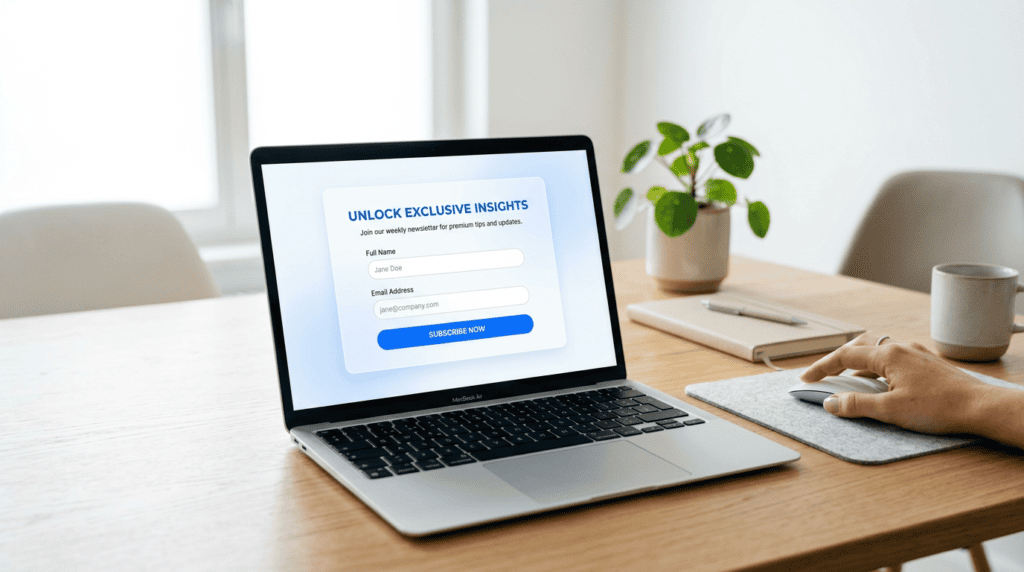
Are your website visitors leaving without a trace? Many online businesses pour money into traffic, only to watch potential customers vanish without a way to follow up. Building an email list isn’t just about collecting addresses; it’s about creating a direct communication channel with your most engaged audience members, turning fleeting visits into lasting relationships and sales.
The real challenge isn’t just getting people to sign up, but doing it effectively without annoying them or hurting your site’s user experience. Many strategies for capturing email addresses focus on volume, but the smart play is to prioritize quality and relevance. A poorly acquired email list can lead to low engagement, high unsubscribe rates, and even spam complaints, ultimately damaging your sender reputation and marketing efforts.
This guide moves beyond generic advice to show you the most effective, modern ways to capture email addresses. We’ll cover 10 proven strategies, explaining not just *what* they are, but *how* to implement them, *who* they work best for, and the common mistakes to avoid. Get ready to turn your website traffic into a high-value email list.
1. The Classic Welcome Mat: Full-Screen Overlays
A full-screen welcome mat is the first thing a new visitor sees, making it a high-impact list-building tool. This type of overlay commands attention, ensuring your offer is seen before any other content.
- How it Works: A full-screen call-to-action (CTA) appears, temporarily hiding the page content and focusing user attention on a single offer, such as a discount code or a lead magnet. Visitors must either engage with the opt-in form or close it to proceed to the website content.
- Best For: Ecommerce sites offering first-purchase discounts, or content sites with a high-value “hero” lead magnet. If you have a truly irresistible offer, like a 20% off coupon or a comprehensive industry report, a welcome mat can deliver significant email list growth.
- Implementation Best Practices: Trigger this only for new visitors, provide a clear “No, thanks” or “X” to close, and ensure the offer is compelling enough to justify the interruption. You should also consider a time delay or scroll trigger to avoid immediately overwhelming users.
- Common Mistake to Avoid: Showing the welcome mat on every single page load, which frustrates returning visitors and can harm user experience. I once saw a site that triggered the same welcome mat every time I clicked a new link, and it made me leave the site entirely. Aggressive, untargeted welcome mats can significantly increase bounce rates.
2. The Content Upgrade: Contextual Lead Magnets
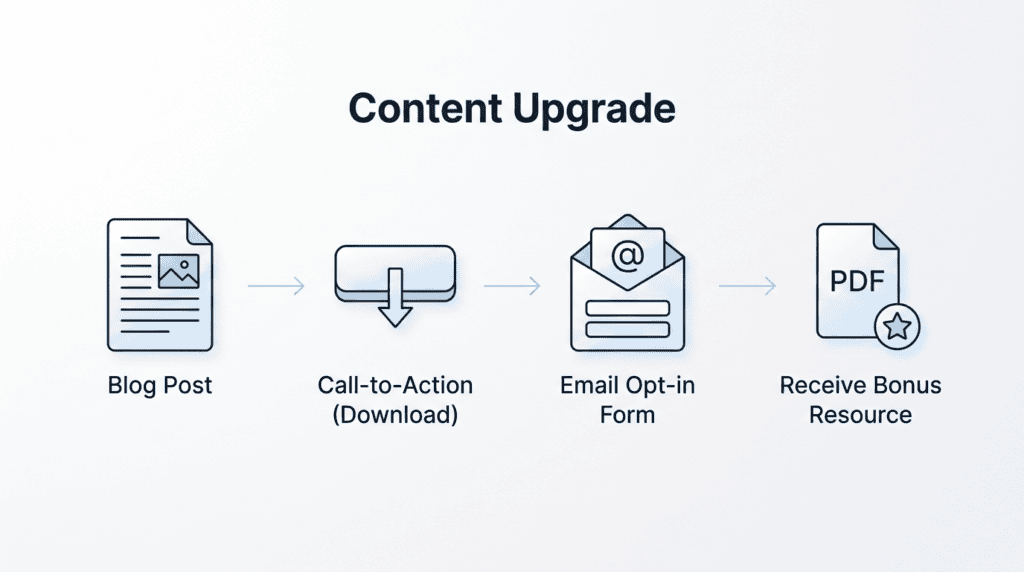
Content upgrades offer a resource directly related to the content the user is already consuming, leading to extremely high conversion rates. This strategy leverages the visitor’s immediate interest to build your email list.
- How it Works: Within a blog post or guide, you offer a bonus resource (e.g., a checklist, template, or PDF version) in exchange for an email address. This isn’t a generic offer; it directly enhances the value of the content they are currently reading.
- Example Scenario: A blog post on “How to Start a Podcast” could offer a “Podcast Launch Checklist” as a content upgrade. Similarly, an article about “Advanced SEO Techniques” might provide a downloadable “Technical SEO Audit Template.”
- Why It’s So Effective: The offer is hyper-relevant to the user’s immediate interest, making the value exchange feel natural and beneficial. Visitors are already invested in the topic, so providing a highly specific, actionable resource as a lead magnet feels like a logical next step rather than an interruption.
- Tools for Implementation: Use tools like OptinMonster or ConvertBox to create two-step opt-in links or inline forms. These tools allow you to easily embed the signup forms directly within your content or trigger a popup when a specific link is clicked, streamlining the process of collecting email addresses.
3. The Interactive Quiz or Calculator
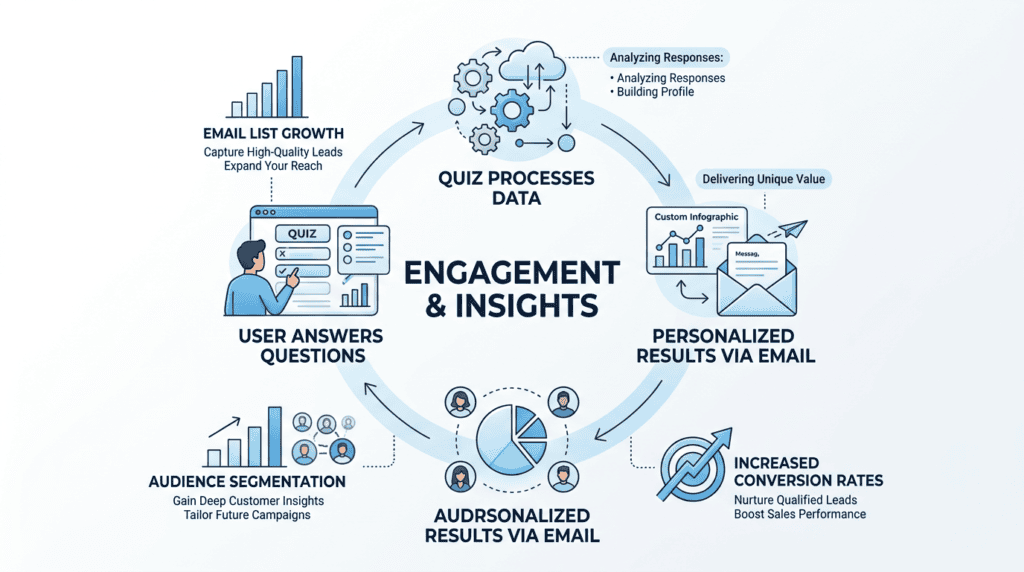
Engage your audience by offering personalized results or insights in exchange for their email.
- How it Works: Visitors answer a series of questions (e.g., “What’s Your Marketing Style?”) or input data into a calculator (e.g., “Mortgage Repayment Calculator”). Their results are sent to their email address. This method provides a clear value exchange, making visitors more willing to provide their contact information. It’s an effective lead generation form that feels less like a traditional signup.
- Best For: Service businesses, coaches, SaaS companies, and financial sites looking to segment their audience based on quiz outcomes. These tools are excellent for collecting email addresses while also gathering valuable data about your potential subscribers, which helps tailor future email marketing campaigns.
- The Psychology Behind It: Quizzes tap into our desire for self-discovery and personalization, making the email capture feel like part of a valuable service. People enjoy learning about themselves or getting specific answers to their problems. This engagement boosts website visitor engagement and can significantly increase email signups.
- Implementation Tip: Ensure the quiz is genuinely useful and the results provide real insight. Use tools like Typeform, Outgrow, or Interact. When I’ve helped clients implement these, we always focus on the *quality* of the outcome. A well-designed quiz can not only capture email addresses but also pre-qualify leads, making your sales team’s job much easier.
> For interactive quizzes and calculators, the results delivered to the user’s email must provide genuine, actionable value; otherwise, it feels like a trick, damaging trust and future opt-in conversion rates.
4. The Exit-Intent Popup: Your Last Chance Offer
Capture visitors who are about to leave your site with a perfectly timed, high-value offer.
- How it Works: When a user’s cursor moves towards the back button or to close the browser tab, a popup appears with a final offer. This behavioral trigger is designed to intercept visitors who are on the verge of bouncing, giving you one last opportunity to convert them into subscribers or customers. It’s a powerful component of many email capture strategies.
- Crafting an Irresistible Offer: The key is to make the offer different or better than anything else on the page. Examples: “Wait! Get 15% off your first order,” or “Before you go, grab our free ebook.” This isn’t the time for a generic “subscribe to our newsletter” message. The offer needs to be a compelling call to action that provides immediate value.
- Best For: Ecommerce stores (to reduce cart abandonment) and content-heavy sites (to capture subscribers before they bounce). For an e-commerce site, a discount code incentive can save a sale. For a blog, a free resource download or a content upgrade related to the article they were reading can build your email list.
- Common Mistake to Avoid: Using a generic “Subscribe to our newsletter” message. The offer must be compelling enough to stop the user from leaving. We once tested an exit-intent popup for a client that offered a simple newsletter signup versus one that offered a “secret checklist for X.” The checklist version saw a 3x higher opt-in conversion rate. The value proposition makes all the difference.
5. The Gamified Opt-In: Spin-to-Win Wheels
Introduce an element of fun and chance to the email capture process.
- How it Works: A popup appears with a virtual prize wheel. The user enters their email for a chance to “spin” and win a prize, such as a discount, free shipping, or a free product. This interactive approach turns a standard email subscription form into an engaging experience, often leading to higher signup rates.
- Why Gamification Works: It leverages the psychological principle of variable rewards, making the act of subscribing feel exciting rather than transactional. The anticipation of winning, even a small prize, provides a strong incentive for visitors to provide their email. This strategy can significantly boost your email list growth.
- Best For: Ecommerce brands, especially in fashion, beauty, and consumer goods, where discounts are a primary driver. It’s also effective for businesses looking to inject some personality into their marketing and create a memorable user experience.
- Implementation Note: Ensure the prizes are real and desirable. Most users understand they won’t win the grand prize, but even a small discount feels like a win. Make sure the software you use (like OptinMonster or Wheelio) allows for easy prize distribution and integrates with your email marketing platform.
> When implementing a spin-to-win wheel, clearly state the odds or ensure every spin guarantees *some* prize, even if it’s a small one, to maintain user trust and positive website visitor engagement.
6. The Multi-Step Form: Breaking Down the Barrier

Instead of presenting a user with multiple fields at once, a multi-step form breaks the process into smaller, less intimidating steps.
- How it Works: The form first asks a simple, non-threatening question (e.g., “What’s your biggest challenge?”). After the user engages, the next step asks for their email address to receive the solution. This approach reduces perceived effort and makes the initial commitment feel minimal, encouraging more visitors to start the process. It’s an effective lead capture technique for complex offers.
- The “Zeigarnik Effect” in Action: This psychological principle states that people are more likely to complete a process they have already started. The initial click creates a micro-commitment, making it harder for users to abandon the form later. This psychological nudge can significantly increase opt-in conversion rates for your lead generation forms.
- Best For: Service providers, consultants, and B2B companies that need to qualify or segment leads without overwhelming them upfront. It’s also great for collecting email addresses for high-value offers like gated content access or webinar registration forms, where you might need more information than just an email.
- Example Flow:
- Step 1: “Are you a small business or an agency?” (Button click)
- Step 2: “Great! Enter your email to get our tailored guide.” (Email field)
This flow feels less intrusive and more conversational, guiding the user towards providing their email for a personalized outcome. I’ve used multi-step forms to qualify B2B leads, asking about company size or industry first, then requesting contact details. The conversion rate on the final email step was consistently higher than single-step forms.
7. The Sticky Bar or Notification Bar
A sticky bar, also known as a notification bar, offers a less intrusive yet persistent method to keep your call-to-action visible as users scroll through your website. Unlike a popup that demands immediate attention, a sticky bar remains fixed at the top or bottom of the screen, subtly reminding visitors of an offer without disrupting their reading experience.
This thin banner typically contains a concise call-to-action and often a direct email capture field. It’s a great way to promote a site-wide offer, announce a new product, highlight a webinar, or run a time-sensitive promotion without interrupting the main content flow. For high conversion, design is key: use contrasting colors to make the bar stand out, keep the copy short and to the point, and ensure the signup button is prominent and easy to click.
> Always prioritize user experience; a sticky bar should be noticeable but never obstruct essential website navigation or content.
When deciding between a sticky bar and a popup, consider the urgency and impact you need. Use a sticky bar for persistent, less urgent offers that you want visitors to see eventually. Popups are better suited for high-impact, attention-grabbing moments, like an exit-intent offer. I’ve found sticky bars particularly effective for promoting a free resource library or a new newsletter signup, as they offer a continuous prompt without feeling aggressive.
8. The Inline Form: Capturing Readers In-Flow
Inline forms allow you to place your email capture forms directly within your blog posts or on key pages where reader engagement is naturally highest. This method integrates the opt-in process seamlessly into the content, making it feel less like an interruption and more like a natural extension of the value being provided.
An opt-in form embedded naturally between paragraphs of an article or at the end of a post works well. The best placement strategy is often after you’ve delivered significant value, perhaps about 40-60% of the way through a long-form article, or right before the conclusion. Another highly effective variation is to include an opt-in form within the author bio box at the end of a post, leveraging the author’s credibility to encourage signups.
What you offer in an inline form should be contextually relevant. While a content upgrade directly related to the article is ideal, a general offer like “Get our best tips delivered weekly” can also work well, especially if the content itself has already proven your expertise. I’ve seen inline forms outperform popups on certain long-form guides because the reader is already invested in the content, making them more receptive to a related offer.
> Ensure your inline forms are mobile-responsive and don’t break the flow of your content on smaller screens.
9. The Gated Content or Resource Hub
Gated content involves locking your most valuable, in-depth content behind a simple email registration wall. This isn’t just about offering a single PDF; it’s about creating a comprehensive library of resources – like video tutorials, templates, case studies, or exclusive reports – that users can access after a one-time email signup.
This strategy is powerful for long-term email list growth because it positions you as an authority in your niche. You’re not just offering a quick download; you’re providing access to an exclusive club of valuable information. This approach works best for B2B companies, course creators, and established experts who have a deep well of content to share. It gives visitors a compelling reason to subscribe, knowing they’re gaining access to a wealth of knowledge.
For implementation, clearly showcase the value of the resource library on the landing page. Use bullet points, images, or short video clips to preview what’s inside and highlight the benefits. I’ve personally used a resource hub to build a highly engaged list for a SaaS product, finding that the quality of leads from gated content is often much higher than from generic newsletter signups.
> The perceived value of your gated content must significantly outweigh the friction of providing an email address.
10. The Waitlist for a Future Product or Course
Building a waitlist for a future product or course is an excellent way to capture email addresses and validate demand *before* you even fully develop the offering. You create a dedicated landing page for an upcoming product, course, or feature, inviting interested users to join the waitlist. This often comes with the promise of being the first to know when it launches, sometimes with an exclusive early-bird discount or bonus.
The primary benefit of a “pre-launch” list is that it builds a highly qualified and engaged list of potential buyers. These are individuals who have explicitly raised their hands, indicating a strong interest in what you plan to offer. This strategy is ideal for entrepreneurs, course creators, and SaaS companies planning a new launch, as it provides valuable feedback and a ready audience.
When crafting the waitlist page, it’s crucial to clearly articulate the problem you’re solving and the promised outcome of the future product. Focus on the transformation or solution it provides, rather than just listing features. I once launched a new digital product by first building a waitlist, and the insights gained from early sign-ups helped me refine the product and messaging, leading to a much more successful launch.
Honest Take: Which Email Capture Method Should You Choose?
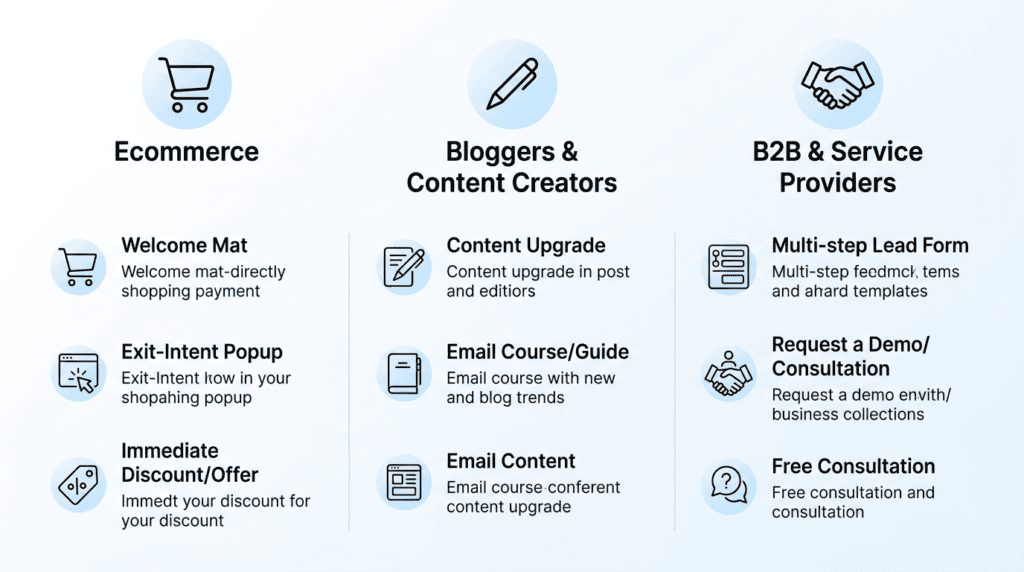
The best method depends entirely on your business model, audience, and goals. Don’t try to implement all ten at once. Instead, pick the strategies that best align with your current content and offerings to effectively build an email list.
- For Ecommerce: Start with a Welcome Mat (offering a discount) and an Exit-Intent Popup (to reduce cart abandonment). These are highly effective ways to capture email addresses from visitors with commercial intent. A Spin-to-Win Wheel can also boost engagement and increase email signups by adding a fun element to discount offers.
- For Bloggers & Content Creators: Your highest leverage point is the Content Upgrade. This strategy provides immense value directly related to the content, leading to high-converting opt-in forms. Combine this with an Inline Form placed strategically within your articles and an Exit-Intent Popup offering your best lead magnet to maximize email list growth.
- For B2B & Service Providers: Focus on value and qualification. An Interactive Quiz/Calculator or a Gated Resource Hub works exceptionally well for collecting email addresses from interested leads. Multi-Step Forms are perfect for contact pages or service inquiries, breaking down the lead generation forms into manageable steps.
- The Universal Rule: Always start with the method that is most aligned with the value you already provide. The more natural the exchange feels, the higher your conversion rate will be for collecting email addresses.
Final Recommendation

To build a thriving email list in 2026, you must move beyond a simple “subscribe to my newsletter” box. The most effective strategies provide a clear and immediate value exchange, making it easy for visitors to see the benefit of joining your audience. Relying solely on passive email subscription forms means you’re leaving countless potential subscribers on the table, limiting your future marketing campaigns and growth.
For maximum impact, we recommend starting with two key methods:
- A Content Upgrade: This is the highest-converting method for any site producing content. Find your most popular blog post and create a specific, high-value bonus for it. This strategy leverages the reader’s current interest, making the decision to opt-in feel natural and highly relevant. It’s an excellent way to increase email signups from engaged visitors.
- An Exit-Intent Popup: This is your safety net, capturing engaged visitors who might otherwise be lost forever. Ensure the offer is compelling – a discount, a free guide, or an exclusive resource – to make it worth their while. This uses behavioral trigger options to present a last-chance opportunity to collect email addresses.
By mastering these two techniques, you create a powerful system that converts readers into subscribers by offering value at the exact moment they need it. From there, you can experiment with other methods like quizzes or welcome mats to optimize further. The goal is not to interrupt, but to integrate the act of subscribing into a helpful user journey.
> Focus on delivering undeniable value at every touchpoint to turn casual visitors into loyal email subscribers.
I’ve personally seen these two strategies deliver the quickest and most significant boosts to email list growth across various niches. They require a bit more thought than a simple footer form, but the return on that effort is consistently higher quality leads and better long-term engagement.
Frequently Asked Questions (FAQ)
How many email capture forms are too many on one page?
A good rule is to have no more than 2-3 distinct opt-in opportunities on a single page (e.g., a sticky bar, an inline form, and an exit-intent popup). The key is that they should be triggered by different user actions and not appear all at once, ensuring a positive user experience.
Will popups hurt my SEO or user experience?
Google penalizes intrusive interstitials *on mobile* that cover the main content immediately after a user navigates to a page from search. However, well-implemented popups (e.g., exit-intent, time-delayed, or scroll-triggered) are generally safe and do not negatively impact SEO, especially when they offer genuine value and are easy to close.
What is a good email opt-in conversion rate?
A “good” rate varies wildly. A generic newsletter signup in a footer might convert at 0.5%. A standard popup might get 1-3%. A highly-targeted content upgrade can convert at 20-50% or even higher, demonstrating the power of relevant lead magnets for collecting email addresses.
What’s the best tool for creating email capture forms?
Popular and effective tools include OptinMonster (great for targeting rules and exit-intent popup technology), ConvertBox (excellent for multi-step forms and segmentation), Thrive Leads (a powerful WordPress plugin), and the native form builders within email service providers like ConvertKit or MailerLite.
Should I use a single-opt-in or double-opt-in process?
Double-opt-in (where users must confirm their email address) results in a higher-quality, more engaged list with better deliverability, but a lower overall number of subscribers. Single-opt-in maximizes list growth but risks more low-quality or fake emails. For most businesses focused on long-term engagement and avoiding spam, double-opt-in is the recommended best practice for collecting email addresses.