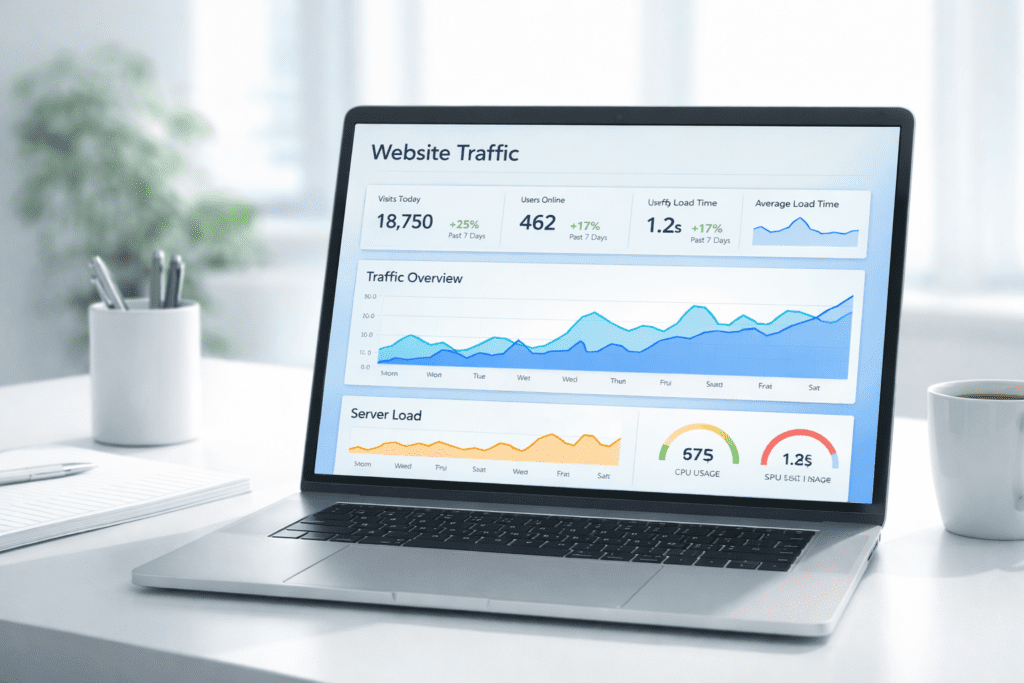
What happens when your website suddenly gets more traffic than expected? That’s usually when people start thinking about hosting scalability, especially after seeing slow load times or even website downtime during traffic spikes.
Here’s the thing.
Most websites start small, but they don’t stay that way. From my research, growth brings new challenges like increased incoming traffic, higher resource usage, and pressure on your server performance. Without a scalable web hosting setup, even a well-designed site can struggle to keep up.
In this guide, we’ll break down hosting scalability in a simple way. You’ll learn how scalable hosting works, why it matters, and how to choose the right web hosting package that supports future growth without constant issues.
What Is Hosting Scalability and How It Works
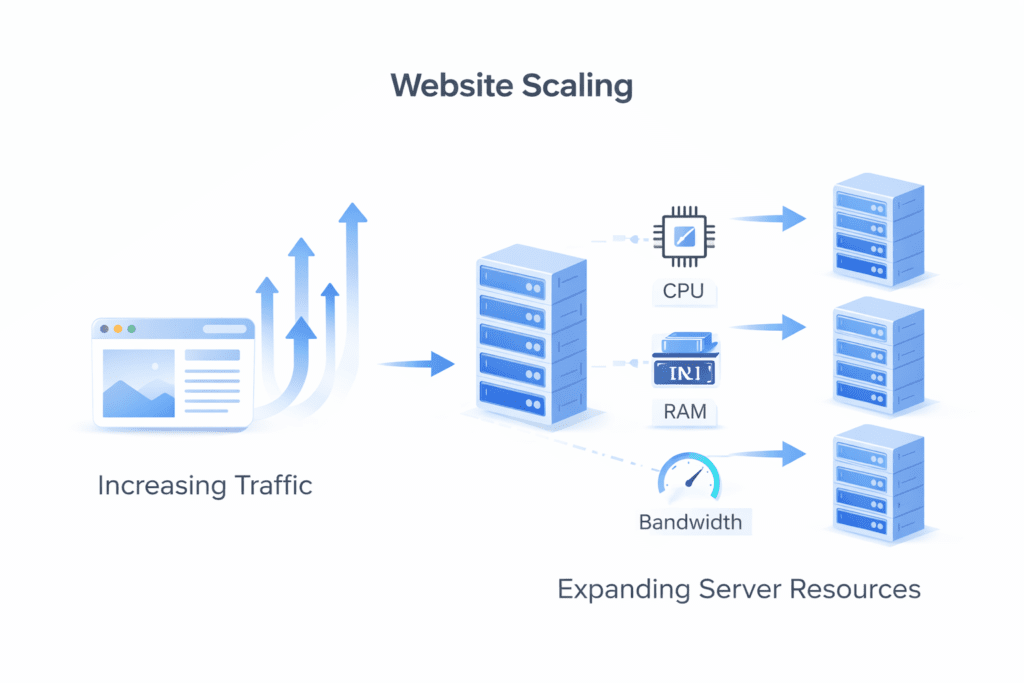
Definition of Hosting Scalability
Hosting scalability refers to the ability of a web hosting environment to handle increasing traffic and resource demands without slowing down or crashing.
In simple terms, it means your server can grow as your website grows.
• Scalability: Ability of a server to handle increased traffic and resource usage
• Server capacity: Determines how much load your website can manage
• Resource allocation: Adding more cpu, ram, or bandwidth when needed
• Scalable hosting: Allows your website to expand without performance issues
Now this is where people get confused.
They assume their hosting plan will automatically handle growth. But not all hosting solutions are designed to scale. Some have strict limits that create bottlenecks as traffic increases.
Website Scalability Explained
Website scalability is about how well your site handles growth over time.
A scalable web setup ensures that your website remains stable even when traffic increases significantly.
Here’s what I noticed.
A website might work perfectly with 1,000 monthly visitors. But when that number grows to 50,000, the same server may struggle unless you upgrade or switch to a scalable hosting solution.
That’s the difference between fixed hosting and scalable hosting.
• Fixed hosting: Limited resources on a single server
• Scalable web hosting: Resources can expand based on demand
For example, a wordpress site that starts small may eventually need more resources as plugins, content, and users increase. Without proper scaling, performance bottlenecks start to appear.
So scalability isn’t just about handling traffic. It’s about maintaining stability, speed, and user experience as your website grows.
Scalability vs Performance vs Storage Explained Simply
These three terms often get mixed up, but they solve different problems.
Here’s the thing.
A website can have enough storage and still crash. It can be fast under low traffic but fail when more users arrive. That’s where understanding scalability becomes important.
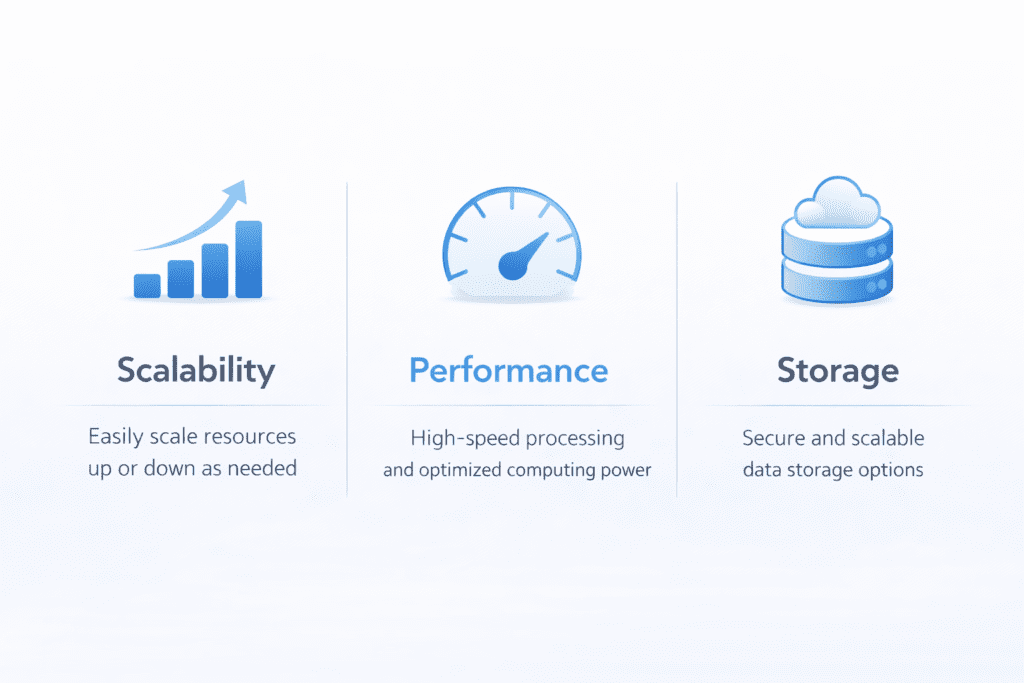
• Scalability: Ability to grow when traffic or demand increases
• Performance: Speed of your website under normal conditions
• Storage: Amount of data your server can hold
Now this is where people get confused.
They think upgrading storage will fix everything. But storage only affects how much data you can store, not how well your server handles traffic.
For example, a website might have enough storage for images and files, but if it’s not scalable, it can still crash during traffic spikes.
So while performance affects load times and storage affects capacity, scalability ensures your website can handle growth without breaking.
Why Scalability Matters in Web Hosting
Scalability is not just a technical feature. It directly impacts how your website performs as it grows.
Handling Traffic Growth
As your website gains more visitors, your server needs to handle increased load.
• Traffic spikes: Sudden increase in users can overload a server
• Resource demand: More visitors require more cpu and memory
• Scalable systems: Adjust resources based on traffic
From my research, traffic doesn’t always grow gradually. Sometimes it jumps suddenly, especially during a marketing campaign or viral content.
Without scalability, your website may slow down or even go offline.
Performance Stability
Scalability helps maintain consistent performance even under pressure.
• Stable server performance: Handles increased load without slowing down
• Reduced downtime: Keeps your website accessible
• Better user experience: Visitors don’t face delays or errors
Here’s what I noticed.
A scalable web hosting setup doesn’t just handle growth. It keeps your website running smoothly even when demand increases.
For example, an e-commerce store during a sale might experience sudden traffic spikes. A scalable hosting solution can handle that increased load without crashing.
What Happens Without Scalability (Real Failure Example)
Let’s look at what actually happens when scalability is missing.
• Server overload: Too many users for available resources
• Performance bottleneck: Slow load times and delays
• Website downtime: Site becomes unavailable
Here’s the thing.
Imagine a blog that suddenly grows from 10,000 visitors per month to 100,000 visitors in a short time. If it’s running on shared hosting with limited resources, the server may not handle the increased load.
The result?
The website slows down, users leave, and eventually the site may crash completely.
That’s not just a technical issue. It affects traffic, SEO, and even revenue.
So scalability isn’t optional if your website is expected to grow. It’s something you need to plan for early.
Types of Web Hosting Scalability Explained
Scalability isn’t just one thing. There are different ways a server can handle growth, and each method works differently.
Here’s the thing.
Most hosting providers use two main types of scaling. Understanding them helps you choose the right hosting solution.
Vertical Scaling
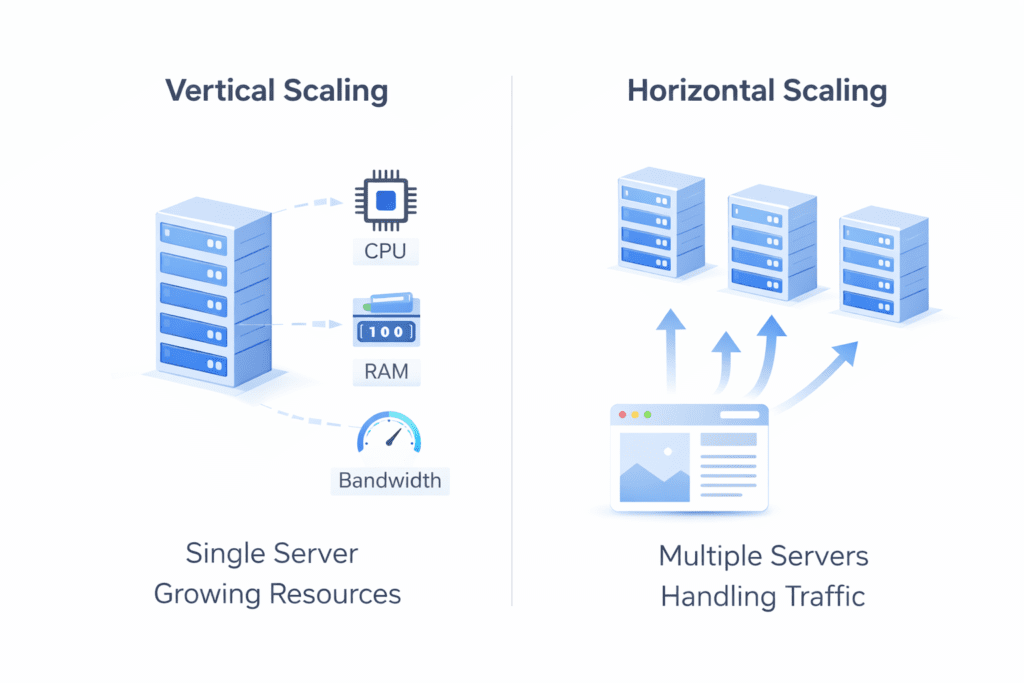
Vertical scaling means upgrading a single server by adding more power.
• Vertical scaling: Increasing cpu, ram, or storage on one server
• Single server setup: All resources come from one machine
• Upgrade path: Move to a higher hosting plan with more power
This is the most common type of scaling in web hosting.
For example, if your wordpress site starts getting more traffic, you might upgrade your virtual server to include more ram and cpu. That allows the server to handle more users.
But there’s a limit.
A single server can only be upgraded so much before it reaches its maximum capacity.
Horizontal Scaling
Horizontal scaling works differently.
Instead of upgrading one server, you add more servers to handle the load.
• Horizontal scaling: Adding more servers to distribute traffic
• Multiple server setup: Traffic is handled across multiple systems
• Load distribution: Requests are shared across servers
Now this is where things get more interesting.
Instead of relying on a single server, horizontal scaling spreads incoming traffic across multiple servers. This reduces the risk of overload and improves stability.
For example, a SaaS platform with thousands of users may use horizontal scaling to distribute requests across multiple servers.
That way, no single server becomes a bottleneck.
Vertical vs Horizontal Scaling Comparison
Here’s a simple comparison to understand the difference.
| Scaling Type | Method | Best For | Cost | Flexibility |
|---|---|---|---|---|
| Vertical Scaling | Add more power to one server | Small to medium websites | Lower initially | Limited |
| Horizontal Scaling | Add more servers | Large or high-traffic websites | Higher setup | More flexible |
Here’s what I noticed.
Vertical scaling is easier to manage and works well for most growing websites. But for high-traffic platforms, horizontal scaling offers better long-term flexibility.
So when choosing between vertical and horizontal scaling, it depends on how much growth you expect and how complex your setup needs to be.
Types of Scalable Web Hosting
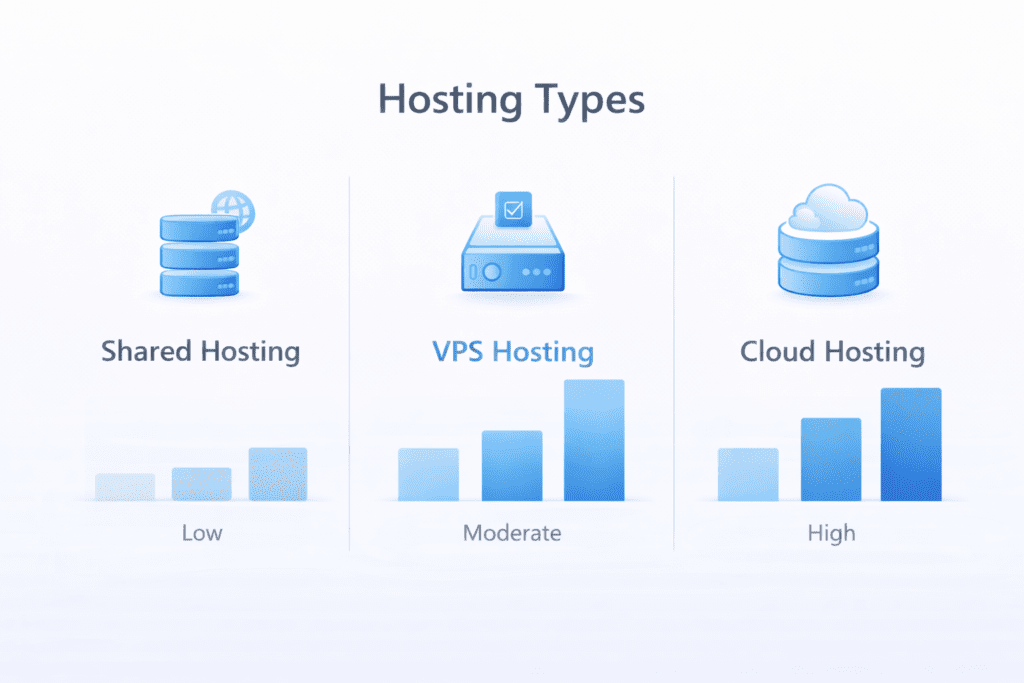
Not all web hosting environments support scalability equally.
• Shared hosting: Limited scalability and shared resources
• Basic setup: Suitable for small websites
• Growth limitation: Not ideal for handling traffic spikes
Shared hosting is the least scalable option. It works for small websites but struggles as traffic increases.
VPS Hosting
• Virtual server: Dedicated resources within a shared environment
• Moderate scalability: Allows vertical scaling
• Better performance: More stable than shared hosting
VPS hosting offers a balance between cost and scalability. You can upgrade resources as needed without moving to a completely new system.
Cloud Hosting
• Cloud hosting: Uses multiple servers for better scalability
• On-demand scaling: Adjust resources based on traffic
• High flexibility: Supports both vertical and horizontal scaling
Here’s the thing.
Cloud hosting is one of the most scalable options available. It allows your website to grow without strict limits, making it suitable for high-traffic and dynamic web applications.
Here’s what I noticed.
Most websites start with shared hosting, move to VPS hosting, and eventually switch to cloud hosting as traffic grows.
That progression is common because each step offers more scalability and better server performance.
Hosting Scalability Based on Website Size
Not every website needs the same level of scalability. The right setup depends on how much traffic you expect and how fast you plan to grow.
Here’s the thing.
Choosing the wrong hosting environment early can limit your ability to scale later.
• Small website: Shared hosting works for low traffic and basic needs
• Medium website: VPS hosting provides better scalability and control
• Large website: Cloud hosting supports high-traffic and dynamic scaling
From my research, most websites don’t jump directly to cloud hosting. They usually grow step by step.
For example, a blog may start small on shared hosting, then upgrade to a virtual server as traffic increases, and eventually move to cloud hosting when scalability becomes critical.
That progression helps manage cost while supporting growth.
How Scalable Web Hosting Works in Real Systems
Scalable hosting works by adjusting resources based on demand.
Instead of using fixed resources, the system allocates additional resources when traffic increases.
• Resource allocation: Add cpu, memory, or bandwidth as needed
• Dynamic scaling: Adjust resources based on incoming traffic
• Auto-scaling: Automatically increase capacity during traffic spikes
Now this is where things get more technical.
A scalable web setup monitors traffic and adjusts server resources in real time. That helps maintain stability and avoid performance bottlenecks.
For example, during a marketing campaign, a website may receive sudden traffic. A scalable system increases resources temporarily to handle the load.
Once traffic drops, resources return to normal levels.
That’s how scalable hosting ensures cost efficiency while maintaining performance.
Scalability Architecture Explained Simply
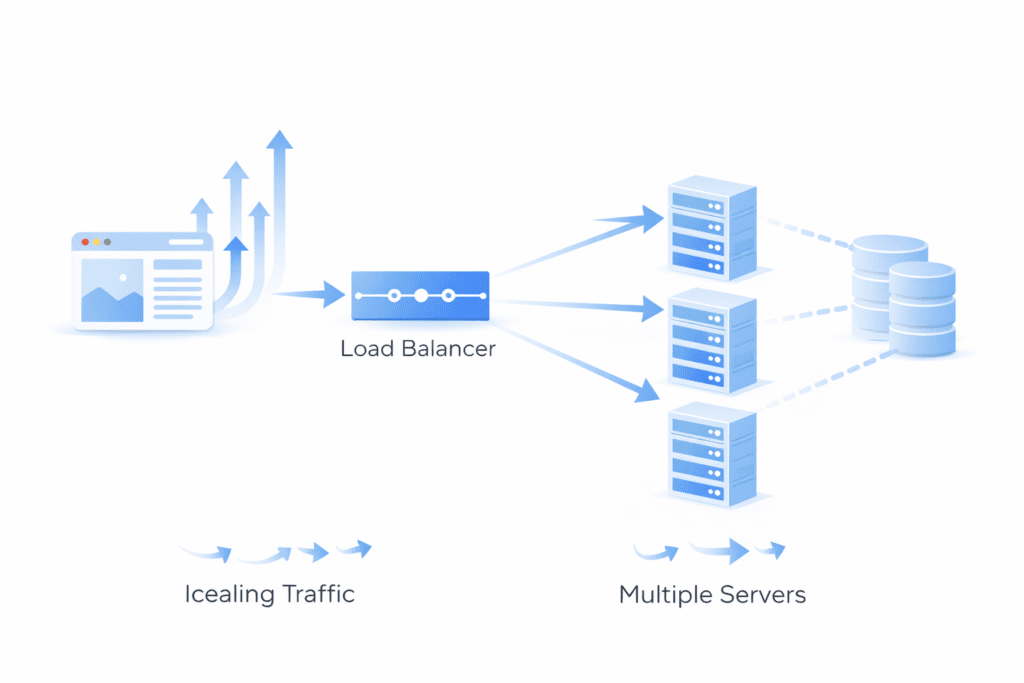
Behind the scenes, scalable systems rely on a combination of components working together.
• Load balancer: Distributes incoming traffic across multiple servers
• Multiple server setup: Prevents a single server from becoming overloaded
• Database scaling: Handles increased data requests efficiently
Here’s what I noticed.
A well-structured architecture allows websites to handle growth without noticeable performance issues.
Instead of relying on a single server, traffic is distributed across multiple servers. This reduces the risk of downtime and improves reliability.
Real-Life Scalability Examples
Scalability becomes easier to understand when you look at real scenarios.
• Blog growth: A site grows from 1,000 to 50,000 visitors and upgrades hosting
• e-commerce store: Handles seasonal traffic spikes during sales
• SaaS platform: Uses horizontal scaling across multiple servers
Here’s the thing.
Growth doesn’t always happen slowly. Sometimes traffic increases suddenly, and without a scalable system, the server can’t handle it.
That’s why scalable hosting is important for websites that expect future growth.
Scalability for WordPress Websites
WordPress websites need scalability more than people expect.
• Plugin usage: Adds load on the server
• Database activity: Increases with more users and content
• Dynamic content: Requires more resources
From my research, a wordpress site with multiple plugins and high traffic can quickly hit resource limits on a single server.
For example, a WooCommerce store during a sale may experience traffic spikes. Without proper scaling, the site may slow down or crash.
That’s where scalable hosting helps maintain stability and performance.
How to Optimize for Scalability
Scalability doesn’t happen automatically. Even with a strong hosting solution, you still need to optimize your setup.
Here’s the thing.
A poorly optimized website can struggle even on a powerful server.
• Server optimization: Improve server configuration for better performance
• Application optimization: Optimize web applications to reduce resource usage
• WordPress optimization: Use cache and clean up database regularly
From my research, small changes can make a big difference.
For example, enabling cache can reduce load on the server, while database optimization helps handle more users efficiently.
Best Practices for Scalable Web Hosting
If you want a scalable web setup that works long term, a few best practices help.
• Use cloud hosting: Offers flexible scaling based on demand
• Enable caching: Reduces server load and improves speed
• Use CDN: Distributes content through third-party networks
• Build structured system: Avoid performance bottlenecks
Here’s what I noticed.
Scalability is not just about adding more resources. It’s about using resources efficiently.
A well-optimized website can handle more traffic without needing constant upgrades.
How to Handle Traffic Spikes Without Crashing
Traffic spikes are one of the biggest challenges for growing websites.
• Auto-scaling: Adjust resources automatically during spikes
• Load balancing: Distribute traffic across multiple servers
• Cloud hosting: Handle sudden increases in incoming traffic
Here’s the thing.
Traffic spikes can happen unexpectedly. A viral post or marketing campaign can bring sudden traffic to your website.
Without a scalable system, your server may crash under pressure.
With proper scaling, your website remains stable even during sudden increases in traffic.
Hosting Scalability Costs Explained
Scalability comes with cost, but it usually grows with your website.
• Entry-level hosting: Around $5/month for basic shared hosting
• VPS hosting: Around $20 to $50/month depending on resources
• Cloud hosting: Costs increase based on usage
From my research, pricing increases as your website grows.
A website may start with a low-cost hosting plan but eventually move to higher-cost options as traffic increases.
This is normal.
Because as your website grows, it requires more resources to maintain performance.
Cost of Not Having Scalability
This is where things become serious.
• Lost traffic: Visitors leave when site is slow or unavailable
• Revenue loss: e-commerce sites lose sales during downtime
• SEO impact: Search rankings drop due to poor performance
Here’s what I noticed.
The cost of downtime is often higher than the cost of scalable hosting.
For example, an online store that goes offline during a traffic spike can lose customers and revenue within minutes.
So while scalable hosting may seem expensive, not having it can cost even more.
What Hosting Companies Don’t Tell You About Scalability
Scalability sounds simple in marketing, but there are details most hosting companies don’t explain clearly.
Here’s the thing.
Not all scalable hosting is truly flexible. Some plans come with hidden limits that only show up when your site starts growing.
• Hidden limits: Resource caps can restrict scaling
• Upgrade costs: Pricing increases faster than expected
• Performance caps: Server limits create bottlenecks under load
• “Unlimited” claims: Often have restrictions behind the scenes
From my research, many shared hosting plans advertise unlimited resources, but they still limit cpu usage or concurrent connections.
That’s why some websites crash during traffic spikes even when they seem to have enough storage or bandwidth.
When You Should Upgrade Your Hosting
Knowing when to upgrade your hosting plan is just as important as choosing the right one.
• Slow load times: Website performance starts dropping
• Increased traffic: More users than your server can handle
• Resource limits reached: CPU or memory usage hits maximum
• Frequent issues: Errors or downtime during peak usage
Here’s what I noticed.
A website usually shows clear signs before it outgrows its current hosting environment.
For example, if your site starts slowing down around 20,000 visitors per month, it’s a signal that your current server may not be able to handle further growth.
Upgrading early helps avoid performance issues later.
How to Select the Right Scalable Hosting
Choosing the right hosting solution depends on your future growth, not just your current needs.
• Traffic expectations: Estimate how much your website will grow
• Flexibility: Ability to scale resources when needed
• Cost: Balance between budget and performance
• Infrastructure: Choose a reliable hosting environment
Here’s the thing.
A scalable hosting solution should allow your website to grow without requiring constant migration.
That means choosing a platform that supports both vertical scaling and horizontal scaling if needed.
Best Hosting Types for Scalability
Not all hosting types handle scalability equally.
• Shared hosting: Limited scalability and not suitable for growth
• VPS hosting: Moderate scalability with dedicated resources
• Cloud hosting: Best option for handling high traffic and scaling
From my research, cloud hosting is often the most scalable option because it uses multiple cloud servers instead of a single physical server.
This allows websites to handle traffic spikes more efficiently.
Simple Scalability Checklist
If you want to make sure your website is ready to scale, a simple checklist can help.
• Check hosting limits: Understand resource restrictions
• Enable caching: Reduce load on the server
• Use CDN: Improve content delivery speed
• Monitor traffic: Track growth and resource usage
Here’s what I noticed.
Even small optimizations can improve how well your website handles growth.
Common Mistakes When Choosing Scalable Hosting
This is where many website owners go wrong.
• Choosing cheapest option: Ignoring scalability needs
• No growth planning: Not preparing for future traffic
• Ignoring limits: Not checking resource caps
• Overlooking optimization: Relying only on server upgrades
Let’s be real for a second.
Scalability isn’t just about choosing a hosting plan. It’s about planning how your website will grow over time.
What Most People Miss About Hosting Scalability
There’s one important thing people often overlook.
• Backend optimization: Server setup matters
• Planning ahead: Growth should be expected
• Infrastructure quality: Not all servers perform the same
Here’s the thing.
Even the best scalable hosting won’t help if your website isn’t optimized properly.
Scalability works best when combined with good optimization and a well-structured system.
Frequently Asked Questions
What is web hosting scalability?
Web hosting scalability is the ability of a hosting setup to handle more traffic or resources as your site grows without failing.
Why does scalability matter for web applications?
Scalability keeps your web applications fast and available when the number of users rises or content goes gone viral.
How do scalable cloud hosting and dedicated server options differ?
Scalable cloud hosting adds resources on demand, while a dedicated server gives fixed high-performance hardware you manage.
Can I scale a basic web hosting package or do I need a new plan?
Many web hosting packages let you upgrade or deploy new resources, but sometimes moving to a scalable cloud hosting plan is easier.
What role does the web server and control panel play in scaling?
The web server handles requests and the control panel helps you add resources, monitor usage, and optimize performance.
How does resource utilization affect cost-effective scaling?
Good resource utilization means you only pay for what you need, making scaling more cost-effective and agile.
What is redundancy and why is it important for a well-structured setup?
Redundancy uses multiple servers or systems so services stay up if one part fails, which makes your infrastructure robust.
Do SSL certificates and third-party services affect scalability?
SSL certificates add secure connections and third-party services can help or limit scaling depending on their capacity and integration.
Quick steps are to add more instances, use load balancing, and cache content to handle the jump in number of users.
Can I scale on Linux and still keep high performance?
Yes, Linux is common for scalable systems and can deliver high performance with proper tuning and monitoring.
What are common ways to deploy new features while keeping scalability?
Use staged deployments, feature flags, and testing so new features roll out without hurting performance or resource utilization.
How do I design a scalable, well-structured hosting plan for long-term growth?
Plan for modular services, automation, redundancy, and monitoring so your site is able to grow without major rebuilds.

Final Thoughts on Hosting Scalability
So what does this mean for you?
Hosting scalability is not just a technical concept. It’s a key part of building a website that can grow without breaking.
If your website is expected to handle more users over time, choosing a scalable web hosting solution early can save you from performance issues later.
From my research, websites that plan for scalability tend to perform better, handle traffic spikes more effectively, and avoid costly downtime.
Bottom line?
If you want your website to grow smoothly, scalability isn’t optional. It’s something you need to think about from the start.