
You wake up one morning with an idea to start a blog. Maybe it’s about personal finance, travel, or a side hustle you’ve been thinking about for months. You open your laptop, type “best way to start a blog,” and the same two names show up again and again. WordPress and Wix. That’s usually the exact moment where WordPress vs Wix for Bloggers becomes a real question instead of just a search term.
At first glance, both look fine. Both promise an easy way to create a website. Both say you don’t need to be technical. But here’s the thing. The choice you make here quietly affects how much control you’ll have later, how easy it is to grow, and even how much money you might be able to make from your content.
Some platforms are great for getting started fast. Others are better for building something that lasts. The tricky part is knowing which one fits the type of website you actually want to build, not just what sounds easiest today.
WordPress vs Wix for Bloggers: The Real Choice in 2026
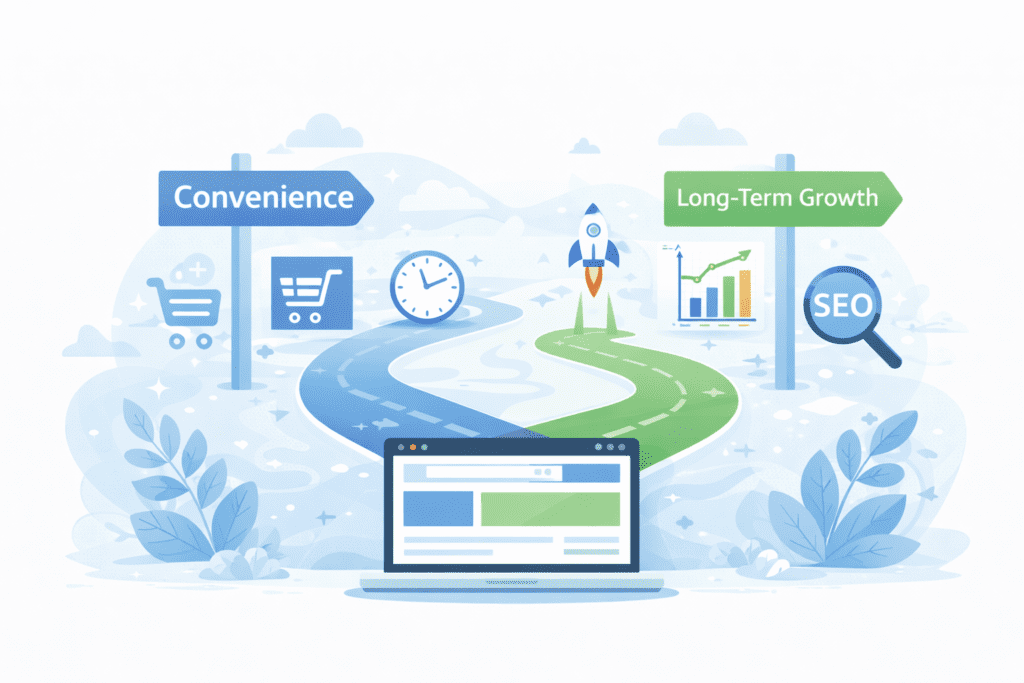
The real decision isn’t about which tool looks nicer. It’s about how much freedom you want over your content and your future.
WordPress is built around flexibility. You can change almost everything, from how your site looks to how it works behind the scenes. Wix is built around simplicity. It tries to handle most things for you so you don’t have to think about them.
That difference sounds small, but it adds up over time.
If you’re just testing an idea, Wix might feel comfortable. You can drag and drop, pick a template, and publish quickly. No setup headaches. No hosting decisions. Everything feels smooth.
WordPress, on the other hand, asks for a little more effort upfront. You’ll need hosting, a theme, and a few basic settings. But in return, you get full ownership of your site and far more control over how it grows.
So when people compare wix vs wordpress, they’re really comparing two mindsets. One focuses on convenience. The other focuses on long-term control.
That’s why this isn’t just a technical choice. It’s a strategy choice.
If your goal is to build a personal blog for fun, the limits of Wix might never matter. But if you plan to grow traffic, rank on Google, or turn your blog into income, those limits start showing up faster than most beginners expect.
Beginner-Friendly Explanation of What WordPress and Wix Actually Are
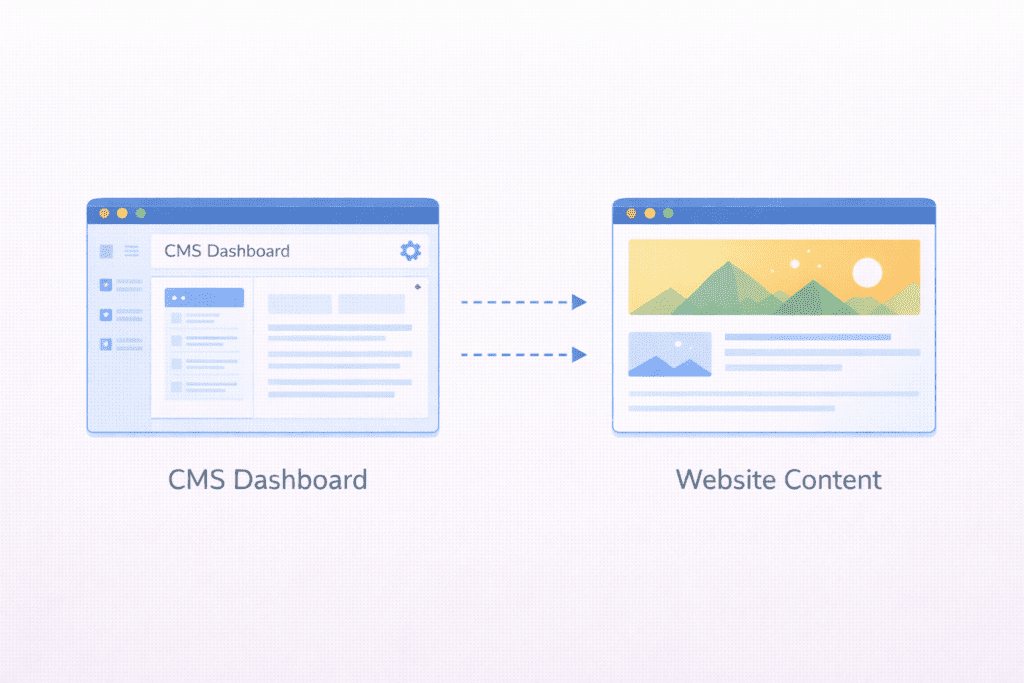
Let’s clear up what these platforms really are, without the marketing language.
WordPress is a content management system. It was originally built for blogging, and over time it turned into the most widely used platform on the internet. WordPress is an open-source system, which means anyone can use it, modify it, and build on top of it. You install it on your own hosting, and you control the entire wordpress site.
Wix is a website builder. It’s a closed platform where everything lives inside Wix’s system. You create a wix site using their editor, their templates, and their features. Hosting is included, and Wix handles most of the technical stuff in the background.
This difference changes how much freedom you actually have.
With WordPress, you own your files, your database, and your content. You can move your site to another host, change designs anytime, or add new features using wordpress plugins.
With Wix, your site lives inside your wix account. You can customize within their limits, but you can’t fully take your site elsewhere in the same way. Wix controls the system, updates, and platform rules.
Both let you build a website. But they don’t give you the same level of control.
That’s why wordpress and wix often attract very different types of users.
People who want full ownership usually lean toward WordPress. People who want everything handled for them often choose Wix.
Neither is “wrong.” But they’re not built for the same long-term goals.
One more thing that confuses beginners is that people say “WordPress” without explaining which one. There’s WordPress.com and self-hosted WordPress. They’re not the same thing, and mixing them up leads to a lot of bad advice.
We’ll break that down in the next part, because it changes how you should look at this entire comparison.
Quick Recommendation (TL;DR)
Choose WordPress if you want:
• Long-term blogging or business
• Better SEO and traffic growth
• Full control over content and monetization
Choose Wix if you want:
• The easiest setup possible
• A simple or temporary blog
• Everything managed for you
Bottom line: WordPress is better for serious bloggers. Wix is better for short-term simplicity.
How We Selected and Compared WordPress vs Wix for Bloggers
This comparison focuses on blogging, not general business websites or online stores.
The main criteria were:
Ease of use. How quickly a beginner can get started without frustration.
SEO control. How much control you have over how your content appears in search engines.
Customization. How flexible the platform is when you want to change design or features.
Monetization. How easy it is to make money from your blog using ads, affiliates, or other methods.
Long-term cost. Not just the monthly fee, but what you’ll pay over several years.
These matter more for bloggers than for small businesses. A business site might just need a homepage and contact form. A blog needs consistent traffic, strong SEO, and the freedom to grow without hitting platform limits.
That’s why this isn’t about design quality or fancy animations. It’s about whether the platform supports real content growth.
WordPress.com vs Self-Hosted WordPress (Important Distinction for Bloggers)
This part trips up a lot of people.
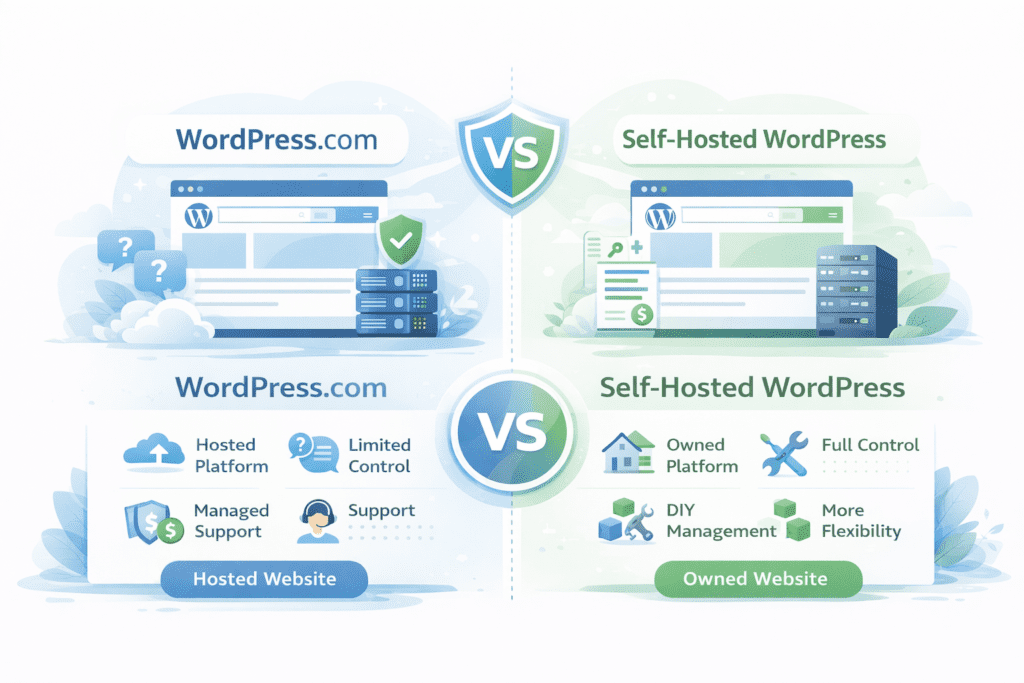
When most bloggers recommend WordPress, they’re talking about self-hosted WordPress, not WordPress.com.
WordPress.com is a hosted service, similar to Wix. You sign up, choose a plan, and WordPress hosts your site for you. It’s easier, but it comes with restrictions on plugins, monetization, and customization.
Self-hosted WordPress is different. You get your own hosting, install WordPress yourself, and control everything. This is what most serious bloggers use.
So when people say things like “WordPress gives you more control,” they’re almost always referring to the self-hosted version.
If you use wordpress hosting from a third-party provider, you own the site and can move it anytime. You can install any wordpress plugin, use any wordpress theme, and customize nearly every part of the site.
That level of freedom is what makes WordPress powerful for long-term projects.
WordPress.com is fine for casual blogs. But if your goal is real growth, it behaves more like Wix than most people realize.
Understanding this difference alone saves beginners from making the wrong choice based on misleading advice.
WordPress Review for Bloggers
Overview
WordPress is often described as a blogging platform, but in reality, it’s much more than that. It’s a content management system that lets you create almost any type of website, from a simple blog to a full business site.
What makes WordPress different is how open it is. You’re not locked into one company’s system. You choose your own wordpress hosting, install WordPress, and the site becomes yours.
That’s why people say WordPress gives more freedom. You’re not just using a tool. You’re building something you actually control.
For bloggers, this matters because content isn’t temporary. You’re investing time into writing posts, building traffic, and growing an audience. It feels safer when you know the platform won’t limit you later.
What WordPress Is in Simple Terms
At its core, WordPress is software that runs your website.
You install it on a server, log into a dashboard, and start publishing content. Everything from blog posts to pages, images, and menus is managed in one place.
The reason WordPress is an open-source platform is important is because it means anyone can improve it. Developers around the world create tools, themes, and features that work with it.
That’s why there are so many wordpress users and such a massive ecosystem around it.
It’s not owned by one company in the same way Wix is. No single brand controls what you can or can’t do.
Self-Hosted Concept Explained
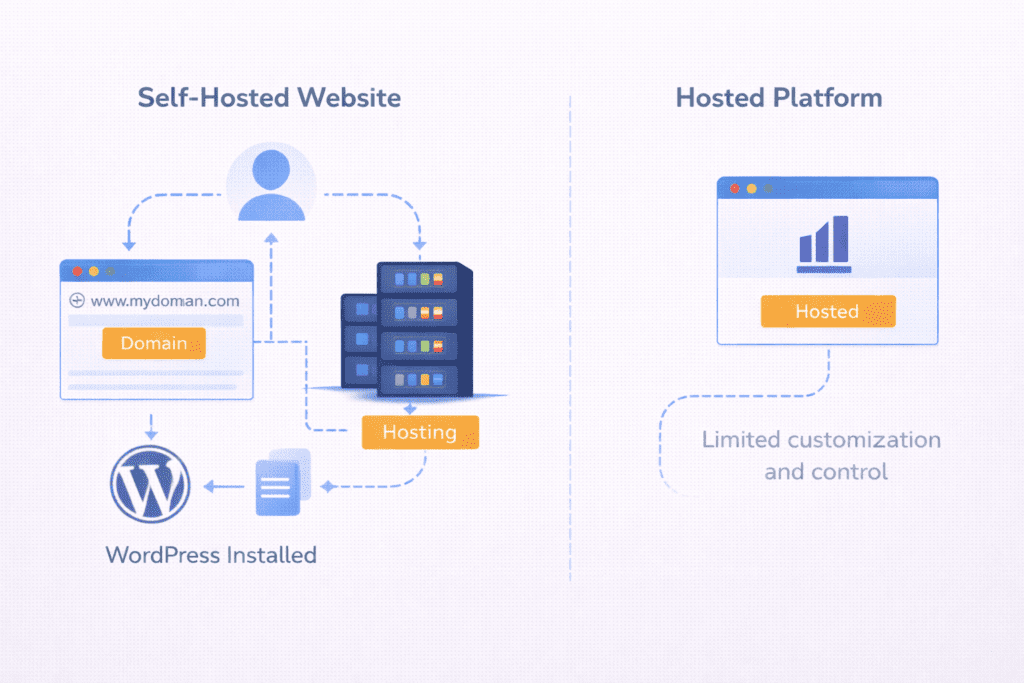
When people talk about serious blogging, they usually mean website with WordPress that is self-hosted.
This means:
You buy hosting.
You install WordPress.
You manage your own site.
It sounds technical, but in practice, most hosts offer one-click installs. You don’t need to code. You just need to make a few decisions at the start.
The tradeoff is responsibility. You’re in charge of updates, backups, and basic maintenance. But in return, WordPress gives you total control over your content and structure.
That’s the real difference compared to hosted platforms.
Key Features
One of the biggest strengths of WordPress is how much it can expand.
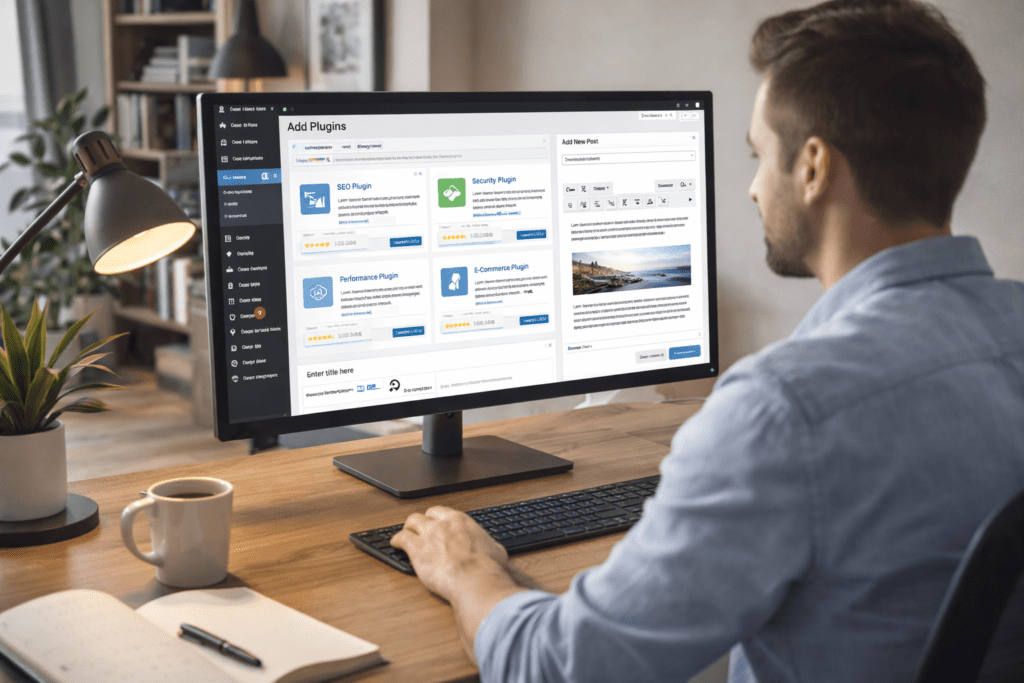
With wordpress plugins, you can add almost any feature you want. SEO tools, security, analytics, email forms, performance tools. You don’t need to wait for WordPress to build them. The community already has.
Themes work the same way. You can choose a design, change it later, or even build your own. There are thousands of options, including free WordPress themes and premium ones.
Another key feature is content ownership. Your posts, images, and data belong to you. You can export everything, move hosts, or rebuild without losing your work.
That’s something many beginners don’t think about until it becomes a problem.
A Simple WordPress Blog Setup That Actually Works
A realistic WordPress setup for most bloggers is much simpler than people expect.
It usually looks like this: basic shared hosting, a lightweight theme, and a small set of essential plugins. Nothing fancy. No complex systems. Just a clean foundation focused on content.
The theme handles layout and design.
Plugins handle SEO, performance, and security.
WordPress itself handles publishing and content management.
That’s enough for most blogs to run smoothly for years.
The important part is not the exact tools you choose. It’s the fact that you can replace any part of this setup later without rebuilding the entire site. You can change themes. You can switch plugins. You can move hosts.
The structure stays the same. Only the components evolve.
That’s what makes WordPress powerful for long-term blogging. You’re not locked into one configuration. You’re building on a system that adapts as your needs change.
Pros
The main pros and cons of WordPress start with flexibility.
Pros:
- Flexibility to customize nearly everything.
- Scalability for long-term projects.
- Monetization freedom without platform restrictions.
WordPress allows ads, affiliates, memberships, and any business model you want. There’s no approval process for how you make money.
That alone makes it attractive for bloggers who want income later.
Cons
The downsides mostly come from responsibility.
Cons:
- Requires initial setup.
- You handle maintenance.
- You’re responsible for security and updates.
It’s not difficult, but it’s more than what Wix asks of you. Some people prefer everything handled for them, and that’s fair.
Personally, I feel the responsibility is manageable, but it’s not for everyone. If you hate dealing with settings, WordPress might feel annoying at first.
Best For
WordPress works best for:
- Serious bloggers.
- Content sites that plan to grow.
- Long-term projects with SEO goals.
If you plan to use WordPress for years, publish consistently, and care about traffic, it’s hard to beat.
It’s not the fastest way to start. But it’s one of the strongest platforms to stay on.
That’s why when people go for WordPress, they’re usually thinking long-term, not just about getting online quickly.
My Real Experience Using WordPress and Wix
I didn’t start with WordPress.
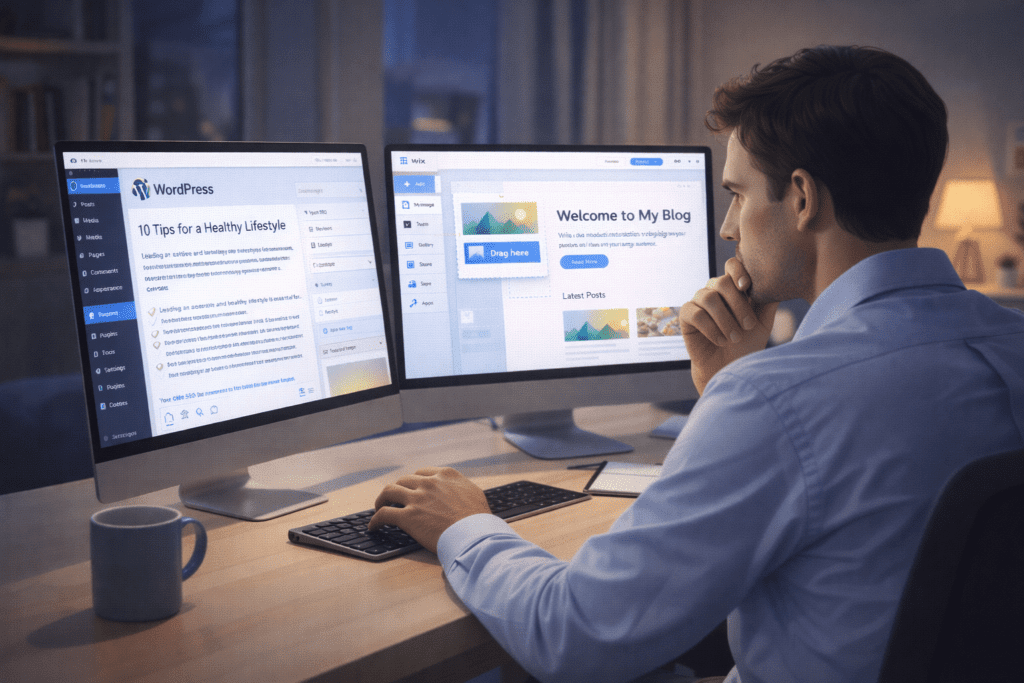
Like many beginners, I chose Wix first because it felt easier. I liked the idea of drag and drop, no hosting setup, and everything handled in one place. For a simple site, it worked fine. I published content, experimented with design, and learned the basics of writing online.
The problems didn’t show up immediately. They appeared after the site started growing.
As I added more content, I wanted better control over SEO, page structure, and performance. I wanted to customize URLs, install advanced tools, and optimize how my pages loaded. That’s when I started feeling the limits of the platform. Many things I wanted to do simply weren’t possible inside Wix, or required workarounds that felt forced.
My move to WordPress happened because of that frustration.
With WordPress, the learning curve was real, but the difference in control was immediate. I could change themes without rebuilding everything. I could install tools for SEO, performance, analytics, and content management. I wasn’t asking the platform for permission anymore.
The biggest difference wasn’t technical. It was psychological.
With Wix, I felt like I was renting space.
With WordPress, I felt like I owned the property.
That shift alone changed how I thought about blogging. I stopped thinking in terms of “just publishing posts” and started thinking in terms of building a long-term asset.
Wix Review for Bloggers
Overview
Wix is built around one main idea. Make website creation as easy as possible.
It’s a website builder that runs entirely inside Wix’s system. You create an account, pick a template, and start editing visually. No hosting setup. No software installation. Everything is handled by Wix.
This all-in-one approach is what attracts a lot of beginners. You don’t have to think about servers, updates, or technical settings. Wix handles all of that in the background.
So when people use Wix, they’re choosing convenience over control.
For some bloggers, that’s exactly what they want. For others, it becomes a limitation later.
What Wix Is
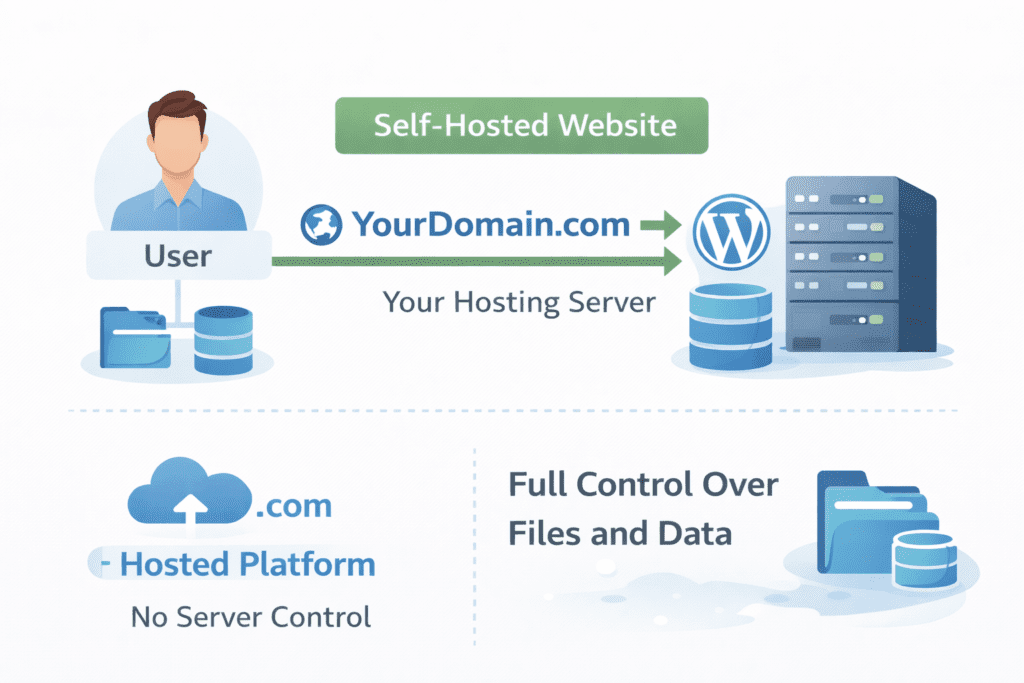
Wix is a closed platform where your site lives inside Wix’s ecosystem.
You build a wix site using their editor. Hosting is included. Templates are provided. Features are added through Wix’s own tools and marketplace.
Unlike WordPress, you don’t install anything on your own server. You log into your wix account and everything happens there.
This is why people say Wix is a closed system. You can customize within Wix, but you can’t fully take your site outside of it.
Wix controls:
The platform.
The updates.
The features.
The rules.
That’s not necessarily bad. It just means your site is always tied to Wix.
All-in-One Hosted Model
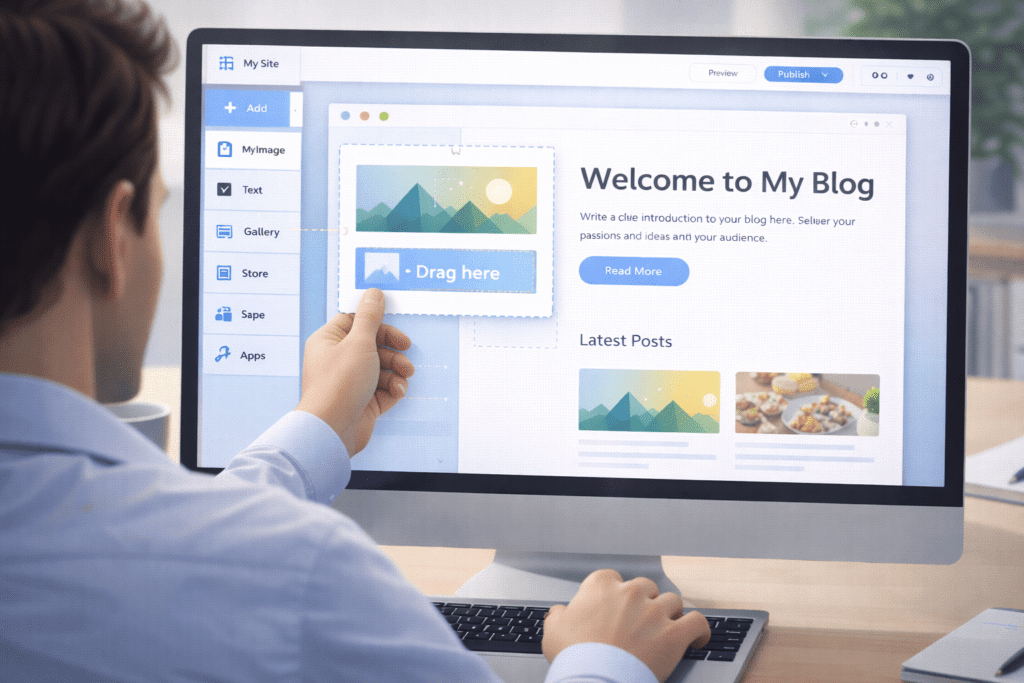
Wix includes hosting, security, templates, and design tools in one package.
This is what makes it appealing for people who want to create a website quickly. You don’t have to compare hosting companies or worry about performance settings.
Wix handles the technical side.
From a beginner’s point of view, this feels comfortable. You focus on writing and design instead of infrastructure.
The tradeoff is that Wix controls what you can change. You don’t get server access. You don’t control how things work behind the scenes.
It’s more like renting a space than owning land.
Key Features
Wix’s main strength is its editor.
The drag-and-drop builder lets you place elements anywhere on the page. Text, images, buttons, videos. You see exactly what your site looks like while editing.
Wix also provides wix templates for different industries and styles. You can start with one and customize it visually.
There’s also the wix app market, where you can add features like forms, chat, galleries, and basic marketing tools.
For SEO, Wix includes tools like wix seo wiz, which guides beginners through basic optimization steps.
All of this makes Wix feel very guided and structured.
Pros
The pros and cons of Wix start with simplicity.
Pros:
- Very easy to start.
- No technical setup.
- Visual editor with instant feedback.
Wix is especially useful for people who want to build a website without learning anything about hosting, plugins, or systems.
It removes a lot of mental friction at the beginning.
Cons
The downsides show up as your site grows.
Cons:
- SEO limitations compared to WordPress.
- Platform lock-in.
- Scaling issues for large content sites.
Wix doesn’t allow the same level of control over technical SEO. You can optimize basics, but advanced customization is limited.
And once your site is built, moving away from Wix is painful. Exporting content is possible, but design and structure don’t transfer cleanly.
That’s where many bloggers feel stuck.
Best For
Wix works best for:
- Hobby bloggers.
- Personal projects.
- Short-term sites.
If your goal is to write casually and you don’t care much about growth, go with Wix.
It’s fast.
It’s simple.
It’s comfortable.
But if you plan to turn your blog into something bigger, Wix isn’t ideal.
It’s a good starting point, but not always a good place to stay long-term.
WordPress vs Wix for Bloggers – Feature Comparison Table
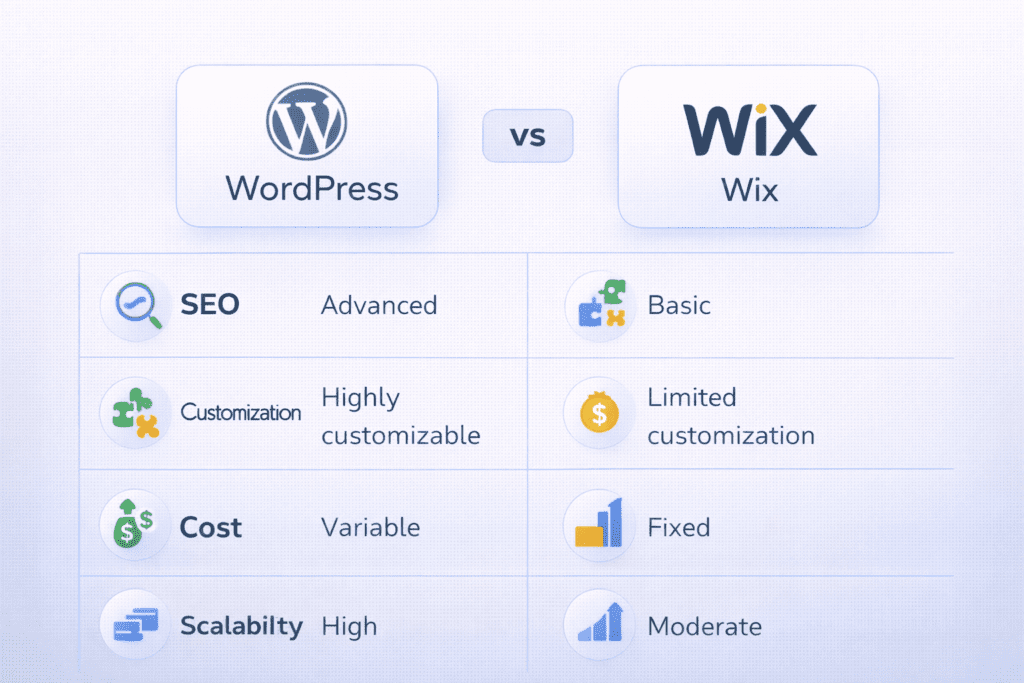
This is where the difference between the two platforms becomes very clear.
On the surface, both let you build a website and publish content. But once you compare how they handle core blogging needs, the gap starts to show.
| Feature | WordPress | Wix |
|---|---|---|
| Ease of Use | Moderate learning curve | Very easy for beginners |
| SEO Control | Full control over technical SEO | Basic SEO tools only |
| Customization | Thousands of themes and plugins | Limited to Wix system |
| Blogging Tools | Advanced content management | Simple blogging features |
| Monetization | No restrictions | Limited options |
| Ownership | You own your site and data | Wix controls the platform |
| Scalability | Grows with your traffic | Struggles with large sites |
The table looks simple, but the impact isn’t.
WordPress gives you flexibility across every layer of your site. You decide how things work. Wix gives you convenience, but within fixed boundaries.
That’s why when people compare wix vs wordpress seriously, the conclusion often depends on future plans, not present comfort.
Is WordPress or Wix Really “Free”? Understanding the Real Cost
Both platforms advertise free plans, but neither is truly free in any meaningful way.
With Wix, you can start on a free plan, but your site will show Wix branding and you won’t get a custom domain. It’s fine for testing, but not professional.
With WordPress, the software itself is free, but you still need hosting and a domain. So while WordPress doesn’t charge you, running a wordpress website still costs money.
This is where beginners get confused.
Wix feels free because everything is bundled.
WordPress feels paid because you see separate bills.
But over time, the cost picture flips.
Wix plans get more expensive as you need features. Storage, bandwidth, removing ads, and using your own domain all require paid plans.
WordPress lets you choose how much to spend. You can start cheap, then upgrade hosting only when your traffic grows.
So the question isn’t “Which one is free?”
It’s “Which one gives more value for what you pay?”
And for long-term blogging, WordPress usually wins that conversation.
Not because it’s cheaper every month, but because you’re paying for control instead of renting a locked system.
That difference becomes more obvious after the first year, when most bloggers either grow or quit.
Wix is comfortable if you stay small.
WordPress makes more sense if you plan to scale.
Pricing Comparison – WordPress vs Wix for Bloggers
This is the part where most beginners actually make their decision. Not based on features or future plans, but based on what feels affordable today.
Wix keeps pricing simple. You pay one monthly fee and everything is included. Hosting, templates, basic features, and support are bundled into a single plan.
WordPress works differently. The software is free, but you pay separately for wordpress hosting, a domain name, and sometimes premium tools.
At first, Wix looks cheaper because you don’t see extra costs. You just pick a plan and move on. WordPress feels more expensive upfront because you see each cost separately.
Initial Setup Costs
With Wix, the setup cost is almost zero. You create a wix account, choose a plan, and you’re online within minutes.
With WordPress, you’ll need hosting, a domain, and sometimes a paid theme or plugin. This creates a feeling of friction, even if the real dollar amount isn’t very high.
The difference is psychological more than financial. Wix hides the setup process. WordPress shows it to you.
Monthly Costs
Wix plans usually increase as you need more features. Removing branding, getting more storage, better performance, and custom domains all push you into higher tiers.
WordPress monthly costs depend on your host. You can start cheap and stay cheap for a long time if your traffic is low.
This is where WordPress gives you more control over spending. You upgrade only when your site actually grows.
Hidden Costs
Wix’s hidden cost isn’t money. It’s limitations.
Some features simply don’t exist inside Wix unless they decide to build them. You can’t install just anything you want.
WordPress hidden costs are mostly time and responsibility. You’ll spend time learning, updating, and choosing tools.
It’s not difficult, but it’s real work. You’re trading convenience for flexibility.
Long-Term Cost Difference
Over several years, WordPress usually ends up cheaper for growing sites.
Not because hosting is free, but because you’re not locked into one company’s pricing model.
You can switch hosts.
You can downgrade plans.
You can replace paid tools with free ones.
Wix doesn’t allow that level of flexibility.
That’s why many bloggers who start with Wix eventually move to WordPress when their costs rise without matching growth.
Performance Comparison – Speed, SEO, and Reliability
Performance isn’t just about speed. It’s about control.
With Wix, performance is fully managed by Wix. You don’t see the server. You don’t control caching or optimization. You simply trust Wix to handle it.
For small sites, this usually works fine.
With WordPress, you control everything. Hosting quality, caching, image optimization, database cleanup, and website performance plugins are all in your hands.
This is where wordpress seo becomes a serious advantage.
WordPress allows deep SEO customization. URL structure, metadata, internal linking, schema, and page speed optimizations are fully accessible.
Wix offers basic SEO tools. Enough for simple blogs, but not ideal for competitive topics.
Reliability works the same way.
Wix handles backups and security automatically.
WordPress requires you to manage them or use tools that manage them for you.
So again, the pattern repeats.
Wix feels safer because it’s hands-off.
WordPress feels stronger because you shape everything.
Which one is better depends on how much responsibility you’re willing to accept in exchange for freedom.
That’s the real tradeoff.
Use-Case Scenarios (Real-World Blogging Situations)
This is where things stop being theoretical and start feeling real.
Most people don’t choose between platforms based on features. They choose based on what they actually want to build.
And that’s where WordPress vs Wix for Bloggers looks very different depending on your situation.
Scenario 1 – Hobby Blogger
If your goal is to write for fun, share personal thoughts, or document a journey, Wix is a good fit.
You can create a website quickly, pick a design, and start posting without worrying about anything technical. There’s no pressure to optimize, monetize, or scale.
For this type of blogger, convenience matters more than control.
Wix handles hosting, updates, and security. You just write.
And honestly, for a casual blog, that’s usually enough.
Scenario 2 – Affiliate Blogger
This is where the gap becomes obvious.
If you plan to write reviews, rank on Google, and make money through affiliate links, WordPress is the better choice.
You need strong SEO, content structure, internal linking, performance optimization, and full control over monetization.
This is where wordpress gives you a lot more freedom.
You can install SEO tools, tracking systems, performance plugins, and build content at scale.
Wix can handle basic affiliate blogging, but it starts to feel restrictive once you move beyond a few posts.
This is usually the point where people think about wix to wordpress migration.
Scenario 3 – Content Business
If your blog is meant to become a brand, media site, or long-term business, WordPress is almost always the way.
At this level, you care about:
Traffic growth.
Email lists.
Content systems.
Site performance.
Data ownership.
And that’s exactly what WordPress supports best.
You’re not just building pages. You’re building a system.
Wix can work for small projects, but it’s not designed for content businesses that scale.
There’s one situation that shows this difference clearly.
Imagine someone starts a blog reviewing software tools. At first, it’s just ten posts. No big deal. Wix feels fine.
But two years later, the site has 300 articles, thousands of monthly visitors, and affiliate income.
Now they want better SEO tools, faster performance, deeper analytics, and more control over content structure.
That’s usually when they realize the platform they chose early now limits their growth.
And that’s the quiet cost most beginners don’t see at the start.
Long-Term Cost and Growth Analysis
Short-term thinking makes Wix look attractive.
Long-term thinking changes everything.
Cost After 1 Year
After one year, the cost difference isn’t huge.
Wix users pay a steady monthly fee.
WordPress users pay for hosting, domain, and maybe one or two tools.
At this stage, both feel similar in price.
Cost After 3 Years
This is where paths start to split.
Wix plans often increase as you need more features and better performance.
WordPress users usually upgrade hosting only when traffic demands it.
So while Wix costs stay fixed, WordPress spending stays flexible.
You pay based on growth, not on platform limits.
Cost After 5 Years
Over five years, the difference becomes clear.
Wix users are still paying the same company, on the same system, with the same limitations.
WordPress users often switch hosts, optimize costs, and replace paid tools with better free ones.
That’s why WordPress usually ends up cheaper for serious sites.
Not because it’s free, but because you control how much you spend.
Rebuild Risk
This is the risk nobody talks about.
If you outgrow Wix, you don’t just upgrade. You rebuild.
Design doesn’t transfer cleanly.
Features don’t migrate.
Structure often breaks.
With WordPress, you rarely need to rebuild. You just scale what already exists.
That difference alone can save hundreds of hours of work over the life of a blog.
And that’s not something you see on pricing pages.
You only notice it when it’s already too late.
Buying Guide – How to Choose Between WordPress vs Wix for Bloggers
This is the section where the decision becomes personal.
Not based on features, not based on pricing tables, but based on what you actually care about long-term.
Because the truth is, both platforms can work. The difference is what they make easy and what they make difficult later.
What Matters Most
Ownership is the biggest factor most beginners underestimate.
With WordPress, you own your files, your content, and your entire site. You can move hosts, change designs, and rebuild systems without asking permission.
With Wix, your site lives inside Wix. Wix controls the platform, the structure, and the rules. You’re always operating within their boundaries.
If you care about having something that feels truly yours, like wordpress makes more sense.
SEO matters if you want traffic from Google.
WordPress gives you deep SEO control. URLs, metadata, internal links, schema, performance, all fully adjustable.
Wix offers basic SEO tools. Enough to get indexed, but limited for competitive topics.
If organic traffic is part of your goal, wordpress seo becomes a major advantage.
Monetization matters if you plan to make money.
WordPress allows any monetization method. Ads, affiliates, memberships, digital products, sponsorships.
Wix supports monetization, but with more restrictions and fewer tools.
This is where wordpress gives you full freedom.
Scalability matters if your site grows.
WordPress is built to handle growth. You can upgrade hosting, add caching, improve performance, and restructure content.
Wix can grow to a point, but it wasn’t designed for large content systems.
Once you hit that ceiling, you don’t scale. You migrate.
What Doesn’t Matter as Much
Fancy templates feel important at the start, but matter less over time.
Readers care more about content quality than animations or visual effects.
Built-in animations look impressive, but rarely improve SEO, engagement, or monetization.
They mostly make editing harder and pages heavier.
Short-term convenience feels good, but it’s temporary.
The real cost shows up later when you realize the platform you chose early now limits what you can do.
That’s the tradeoff most beginners only understand after a year or two.
Common Mistakes Bloggers Make When Choosing WordPress or Wix
This is where people usually get it wrong.
Not because they’re careless, but because they focus on the wrong signals.
Choosing Ease Over Growth
Many people choose Wix because it’s easier on day one.
They don’t think about what happens after 100 posts, real traffic, or monetization.
Ease solves the first week. Growth creates the next five years.
Ignoring SEO Limits
Some bloggers assume all platforms are equal for SEO.
They’re not.
Wix can rank, but it has technical limits that become visible in competitive niches.
WordPress allows deeper optimization, better site structure, and more control over performance.
That difference compounds over time.
Not Thinking About Monetization
People often start blogs “just for fun” and later decide they want income.
At that point, platform restrictions start to matter.
WordPress allows you to experiment freely.
Wix doesn’t always.
Underestimating Migration Pain
This is the most expensive mistake.
People think switching platforms is easy.
It’s not.
Moving from wix to wordpress often means rebuilding layouts, restructuring content, and fixing broken links.
That’s not just technical work. It’s lost time, lost SEO, and lost momentum.
Who Should NOT Use WordPress or Wix
This part is important because not everyone fits either platform.
Who Should Not Use WordPress
WordPress is not ideal if you want zero responsibility.
If you don’t want to manage updates, security, backups, or hosting decisions, WordPress will feel annoying.
It’s powerful, but it expects you to care about your site.
If you want something completely hands-off, WordPress might not suit your style.
Who Should Not Use Wix
Wix is not ideal if you’re planning a long-term content business.
If your goal includes traffic growth, SEO competition, monetization, and scalability, Wix becomes limiting.
It’s comfortable at the start, but it doesn’t age well for serious projects.
That’s the quiet truth most marketing pages won’t tell you.
Risks and Limitations You Should Know Before Choosing
This is the part most comparison articles avoid.
Not because the risks are dramatic, but because they’re uncomfortable to admit.
Both platforms have limits. The problem is that you usually discover them only after you’re already invested.
Platform Lock-In Risk (Wix)
The biggest risk with Wix is lock-in.
Your site lives inside Wix’s system. Design, structure, features, and even some content elements are tightly connected to their platform.
If Wix changes pricing, policies, or features, you don’t have much leverage.
You can’t take your site and run it somewhere else easily. You can export text, but not the full structure.
So the real risk isn’t losing your site. It’s losing flexibility.
Technical Responsibility Risk (WordPress)
The biggest risk with WordPress is responsibility.
You control everything, which also means you manage everything.
Updates, backups, security, performance. If something breaks, it’s usually your problem.
WordPress doesn’t babysit you.
For some people, that’s empowering. For others, it’s stressful.
If you hate dealing with settings and maintenance, WordPress doesn’t feel friendly.
SEO Ceilings
Both platforms can rank, but their ceilings are different.
Wix has a technical SEO ceiling. You can optimize basics, but advanced customization is limited.
WordPress doesn’t have that ceiling. You can restructure URLs, control metadata, manage internal linking, and customize performance deeply.
This matters more as competition increases.
In low competition niches, both work.
In crowded spaces, WordPress usually wins.
Migration Difficulty
Switching platforms sounds simple until you try it.
Moving from Wix to WordPress often means:
Rebuilding layouts.
Reconfiguring SEO.
Fixing broken links.
Adjusting content structure.
That’s not a weekend task. It’s a project.
Switching from WordPress is easier because your content isn’t trapped inside one system.
So migration risk exists on both sides, but it’s heavier with Wix.
Migration Reality – How Hard Is It to Switch Between WordPress and Wix?
This is where early decisions become expensive.
Switching from WordPress is usually manageable. You export your content, choose a new host, and rebuild design if needed.
Switching from Wix is harder.
You can move your text, but design and structure rarely transfer cleanly. SEO settings often reset. URLs change.
So even though Wix feels simple at the start, it’s harder to leave later.
That’s the trade most beginners don’t see.
They choose ease now and pay complexity later.
What Actually Happens During a Wix to WordPress Migration
Moving from Wix to WordPress sounds simple in theory. In reality, it’s one of the most underestimated projects in blogging.
Text usually transfers without much trouble. You can export posts and copy content. That part feels easy.
Design is where things fall apart.
Wix templates don’t translate into WordPress themes. Layouts don’t move cleanly. Visual structures need to be rebuilt manually. What took minutes to design inside Wix often takes hours to recreate elsewhere.
SEO is another hidden issue.
URLs often change. Internal links break. Metadata needs to be reconfigured. Search engines need time to re-index everything. Even when done correctly, traffic usually dips during the transition.
And then there’s the psychological cost.
Most people don’t migrate because they “want” to. They migrate because they feel stuck. By that point, the site already has content, traffic, and expectations. Rebuilding under pressure is stressful.
That’s why platform choice at the beginning matters more than it feels.
Choosing Wix is like choosing comfort now.
Choosing WordPress is like choosing flexibility later.
The difference isn’t visible in the first month.
It becomes painfully visible in the third year.
Upgrade Paths – What Happens When You Outgrow Each Platform?
Growth reveals the real design of a platform.
Scaling WordPress
When a WordPress site grows, you don’t rebuild.
You upgrade hosting.
You add caching.
You optimize performance.
You install better tools.
The system stays the same. You just strengthen it.
That’s why people say wordpress gives you more control.
You don’t change platforms. You expand within it.
Leaving Wix
When a Wix site grows, you eventually hit limits.
Performance plateaus.
SEO tools feel shallow.
Customization feels restrictive.
At that point, the upgrade path isn’t an upgrade.
It’s a migration.
You leave the system entirely and rebuild somewhere else.
That’s not scaling. That’s starting over with experience.
FAQs – WordPress vs Wix for Bloggers
Is WordPress better than Wix for bloggers in 2026?
For most serious bloggers, yes. WordPress offers more control, better SEO, and stronger long-term flexibility.
Is Wix good for professional blogging?
Wix is fine for casual or personal blogs. For professional or income-focused blogging, it becomes limiting over time.
Which is cheaper long-term, WordPress or Wix?
WordPress is usually cheaper long-term because you can control hosting and avoid platform lock-in.
Can I monetize better with WordPress or Wix?
WordPress gives more freedom. You can use any monetization method without restrictions.
Is WordPress harder to use than Wix?
Yes, slightly. Wix is easier at the start. WordPress takes more effort but offers more power.
Which platform is better for SEO?
WordPress is better for SEO because it allows deeper customization and technical control.
Can I switch from Wix to WordPress later?
Yes, but it’s not easy. Content transfers, but design and structure usually don’t.
Which platform do serious bloggers use?
Most long-term content creators and professional bloggers use WordPress.
Final Verdict – WordPress vs Wix for Bloggers: Which Is Better?
If you’re thinking short-term, Wix feels easier.
If you’re thinking long-term, WordPress vs Wix for Bloggers becomes a very clear choice.
WordPress gives you ownership, scalability, and control. Wix gives you convenience and simplicity.
So what does this mean for you?
If you just want to publish without thinking about growth, Wix is fine.
But if you want something that can grow into a real asset, WordPress is the better foundation.
Not because it’s perfect.
But because it doesn’t trap you when your goals change.
If You’ve Chosen WordPress, Here’s What the First Real Step Looks Like
Most comparison articles end with a verdict and leave you there.
But the real question most beginners have after deciding is simple:
“What do I actually do next?”
Starting with WordPress doesn’t mean doing anything complicated. In practical terms, it usually looks like this:
You choose a hosting provider, install WordPress using a one-click setup, pick a simple theme, and publish your first post. That’s it.
There’s no need to overthink design, plugins, or advanced features on day one. The goal is not to build the perfect site. The goal is to get online, start writing, and learn how the platform feels.
The mistake many beginners make is trying to configure everything before they’ve written anything. WordPress works best when you grow into it. You add tools only when you actually need them.
So the first step isn’t “master WordPress.”
The first step is simply: start using it.
Once your content grows, the platform grows with you.