
You sit down to start building a website, open Google, and suddenly you’re staring at dozens of website platforms. Wix says it’s easiest. Shopify says it’s best for selling. Webflow looks modern. Then WordPress shows up everywhere. That’s usually the moment people ask the real question: is WordPress better than other CMS, or is it just popular because everyone uses it?
This decision matters more than it seems. You’re not just picking a tool for today. You’re choosing what your site will run on for years. Once content grows, switching platforms becomes harder, more expensive, and sometimes messy. With so many claims floating around, it’s easy to pick something that feels simple now but creates limits later.
This article doesn’t try to sell anything. It compares how WordPress actually performs against other CMS options in 2026, especially for beginners in the US who care about growth, control, and long-term flexibility.
Beginner-Friendly Explanation of What a CMS Actually Is
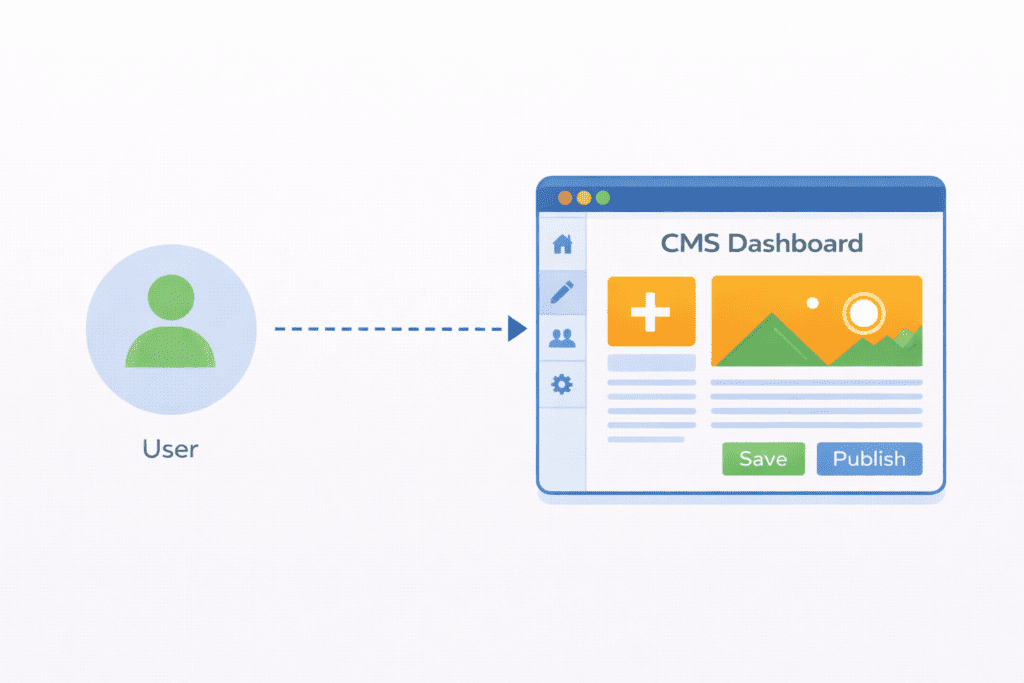
A content management system is software that lets you create and manage a website without writing everything in code. Instead of building pages from scratch, you use a dashboard to publish content, upload images, change layouts, and manage settings.
Most people use a CMS for one simple reason. It saves time and reduces technical work. You focus on content and structure, not server files or complex scripts.
There are different types of CMS platforms:
Some are open-source, like WordPress.org, where you control hosting, data, and customization. Others are hosted systems like Wix or Squarespace, where the platform owns the infrastructure and you work inside their limits. Then there are specialized systems like Shopify, built mainly for ecommerce.
All of them help you build a website. But how much control you get over that website is where the real differences start.
Is WordPress Better Than Other CMS in 2026?
Yes, WordPress better than other CMS for most beginners because it offers full ownership, strong SEO control, flexible customization, and long-term scalability without locking you into a single company.
Other platforms may feel easier at first, but WordPress gives more freedom as your site grows. You control hosting, data, structure, and features. That’s why WordPress is still used across millions of websites on the internet, from small blogs to large enterprise brands.
The key difference isn’t design. It’s control.
Real Usage Data: Why WordPress Dominates
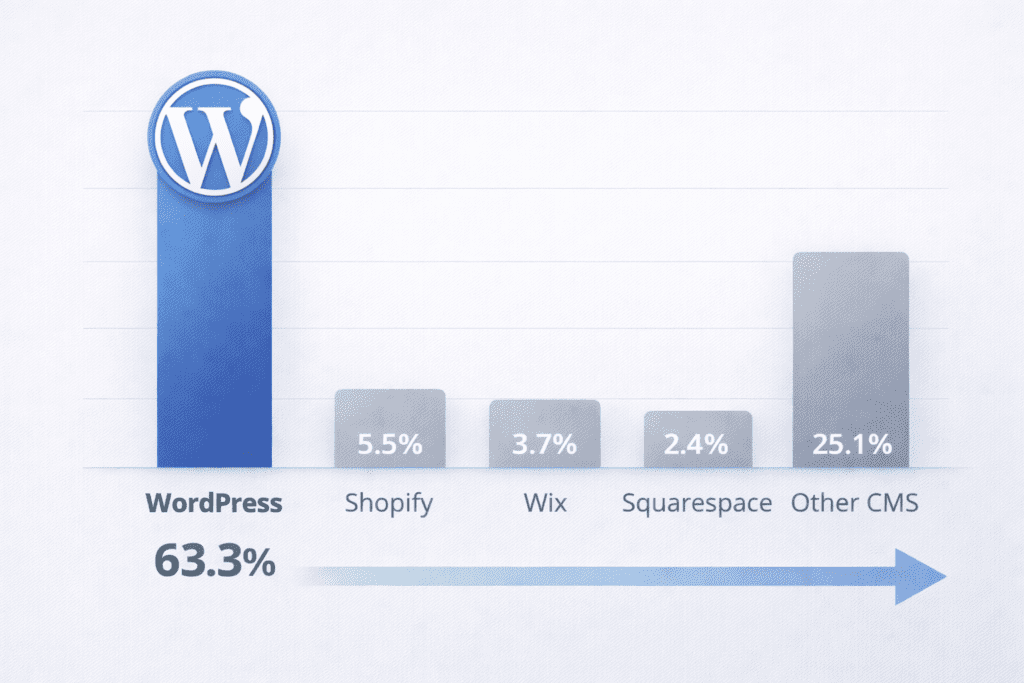
Independent web technology tracking tools like W3Techs consistently show that WordPress powers over 40% of all websites worldwide, making it the most widely used CMS by a large margin.
By comparison, platforms like Joomla and Drupal together account for less than 5%, while most hosted builders operate inside closed ecosystems.
This matters because dominance isn’t just popularity. It means more developers, more security testing, more integrations, and faster innovation.
A CMS used by millions of real sites naturally evolves faster than one controlled by a single company.
What a CMS Needs to Do in 2026 (Before You Compare Platforms)
In 2026, a CMS isn’t just about putting text on a page. It needs to support growth, visibility, and adaptability.
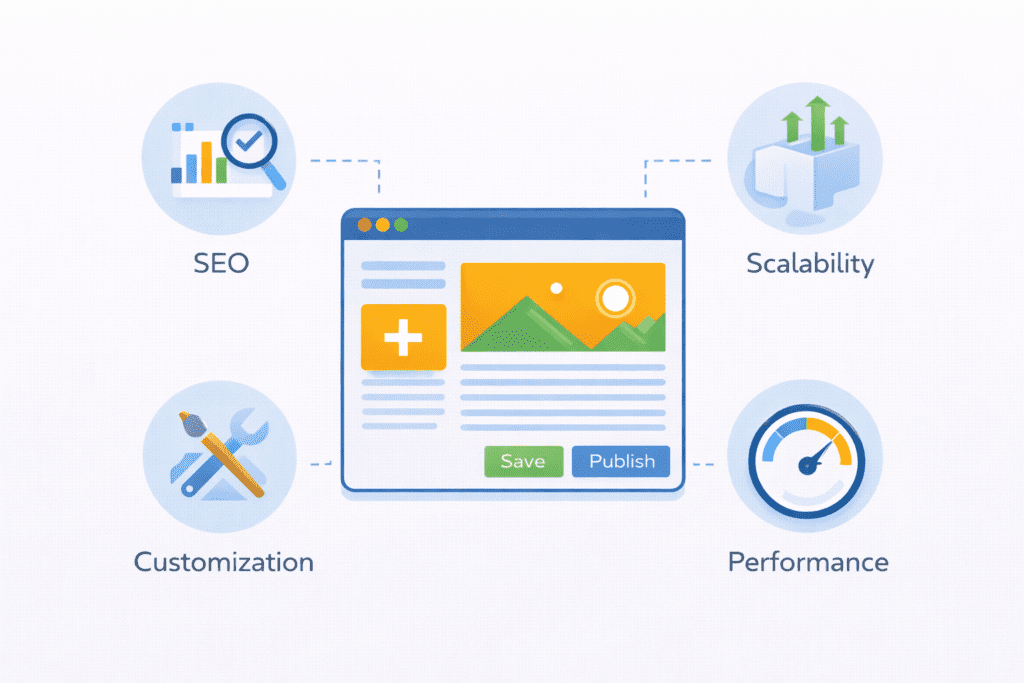
First, it must handle SEO properly. That means control over URLs, metadata, performance settings, and how content is structured for search engines. Without this, visibility suffers, no matter how good the design looks.
Second, it needs to be scalable. A platform should work for 10 pages today and 1,000 pages later without forcing a rebuild. Growth should feel natural, not restricted.
Third, customization matters. Real websites evolve. You add features, connect tools, change layouts, and integrate services. A CMS with feature ceilings eventually slows you down.
This is where many CMS options fail. They focus on being easy to use at the start but ignore long-term adaptability. WordPress, on the other hand, was built to evolve.
One simple example shows this clearly. A beginner might start a basic WordPress website with a blog and a few pages. A year later, that same site can add ecommerce, memberships, SEO tools, analytics, and performance optimization using plugins, without moving platforms or rebuilding everything. Most closed CMS platforms can’t offer that level of growth without forcing upgrades or migrations.
That’s why the real question isn’t which CMS looks best today. It’s which one still works when your website needs more power tomorrow.
WordPress vs Other CMS Platforms – Key Differences That Matter
When people compare website platforms, they usually focus on design or ease of use. That’s not wrong, but it misses the bigger picture. The real differences show up in ownership, SEO control, flexibility, and how much freedom you keep over time.
Ownership and Control
With WordPress, you own everything. Your files, your database, your content, and your hosting account. This means full ownership of your digital asset. No company can suspend your site, change pricing rules, or limit what features you’re allowed to use.
Most proprietary platforms don’t work that way. They host your site on their systems and give you access through their interface. It feels convenient, but you’re renting space inside someone else’s product.
That’s fine until policies change.
Once you’re locked into a closed system, moving away becomes difficult. Export tools are limited. Some content formats don’t transfer well. And you often lose design or structure in the process.
SEO Capabilities
SEO is where WordPress quietly pulls ahead.
WordPress gives direct control over URLs, metadata, page structure, internal linking, and performance optimization. You’re not stuck with preset templates or limited fields. You can follow best practices without hitting technical walls.
Other CMS platforms often simplify SEO settings, which sounds helpful, but it also means less control. Some restrict URL structures. Some hide advanced technical options. Others limit how much you can optimize page speed or structured data.
If search engine visibility matters long term, WordPress provides more room to grow.
Customization and Flexibility
WordPress runs on an open system of themes and plugins. You can tailor layouts, add features, integrate services, and change functionality without rebuilding the site.
There’s no feature ceiling. If something doesn’t exist, a developer can build it. Or there’s usually already a plugin for it.
Closed CMS platforms offer extensions too, but within limits. If a feature isn’t supported, you wait for the company to add it. Or you switch platforms.
That’s where frustration usually starts.
Scalability
Scalability isn’t just about traffic. It’s about how your site handles growth in content, features, and complexity.
WordPress works for small blogs and large enterprise sites using the same core software. You can start simple and grow without changing systems.
Other platforms often split plans. Basic features at first. Advanced features later. Then enterprise plans if traffic increases. Costs rise as growth happens.
WordPress doesn’t force that structure.
Cost Structure Over Time
This is where people get surprised.
WordPress looks cheap at first, and it usually stays predictable. You pay for hosting, maybe a theme, and some plugins. Costs scale with your choices, not forced upgrades.
Proprietary platforms often start with low monthly pricing, but real costs appear later. You pay more for storage, bandwidth, ecommerce features, or removing branding.
Over time, WordPress tends to remain more transparent, while closed platforms become harder to budget.
Is WordPress Really Free? Understanding the Real Cost
WordPress is free software. But running a real website isn’t free.
You still need hosting, a domain, and possibly premium plugins or themes. That’s normal. What matters is that you choose where money goes.
With WordPress, you control spending. You decide which tools are worth paying for. You’re not forced into bundled pricing.
That flexibility is part of its open-source nature of WordPress. You’re paying for services, not renting access to your own content.
WordPress.org vs WordPress.com (Critical Distinction Most Beginners Miss)
This part confuses a lot of people.
WordPress.org is the open-source platform you install on your own hosting. You get full control, custom plugins, full SEO access, and ownership.
WordPress.com is a hosted service built on WordPress software but with restrictions. You’re limited by plans, features, and platform rules.
Both use WordPress, but they’re not the same experience.
When people say WordPress is powerful, flexible, and scalable, they’re almost always talking about WordPress.org. That’s the version that gives real control and long-term freedom.
What Most People Get Wrong About WordPress and Other CMS
A lot of opinions about CMS platforms come from outdated ideas or surface-level comparisons. That’s where confusion usually starts.
One common belief is that WordPress is only for blogs. That hasn’t been true for years. WordPress runs business websites, ecommerce stores, membership platforms, learning systems, and even corporate portals. Blogging is just one use case.
Another myth is that other platforms are more secure. Security depends more on hosting quality, updates, and maintenance than on the CMS itself. A poorly managed site on any platform can be risky. WordPress isn’t insecure by default. It’s just more open, which means responsibility matters.
Some people also assume all CMS platforms are basically the same. They’re not. The differences in ownership, data access, customization, and SEO become very real once a site grows.
Then there’s the WordPress.com vs WordPress.org confusion. Many beginners try WordPress.com first, hit limitations, and assume WordPress itself is restricted. In reality, they’re using a hosted version, not the full open-source platform.
Real-World Consequences of Choosing the Wrong CMS
Choosing the wrong CMS doesn’t always feel bad at first. The problems usually appear later.
Platform lock-in is the biggest one. Once your site has hundreds of pages, products, or posts, switching platforms becomes stressful. Export tools often miss formatting, URLs, or design structures. SEO rankings can drop during migration.
Pricing changes are another risk. Some platforms raise fees or limit features over time. What started cheap becomes expensive, and moving away feels harder than staying.
Growth limitations also show up. You want to add features, integrate tools, or redesign sections, but the platform doesn’t support it. That’s when people realize their CMS wasn’t built for long-term use.
Real Scenario: When People Switch to WordPress
A common pattern looks like this:
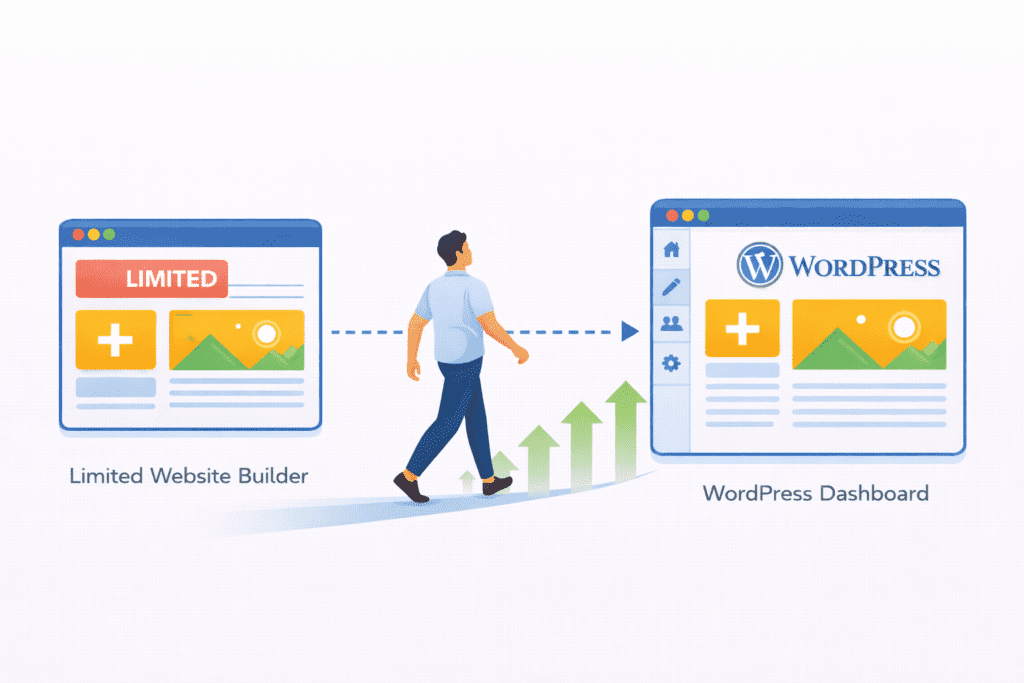
Someone starts with Wix or Squarespace because it feels easy. Everything works fine for the first year.
Then the site grows. They want better SEO, custom layouts, faster performance, and more integrations.
That’s when limits appear. Features require higher plans. Customization feels restricted. Performance tools are locked behind upgrades.
This is when many users migrate to WordPress. Not because WordPress is trendy, but because it removes those ceilings.
The switch rarely happens in month one. It happens after growth begins. And that’s exactly when CMS choice matters most.
WordPress in Real Life – How It Actually Works for Beginners
In real use, WordPress feels simple after the initial setup.
You log into the dashboard, create pages, write posts, upload images, and install plugins for extra features. Most tasks don’t require coding. The interface is intuitive once you spend a little time with it.
The learning curve exists, but it’s manageable. Beginners usually learn faster because WordPress has massive documentation, tutorials, and community support. There’s almost always an answer when something breaks.
Day-to-day management is straightforward. You update plugins, publish content, and monitor performance. Over time, you understand how your site works instead of relying on a platform’s limitations.
That’s where WordPress stands out. It teaches you how websites actually function, not just how to click buttons.
When Other CMS Platforms Make More Sense Than WordPress
WordPress isn’t perfect for every situation.
Hosted website builders make sense for simple one-page sites, portfolios, or temporary projects. If you want zero maintenance and no customization, those platforms can feel easier.
Enterprise CMS systems make sense for corporations with dedicated IT teams and custom infrastructure. They’re built for internal workflows, not public content sites.
There are also users who simply don’t want any control. They want everything managed, even if it costs more and limits growth. In those cases, WordPress may feel like too much responsibility.
But for most people building a real online presence, WordPress offers more freedom with reasonable effort.
Important Reality Check
WordPress is not automatically better for everyone.
It is better for people who want control, growth, and long-term flexibility.
It is not better for people who want zero responsibility, zero learning, and zero maintenance.
The difference is not technical. It is philosophical:
Do you want ownership, or convenience?
Long-Term Website Strategy – Why WordPress Fits Better Than Other CMS
Long-term strategy is where WordPress quietly wins.
It’s future-proof because it evolves with technology instead of being replaced by it. The core software improves, plugins expand, and the ecosystem grows.
Skills learned on WordPress transfer to other systems. You understand hosting, SEO, content management, and basic web development. You’re not trapped inside one company’s interface.
Most importantly, you avoid rebuild cycles. You don’t need to move platforms every few years just to unlock features. You grow alongside the same system.
FAQs About WordPress vs Other CMS Platforms
Is WordPress better than other CMS for beginners?
Yes, WordPress better than other CMS for beginners because it offers more control, stronger SEO, and long-term flexibility without forcing upgrades or platform restrictions.
Is WordPress still relevant in 2026?
WordPress is still relevant in 2026 because it continues to evolve, supports modern web standards, and powers millions of websites worldwide.
Does WordPress require coding?
No, using WordPress does not require coding. Most features work through the dashboard, themes, and plugins. Coding is optional for custom development.
Is WordPress secure compared to other CMS?
WordPress can be just as secure as other platforms when hosted properly and kept updated. Security depends more on maintenance than the CMS itself.
Why do so many websites still use WordPress?
Because WordPress provides ownership, scalability, customization, and a massive ecosystem that other website platforms struggle to match.
Can WordPress handle large websites?
Yes, WordPress supports large enterprise-level websites with high traffic, complex content structures, and advanced integrations.
What are the top reasons why WordPress is best for long term websites?
WordPress is an open-source platform with a community of developers and a large plugin ecosystem, which makes it adaptable and future-proof for evolving needs.
Why should a small business choose WordPress to create a website?
Small businesses can use built-in tools, page builders, and affordable plugins and themes to launch fast and scale as the business starts growing.
How does WordPress remain scalable for corporate website and million websites projects?
WordPress is designed to work on light blogs up to large corporate websites by using clean code, caching, and optimized plugins for performance.
What makes WordPress a choice for millions of users and websites globally?
Because WordPress is one of the most user-friendly CMS platforms with a familiar interface and extensive plugin ecosystem, it attracts millions of users worldwide.
Can I tailor their websites easily with WordPress page builders and themes?
Yes, page builders and themes let beginners tailor their websites visually without coding, and there’s a plugin for most custom needs.
How does WordPress ensure that your website remains search-engine-friendly over time?
Built-in SEO-friendly structure plus many SEO plugins help keep content optimized and competitive in the long run.
Is WordPress secure and maintained by a global community?
WordPress has consistently been updated by a community-driven team and a global community, which ensures security patches and improvements are released regularly.
Why do many cms platforms lose out to WordPress in website development?
WordPress remains popular because it combines full ownership, extensibility via plugins and themes, and a community of developers that supports evolving needs.
Final Verdict – Why WordPress Is Better Than Other CMS Platforms in 2026
So what does this really mean for you?
WordPress better than other CMS because it gives you something most platforms don’t. Control that doesn’t disappear over time.
It’s not perfect. It needs maintenance. You have to learn a few things. But in exchange, you get full ownership, real SEO capabilities, unlimited customization, and a platform that grows with you instead of boxing you in.
Other CMS options may feel easier at first, but ease doesn’t always mean smart long-term. WordPress lets you start small, experiment, fail, improve, and expand without rebuilding your entire website every few years.
If your goal is to build something that lasts, adapts, and stays under your control, WordPress still makes the most practical sense in 2026.