

Website growth eventually reaches a point where shared hosting starts to feel limited. At first, shared hosting works well because it’s affordable and easy to manage, but you should know when it’s time to upgrade your VPS. But as traffic increases and websites become more complex, performance and reliability can begin to suffer.
This is often the stage when many website owners start thinking about whether it’s time to upgrade to vps hosting.
Shared hosting environments place multiple websites on the same shared server. Because those sites share the same cpu, ram, and other server resources, performance may become inconsistent when traffic grows.
A virtual private server solves this problem by allocating dedicated server resources within the same physical server. This allows websites to run with better performance and more control over their hosting environment.
From my research into hosting infrastructure, many websites eventually need to upgrade once traffic increases or applications become more demanding. Upgrading to a VPS hosting environment can improve uptime, provide stronger security options, and allow more flexibility in configuring server settings.
Still, not every website needs to move immediately. Understanding when to upgrade helps website owners avoid unnecessary costs while still maintaining reliable performance.
Upgrade to VPS: Why Website Growth Eventually Requires Better Hosting

Most websites begin on shared hosting because it offers a simple and affordable hosting plan.
However, as websites grow, the limits of shared hosting become more noticeable. Increased traffic, heavier applications, and larger databases place more pressure on the shared server environment.
Several factors explain why many website owners eventually upgrade their hosting infrastructure.
• Website traffic increases: Growing websites begin using more server resources.
• Shared resources create performance issues: Other websites on the same server may affect speed.
• Security needs grow: Larger websites often require stronger security measures.
• Scalability becomes important: More advanced hosting environments support website growth better.
Recognizing these changes helps determine the right time to upgrade to vps hosting.
What Does It Mean to Upgrade to VPS?

Upgrading to a VPS means moving from shared hosting to a virtual private server environment.
A virtual private server divides one physical server into multiple isolated environments. Each environment receives dedicated resources such as cpu cores, ram allocation, and storage.
Unlike shared hosting, a VPS hosting environment provides more control over server configuration.
Website owners may gain root access, which allows them to install custom software, configure php settings, and customize the hosting environment.
This level of control is useful for websites that need more flexibility than shared hosting environments allow.
Upgrading your web hosting infrastructure can also improve performance because resources are no longer shared with many unrelated websites.

Understanding the difference between shared hosting and vps hosting helps explain why websites eventually upgrade.
Shared Hosting Explained
Shared hosting places multiple websites on one server.
Because all sites use the same shared server resources, performance depends on how much traffic and activity each site generates.
Shared hosting plans usually cost less, which makes them ideal for beginners and small websites.
However, this shared environment also limits customization and resource availability.
VPS Hosting Explained
A VPS hosting environment provides dedicated resources within the same physical server.
Instead of sharing resources equally among many websites, each virtual private server receives a defined allocation of cpu cores, ram, and storage.
This setup allows websites to run more consistently even when traffic increases.
Because VPS hosting provides root access and greater control, it also supports custom server configurations and advanced applications.
Cost is one of the reasons many websites start on shared hosting.
Shared hosting plans are usually inexpensive because resources are distributed across many users.
VPS hosting plans typically cost more because each virtual private server receives dedicated resources, which is justified when you know when it’s time to upgrade.
While shared hosting might cost only a few dollars per month, VPS hosting plans often start at a higher price depending on cpu, ram, and storage allocation.
However, the long term value of VPS hosting becomes clear when websites begin experiencing increased traffic and higher performance demands.
VPS Hosting Resources Explained (CPU, RAM, Storage)
Understanding the resources included in a VPS hosting plan helps explain why upgrading improves performance.
• CPU cores: Processing power used to handle server tasks and website requests.
• RAM allocation is essential for ensuring that your VPS gives optimal performance. Memory used to store active processes and database queries.
• SSD or NVMe storage: Fast storage improves data transfer and loading speeds.
• Bandwidth capacity: Determines how much traffic a website can handle.
These dedicated server resources help maintain consistent performance compared to shared hosting environments, especially when you know when it’s time to upgrade to dedicated hosting.
Shared hosting works well in the early stages of a website. It’s simple, affordable, and requires very little server management.
However, shared hosting environments eventually show limitations as websites grow. When multiple websites run on one shared server, they compete for the same server resources.
Over time, this can create performance issues, security concerns, and restrictions that make it necessary to upgrade to vps hosting.
Performance Limitations
Performance is often the first sign that shared hosting may no longer be enough.
Because multiple websites share the same cpu and ram, heavy activity from one website can slow down others. This happens frequently in shared hosting environments.
When traffic grows or applications become more demanding, a website on shared hosting may begin experiencing slower loading speeds.
These delays affect user experience and can reduce search engine rankings. At this point, many website owners start considering the time to upgrade to vps hosting.
Security Limitations
Security is another factor that can influence the decision to upgrade.
In shared hosting environments, websites operate on the same server. Although hosting providers apply security measures, the shared environment still introduces potential risks.
For example, if another website on the same shared server experiences a vulnerability, it could potentially affect other sites.
A virtual private server offers stricter security measures because the hosting environment is isolated.
With a VPS environment, website owners can configure firewall rules, apply security patches, and implement stronger security standards.
Customization Limits
Shared hosting environments often restrict server customization.
Many shared hosting plans limit access to server configurations. Website owners may not have root access or the ability to install custom software.
For developers or websites running advanced applications, these restrictions can become frustrating.
A VPS hosting environment allows more flexibility. Website owners gain root access and can install custom software, configure php settings, and manage the server environment more freely.
Website Performance Benchmarks That Signal a VPS Upgrade
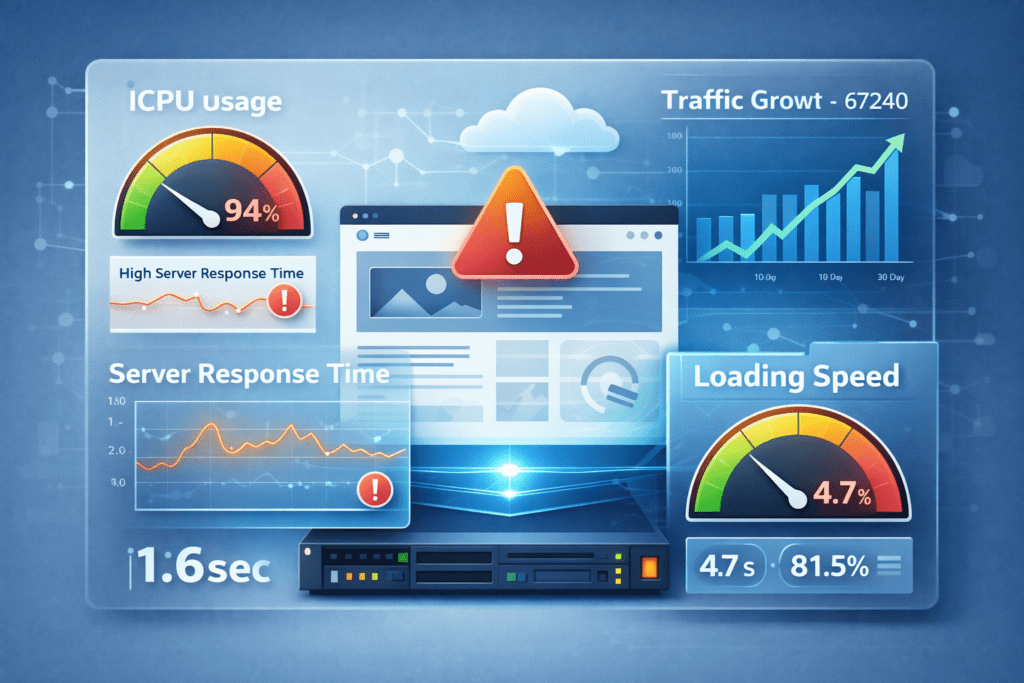
Certain website performance benchmarks can signal that it’s time to upgrade your hosting infrastructure.
When websites begin experiencing these issues regularly, it may be the right time to consider vps hosting.
• High server response times: Slow server responses can indicate resource limitations.
• Slow page loading: Pages take longer to load when shared server resources are strained.
• Increasing CPU or RAM usage: Resource usage grows as website traffic increases.
• Traffic growth: High traffic levels may exceed the limits of shared hosting.
Monitoring these indicators can help website owners determine the right time to upgrade.
Monitoring Tools That Help Decide When to Upgrade
Several tools can help website owners evaluate their hosting environment and identify performance problems.
Monitoring tools provide insights into server resources, website performance, and traffic patterns.
• Hosting dashboard monitoring: Most hosting providers show cpu and ram usage inside the hosting dashboard.
• Website performance tools: Speed testing tools measure loading times and server responsiveness.
• Website analytics platforms: Traffic analytics reveal whether website visits are increasing.
• Server monitoring utilities are crucial for maintaining performance in a cloud hosting environment. These tools help track uptime and resource usage.
By monitoring these metrics, website owners can recognize when shared hosting may no longer support their website.
7 Signs It’s Time to Upgrade to VPS
Recognizing the signs that it’s time to upgrade can prevent performance problems before they affect visitors.
Your Website Traffic Is Increasing
Growing traffic is one of the clearest indicators that shared hosting may reach its limits.
When a website receives increased traffic, shared hosting environments may struggle to maintain consistent performance.
A virtual private server can handle higher traffic levels more efficiently because server resources are dedicated.
Slow Website Performance
Slow loading pages often indicate resource limitations.
Shared hosting environments sometimes become slower when multiple websites compete for server resources.
VPS hosting provides dedicated cpu and ram, which helps improve loading speed and overall responsiveness.
Frequent Downtime or Uptime Issues
Frequent website downtime can signal that a shared hosting environment is struggling to handle demand.
When uptime becomes inconsistent, website reliability may suffer.
VPS hosting usually offers more stable uptime because each virtual private server operates within its own isolated environment.
You Need More Security
As a website grows, security becomes more important. Shared hosting environments usually include basic security measures, but they limit how much control website owners have over protection settings.
In a shared server environment, websites run alongside many other sites. Even though hosting providers apply security standards, the shared infrastructure can still introduce risks.
A virtual private server allows stronger security configurations. With root access, website owners can configure firewall rules, apply security patches, and customize security measures according to their needs.
For websites handling sensitive data or business operations, this extra control often becomes one of the reasons to upgrade to vps hosting.
You Need Better Performance for Applications
Some websites run applications that require more processing power.
Dynamic platforms, database-driven websites, and complex scripts often require additional server resources. Shared hosting environments sometimes struggle to handle these workloads.
A VPS hosting environment provides dedicated cpu cores and ram, allowing applications to run more smoothly.
This makes VPS hosting ideal for projects that require consistent performance and reliable server resources.
Your Website Uses Resource Heavy Plugins or Scripts
Websites that rely on advanced plugins or scripts may consume more server resources.
For example, wordpress websites using ecommerce plugins, analytics tools, or automation scripts often require more processing power.
Shared hosting may limit the performance of these tools because the server resources are shared with other websites.
A virtual private server allows websites to run these applications more efficiently because the hosting environment provides dedicated resources.
Your WordPress Website Is Growing
WordPress websites often grow quickly as content and traffic increase.
Large wordpress websites typically run multiple plugins, themes, and database operations. Over time, this increased activity requires more server resources.
When WordPress websites reach this stage, it may be the right time to upgrade to VPS hosting, as VPS hosting gives more resources and flexibility.
A VPS hosting environment supports database heavy websites and helps maintain consistent performance during traffic spikes.
How VPS Hosting Improves Website Performance

VPS hosting improves website performance by providing dedicated server resources and a more controlled hosting environment.
Unlike shared hosting environments, a virtual private server isolates each website from other users on the same physical server.
Dedicated Resources
Dedicated resources are one of the biggest advantages of VPS hosting.
Each virtual private server receives its own cpu cores, ram allocation, and storage capacity.
Because these server resources are not shared with other websites, performance remains more consistent.
Better Website Speed
VPS hosting often results in faster loading speeds compared to shared hosting.
When websites operate on a shared server, performance may fluctuate depending on the activity of other sites.
A VPS environment reduces this issue by allocating dedicated resources to each website.
Improved Server Stability
Server stability also improves when moving from shared hosting to VPS hosting.
Since each VPS operates independently within the physical server, traffic spikes or resource usage from other websites do not interfere.
This helps maintain consistent uptime and reliable website performance.
Managed vs Unmanaged VPS When Upgrading
When upgrading to a VPS hosting environment, website owners must also decide between managed vps and unmanaged vps plans.
Managed vps hosting includes server maintenance handled by the hosting provider. This typically includes security patches, monitoring, and system updates.
Unmanaged vps hosting provides full root access and greater control over the server environment.
However, unmanaged hosting requires technical knowledge because the website owner becomes responsible for managing the server.
Choosing between managed hosting and unmanaged vps depends on experience level and how much control you want over the hosting environment.
Even though many websites eventually upgrade to vps hosting, shared hosting is still useful in certain situations.
Small projects often don’t need advanced server resources. A simple shared hosting plan can handle basic websites without problems.
Shared hosting is still a practical option for:
• Small personal blogs: Limited traffic and simple content structures.
• Low traffic websites: Projects with minimal visitors each month.
• Simple informational sites: Static pages that don’t rely on heavy applications.
• Early stage WordPress websites: New websites that are still building traffic.
In these cases, shared hosting environments usually provide enough performance and reliability.
If traffic begins increasing or website functionality becomes more complex, it may then be the right time to upgrade your hosting infrastructure.
How to Upgrade to VPS Hosting (Step by Step)

Upgrading from shared hosting to a virtual private server is usually straightforward when planned carefully, especially when you know when it’s the right time to make the switch.
Following a structured approach can help ensure a smooth transition.
Step 1: Evaluate Your Website Needs
Start by reviewing your current website performance.
Look at traffic levels, server resource usage, and loading speed. If shared hosting is struggling to support your website, it may be time to consider vps hosting.
Step 2: Choose a Reliable VPS Hosting Provider
Selecting a reliable hosting provider is important when moving to a VPS environment to ensure you have the necessary support for your dedicated hosting needs.
Look for providers with strong uptime records, good customer support, and flexible vps plans that match your website’s requirements.
Step 3: Select the Right VPS Plan
Not all vps hosting plans provide the same server resources.
Consider how many cpu cores, how much ram, and what storage capacity your website needs.
Choosing the right configuration helps ensure the server environment can support future growth.
Step 4: Migrate Your Website
Website migration involves transferring files, databases, and configuration settings from the shared server to the new vps server.
Many providers offer migration services to simplify this process and reduce downtime.
Step 5: Optimize Server Settings
Once the website runs on the VPS environment, it’s helpful to optimize server settings.
Configuring php versions, caching tools, and security measures can improve performance and stability.
VPS Hosting Upgrade Checklist
Before completing a VPS migration, a quick checklist can help prevent common issues.
• Backup website data: Always create a complete backup before moving servers.
• Monitor traffic levels: Confirm that traffic growth justifies the upgrade, as this is when you need a VPS.
• Evaluate server resources: Determine cpu cores, ram, and storage requirements.
• Choose the correct VPS plan: Select a plan that allows room for growth.
• Test website performance after migration: Verify speed and functionality.
Taking these steps can help ensure a successful upgrade process.
Common Mistakes When Upgrading to VPS
Upgrading hosting infrastructure can improve performance, but mistakes during the process may create new challenges.
Several issues appear frequently when websites move from shared hosting to a VPS environment.
• Upgrading too early: Some websites upgrade before shared hosting limits are reached.
• Choosing insufficient server resources: Underpowered VPS plans may still cause performance issues.
• Ignoring server optimization can lead to performance issues, making it clear that you need a VPS. A poorly configured VPS environment may not deliver better performance.
• Skipping migration planning: Moving files and databases without preparation can create downtime.
Avoiding these mistakes helps ensure the upgrade provides real improvements.
Why More Websites Upgrade to VPS in 2026
In recent years, more websites have moved from shared hosting to VPS hosting environments.
One reason is the increasing complexity of modern websites. Platforms like wordpress rely on plugins, databases, and dynamic content that require stronger server resources.
Another factor is traffic growth. As websites attract more visitors, shared hosting environments may struggle to maintain consistent performance.
At the same time, VPS hosting has become more affordable. Many providers now offer scalable vps hosting plans that allow websites to grow without needing a dedicated server.
Because of these changes, VPS hosting has become a common upgrade path for many website owners.
FAQs About Upgrade to VPS
When should I upgrade to VPS?
You should upgrade when your website begins experiencing slow performance, increased traffic, or frequent uptime issues.
What is the main difference between shared hosting and VPS hosting?
Shared hosting divides server resources among multiple websites, while a virtual private server provides dedicated resources within the same physical server.
Is VPS hosting better for WordPress?
Yes. WordPress websites with higher traffic or heavier plugins often benefit from VPS hosting because of improved performance.
Does upgrading to VPS improve uptime?
In many cases, VPS hosting environments provide more consistent uptime than shared hosting because resources are isolated.
Can I upgrade from shared hosting to VPS easily?
Most hosting providers allow website owners to upgrade their hosting plan from shared hosting to VPS hosting with minimal downtime.
Is shared hosting still good for beginners?
Yes. Shared hosting is still a good starting point for beginners and small websites with limited traffic.
Final Thoughts: Is It Time to Upgrade to VPS?
Deciding when to upgrade to vps hosting depends on the growth and technical needs of your website.
If your website experiences increased traffic, slower loading speeds, or frequent downtime, moving to a virtual private server can improve performance and stability.
VPS hosting also provides greater control over server configuration, which can be useful for websites that require custom software or advanced applications.
However, shared hosting is still a practical option for smaller projects.
Understanding when your website needs more server resources helps determine the right time to upgrade your hosting environment.