
Here’s what I noticed when I first tried to build a website for someone in the US: every web host kept talking about plans, features, and upgrades, but no one clearly explained the type of web hosting behind them. That’s usually where beginners feel stuck.
This guide covers:
- The different types of web hosting you’ll see in the US
- What each hosting type really means
- Which type of hosting fits which kind of website
- How the right choice affects speed, cost, and growth
There’s no one-size-fits-all option. What works for a small blog may not work for an online store. Choosing the right hosting service early can save money and headaches later.
If you’re a website owner just starting out, this guide will help you understand your options and pick what makes sense for your goals.
Let’s keep it simple. No tech overload. Just clear answers.
What Are the Different Types of Web Hosting?

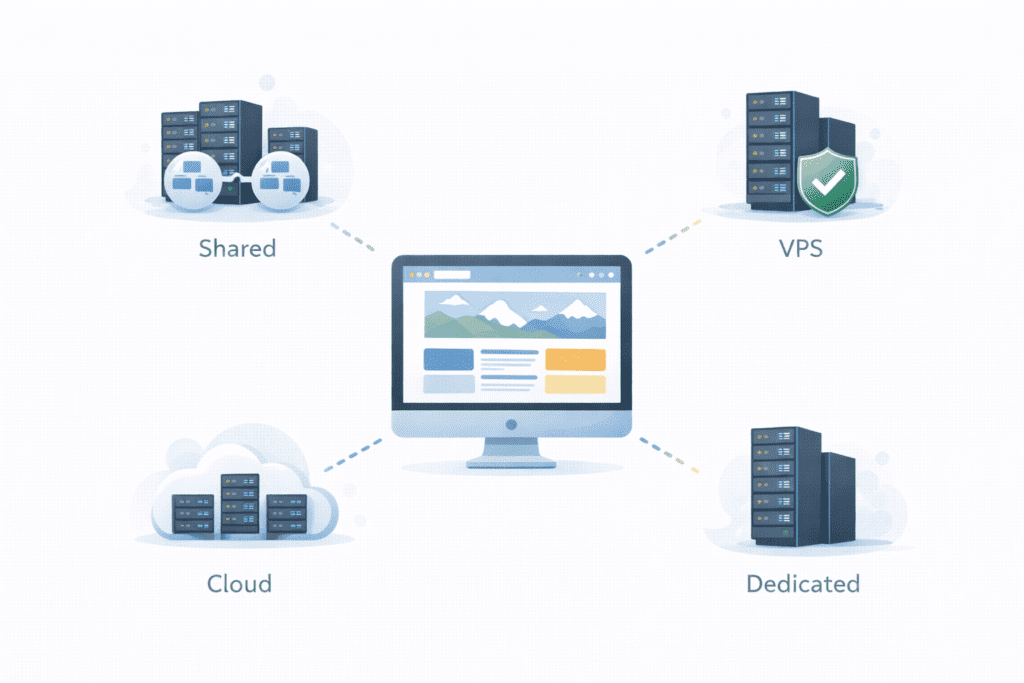
When people talk about hosting, they usually mean website hosting that keeps your site online using a web server. But there are actually many types of web hosting, and each one is built for different needs.
Here are the main types you’ll hear about:
- Shared hosting
- VPS hosting
- Dedicated hosting
- Cloud hosting
- Managed hosting (including managed WordPress)
- Reseller hosting
- WordPress hosting
- Even colocation hosting for special cases
These are the main types of web hosting used today. You might also hear about traditional hosting or traditional hosting methods, which usually refer to older shared or single-server setups.
Why so many options? Because websites are different. A personal blog, a business site, and a large store all have different hosting needs.
So when someone says “choose a type of web hosting,” they really mean:
Pick the setup that fits your traffic, budget, and experience.
Shared hosting is the most common starting point for beginners in the US.
What It Is
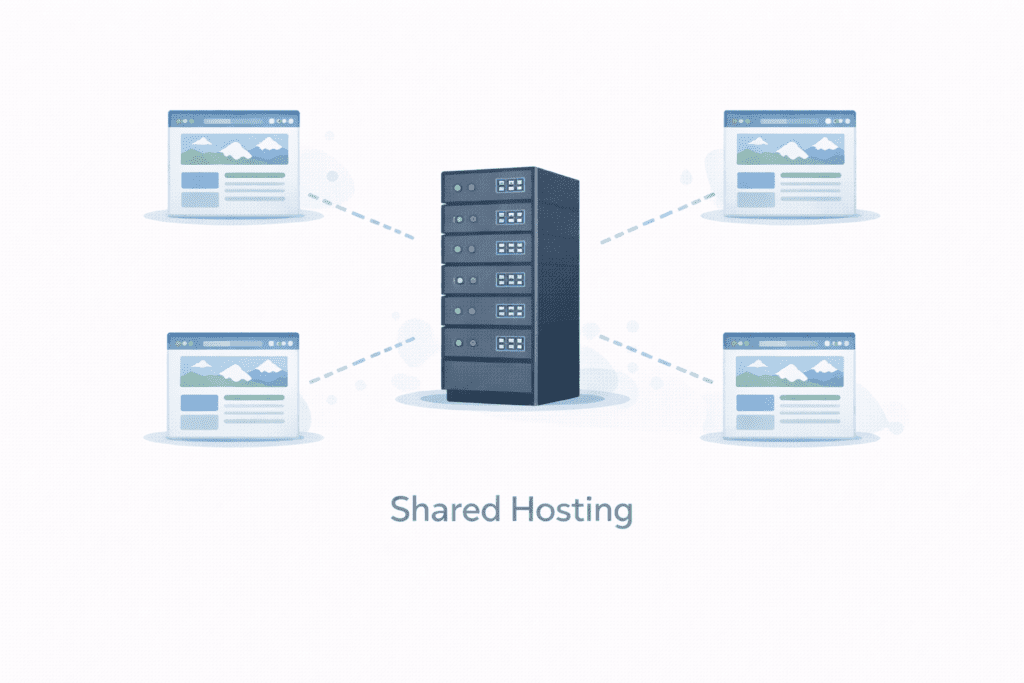
With shared hosting, many websites live on one web server. All those sites share the same resources. That’s why it’s called shared web hosting.
A shared hosting plan means your site uses part of a bigger server that’s managed by your web host.
How It Works
Your site shares space, memory, and power with other sites. The hosting provider takes care of the server, updates, and security. You just manage your site.
This setup is part of server hosting and is one of the simplest web hosting options for beginners.
Best Use Cases in the US
Shared hosting is ideal for:
- Personal blogs
- Small business websites
- New projects with low traffic
For many beginners, shared hosting is typically the first step because it’s easy and cheap.
Pros and Cons
Pros:
- Low hosting cost
- Easy to use
- No technical skills needed
- The benefits of shared hosting include simplicity and quick setup
Cons:
- Limited resources
- Slower if other sites get busy
- Less control than other options
Honestly, hosting is ideal here if you’re just starting out. For most new users, hosting is a great choice when it’s simple shared hosting.
VPS Hosting (Virtual Private Server)
VPS hosting is the next step up from shared hosting.
What It Is
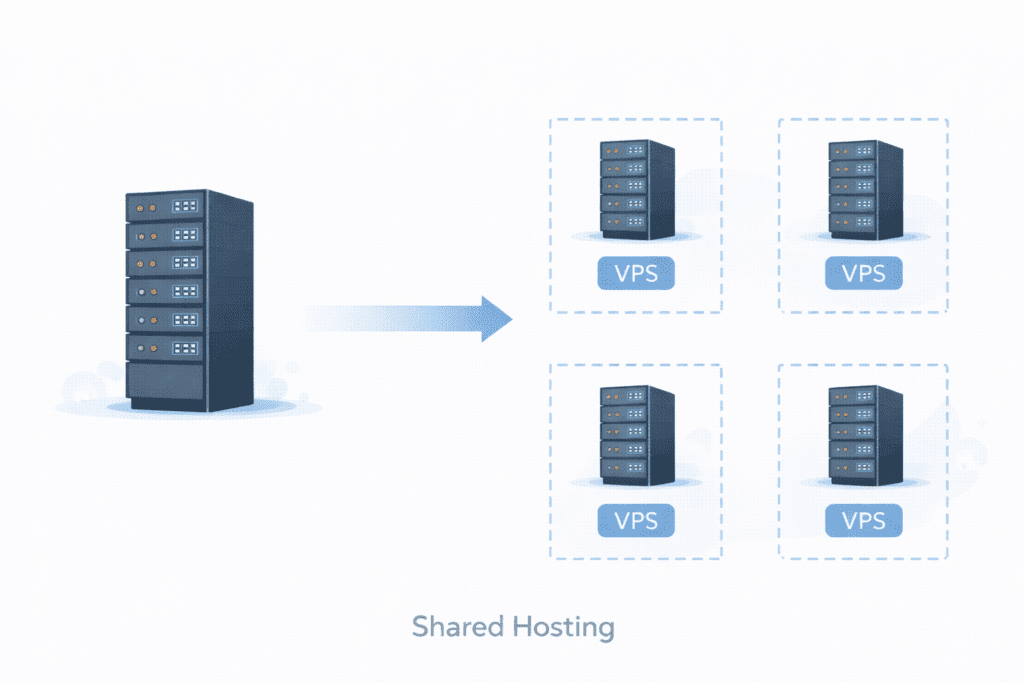
VPS stands for Virtual Private Server. It’s still on a shared machine, but your site gets its own virtual space.
How It Works
The big server is split into smaller virtual servers. Each one acts like its own system. That means more control and better performance.
Many people say vps hosting is often chosen when a site outgrows shared hosting.
When US Sites Usually Upgrade
US websites usually move to VPS when:
- Traffic increases
- Shared hosting feels slow
- More control is needed
In simple terms, vps hosting provides more power without the high price of dedicated servers.
Pros and Cons
Pros:
- More control
- Better speed
- More resources than shared hosting
Cons:
- Costs more than shared hosting
- Needs a bit more technical knowledge
You’ll often see this compared as vps or dedicated hosting when people want better performance.
Dedicated Hosting

Dedicated hosting is for big needs.
What It Is
With dedicated hosting, you get an entire server just for your site. This is also called dedicated server hosting.
How It Works
Your web host gives you a full server that’s used only by you. No sharing at all. This is a powerful hosting solution for large projects.
A dedicated hosting plan means maximum control and performance.
Who Really Needs It in the US
Dedicated hosting makes sense for:
- Large businesses
- High-traffic websites
- Custom apps
- Big ecommerce hosting setups
Pros and Cons
Pros:
- Top performance
- Full control
- Dedicated hosting gives strong power and stability
Cons:
- High cost
- Needs technical skills
For beginners, this is usually too much. But for big US sites, it can be the right move.
Cloud Hosting
Cloud hosting has become very popular in the US.
What It Is
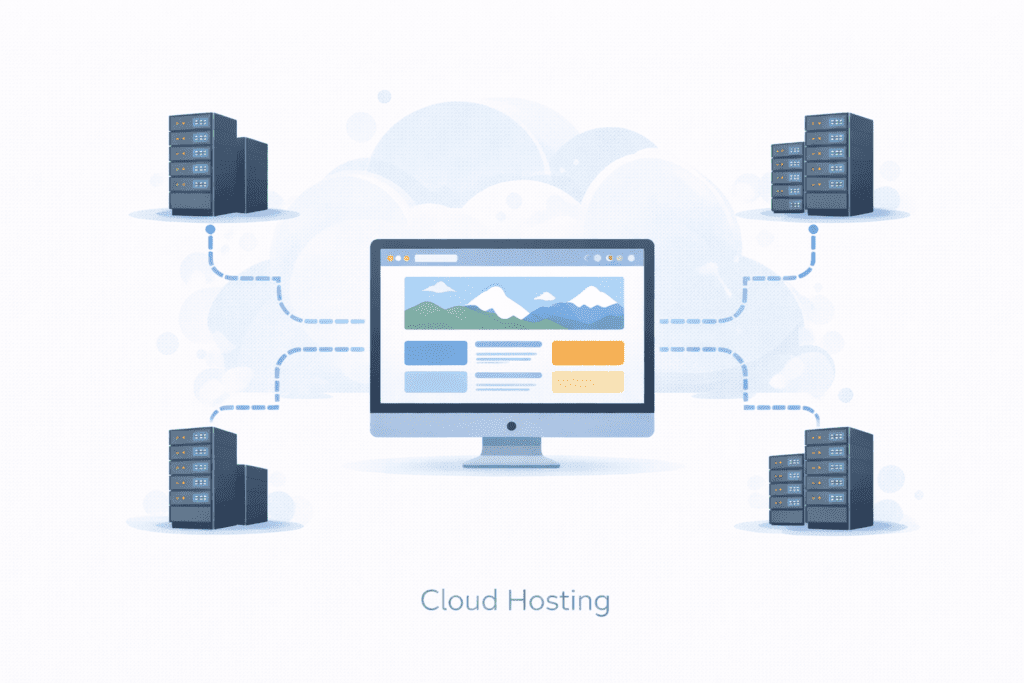
Instead of one server, cloud hosting uses many servers working together.
How It Works
Your site runs across multiple servers, so if one has a problem, another helps. This improves uptime and flexibility.
Many site owners like using cloud hosting because it scales easily.
Why It’s Popular in the US
US websites choose cloud hosting because:
- It handles traffic spikes
- It grows with your site
- It’s reliable
People often compare vps or cloud hosting when they want flexible growth.
Pros and Cons
Pros:
- Great scalability
- Good uptime
- Flexible resources
Cons:
- Can be confusing at first
- Costs can change with usage
For growing sites, hosting comes with freedom when you use the cloud.
Managed Hosting
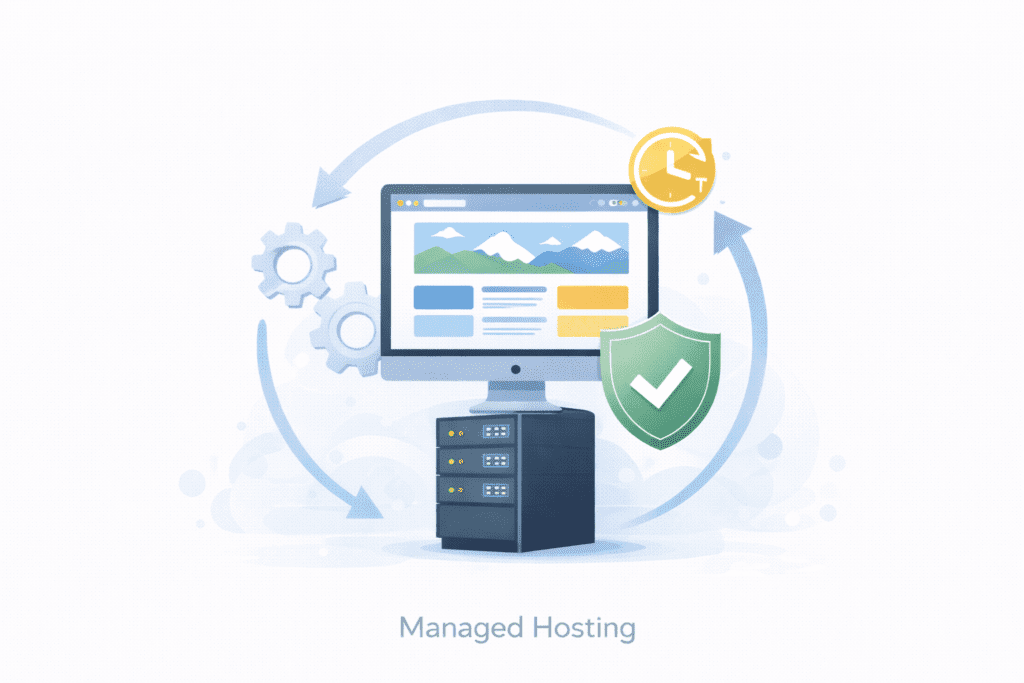
Managed hosting means your web host takes care of most of the technical work for you.
What It Means
With managed hosting, the hosting provider handles:
- Server updates
- Security
- Backups
- Performance tuning
In simple words, the hosting provider takes care of the system so you can focus on your site.
This hosting is often chosen by people who don’t want to deal with tech tasks.
Managed WordPress as an Example
A popular example is managed wordpress hosting. This is a type of web hosting made especially for WordPress sites.
With this setup:
- Updates are automatic
- Speed is optimized
- Security is tighter
Many US bloggers like it because managed wordpress hosting offers ease and reliability.
Who Benefits Most in the US
Managed hosting is great for:
- Bloggers
- Small business owners
- Anyone who wants simple setup
If you don’t enjoy tech work, hosting is a great choice when it’s managed.
Reseller Hosting
Reseller hosting is different. It’s for people who want to sell hosting to others.
What It Is
With reseller hosting, you buy a big hosting package and split it into smaller hosting accounts for clients.
You become a small hosting business using your web host’s infrastructure.
Typical Use Cases
Reseller hosting is used by:
- Web designers
- Agencies
- Developers managing client sites
Some people even try to build a hosting business using reseller plans.
Is It Relevant for Beginners?
Honestly, for most beginners, no.
Unless you plan to start a web hosting business, reseller hosting is overkill. It’s better to start with shared or managed hosting first.
WordPress Hosting
WordPress hosting is built just for WordPress.
What Makes It Different
This hosting service is tuned for the WordPress system, which is a popular content management platform used by millions of sites.
WordPress hosting comes with:
- Easy installs
- Better speed for WordPress
- Extra security
Many wordpress hosting providers offer tools that make setup simple.
When It Makes Sense for US Bloggers
If you’re running a blog or content site in the US, WordPress hosting is often a smart pick.
WordPress hosting comes ready to use, so you don’t have to tweak much.
It’s a great hosting solution for bloggers who want to focus on writing, not tech.
Free vs Paid Web Hosting
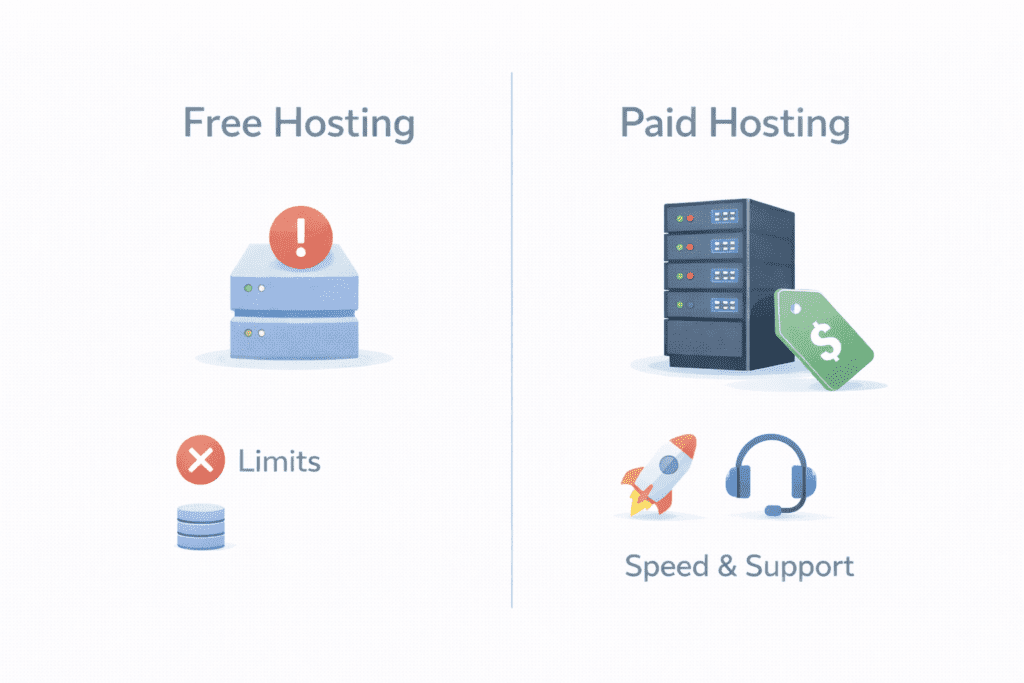
This is another big question for beginners.
What Free Hosting Offers
Free hosting lets you run a site without paying. Some even offer a free web setup for testing.
But free hosting usually means:
- Ads on your site
- Very limited resources
- Less control
Limitations for US Users
For US audiences, free hosting often feels slow and unprofessional. Support is limited, and your site may not look trustworthy.
When Paid Hosting Is Worth It
Paid hosting gives:
- Better speed
- More features
- Real support
For serious projects, paid website hosting is almost always worth it. That’s when it makes sense to purchase hosting services instead of relying on free plans.
Key Differences Between Hosting Types
Let’s compare the main hosting type options in simple terms.
Performance
- Shared: basic
- VPS & cloud: better
- Dedicated: best
Scalability
- Shared: limited
- VPS & cloud: flexible
- Dedicated: high but fixed
Control
- Shared: low
- VPS: medium
- Dedicated: full
Cost in the US
- Shared: lowest
- VPS & cloud: mid-range
- Dedicated: highest
Technical Skill Required
- Shared & managed: low
- VPS: medium
- Dedicated & unmanaged: high
This is why different types of hosting exist. Each fits different users.
How to Choose the Right Type of Web Hosting in the US

Choosing a type of web hosting depends on a few things.
Based on Website Goal
Ask yourself: blog, business, store, or portfolio? Your goal shapes your hosting plan.
Based on Traffic Level
Low traffic? Shared works.
Growing traffic? VPS or cloud.
High traffic? Dedicated.
Based on Budget
Set a budget for hosting and stick to it. Don’t overbuy at the start.
Based on Experience
If you’re new, managed or shared hosting is safer than unmanaged hosting.
This is how you pick the right web setup for your site.
Common Mistakes Beginners Make When Choosing Hosting Types
Many beginners rush this step, and that’s where problems start. Here are mistakes I see most often.
Starting Too Big
Some people jump straight to dedicated hosting or cloud plans even when their site is brand new. That usually wastes money. For most beginners, shared hosting or managed WordPress is enough at first.
Choosing Only by Price
Cheap plans look good, but not all hosting offers are equal. Very low-cost plans may mean slow speed or poor support.
Ignoring Future Growth
Your site may be small today, but what about later? Think about hosting needs and whether your hosting provider lets you upgrade easily.
Overlooking Support
When something breaks, support matters. A good web host can save you hours of stress.
In many cases, yes.
Shared hosting is usually enough when:
- You’re starting a blog
- Traffic is low
- You want the lowest cost
- You don’t need custom settings
This is why many say hosting is best when it’s simple shared hosting at the start.
But shared hosting may not be enough if:
- Traffic grows fast
- You run an online store
- You need more control
That’s when people look at VPS or cloud options compared to shared hosting.
So yes, shared hosting works for most beginners — but not forever.
FAQs About Types of Web Hosting
How many types of hosting are there?
There are several types of web hosting, including shared, VPS, dedicated, cloud, managed, reseller, and WordPress hosting.
Which hosting is best for beginners?
For most beginners in the US, shared or managed WordPress hosting is the safest place to start. Many consider this the best web hosting choice early on.
Can I change hosting types later?
Yes. You can move your site to a new hosting plan as your needs grow. Most hosting providers support upgrades.
Is cloud hosting better than shared hosting?
Not always. Cloud hosting offers more flexibility, but shared hosting is simpler and cheaper for small sites.
What Should You Do Next After Learning the Hosting Types?
Now that you’ve seen the types of web hosting explained, here are smart next steps:
- Learn how hosting works behind the scenes
- Compare web hosting provider options in the US
- Understand pricing and renewal terms
- Check important web hosting features before buying
You can then purchase hosting with confidence, knowing which hosting type fits your site.
Final Thoughts
Let’s keep this simple.
There are many popular types of hosting, and each one fits a different stage of your website’s journey. From shared hosting for small starts to dedicated hosting for big projects, every type of web hosting has its place.
If you’re a beginner in the US:
- Start small
- Don’t overpay
- Choose a reliable web host
- Upgrade only when you really need to
In most cases, hosting is usually easiest when you keep it simple at first. Once your site grows, you can move to stronger options.
Bottom line?
Pick the hosting that fits today, not just what sounds powerful. That’s how most successful websites begin. 🚀