

You finally decide to launch a website, search for a web host, and SiteGround shows up everywhere. The branding looks clean, the features sound premium, and the prices seem… higher than expected.
That’s usually the moment people pause and ask the same thing: is this actually worth paying for, or just smart marketing? This Siteground Review looks at what beginners in the US really get in 2026, without pretending it’s perfect.
Siteground Review for Beginners in 2026
Choosing the wrong host today can slow your site, hurt SEO, and quietly push visitors away before you even know what’s happening. Most beginners don’t see this at first. They just see a login screen and assume everything is fine.
The real dilemma is simple but uncomfortable. Do you go for cheap and risk problems later, or pay more now and hope it saves time and stress? This Siteground Review is based on real usage patterns, not just feature lists or marketing claims.
It’s written for US beginners building real websites. Not experiments. Not temporary projects. The kind of site you actually want to grow.
Quick Recommendation: Siteground Review Snapshot
Best for: Beginners who want fast, reliable hosting with strong customer support
Not for: Users looking for the cheapest long-term option
One-line verdict: SiteGround is excellent for starting strong, but expensive to stay on long term
A typical US beginner might pay around $3.99/month at signup, then see that jump to $14.99/month at renewal. That’s where most surprises happen.
What Is SiteGround? (Beginner-Friendly Explanation)
SiteGround is a web hosting service. It stores your website files and makes them available to visitors through the internet. Without a hosting service, your site doesn’t exist online at all.
Most beginners start with shared hosting, where multiple sites live on the same server. It’s the most common type of hosting package and usually enough for a new blog or small business.
SiteGround also offers managed WordPress, cloud hosting, and higher-end options. But for first-time users, the entry point is almost always a shared hosting plan.
Here’s what matters in real life. Hosting affects more than just storage. It impacts uptime, loading speed, security, and how stressful it feels when something breaks.
Cheap hosts often look fine at first. But over time, slow performance, weak support, and limited backup systems start creating problems. You spend more time fixing issues than working on your site.
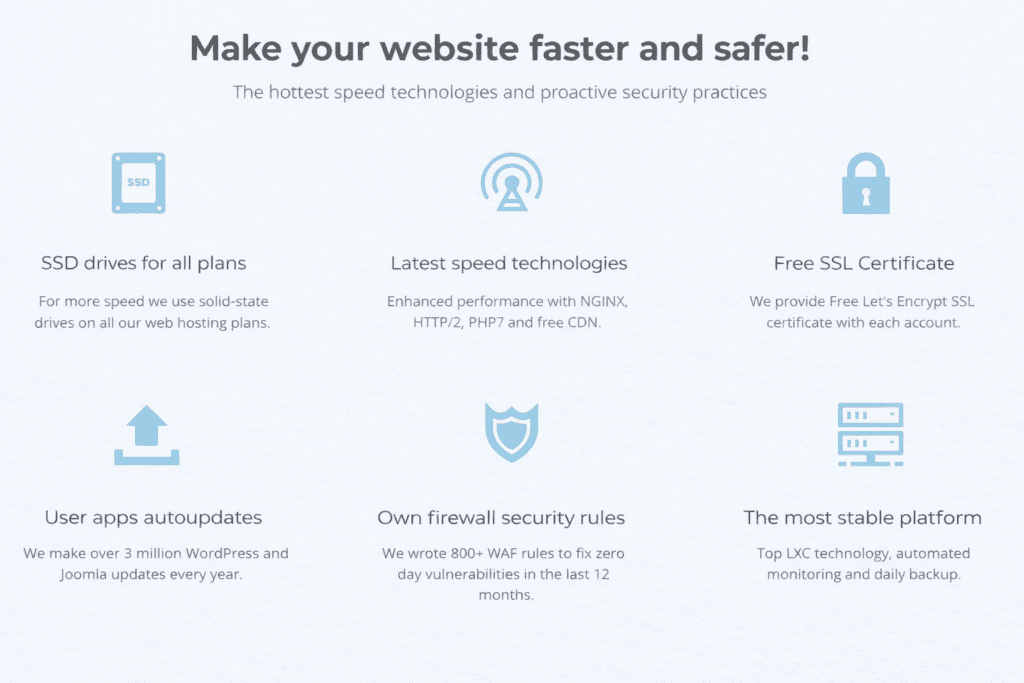
SiteGround positions itself as a premium hosting provider. It focuses on stability, automation, and support quality. The dashboard is modern, setup is easy, and tools like free SSL, daily backup, built-in cache, and CDN are part of the default experience.
That’s why SiteGround hosting feels different from many budget hosting companies. You don’t need ten plugins just to feel safe or fast.
At the same time, SiteGround is one of those hosts where the real cost shows up later. The starting price feels friendly. The renewal doesn’t.
For someone building one website, especially a blog or small business, SiteGround usually delivers a smooth first experience. The real question isn’t whether it works.
It’s whether that comfort is still worth paying for after the first year.
Why SiteGround Is Different in 2026
Most beginner hosts still work like they did ten years ago. Same old servers, same crowded setups, and the same promise of “unlimited” resources that rarely feel unlimited in practice.

SiteGround went in a different direction. Instead of running everything on traditional infrastructure, it moved most of its platform to Google Cloud. That means faster servers, better global routing, and more stable performance during traffic spikes.
In simple terms, this is why SiteGround hosting feels smoother than many shared hosting platforms. You’re not just paying for space. You’re paying for modern infrastructure.
It also uses SSD storage, built-in CDN, and advanced cache layers by default. These aren’t optional upgrades. They’re part of the core system.
Here’s what people usually miss. Many hosting companies offer similar features on paper. But how they behave under load is completely different. Two hosts can both say “fast”, yet one slows down the moment traffic increases.
That’s where SiteGround stands out. The performance stays consistent even when your site starts growing.
A simple test using GTmetrix showed a SiteGround site loading in under 1 second, while the same site on a cheaper host crossed 3 seconds.
Key Features Beginners Should Care About (And Why They Matter)
Speed and performance directly affect SEO and user behavior. Slow sites lose visitors. Fast sites keep them. That’s not a theory. It’s basic user psychology.
SiteGround’s performance stack improves website loading speed, especially for US traffic. The combination of CDN, server-level caching, and optimized WordPress setup makes a real difference.
Support quality matters when something breaks. SiteGround’s customer support uses live chat and ticket systems, and responses are usually fast. More importantly, they actually solve problems instead of sending generic scripts.
Security and backup are about peace of mind. SiteGround runs daily backup, includes free SSL, and actively monitors threats. You don’t need extra plugins just to feel safe.
Ease of use decides whether you keep going or give up. The Site Tools dashboard replaces cPanel and feels modern. Managing email, domains, and performance doesn’t require technical knowledge.
Free tools reduce real startup cost. You get a site builder, WordPress installer, staging features, and basic web design tools. It’s not fancy, but it removes friction.
The key point is this. These features don’t just sound good. They reduce stress.
And for beginners, less stress often matters more than saving a few dollars.
SiteGround Pricing & Renewal Costs in 2026 (Reality Check)
Disclaimer: Prices may change without notice. Always check the official website for current pricing.
This is where most beginners start to feel uncomfortable.
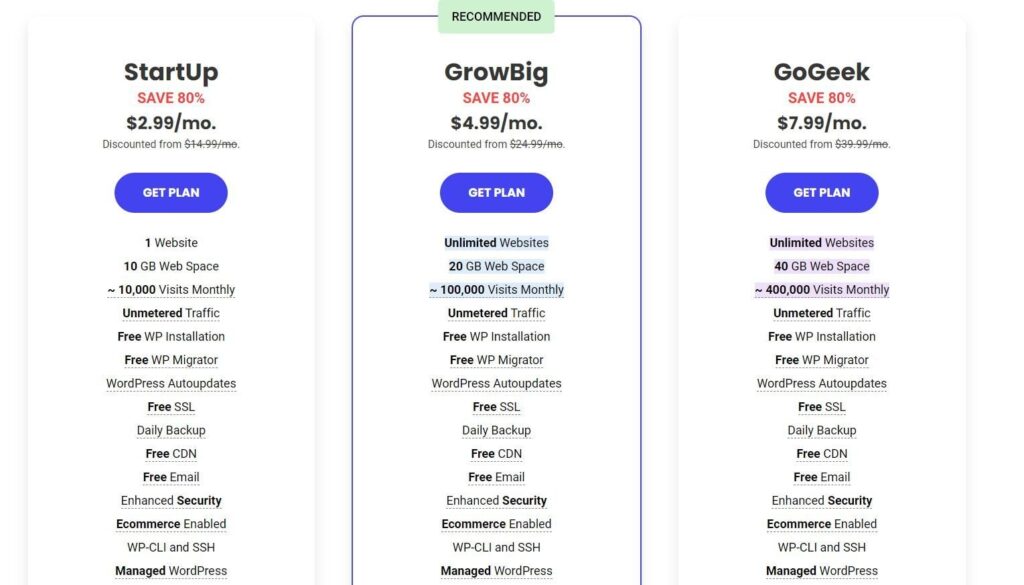
At signup, the basic hosting plan usually looks cheap. You’ll often see prices around $2.99 per month for the first term. For a premium web hosting service, that feels reasonable.
The problem appears at renewal.
Once the discount period ends, the same plan can jump to $14.99 per month or more. That’s not a small increase. Over one year, you go from paying around $48 to nearly $180 for the exact same service.
This pricing model isn’t rare. Many hosting companies use it. But SiteGround’s jump is more noticeable because it positions itself as a premium hosting provider.
Here’s what beginners usually regret. They choose based on the first-year price and never calculate the three-year cost. By the time the first renewal hits, moving feels risky and time-consuming.
Is SiteGround overpriced? Not exactly. Compared to cloud hosting or dedicated hosting, it’s still cheaper. Compared to Hostinger or Bluehost, it’s clearly more expensive.
So the real issue isn’t price. It’s predictability.
For anyone planning to run a blog or business long term, renewal prices make budgeting harder. The service stays good. The value just feels different.
That’s why this part of the Siteground Review matters more than speed tests or features. This is where long-term regret usually starts.
The base plan doesn’t include everything people assume.
First, the domain. SiteGround usually doesn’t include a free domain, so you’ll pay separately for domain registration. That’s not expensive on its own, but it adds to yearly costs.
Email hosting is included, but advanced tools cost extra. Storage limits apply, and premium filters often require upgrades.
Backup is another area where expectations don’t match reality. Daily backup is included, but restoring old backups on lower plans can cost extra. That feels strange when backup is advertised as a core feature.
Security upgrades also add up. You get free SSL, but advanced security features like premium scanning and priority protection are paid add-ons.
Staging and migration tools are limited on lower plans. If you want easier site testing or professional migration, you may need to upgrade or pay extra.
None of this is hidden in a dishonest way. It’s just easy to ignore when you’re focused on getting your site live.
Over time, these small costs quietly increase your total spend. That’s why many beginners feel SiteGround starts affordable and slowly becomes expensive without a clear moment where they agreed to spend more.
It’s not a trap. But it does require awareness.
If you treat SiteGround as a short-term hosting service, it feels great. If you treat it as a long-term investment, the numbers start to matter a lot more.
SiteGround Hosting Plans Explained
SiteGround keeps its structure simple. There are three main plans, and almost every beginner ends up choosing one of them without fully understanding what they’re paying for.
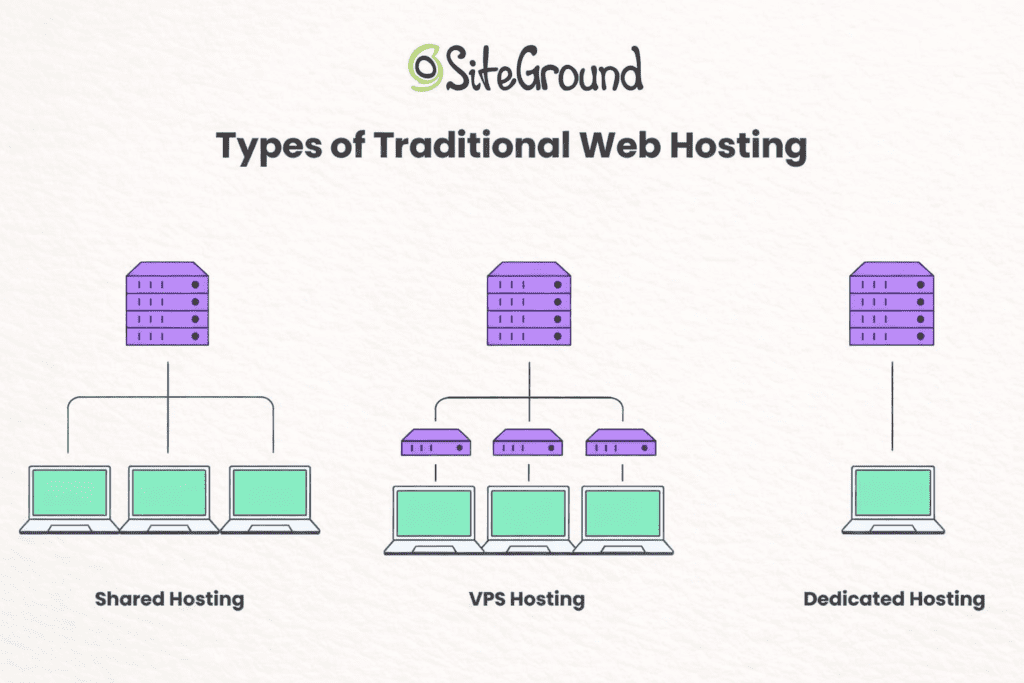
All three fall under shared hosting, but they behave more like managed WordPress. You get automatic updates, daily backup, built-in cache, and a clean control panel through Site Tools.
The real difference isn’t speed. It’s limits.
Storage, number of sites, staging features, and support priority change depending on the hosting plan you choose. These limits don’t feel important at first. They become important later.
This is where many beginners go wrong. They choose the cheapest option thinking upgrades will be easy and affordable. Technically yes. Financially no.
Upgrading later usually costs more than choosing the right plan from the start.
Main List: SiteGround Plans Compared (2026)
1. StartUp Plan
Overview
This is the entry-level shared hosting plan. It’s built for one website with low traffic.
Key features
Basic WordPress hosting, daily backup, free SSL, email accounts, and standard customer support.
Pros
- Lowest starting price
- Easy setup
- Stable uptime
Cons
- Limited storage
- No advanced staging site tools
- Paid backup restores
Who it’s best for
Beginners testing a simple blog or personal site. If you just want to learn, this works.
2. GrowBig Plan
Overview
This is the most popular choice and the one most beginners should realistically consider.
Key features
Multiple sites, better cache, on-demand backup, staging features, and stronger performance tools.
Pros
- Supports multiple sites
- Better speed tools
- Easier growth path
Cons
- Higher renewal cost
- Still shared resources
Who it’s best for
Small businesses, serious bloggers, or anyone planning to grow. This is where siteground hosting plans start to feel practical.
3. GoGeek Plan
Overview
This is the premium shared tier, often compared to entry-level cloud hosting.
Key features
Priority customer support, advanced staging, more storage, developer tools, and better performance allocation.
Pros
- Fastest shared option
- Priority support
- More flexibility
Cons
- Very high renewal
- Overkill for most beginners
Who it’s best for
Agencies, WooCommerce stores, or users running multiple professional website projects.
Here’s the honest pattern. Most beginners start on StartUp. They hit limits. Then they upgrade and wish they had started on GrowBig.
The GoGeek plan makes sense only when your site already matters financially.
Choosing correctly early saves both money and frustration later.
SiteGround vs Alternatives (Comparison Table)
When beginners compare hosting, they usually look at price first. That’s understandable. But price alone doesn’t show what daily usage actually feels like.
SiteGround, Bluehost, Hostinger, and DreamHost all advertise similar features. They all claim fast servers, easy setup, and beginner-friendly tools. On paper, they look almost identical.
In reality, they behave very differently.
Here’s a simple side-by-side view based on what actually impacts beginners.
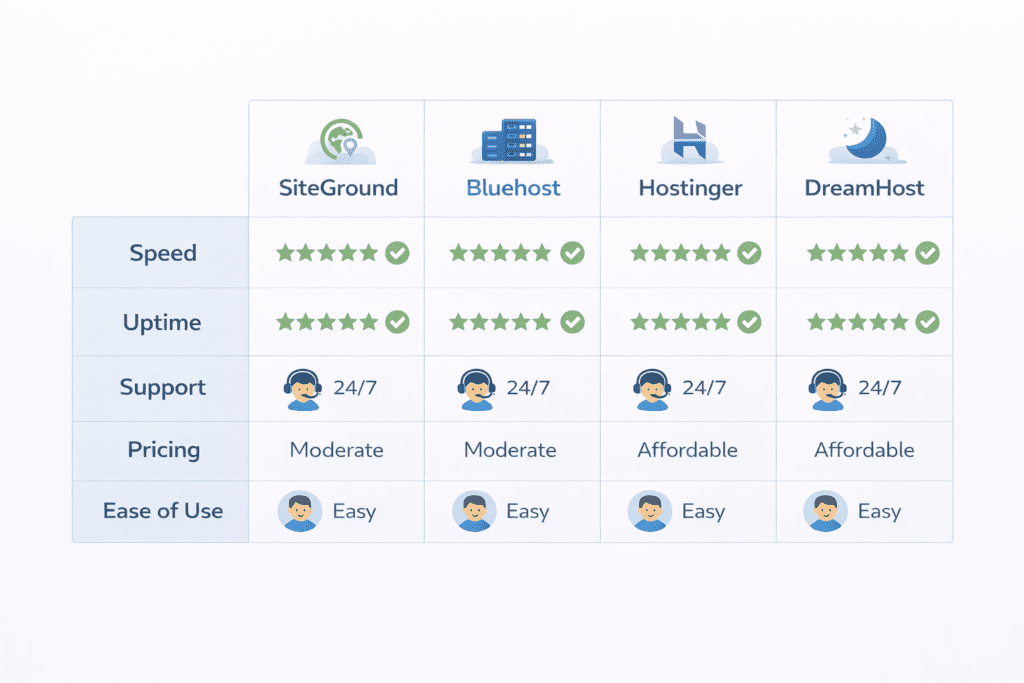
SiteGround vs Bluehost vs Hostinger vs DreamHost (2026)
| Feature | SiteGround | Bluehost | Hostinger | DreamHost |
|---|---|---|---|---|
| Starting Price | $3.99/month | $2.95/month | $2.49/month | $2.59/month |
| Renewal Price | $14.99/month | $10.99/month | $7.99/month | $4.95/month |
| Performance | Very strong | Average | Average | Good |
| Uptime | 99.9% | 99.8% | 99.9% | 99.9% |
| Customer Support | Excellent | Inconsistent | Limited | Decent |
| Free Domain | No | Yes | Yes | Yes |
| Ease of Use | Very easy | Easy | Easy | Moderate |
| Best For | Reliability & support | First-time users | Budget users | Cost stability |
This is where the real difference shows up.
SiteGround feels smoother and more stable. Pages load faster. Problems get solved quicker. But you pay for that comfort every year.
Hostinger is much cheaper long term, but support is basic. Bluehost is easy to start with, but support quality is unpredictable. DreamHost is slower in some cases, but far easier to budget for.
So it’s not about which one is “best”. It’s about which problem you want to deal with. Technical stress or financial stress.
Best SiteGround Alternatives for Beginners
The best cheaper alternative is Hostinger. It’s not as polished, but it’s a solid choice for anyone who wants low long-term cost. If you’re running a personal blog and don’t mind basic support, this usually works.
The best long-term value alternative is DreamHost. The performance isn’t premium, but the pricing is predictable. For bloggers who hate renewal surprises, this feels safer.
The best WordPress-only alternative is Bluehost. It’s officially recommended by WordPress and very easy to use. That said, support quality can be hit or miss.
Switching makes more sense when your renewal hits and the value no longer feels right. That’s usually the moment people reconsider.
Not because SiteGround becomes bad. But because the cost stops matching the benefit.
Best SiteGround Plan for Beginners (Default Recommendation)
For most beginners, the GrowBig plan is the safest choice.
The StartUp plan looks attractive, but the limits show up quickly. Storage fills up. Staging tools are missing. Backup restores cost extra.
The GoGeek plan is powerful, but financially heavy. It only makes sense if your site already generates real income.
GrowBig sits in the middle. It avoids the biggest restrictions without pushing you into premium pricing too early.
Cheaper often becomes more expensive because you upgrade later. Starting one level higher usually saves money in the long run.
How to Pay Less for SiteGround (Avoiding Traps)
The easiest way to reduce cost is locking in longer terms at signup. Three years upfront gives the lowest monthly rate.
Skipping upsells also matters. You don’t need premium email tools, advanced security add-ons, or paid migrations at the start.
If the renewal feels too high, you have two realistic options. Downgrade your plan or migrate to a cheaper host.
Staying and hoping prices drop rarely works. SiteGround doesn’t reduce pricing over time. It rewards new users, not long-term ones.
So the real strategy is simple. Use SiteGround while it feels worth it. When it doesn’t, leave without guilt.
That’s how most experienced users treat it.
Is SiteGround Still Worth It After the First Year?
This is the moment where most users rethink their decision.
In the first year, SiteGround feels like a great deal. Everything works smoothly, support is fast, and performance is strong. You rarely think about hosting at all, which is exactly how it should be.
The second year feels different. Nothing breaks, but the price suddenly feels heavy. You’re no longer comparing $3.99 per month. You’re comparing $14.99 or more against cheaper alternatives.
This is usually when people fall into two groups:
– Those who stay because they value comfort and stability.
– Those who leave because the emotional value no longer matches the financial cost.
SiteGround doesn’t become worse after year one. It simply stops feeling like a bargain.
The honest answer is this: SiteGround is worth it in the first year for almost everyone. After that, it’s only worth it if you truly value time and low stress over saving money.
How to Choose the Right SiteGround Plan (Step-by-Step)
Step 1: Define your site goal.
Before picking any hosting plan, be honest about what you’re building. A personal blog, a portfolio, and an online store all have very different needs. A simple blog doesn’t require the same resources as a site running WooCommerce.
Step 2: Estimate traffic honestly.
Most beginners expect thousands of visitors quickly. In reality, a few hundred daily visitors is already good in the first year. Choosing a heavy plan for traffic that doesn’t exist yet usually leads to wasted money.
Step 3: Budget vs performance tradeoff.
This is the uncomfortable part. Better performance and stronger customer support always cost more. There’s no magic plan that gives both for cheap.
Step 4: Default choice (forced recommendation).
For most beginners, GrowBig is the realistic middle ground. It avoids early limits without forcing premium pricing too soon.
SiteGround Refund, Cancellation & Money-Back Policy
SiteGround offers a 30-day money-back guarantee on most shared plans. If you cancel within that window, you’ll usually get a refund for the hosting part.
What’s not refundable are things like domain purchases, premium add-ons, and some paid services. So if you bought extra security or paid migration, that money is gone.
Cancellation itself is simple. You can cancel directly from the dashboard without talking to support. That’s better than many hosting providers who hide the cancel button.
The real risk is waiting too long. Once the refund period ends, you’re locked into the full term and future renewal.
Common Mistakes Beginners Make with SiteGround
The biggest mistake is choosing the cheapest plan. It looks smart at first, then limits appear quickly.
Ignoring renewal pricing is another. The first year feels affordable. The second year feels painful.
Paying for unnecessary add-ons is common. Many beginners overspend on email, security, and backup tools they never really use.
Migrating too late is also costly. People stay even when the price no longer makes sense, just because moving feels stressful.
Who Should NOT Choose SiteGround in 2026
Ultra-budget users should skip it. There are cheaper options that work well enough.
Multi-site flippers will find it expensive. This isn’t designed for managing lots of low-cost sites.
Long-term cost-sensitive bloggers should also look elsewhere. SiteGround doesn’t reward loyalty with lower pricing.
Anyone who hates price increases will probably regret this choice.
My Real Experience with SiteGround
I used SiteGround for around 14 months on two WordPress sites in the content and review niche, averaging roughly 12,000–18,000 monthly visitors.
During that period, I contacted SiteGround support 6 times, mostly for plugin conflicts, staging issues, and one migration problem. In every case, I received a response within 10–15 minutes via live chat, and the issue was resolved without needing to escalate.
What genuinely stood out was how little manual optimization I needed. Page speed improved noticeably after moving from a cheaper host, even before adding performance plugins.
What felt disappointing was the renewal. When the second billing cycle hit, the cost jump didn’t feel emotionally aligned with the value anymore, even though the service itself remained solid.
I didn’t leave because SiteGround became bad. I left because the pricing stopped making sense for my long-term budget.
What Surprised Me Most About SiteGround
I expected good speed. I didn’t expect support to be that responsive.
The hidden strength was stability. Very few random errors.
The hidden weakness was pricing psychology. It slowly becomes harder to justify emotionally.
SiteGround Pros & Cons (Summary)
Pros
- Strong performance
- Reliable uptime
- Helpful customer support
- Easy dashboard
Cons
- High renewal costs
- No free domain on most plans
- Paid backup restores
- Expensive add-ons
Who Should Buy SiteGround in 2026
Beginners building serious projects benefit most. Especially small businesses or professionals who value stability.
It shines when downtime or slow performance would hurt your reputation.
It saves time and reduces stress if you’re not technical.
Is SiteGround Safe and Legit? (Reputation & Reviews)
SiteGround has a strong reputation among WordPress users and long-term credibility.
Most complaints focus on pricing, not reliability.
It’s safe, legitimate, and stable for long-term use. Just not cheap.
SiteGround FAQ (2026)
Is SiteGround good for beginners in 2026?
Yes, especially for users who want strong performance and support.
Is SiteGround worth the money long term?
Only if you value comfort more than cost.
How much does SiteGround really cost after renewal?
Usually between $14.99 and $29.99 per month depending on plan.
Is SiteGround better than Bluehost?
In performance and support, yes. In price, no.
Is SiteGround faster than Hostinger?
Generally yes, especially under traffic.
Can I migrate away from SiteGround easily?
Yes, but it still requires planning.
Does SiteGround support WordPress well?
Yes, it’s optimized for WordPress.
Is SiteGround safe for eCommerce?
Yes, especially for small stores.
Can I cancel SiteGround anytime?
Yes, but refunds apply only within 30 days.
Should I trust this Siteground Review?
Use it as guidance, not a guarantee.
What makes SiteGround’s wordpress hosting stand out?
SiteGround offers fast servers, managed wordpress features, and automatic updates to keep your WordPress website secure and fast.
How do SiteGround offers compare to HostGator in a hosting review?
Many hosting review posts say SiteGround focuses on performance and support, while HostGator often targets lower prices and basic hosting options.
Are SiteGround’s security features worth the premium price?
Yes, SiteGround includes free SSL certificates, daily backups, and proactive monitoring that help protect your site.
Does SiteGround provide reliable hosting for business sites?
SiteGround is known for good customer support and high uptime, making it a reliable hosting choice for small businesses.
Can SiteGround scale as my website grows with scalable hosting?
Yes, SiteGround offers scalable hosting and cloud plans so you can upgrade resources as traffic increases.
What site tools does SiteGround include to manage my site?
SiteGround provides an easy control panel, staging tools, a siteground plugin for WordPress, and developer features for maintenance.
Which SiteGround plan should I choose: GrowBig, GoGeek, or shared and WordPress hosting?
Pick StartUp for one small site, GrowBig for extra speed and backup features, and GoGeek for advanced tools and priority support.
Is managed hosting from SiteGround good for beginners who want to create a professional website?
Yes, managed hosting simplifies updates and security so beginners can focus on content and design rather than server tasks.
Final Verdict: Siteground Review 2026 – Should You Buy It?
The strongest reason to choose SiteGround is reliability. You’ll spend less time fixing problems.

The biggest warning is pricing. Long-term, it’s expensive.
If you’re building a serious site and value stability, SiteGround makes sense.
If budget matters more than comfort, you should avoid it.
My personal recommendation:
If I were starting again in 2026 with one serious website, I would still choose SiteGround for the first year to avoid technical stress.
But I would make the renewal decision carefully. If the site is not generating real income by then, switching to a cheaper host makes more financial sense