
Is Namecheap really the cheapest and safest way to get online in 2026, or is it just another budget brand that looks better on ads than in real use? That question comes up a lot, especially when people start searching for a Namecheap Review before buying their first domain.
The real issue isn’t whether Namecheap is legit. It’s whether it actually fits what beginners need today, beyond just low prices and catchy offers.
Quick Recommendation: Namecheap Review Snapshot
Best for: Beginners who want affordable domains and simple hosting
Not for: Users who need high-performance managed hosting
One-line verdict: Namecheap is great for saving money, but not the most powerful host.
This Namecheap Review will cover what the platform offers in 2026, how it handles domain and hosting services, and what beginners should realistically expect before choosing it.
Namecheap is popular mainly because it focuses heavily on domain pricing and budget-friendly web hosting. It’s often the first place people land when they want to buy a domain name without spending too much.
Before choosing anything, beginners should know that Namecheap is more of a cost-focused platform than a premium hosting brand. It works well for simple projects, but it’s not designed for advanced performance.
This review is for bloggers, startups, and small business owners who want a basic online presence without paying enterprise-level prices.
A typical beginner might spend around $12 for a domain and $36 to $60 for hosting in the first year using Namecheap.
What Is Namecheap? (Beginner-Friendly Explanation)
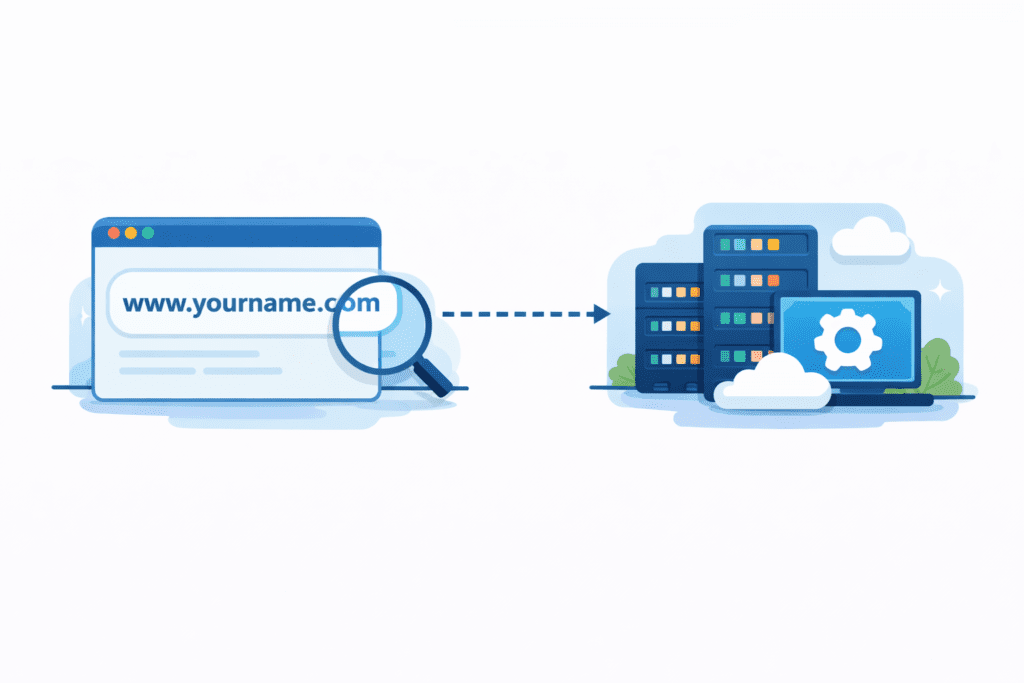
Namecheap is a company that started as a domain registrar and later expanded into a full web hosting provider. Its main goal has always been keeping prices low while offering basic tools for website creation.
In simple terms, Namecheap lets you register a domain, connect it to hosting, and then build a website using either WordPress or its own free website builder.
Namecheap domains are the most popular part of the platform. Domain registration is cheap, renewals are usually reasonable, and domain privacy is often included for free.
Besides domains, Namecheap also offers shared hosting, WordPress hosting, VPS hosting, email hosting, and SSL services.
The difference between Namecheap domains and hosting is important.
Domains are just your website’s address. Hosting is the server where your website files live.
Many beginners mix these up and think buying a domain automatically means their website is live. It doesn’t.
You still need a hosting plan to actually put content online.
Personally, I think Namecheap does a good job explaining this during checkout. It’s clearer than many other hosting companies.
Why Namecheap Is Still Important in 2026

Namecheap has grown a lot over the years, but its core focus hasn’t changed much.
It still targets people who want cheap domains and simple hosting without unnecessary extras.
Beginners still trust Namecheap in 2026 because it feels honest about pricing. There are fewer hidden fees compared to some large hosting brands.
Another reason is domain privacy. Namecheap includes free privacy protection on most domains, which saves money and keeps personal information off public records.
That alone makes it attractive for first-time users.
What makes Namecheap different from premium hosts is its priorities.
Premium hosts focus on speed, managed services, and enterprise features. Namecheap focuses on affordability and simplicity.
Namecheap isn’t trying to be the fastest or most advanced platform. It’s trying to be accessible.
For people who just want to get online without stress, that still matters in 2026.
That said, Namecheap works best when expectations are realistic. It’s a budget-first platform, not a performance-first one.
If you understand that from the start, it’s much easier to decide whether Namecheap is right for your goals.
Key Features to Consider in This Namecheap Review
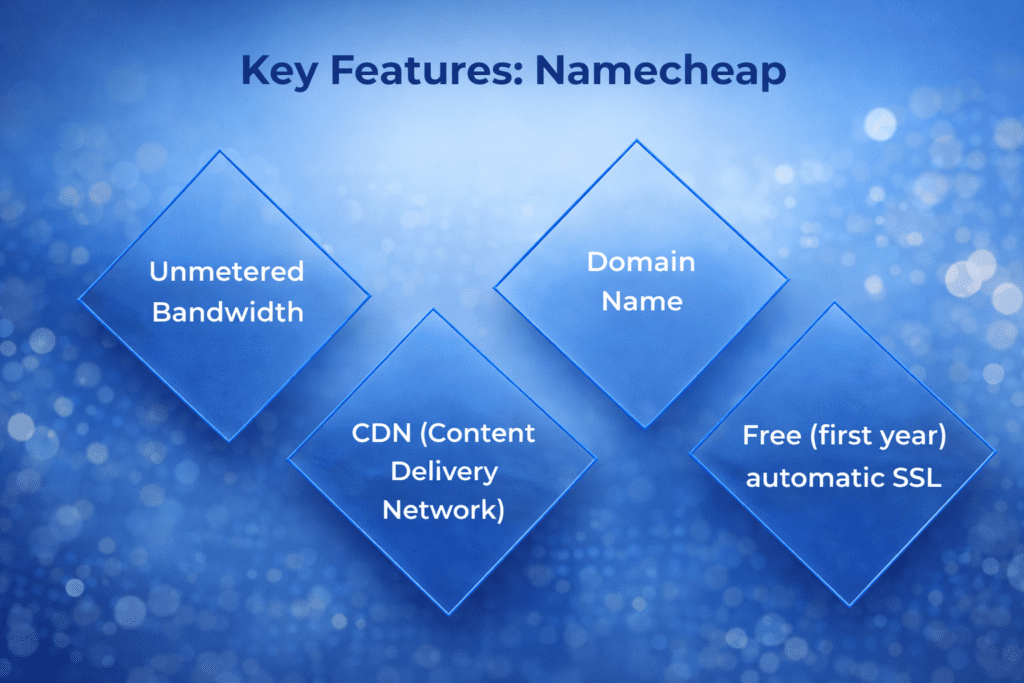
This part focuses on what actually matters when beginners choose a web hosting provider. Not marketing claims. Just the practical stuff that affects real use.
1. Domain Pricing and Free Privacy
This is where Namecheap really stands out.
Namecheap is known for cheap domain pricing, especially for first-time buyers. You can buy a domain name for a few dollars and get started fast.
What makes it more attractive is free domain privacy. That means your personal details aren’t exposed in public WHOIS records.
Most competitors charge extra for this. Namecheap includes privacy protection by default on most extensions.
For beginners, this is a big deal. You get a domain name from Namecheap without worrying about spam or data exposure.
2. Hosting Performance and Speed
Namecheap’s hosting performance is average.
It uses shared servers, so your website lives on the same server as other sites. That keeps costs low, but limits speed.
For small blogs or simple sites, performance is fine. Pages load normally. Nothing impressive, nothing terrible.
If you expect heavy traffic or advanced features, you’ll feel the limits of shared hosting.
This is one area where premium hosts clearly perform better.
3. Ease of Use for Beginners
Namecheap’s dashboard is clean and simple.
You manage your domain and hosting from one place. The layout is easy to understand, even for first-time users.
It uses cPanel for hosting management, which is a standard control panel across most hosting companies.
In terms of navigation, Namecheap feels less cluttered than many competitors.
Personally, I think Namecheap’s interface feels calmer. Fewer upsells. Fewer distractions.
4. Customer Support Quality
Namecheap offers live chat and ticket-based support.
There’s no phone support, which some users may miss.
The support team usually responds quickly on live chat, but complex issues can take time.
For basic problems like domain setup or email configuration, support is helpful.
For advanced server issues, it’s slower.
So support is okay. Not amazing. Not frustrating either.
5. Security and Backups
Namecheap includes basic security and privacy features.
You get free SSL on most hosting plans, which means your site is protected with encryption.
That includes a free SSL certificate, so your website shows as secure in browsers.
Backups are limited on cheaper plans. Automatic backups usually require upgrades.
This is something beginners often skip and regret later.
6. Scalability and Upgrades
Namecheap supports growth, but in a basic way.
You can upgrade from shared hosting to VPS hosting or even a dedicated server if needed.
The transition is simple, and you don’t have to change providers.
However, these upgrades are not managed. You’ll still handle most things yourself.
Namecheap works best for people who want affordability first and flexibility second.
So what does this mean for you?
If your goal is a low-cost start with decent tools, Namecheap works well.
If you want high performance, managed systems, and premium support, you’ll probably outgrow it.
Namecheap Pricing & Renewal Costs
This is where most buying decisions actually get made.
Namecheap looks cheap at first, and in many ways it is. But the real test is what happens after the first year.
Intro Pricing vs Real Long-Term Cost
Namecheap’s intro prices for domains and hosting are low. That’s one of its main selling points.
You can register a new domain for a very small amount, sometimes under ten dollars. The same goes for basic hosting plans.
But just like most hosting companies, prices go up after the first term.
Renewals are still reasonable compared to premium providers, but they’re higher than the first payment.
So the platform stays affordable, but not as cheap as it first appears.
Renewal Prices for Domains and Hosting
For domain registration, Namecheap renewals usually stay close to industry averages.
You won’t see huge price jumps, which is one reason people trust Namecheap for long-term domain ownership.
For hosting, renewals increase more noticeably.
A basic shared hosting plan might double in price after the first year.
That’s not extreme, but it’s something beginners should expect.
Common Upsells and Add-Ons
Namecheap doesn’t push upsells as aggressively as some hosts, but they still exist.
Things like backups, advanced SSL certificates, and premium email cost extra.
The good part is that most essential features are already included.
You don’t feel forced to add ten tools just to make your site work.
Personally, I think Namecheap’s upsell strategy feels more honest. It offers upgrades, but doesn’t overwhelm you with them.
Types of Namecheap Products Beginners Can Choose From
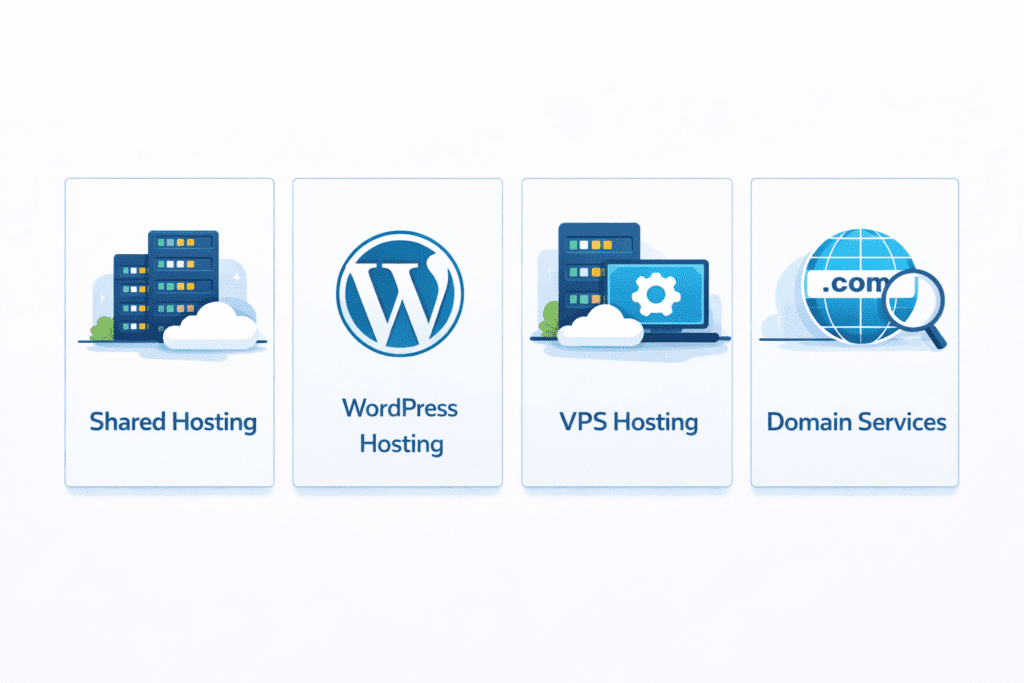
Before choosing anything, it helps to understand what products Namecheap actually offers.
Namecheap focuses on four main categories: shared hosting, WordPress hosting, VPS hosting, and domain services.
Each one suits a different type of user.
Namecheap Shared Hosting
This is the most popular option.
With shared hosting, your website lives on a server with other websites. You share resources, which keeps costs low.
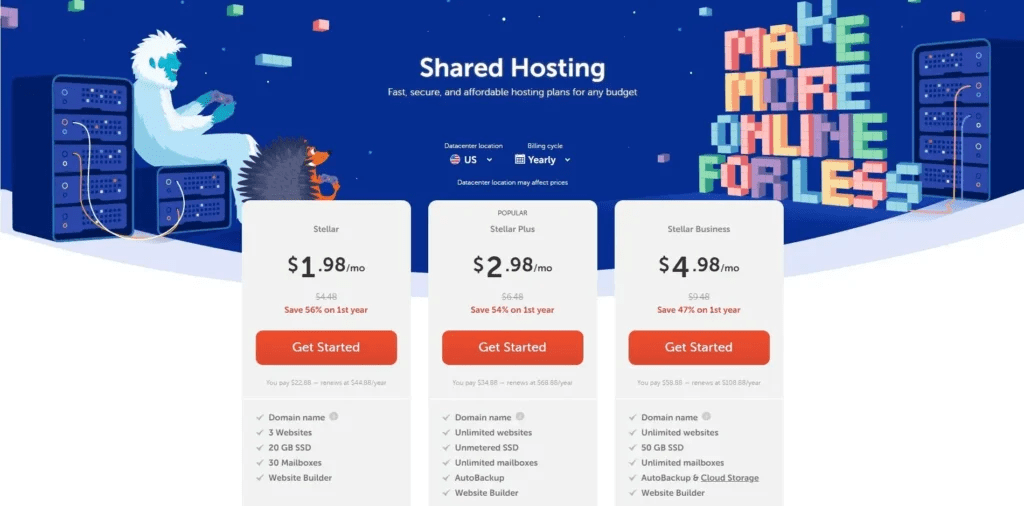
Namecheap offers plans like Stellar, Stellar Plus, and Stellar Business.
Stellar is the entry-level plan for one website.
Stellar Plus allows multiple websites.
Stellar Business is for users who want more storage and performance.
This is best for blogs, personal sites, and small projects.
Namecheap WordPress Hosting
Namecheap also offers WordPress hosting for users who want an easier setup.
WordPress comes pre-installed, and updates are simplified.
It’s slightly more expensive than shared hosting, but more convenient.
This works well for beginners who want a WordPress site without manual configuration.
Namecheap VPS Hosting
VPS hosting is for users who outgrow shared plans.
You get your own virtual server, which means more control and better performance.
It costs more and requires technical knowledge.
This option is better for developers or growing websites.
Namecheap Domain Services
Namecheap is primarily known for domain services.
You can search, buy, transfer, and manage domain names easily.
Free domain privacy is included on most extensions.
This alone makes Namecheap attractive for beginners who care about security and cost.
So what’s the real picture?
Namecheap works best as a budget-friendly platform for simple websites and long-term domain ownership.
It’s not built for high-performance hosting, but it does a solid job at keeping things affordable and easy to manage.
Namecheap Review: Product-by-Product Breakdown (2026)
This section breaks down the main products Namecheap offers and how they actually perform for beginners in real use. Not just features on a page, but what you’re likely to experience over time.
Overview
Namecheap shared hosting is the most common starting point for new users.
This is where your website is placed on a shared server with other websites. You all use the same resources, which keeps the cost low.
It’s part of Namecheap web hosting and is designed for basic sites, not heavy traffic or complex projects.
Key Features
Shared hosting includes storage, bandwidth, email accounts, and access to cPanel.
Most plans also include a free domain for the first year and a free SSL certificate.
You can host one site or multiple sites depending on the plan.
Stellar is for one site. Stellar Plus and Stellar Business support more sites and higher limits.
Pros
- Very low entry cost
- Free SSL on most plans
- Easy setup for beginners
- Good option for simple websites
Cons
- Average performance
- Limited resources
- No advanced server control
- Not ideal for growth
Who It’s Best For
Shared hosting is best for first-time users, bloggers, and people building small personal or business websites.
It works well when your traffic is low and your site is simple.
Namecheap WordPress Hosting
Overview
Namecheap WordPress hosting is built for users who want an easier WordPress setup.
Instead of configuring everything manually, WordPress comes pre-installed.
This reduces setup time and technical steps.
Key Features
Automatic WordPress installation, simplified updates, basic caching, and free SSL.
The environment is optimized for WordPress, but still runs on shared infrastructure.
Pros
- Faster setup
- Easier for beginners
- Less manual work
- Better than regular shared hosting
Cons
- Still limited performance
- Fewer advanced features
- Not fully managed
Who It’s Best For
Best for beginners who want a WordPress site without technical complexity.
It’s convenient, but not powerful.
Namecheap Domain Services
Overview
This is where Namecheap truly stands out.
Namecheap is primarily a domain registrar, and domain services are its strongest area.
Buying and managing domains is simple, fast, and affordable.
Key Features
Cheap domain registration, free domain privacy, easy transfers, and simple DNS management.
You can manage all domains from one dashboard.
Most extensions include privacy protection for free.
Pros
- Very low domain pricing
- Free WHOIS privacy
- Clean dashboard
- Good long-term value
Cons
- Advanced DNS tools are limited
- Premium domains cost more
- Support is not always fast
Who It’s Best For
Best for anyone who wants long-term domain ownership at a low cost.
Even if you don’t use Namecheap for hosting, it’s still a solid choice for domains.
So what’s the real takeaway from this breakdown?
Namecheap excels at domain services. Shared and WordPress hosting are decent, but not exceptional.
If your priority is saving money and managing domains easily, Namecheap makes sense.
If your priority is performance or scalability, you’ll likely want something more advanced later.
Namecheap Review Comparison Table
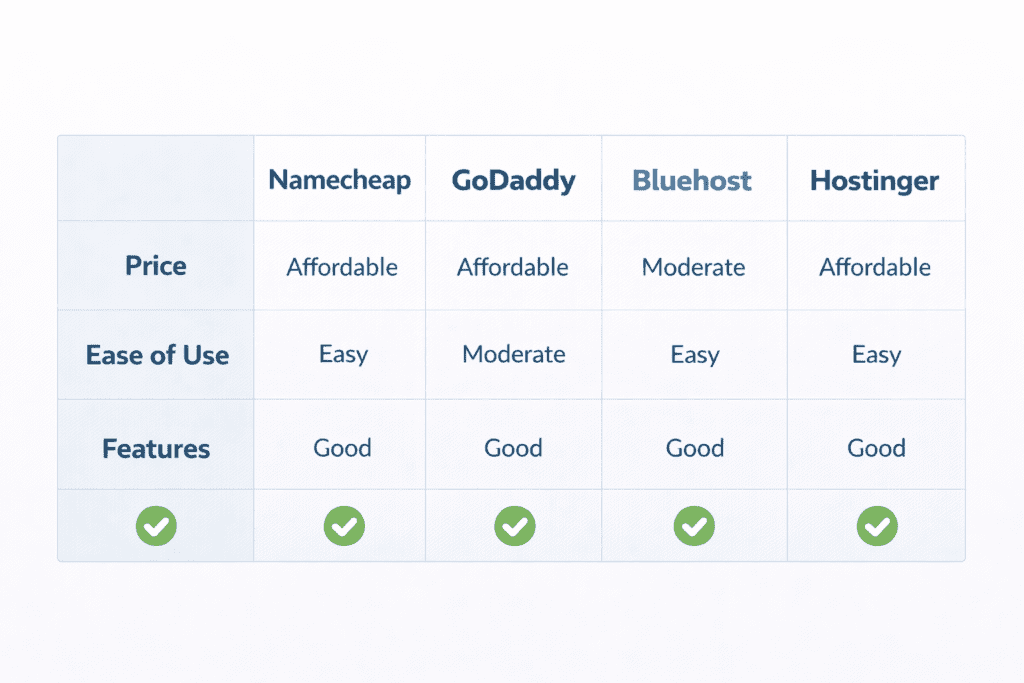
This is where Namecheap’s position becomes much clearer. On its own, it feels affordable and simple. But once you compare it with other well-known platforms, you can see exactly what it’s good at and where it falls short.
Here’s a basic comparison using the things beginners usually care about most.
| Feature | Namecheap | GoDaddy | Bluehost | Hostinger |
|---|---|---|---|---|
| Starting price | $1.98 | $5.99 | $2.95 | $2.49 |
| Renewal price | $4.88 | $11.99 | $9.99 | $7.99 |
| Ease of use | Good | Good | Very good | Very good |
| Performance | Average | Average | Good | Good |
| Support quality | Fair | Good | Good | Fair |
| Best use case | Cheap domains | All-in-one | WordPress sites | Budget hosting |
These prices aren’t exact for every plan, but they reflect how each brand generally positions itself in the US market.
Namecheap focuses on affordability first. The others focus more on bundled services or performance.
Namecheap vs GoDaddy
This comparison mostly comes down to cost versus convenience.
GoDaddy offers more bundled tools. Domain, hosting, email, builder, everything in one place.
Namecheap keeps things simpler and cheaper, especially for domain registration.
GoDaddy feels more polished, but you pay more long-term.
Namecheap feels more minimal, but easier on the wallet.
If you care about saving money, Namecheap usually wins.
If you care about having everything under one brand, GoDaddy feels easier.
Namecheap vs Bluehost
Bluehost is stronger when it comes to WordPress.
It offers better performance, cleaner dashboards, and more WordPress-focused features.
Namecheap is cheaper, but Bluehost feels more stable for content-heavy sites.
For bloggers or serious WordPress users, Bluehost usually makes more sense.
For beginners who just want to get online cheaply, Namecheap feels simpler.
Namecheap vs Hostinger
This is the closest competition.
Both target budget users. Both offer low intro prices. Both cut costs by limiting advanced features.
Hostinger usually offers better speed.
Namecheap usually offers better domain services.
If hosting performance matters more, Hostinger wins.
If domain management matters more, Namecheap wins.
So what’s the honest takeaway?
Namecheap doesn’t dominate in performance or features. It dominates in pricing and simplicity.
It’s not trying to compete with premium hosts. It’s competing with your budget.
How to Decide If Namecheap Is Right for You (Step-by-Step)
This part is less about features and more about fit. Even a cheap platform can feel wrong if it doesn’t match what you actually need.
Step 1: Decide If You Need Cheap Domains or Hosting
Start with one basic question. Are you mainly here for a domain, or do you want full web hosting too?
Namecheap is strongest as a domain provider. If your main goal is buying and managing multiple domain name assets, it’s a good choice.
If hosting is your main priority, Namecheap still works, but it’s not the most powerful option.
Step 2: Set a Real Budget (Not Just Intro Price)
Namecheap’s first-year prices look great. That’s why people choose it.
But long-term cost matters more than the first payment.
Domains renew every year. Hosting renews too. And while Namecheap is cheaper than many competitors, it still increases after the first term.
If your budget is tight and predictable, Namecheap fits better than premium hosts.
Step 3: Choose the Right Product Type
This is where beginners often make mistakes.
If you want a blog or content site, WordPress hosting makes sense.
If you want full control and are comfortable with technical work, VPS hosting is an option.
If you just want a basic site, shared hosting is enough.
Namecheap offers all three, but not all users need all three.
Step 4: Compare Competitors
Before committing, compare at least one alternative.
Not to chase perfection, but to understand what’s normal in terms of performance and pricing.
Once you compare Namecheap with Bluehost, GoDaddy, or Hostinger, you get a clearer picture of what you’re trading off.
Step 5: Buy Only What You Need
Namecheap offers add-ons like email upgrades, backups, and premium SSL.
Some are useful. Many are optional.
Personally, I think beginners should start with the core plan only. You can always upgrade later if something becomes necessary.
Namecheap Refund, Cancellation & Money-Back Policy
Namecheap offers a 30-day money-back guarantee on most hosting services.
That means you can cancel within the first 30 days and get a refund on hosting fees.
Domain refunds are more limited.
Once a domain is registered or transferred, it usually isn’t refundable after a short window.
In simple terms:
- Hosting can usually be refunded within 30 days
- Domains usually cannot
- Add-ons often aren’t refundable
This is fairly standard across hosting companies.
Common Beginner Mistakes When Buying Namecheap
The first mistake is choosing the cheapest plan without checking features.
People see the price and ignore storage limits, backups, or performance.
Another mistake is ignoring renewal pricing.
The first year feels cheap. The second year feels more realistic.
Skipping backups is also common. Beginners assume hosting includes everything. It often doesn’t.
Buying too many domains is another issue.
People register multiple names “just in case” and end up paying for things they never use.
Namecheap Review – Dedicated Pros & Cons (Summary)
Pros
- Very cheap domains
- Free WHOIS privacy
- Simple dashboard
- Good for beginners
- Low long-term cost compared to premium hosts
Cons
- Average hosting performance
- Limited advanced features
- Not ideal for large websites
- Support not the fastest
Frequently Asked Questions About Namecheap Review
Is this Namecheap Review honest for beginners?
Yes. It’s written to explain how Namecheap actually works, not to sell it.
Is Namecheap worth it in 2026?
It’s worth it if your priority is saving money and managing domains easily.
How much does Namecheap cost after the first year?
Domains renew at standard rates. Hosting usually increases but stays affordable.
Is Namecheap good for small businesses?
For basic small business sites, yes. For advanced needs, it may feel limited.
Is Namecheap hosting fast enough?
It’s fast enough for small sites. It’s not built for heavy traffic.
Does Namecheap offer free SSL?
Yes. Most plans include a free SSL certificate.
Can I move my domain from Namecheap later?
Yes. You can transfer your domain to another registrar anytime.
Is Namecheap better than GoDaddy?
For domains and pricing, yes. For all-in-one services, GoDaddy feels more complete.
Is Namecheap Review reliable for buying decisions?
It’s reliable if you understand your own goals and budget.
Who should avoid Namecheap in 2026?
People who want high-performance hosting, managed services, or enterprise features.
What is included when I register a domain name with Namecheap domains and hosting?
When you register one domain name with Namecheap domains and hosting you typically receive domain registration and web hosting options, access to a namecheap account, and the option to add domain privacy protection. Many plans include a free website builder tool or you can choose managed wordpress hosting or other web hosting service offerings. Namecheap also highlights easy domain management for tlds and top-level domain choices, making it simple to find a perfect domain name.
How do I choose the right hosting plan or web hosting plan for my site?
Choosing the right domain and web hosting plan depends on expected traffic, site type, and budget. For small sites or first at namecheap users, shared hosting or the plus plan can be affordable web hosting that lets you host up to 3 websites. For larger needs, consider VPS or a dedicated server. Look for hosting packages that include email address support, security, and resources you need Namecheap offers a variety of hosting solutions designed to give everything you need for a better internet experience.
Can I use Namecheap to host email addresses that match my domain?
Yes, Namecheap private email and other email options let you create an address that matches your domain. Some hosting packages include email hosting or you can add Namecheap Private Email to your hosting plan. This ensures professional email addresses and integrated management through your namecheap account.
What is domain privacy protection and why should I add it?
Domain privacy protection hides your personal contact details from public WHOIS records for your top-level domain and tlds, protecting the rights of individuals and consumers by keeping your contact information private. Adding domain privacy protection is recommended to help keep your internet experience safe for everyone and prevent spam or unwanted solicitations.
Does Namecheap offer a free website builder or any extras with hosting?
Yes, certain hosting plans come with a free website builder tool and the advantage of our free website features, allowing first-time shared hosting customers to take advantage of our free templates and simple drag-and-drop editors. Some promotions may allow you to receive 50 free credits or other incentives, so check current offerings when you purchase a web hosting plan.
What are the benefits of managed WordPress hosting versus shared hosting?
Managed WordPress hosting is optimized for WordPress performance, security, and updates, offering faster load times and automated maintenance compared with basic shared hosting. Shared hosting can be cheaper and sufficient for simple sites, and shared hosting customers are eligible for introductory pricing and sometimes free website builder access. If you need scalability, performance, or specialized support for WordPress, managed wordpress hosting is often the better choice.
Can I host an unlimited number of websites with Namecheap domains and hosting?
Some hosting packages allow you to host an unlimited number of websites, while others limit the number for example, certain shared plans let you host up to 3 websites. Namecheap offers a variety of hosting packages and hosting solutions, from cheap hosting and affordable web hosting to dedicated server options, so you can choose a plan that fits whether you want to host an unlimited number or just one domain name.
How does Namecheap support customers and protect consumer rights?
Namecheap emphasizes real people and support the rights of individuals, offering customer support via live chat and ticketing for domain registration and web hosting issues. They promote the rights of individuals and consumers online and an internet open philosophy, aiming to provide helpful assistance so individuals and consumers online come first and can enjoy a safe, better internet experience.
Final Verdict: Namecheap Review 2026 – Is It Worth It?
Namecheap makes the most sense for people who want cheap domains, simple hosting, and a clean experience without aggressive upsells.
It doesn’t try to be the fastest or the most advanced. It tries to be affordable and easy.
And it mostly succeeds.
If you’re a beginner in the US, building your first site or managing multiple domains, Namecheap is a solid starting point.
If your goal is serious performance, scaling, or managed hosting, you’ll probably outgrow it.
So what does this mean for you?
If your priority is saving money and keeping things simple, Namecheap is worth considering. If you want power and premium tools, look elsewhere first.