
Here’s what I noticed when I first tried to put my site online… I thought building a website was just about design. Pick a theme, write some text, and done. But then I saw this confusing step: sign up for a web hosting account with a web host. That’s where things felt unclear.
Most beginners in the US feel the same way. You hear about hosting when you try to buy a domain or make your website live, but no one explains it simply. Many guides jump straight into tech talk, and that’s not helpful.
So let’s keep it simple.

This guide will help you understand how web hosting works:
- understand what web hosting really means
- See how hosting works step by step
- Learn what to look for in a web setup without stress
No jargon. No overload. Just clear answers so you can choose the right web path with confidence.
What Is Web Hosting? (Quick Recap)
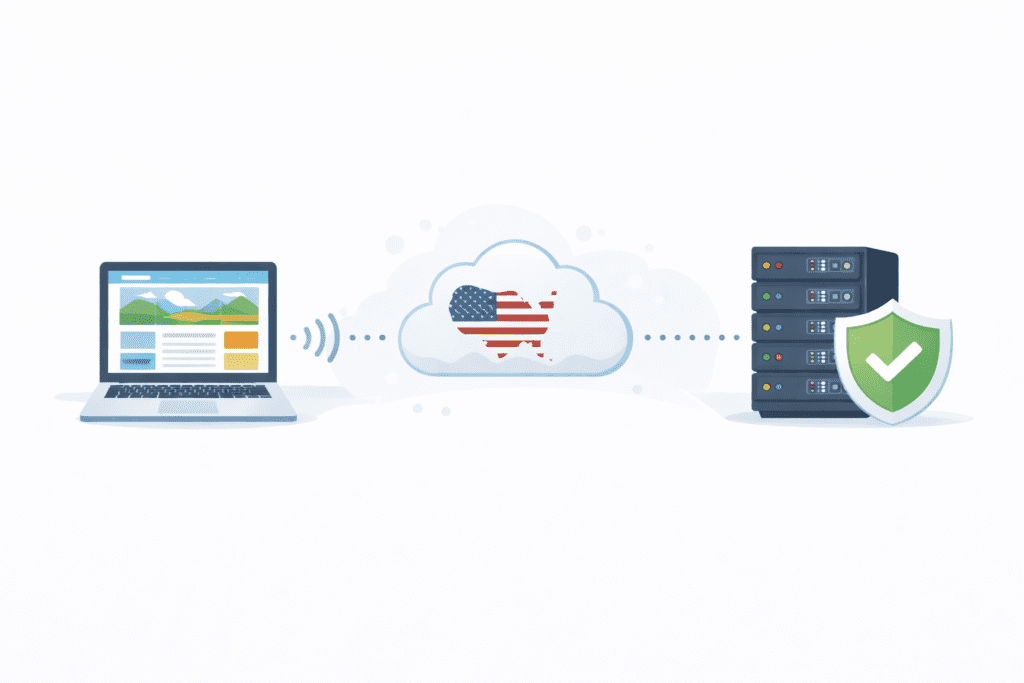
In simple words, web hosting refers to a service that lets you store your website on a server so people can access it on the internet. That’s why we say web hosting is a service every site needs.
A web hosting service gives you space on a server where your content lives. Without that space, your site has nowhere to go, and visitors can’t see it.
Every site needs hosting. Whether it’s a blog, business site, or wordpress website, hosting is required to keep your pages online.
For now, just remember: hosting keeps your site available and reachable.
How Web Hosting Works – Step by Step
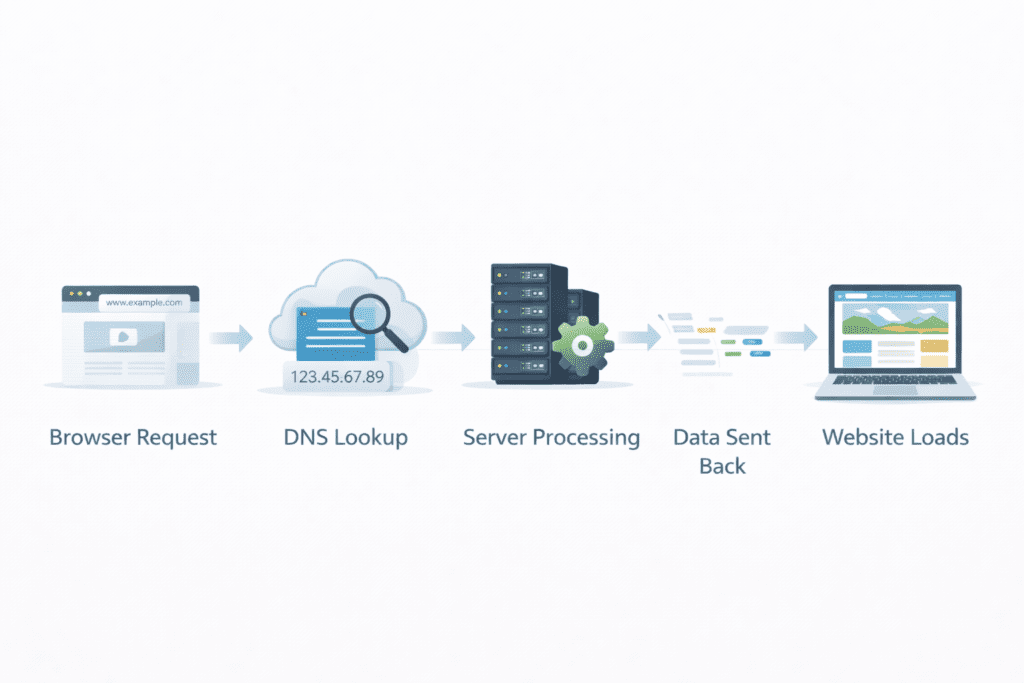
Let’s walk through how hosting works in plain English. This is the core of the guide.
Step 1: You Type a Website Address
You open your browser and type a .com site, like example.com. That’s the web address of a site handled by a web host.
Your browser sends a request asking where that site lives. This is where hosting starts to do its job.
Step 2: DNS Finds the Right Server
DNS connects the name to the correct server. It tells your browser which web server holds that website.
This is how hosting and a domain name work together. The domain points. The hosting answers.
It’s a simple lookup, but it’s a big part of how web hosting work behind the scenes.
Step 3: The Server Stores Website Files
Now the request reaches the server where the site lives.
Inside that server space are your website files — pages, images, and small databases. These files may sit on a physical server in a data center or on a virtual setup created from it.
This is how hosting helps store your website safely so it’s always ready when someone visits.
A good hosting environment keeps these files organized and protected.
Step 4: Server Sends Data Back to Your Browser
Once the server finds your files, it sends the data back through the internet.
The speed of this depends on:
- Your hosting plan
- The server resources available
- The quality of the hosting services you’re using
For US visitors, faster responses usually mean better experience and trust.
Step 5: The Website Appears on Screen
Your browser gets the data and builds the page you see — text, images, buttons.
In most cases, this all happens in under a second, but it depends on the hosting setup.
That’s the simple flow of how hosting works.
What Is a Web Server?
A web server is just a powerful computer that stays online and sends website data when asked. It’s not magic.

Every web host runs servers inside data centers. These machines:
- Work all day and night
- Hold many websites
- Are built for speed and stability
Some sites live on one physical server. Others use virtual setups built on top of it. Either way, the job is the same: deliver your site when someone visits.
Location matters too. For US audiences, having servers in or near the US can improve loading time.
What Happens When Someone Visits Your Website?

Now let’s look at what really happens when a real person in the US visits your site.
Here’s the simple flow:
Request → server → response → page load
First, a visitor types your web address or clicks a link. Their browser sends a request across the internet.
That request reaches the server where your site is hosted by your web host.
The server looks inside its server space for your website files. These files include text, images, and small databases that make your pages work.
Then the server sends the data back.
Finally, the browser puts everything together and shows the page on the screen.
That’s how hosting works in plain English. The faster the server responds, the better the experience for US visitors.
Web Hosting vs Domain Name – How They Work Together

This is one of the most confusing parts for beginners.
Hosting = space.
Domain = address.
Your web host gives you space on a server to keep your site. Your domain name tells people where that space is.
This is the difference between web hosting and a domain.
You’ll often see people talk about web hosting and a domain together because you usually buy them at the same time. But they do different jobs.
If you want more detail, link here:
👉 Web Hosting vs Domain Name
Does the Type of Hosting Change How It Works?

The basic process never changes. A request goes to a server, and the server sends data back. What changes is how that server is set up and shared.
There are different types of web hosting, and each one fits different needs.
Shared Hosting
With shared hosting, many websites live on one physical server. You all share the same machine and server resources.
A shared host setup is simple and low cost. Most beginners start with a shared hosting plan because it’s easy to manage and affordable.
In fact, many people say shared hosting is best for small blogs and starter sites. One common setup is shared web hosting, where you don’t have to worry about technical details.
VPS Hosting
VPS hosting uses a virtual private server inside a larger system.
Your site still shares hardware, but it gets its own virtual space. This gives better control and stability.
VPS hosting gives you dedicated performance compared to shared setups. It’s a good step when traffic starts growing.
Cloud Hosting
With cloud hosting, your site doesn’t rely on just one machine.
Cloud hosting uses a network of servers working together. If one system has trouble, another can help.
That’s why cloud hosting is popular in the US. It handles spikes in traffic better and keeps sites more stable.
Dedicated Hosting
With dedicated hosting, one customer gets an entire physical server.
That means you control a full dedicated server that’s used exclusively for your website.
Dedicated hosting provides the highest power, but it’s usually for big sites. Most beginners don’t need this level at first.
Personally, I think most beginners don’t need more than shared hosting at first. You can always upgrade later.
Why Web Hosting Speed and Uptime Matter
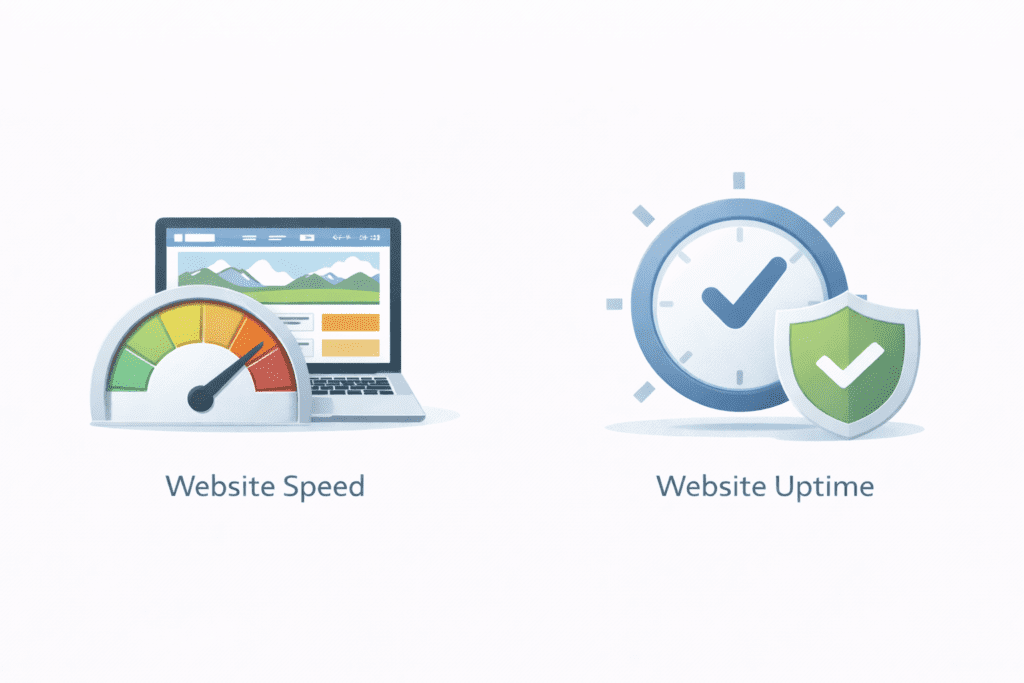
Speed and uptime affect real people.
When a site loads fast, users stay. When it’s slow, they leave. For US visitors, expectations are high.
Speed depends on:
- Your web host
- Your hosting plan
- The strength of your server resources
Uptime means your site is actually online. A reliable web hosting service keeps your site available almost all the time.
Good speed and uptime build trust and can even help SEO in Google’s US results.
Is Web Hosting Secure? How It Protects Your Site
Security is a big reason people use professional hosting services.
Most web hosting companies include:
- SSL certificates
- Firewalls
- Malware checks
- Regular backups
Your web hosting service provider manages the hosting environment and protects the server itself.
This usually works fine, but it’s still smart to keep your own backups. You control your content. The host protects the system.
Some people prefer managed hosting because the provider handles updates and monitoring for them.
Common Mistakes Beginners Make When They Don’t Understand How Hosting Works
Many problems come from not knowing how hosting really works. I’ve seen this happen a lot.
Thinking Hosting = Domain
Some beginners think buying a domain means their site is live. But web hosting and a domain are different. Hosting gives you space. The domain points to it.
Choosing Only the Cheapest Plan
A low hosting cost looks tempting, but the cheapest hosting plan can limit server resources and slow your site for US visitors.
Ignoring Server Location
If your audience is in the US, but your server is far away, pages may load slower. Location still matters.
Not Planning for Growth
Many people don’t think about future hosting needs. It’s smarter to pick a hosting solution that can grow as your site grows.
These mistakes are easy to avoid once you understand how hosting works.
Is Understanding Web Hosting Important for Beginners?
Yes, it really is.
Even if you use WordPress or a builder, your site still runs on a server. A wordpress website still depends on a web host and a web hosting plan behind the scenes.
Understanding hosting helps you:
- Make better choices when choosing a web hosting setup
- Avoid bad deals from some hosting companies
- Fix problems faster when something breaks
You don’t need to be an expert. But knowing the basics makes a big difference.
What Do Most People in the US Think About Web Hosting?
From what I’ve seen, most people just want it to work without headaches.
In the US, many say:
- Hosting feels confusing at first
- It becomes important once traffic grows
- Support, speed, and trust matter most
People don’t care how many servers exist. They just want their web host to keep the site online.
Once hosting fails, though, they quickly realize how important it is.
FAQs – How Web Hosting Works
How does web hosting work in simple words?
It means your site’s files are kept on a server, and the web server sends them to browsers when someone visits.
Where are websites stored?
They are stored on a physical server in data centers or on virtual systems built on top of them.
How fast does hosting respond?
In most cases, a good web hosting service responds in under a second, but it depends on traffic and the hosting environment.
Does hosting affect SEO?
Yes. Speed and uptime affect user experience, which can influence rankings in US search results.
Can I change hosting later?
Yes. Most web hosting companies let you move your site to a new hosting account if needed.
What Should You Do Next After Understanding How Web Hosting Works?
Now that you understand the basics, the next step is learning how to choose wisely.
Here’s what to explore next:
- The type of web hosting that fits your site
- How to choose the right web hosting for beginners
- Understanding web hosting costs in the US
If you want more detail, link here:
👉 Types of Web Hosting Explained
This will help you move from learning to action.
Final Thoughts
Once you get this part, the rest of building a website feels much easier.
Web hosting isn’t magic. It’s simply the system that keeps your site online by using a server to store and deliver your content. When you understand that, all the confusing terms start to make sense.
If you’re just starting out in the US, don’t rush to purchase a web hosting plan. Learn first. Compare options. Then choose the right web setup for your goals.
Take it step by step. You’ve already done the hardest part — understanding how it works.