

How does a website load in your browser? Most people in the US use the internet every day, but very few stop to think about what really happens when they open a website.
But there’s a lot happening behind the scenes.
In this guide, I’ll walk you through:
- Where websites are stored
- How a browser loads web pages
- What role a server and web server play
- How data moves across the world wide web
Why does this matter? If you’re a site owner or planning to visit a website as more than just a reader, understanding this helps you make smarter choices about hosting, speed, and setup. It also helps you avoid common mistakes many beginners in the US make.
Let’s keep it simple. No deep tech talk. Just how websites really work.

What Does It Mean to Store a Website on the Internet?
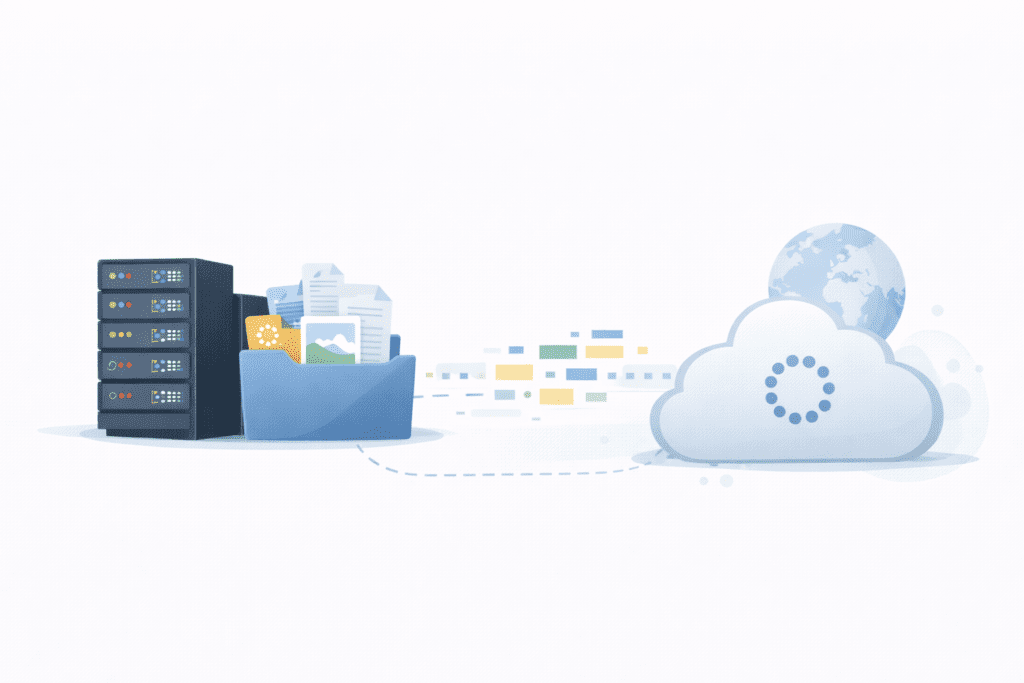
When people say a website is “online,” they mean the website is hosted on a system that’s always connected to the internet.
A website is made up of website files and data. These include text, images, code, and sometimes database information. To be available to users over the internet, all of this must be saved somewhere safe and always on.
That “somewhere” is a server.
So when we talk about storing a website, we mean the site’s files are:
- stored on the server
- kept ready so they can be used to create the webpage when someone visits
Without hosting, your site has nowhere to live. Simply put, without hosting, a website can’t be accessed online.
This is why a web host and a hosting provider are needed. They give you the system and space to store your site and keep it running.
Where Are Websites Stored?
Websites are stored on machines called web servers. These are powerful computers designed to hold website data and send it to people when requested.

A web server usually sits inside a data center. These centers hold many servers with strong power, cooling, and security. Some sites live on a single server, while others are spread across multiple servers for reliability and scalability.
In many cases, US websites use US-based data centers. Why? Because:
- Shorter distance = faster load time
- Better access for local users
- More reliable service for US traffic
This setup is called server hosting, and it’s managed by your hosting provider. The provider makes sure the system is always on and ready to deliver website data when someone asks for it.
In simple words:
Your site lives on a web server in a data center, waiting to be loaded.
What Files Make Up a Website?
A website isn’t just one thing. It’s a collection of files working together to show content and allow user interaction.
Here are the main ones:
- HTML – builds the structure of web pages
- CSS – controls layout, colors, and design
- JavaScript – adds action and logic
- Images and videos – media files for visuals
- Databases – store dynamic data like users or posts
The website content you see on a page is created when these files come together.
For example:
- html sets the page layout
- css styles it
- javascript files add interactive features like forms, sliders, or buttons
- Media files show pictures and clips
Together, these files are what make a webpage look and behave the way it does in your web browser.
How Does a Website Load on the Internet Step by Step
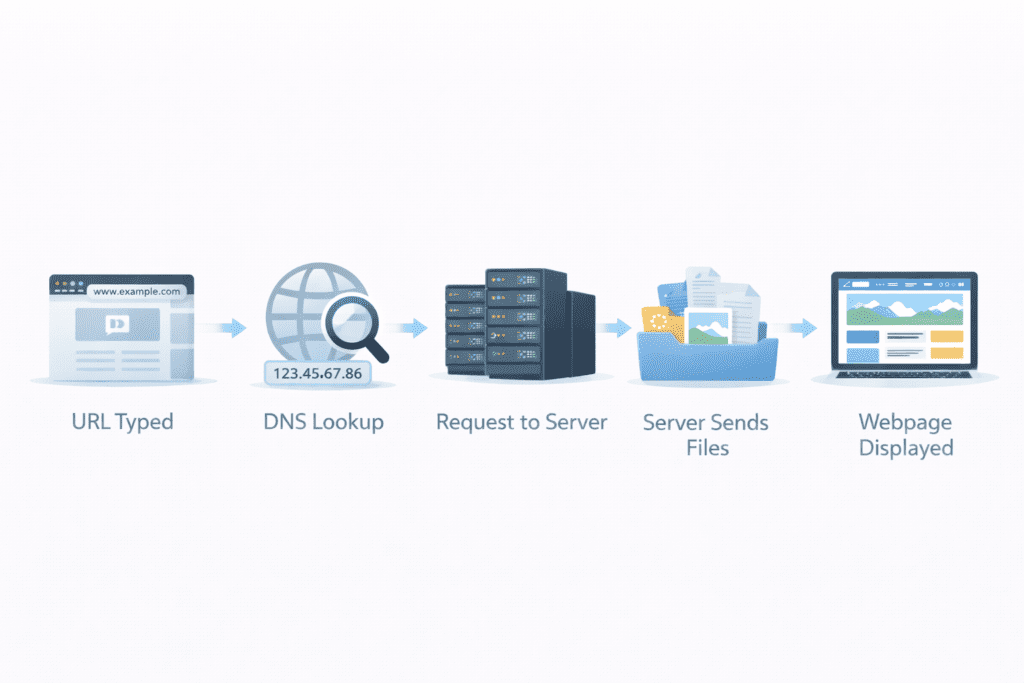
Now let’s get into the real action. This is the series of steps that happen every time you open a site.
Typing a Website Address in the Browser
You open your browser or web browser and type a URL, like example.com.
That URL is the site’s web address, linked to a domain name. The moment you hit enter, your browser requests help to find where that site lives.
This is where everything begins.
DNS Finds the Server for the Website
Your browser doesn’t know the location yet. So it uses DNS – the domain name system.
The browser sends a DNS request to a dns server asking:
“What is the ip address for this domain name?”
The DNS looks it up and returns the corresponding ip – also called the corresponding ip address – that points to the right server.
This step connects the domain to the server associated with the domain name.
Browser Sends a Request to the Server
Now that your browser knows the IP, the browser sends a request to that server.
This is an http request, based on the hypertext transfer protocol. If it’s secure, it uses https.
So here’s what happens:
Your browser sends a request to the server asking for the page.
This is the request to the server that starts the loading process.
Server Processes the Request
The web server receives the incoming request.
At this point, the server processes it. The server checks:
- What page is needed
- Which necessary files are required
- If database info is needed
Sometimes it pulls necessary data from the database. Other times, it just reads files already stored.
In simple words, the server is responsible for finding what’s needed.
Server Sends Website Files Back
Once ready, the server retrieves the necessary files.
It then server sends them back to your browser – HTML, CSS, JavaScript, and media files.
You can say the web server sends the files from the server so the browser can use them.
This is how the system retrieves the necessary data to build the page.
Browser Builds and Displays the Webpage
Now your browser takes over.
It reads the HTML, applies CSS, runs JavaScript, and starts rendering.
This is called rendering the page – turning code into a visual layout. The browser uses all the files to create the webpage you see.

This step is known as rendering, and it’s what makes everything appear seamless to the user.
In most cases, this entire process feels instant.
What Is a Web Server and What Does It Do?
A web server is a powerful computer that stores websites and sends them to people when asked. That’s it. No magic.
It runs special web server software that knows how to:
- Accept requests from a browser
- Find the right website content
- Send files back so the page can load
You can think of it like this:
Your browser asks a question. The server answers.
Most web servers sit in data centers and stay online all the time. They are built to be always connected to the internet, so people can reach your site day or night.
There’s also the physical side. A web server hardware setup includes fast processors, storage, and network parts. Together, this hardware and software help web servers work smoothly to deliver website data.
In short, the server is responsible for storing your site and sending it out when someone wants to see it.
How Data Travels Across the Internet

When you open a webpage, data doesn’t move as one big chunk. It travels in small pieces called packets.
Here’s the simple idea:
- Your browser sends a request
- Data moves across the internet in packets
- The server sends packets back
- Your browser puts them together
This back-and-forth is part of the hypertext transfer protocol, which is why we call it HTTP. When it’s secure, it uses https, which helps encrypt the data.
So the flow looks like:
browser and web server → requests and responses → page loads
All of this happens across the world wide web, and it usually feels instant. That’s what makes browsing seem so easy, even though a lot is going on behind the scenes.
Why Website Speed Matters for Users in the US
Speed matters. A lot.
For users in the US:
- Slow pages feel annoying
- Fast pages feel professional
- People leave if a site takes too long
When your site loads fast, users trust it more. It also helps with search engine rankings, because Google wants to show sites that give a good experience.
Speed depends on things like:
- How strong your server is
- How good your web host is
- Whether your site runs on a single server or across multiple servers
Better setups often mean better performance. That’s why many site owners think carefully about where their server is located and which hosting provider they choose.
Fast sites lead to a more seamless user experience. And honestly, that’s what most people want.
What Is Caching and How Does It Help Websites Load Faster?
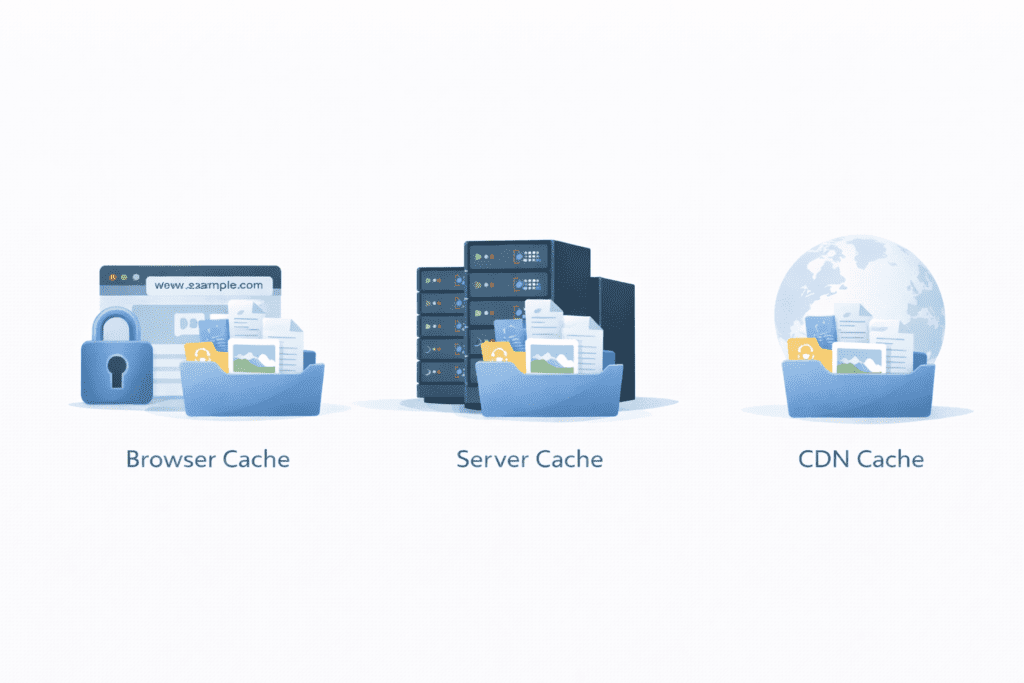
Caching is like memory for the web.
Instead of loading everything from scratch every time, caching saves parts of a webpage so they can be reused.
There are three main types:
Browser Cache
Your browser’s cache saves files like images or CSS. Next time you visit, it doesn’t need to download them again.
Server Cache
The server keeps ready-made versions of pages so it doesn’t have to rebuild them each time. This helps it retrieve data faster.
CDN Cache
A CDN (content delivery network) stores copies of your site in many places so users get files from the nearest location.
All of this improves content delivery and makes pages load faster for visitors in the US.
How CDNs Help Deliver Websites Faster in the US
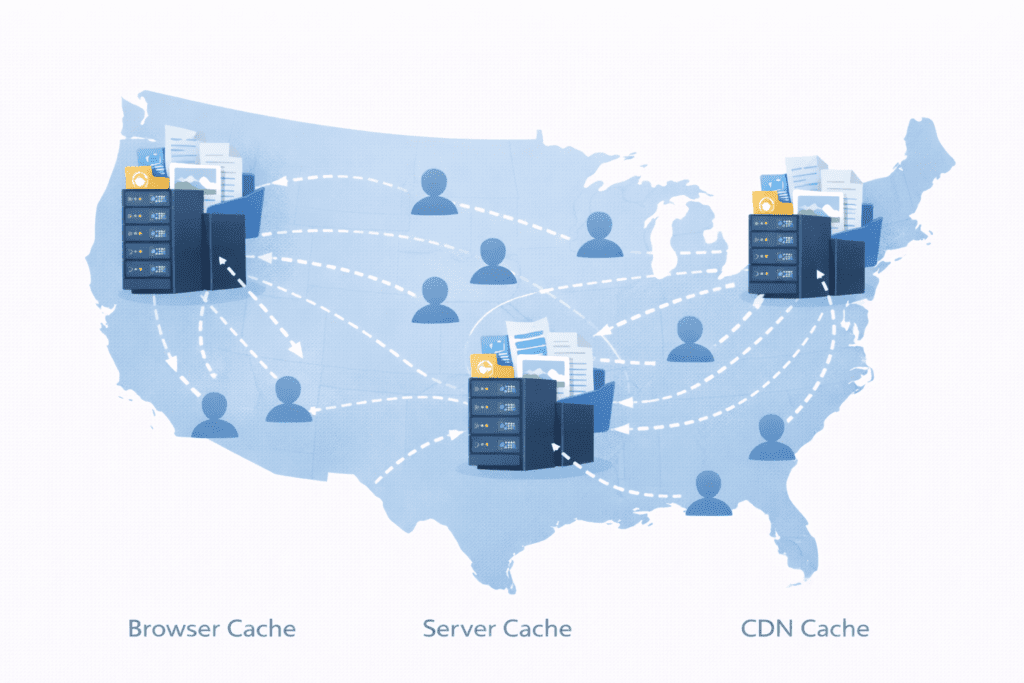
A CDN stands for Content Delivery Network.
It’s a group of servers placed in different locations. Instead of every request going to one main web server, files are shared across multiple servers.
So if your main server is far away, a CDN can:
- Serve images and videos from a closer spot
- Reduce load on the main server
- Improve speed and reliability
For US users, CDNs with locations across the country mean quicker access and smoother browsing.
In simple terms, a CDN helps with the delivery of web content by bringing it closer to the user.
What Happens If a Server Goes Down?
Sometimes, servers fail. It happens.
When a server goes down:
- The site becomes unreachable
- Visitors can’t access websites on that system
- You may see an error instead of a page
This is called downtime.
Good setups avoid this by:
- Using backups
- Running sites across multiple systems
- Monitoring for problems
Many hosting providers offer tools to reduce downtime. Some even move traffic to another server if one fails.
That’s why uptime matters. You want your site available when users try to visit a website.
Is Website Data Secure While Being Stored and Loaded?
Security is a big deal online.
Most modern sites use https, which relies on secure sockets layer technology to protect data. This helps encrypt information as it travels between the browser and the server.
Basic server security includes:
- Firewalls
- Updates
- Monitoring incoming traffic
Your web host usually handles this part. They make sure the system storing your site is safe while it’s stored on the web server and when data is sent out.
This protection keeps user data safe and builds trust.
Common Mistakes Beginners Make About Website Storage and Loading
Most issues new site owners face come from simple misunderstandings. I’ve noticed a few mistakes that show up again and again.
Thinking Websites Live “Only in the Cloud”
Some people believe websites float somewhere in the cloud with no real place. In reality, your site is stored on the server, which is a real machine in a data center. Even cloud setups still rely on physical systems working together.
Confusing Hosting with Domains
Beginners often mix up hosting and the domain name. Your domain is just the name. The site itself lives on a web server. Without hosting, there’s nowhere for your site to stay.
Ignoring Performance Factors
People focus on design but forget speed. A slow server, poor setup, or weak content delivery can hurt user trust and search engine rankings in the US.
Assuming All Websites Load the Same Way
While the basic flow is similar, different setups mean websites operate with different speed and reliability. Some use a single server, others run across multiple servers for better results.
Avoiding these mistakes makes your site more stable and easier to grow.
Is This Process Important for Beginners to Understand?
Yes, it really is.
You don’t need to be a tech expert, but knowing the basics helps you:
- Make smarter hosting choices
- Fix problems faster
- Understand what’s happening when a page feels slow
When you know how browsers, DNS, and servers work together, choosing the right setup becomes easier. It also helps when talking to a web host or support team.
Even a little knowledge goes a long way.
FAQs About How Websites Are Stored and Loaded
Where are websites stored physically?
Most websites are stored on powerful computers in data centers. These machines are called servers, and your site is stored on the web server so it’s always online.
How fast do websites load in the US?
In many cases, pages load in a second or two. Speed depends on the server, caching, CDNs, and how far users are from the data center.
Can websites be stored on personal computers?
Technically yes, but it’s not practical. Personal computers aren’t always online or secure. That’s why people use professional hosting.
Do all websites load the same way?
The series of steps is similar – request, server response, rendering – but performance changes based on setup, traffic, and technology.
What Should You Do Next After Understanding How Websites Are Stored and Loaded?
Now that you understand how this entire process works, here are some smart next steps:
- Learn about web hosting and how to pick a hosting provider
- Explore DNS and how it connects a domain to a server
- Understand ways to improve website speed and caching
If you’re planning to launch a site, this knowledge will help you avoid confusion and build a stronger foundation from day one.
Final Thoughts
Let’s keep it real.
Every time you open a site, your browser talks to a server, data moves across the internet, and the page appears in front of you. It feels simple, but it’s built on a smart series of actions working together.
The key takeaways:
- Websites are stored on servers, not in thin air
- Browsers request data, and servers send it back
- Speed, security, and setup matter a lot for US users
Once you understand this, the internet feels less mysterious. And honestly, once this part clicks, learning about hosting, domains, and building your own site becomes much easier.
You don’t need to rush. Just keep learning. That’s how better websites are built. 💻🚀