
If you run a website in the US, performance isn’t optional anymore. It affects how visitors feel, how long they stay, and whether search engines trust your site.
This guide explains how your web host impact website performance, without jargon or hype. We’ll look at speed, uptime, stability, and why the hosting provider you choose matters more than most beginners think.
From my research, many US website owners focus on design and content first. Hosting comes later. That’s usually a mistake.
Why? Because hosting impacts your website before a visitor even sees a page.
A slow or unreliable hosting service can ruin a fast design. And no amount of optimization can fully fix weak server resources.
That’s why understanding the role of hosting is important if you care about long-term website success.
Short Answer: Does Your Web Host Affect Performance?
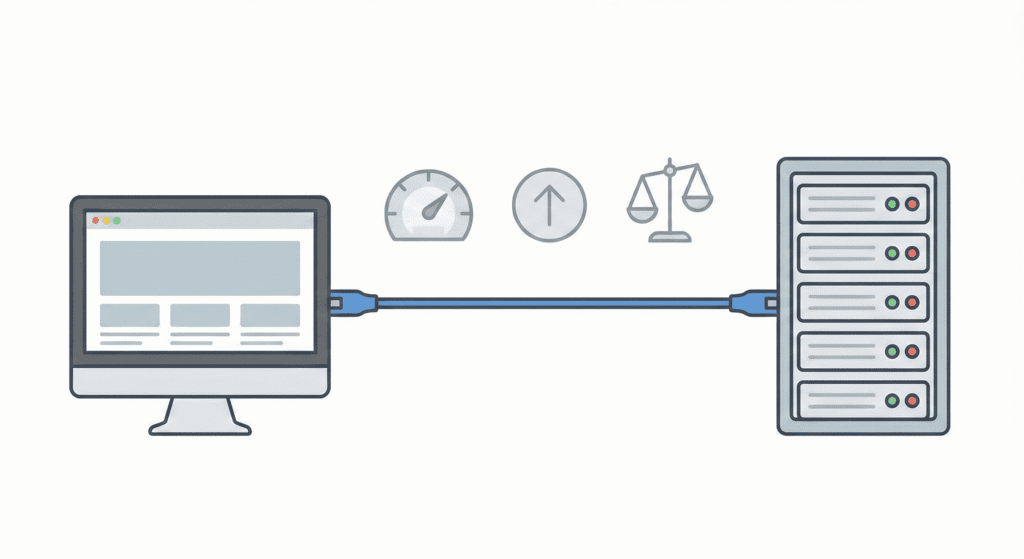
Yes.
Your web host absolutely affects performance.
That said, hosting doesn’t work alone. It influences performance indirectly, not magically.
Here’s how hosting affects your site:
- How fast your pages load
- Whether your website is available during traffic spikes
- How stable your site stays under pressure
In simple terms, web hosting can impact speed, reliability, and overall performance, even if your site is well built.
This is where many hosting companies confuse beginners. They promise speed, but performance depends on how hosting resources are shared, managed, and supported.
So while content matters, the hosting environment still plays a major role.
What Website Performance Really Means

Website performance isn’t just about speed.
It includes three key areas:
Speed and load time
This is how fast your pages appear after a user clicks.
Site speed affects user experience and SEO directly.
Uptime and reliability
If your website is unavailable, performance drops to zero.
Reliable hosting ensures your website is available when users need it.
Stability during traffic spikes
A fast website that crashes under pressure still has performance issues.
Hosting resources decide whether your site survives sudden traffic.
All three together define website performance, not speed alone.
How Web Hosting Affects Website Speed

This is where your web host matters the most.
Server response time
Every page request hits a server first.
A slow server response means slow pages, even with caching.
Resource limits
Shared hosting plans limit CPU, memory, and bandwidth.
When limits are hit, performance drops.
Server load and congestion
On shared hosting, your site lives with others.
If one website uses too many resources, everyone feels it.
Compared to shared hosting, stronger hosting solutions handle load better and protect performance.
Hosting Factors That Impact Website Performance

Several hosting factors shape performance behind the scenes:
- Server hardware and infrastructure
- Storage type (SSD vs HDD)
- Bandwidth and data transfer limits
- Server location in the US
- Network quality
A good hosting provider balances all of these.
A poor one cuts corners.
This is why choosing the right hosting provider matters early, even for one website.
How Different Hosting Types Affect Performance

Not all hosting works the same way. The type of hosting you choose plays a big role in how your website behaves under real traffic.
Let’s break this down simply.
Shared hosting is the most common starting point.
With shared hosting, multiple websites live on one server. That means:
- CPU and memory are shared
- Bandwidth is divided
- One website can slow down another
For small sites, this can be fine. But when traffic grows, shared hosting often causes performance issues.
Compared to shared hosting, other options offer more control and stability. Still, shared hosting exists because it’s affordable and beginner-friendly.
VPS Hosting Performance
With VPS hosting, your site gets a slice of server resources that others can’t touch.
This means:
- Better site speed
- More stable performance
- Less risk from neighboring websites
A virtual private server gives more control without the cost of a full dedicated server. For many US websites, VPS hosting is the first real upgrade.
Cloud Hosting Performance
Cloud hosting spreads your site across multiple servers instead of one.
Benefits include:
- Better handling of traffic spikes
- Improved reliability
- Faster recovery if something fails
Like cloud hosting, modern hosting solutions focus on flexibility instead of fixed limits.
From my research, cloud hosting works well when traffic changes often or grows fast.
Dedicated Hosting Performance
With dedicated hosting, one server runs one website.
This offers:
- Maximum performance
- Full control of server hosting
- Strong isolation and security features
It’s powerful but expensive. Most beginners don’t need this unless the website grows into a serious business.
Why Server Location Matters for Performance

Distance matters on the internet.
If your server is far from your users, data takes longer to travel. This creates latency.
For US websites, a US-based server helps:
- Improve site speed
- Reduce delays
- Deliver a fast-loading website
A good hosting provider offers US server locations so your content reaches users faster.
This is one reason why choosing the right hosting provider is important for regional performance.
How Hosting Uptime Impacts Performance
Performance isn’t just about speed. It’s also about consistency.
Downtime vs slow performance
Downtime means your website is unavailable.
Slow performance means it works, but badly.
Both hurt user experience.
Reliability and consistency
Reliable hosting ensures your website stays online and performs the same day after day.
Frequent downtime damages trust, SEO, and conversions. This is why uptime matters as much as speed.
Hosting Features That Improve Website Performance
Some hosting features directly help performance:
Caching
Caching reduces server load and speeds up repeat visits.
Content delivery networks (CDNs)
CDNs deliver content from locations closer to users.
They help improve performance without compromising performance on the main server.
Modern server software
Updated software improves response time and security.
A good hosting provider offers these features by default, not as extras.
How Poor Hosting Hurts Website Performance
When hosting is weak, problems show up fast:
- Slow loading pages
- Website unavailable during traffic
- Poor user experience
Poor hosting also impacts SEO. Search engines notice slow sites and unreliable uptime.
In short, hosting impacts SEO and performance together.
How Website Performance Affects SEO and Conversions

This is where performance stops being “technical” and starts affecting real results.
User engagement
When a site is slow, users don’t wait. They leave.
A slow site hurts user experience, and that’s the first signal search engines look at. If visitors bounce quickly, it tells a search engine something isn’t right.
A fast website keeps people engaged:
- They read more pages
- They stay longer
- They trust the site more
That’s why performance and user experience are closely linked.
Search visibility in the US
Search engines want to show reliable sites.
When web hosting influences your site’s performance, it also affects how search engines view your site:
- Slow loading hurts rankings
- Downtime lowers trust
- Poor stability sends negative signals
This is how hosting impacts SEO indirectly. Hosting isn’t a ranking trick, but it sets the foundation.
A reliable hosting provider helps ensure your website is available, fast, and consistent – all things search engines reward.
Leads and sales
Performance issues don’t just affect traffic. They affect money.
If a page loads slowly:
- Fewer people sign up
- Fewer people buy
- Fewer people contact you
A fast-loading website improves conversions without changing design or content.
That’s why investing in a hosting provider can directly support website success.
Common Hosting-Related Performance Mistakes Beginners Make
Most beginners don’t break their sites. They slowly hurt them.
Choosing hosting based only on price
Cheap hosting often means:
- Fewer resources
- Overloaded servers
- Weak customer support
Many hosting companies compete on price, not quality hosting.
Ignoring server location
For US websites, server location matters. Hosting outside the US increases latency and slows site speed.
This is one reason choosing the right hosting provider matters early.
Overloading entry-level plans
Shared hosting plans have limits.
When your website grows, resource usage grows too. Ignoring this leads to performance issues.
How to Tell If Your Web Host Is the Problem
Not all performance problems come from hosting, but many do.
Here are signs your web host may be the issue:
- Slow load times even after optimization
- Random downtime
- Traffic spikes cause crashes
- Support gives unclear answers
Basic performance checks
To check your hosting:
- Test site speed at different times
- Monitor uptime
- Compare performance metrics before and after traffic
If problems remain, your hosting provider may be holding your site back.
When Upgrading Your Web Host Improves Performance
Sometimes optimization isn’t enough.
Upgrading your hosting helps when:
- Traffic grows
- Resource limits are reached
- Reliability issues continue
Moving from shared hosting to VPS hosting, or like cloud hosting, often brings immediate improvements.
This is where investing in a hosting provider pays off.
A stronger hosting solution provides:
- Better server resources
- Improved uptime
- More stable performance
Upgrading doesn’t mean overpaying. It means choosing the right hosting provider and plan.
FAQs – Web Host and Website Performance
Does better hosting make a site faster?
Yes, in most cases.
A better web host gives your site more server resources, faster response times, and better reliability. That alone can improve site speed without touching design or content.
That’s why web host impact website performance is such a common topic. Hosting doesn’t replace optimization, but it removes performance limits.
Is cloud hosting always faster?
Not always.
Cloud hosting is flexible and handles traffic spikes well, but performance still depends on the hosting provider, server setup, and configuration.
For some sites, a well-managed VPS or dedicated hosting can perform just as well.
The key is choosing the right hosting provider for your website needs, not chasing buzzwords.
Can switching hosts improve performance?
Yes – if hosting is the bottleneck.
If your site struggles due to:
- Resource limits
- Poor uptime
- Overloaded servers
then switching to a reliable hosting provider often improves overall performance quickly.
Many US site owners see better site speed within days after moving to a better host.
How much performance is enough?
There’s no perfect number.
In most cases:
- Pages should load in a few seconds
- The website should stay online consistently
- Traffic spikes shouldn’t crash the site
That level of performance is enough to support SEO, user experience, and conversions.
How does a hosting provider affect my website’s performance and site speed?
The hosting provider plays a central role in web performance: server resources, network latency, and caching options determine your website’s performance and site speed. A good hosting service with SSD storage, CDN integration and optimized server stacks helps keep your site fast, which improves user experience and SEO. When choosing a web host, compare hosting plans for CPU, RAM, and bandwidth to ensure your site can handle expected traffic spikes and deliver optimal performance.
Why is customer support from a reliable hosting service important for my website?
Customer support from a reliable hosting provider ensures your website online time and rapid resolution of issues like downtime, server misconfigurations, or security incidents. Hosting provider’s technical support can help you implement security measures, restore backups, and troubleshoot performance problems. Selecting the right hosting provider often means 24/7 support, multiple support channels, and knowledgeable staff who keep your website running and secure.
What security features should a web hosting service offer to keep my site secure?
A web hosting service should provide essential security such as SSL certificates, firewalls, malware scanning, automated backups, and DDoS protection. Many hosting providers offer managed security options that help ensure your site stays protected from common threats. When choosing a hosting provider, prioritize those that include hosting offers with strong website security tools and proactive monitoring to ensure your site remains a secure website for visitors.
How do different types of web hosting impact my website needs?
Different types of web hosting-shared, VPS, dedicated, and cloud-have distinct trade-offs in cost, control, and performance. Shared hosting is budget-friendly but may limit resources; VPS and dedicated servers provide more power and stability for larger sites or e-commerce; cloud hosting scales to handle sudden traffic and is ideal if you need to handle more traffic unpredictably. Choosing a hosting provider should match the website’s overall performance goals and anticipated growth during building a website and beyond.
What is the role of hosting environment in keeping your website available and fast?
The hosting environment-operating system, server software, caching layers, and network setup-directly affects uptime and speed. A well-configured hosting environment keeps your website online, reduces page load times, and supports secure website operation. Hosting providers that manage the environment for you can apply updates, optimize databases, and configure caching to ensure your site performs well under load.
How do I choose the right hosting provider and plan for my website?
Choosing the right hosting provider involves evaluating uptime guarantees, security measures, support quality, scalability, and pricing. Consider your website’s traffic projections, performance needs, and required features when selecting the right web host and plan. Look for a hosting plan that keeps your site backed up, offers essential security, and can scale as your site grows-this helps ensure your site remains available and responsive.
Can a web hosting company help with website security and backups?
Yes, many hosting providers offer managed backups, automated updates, and hosting provider’s security services that protect your website from threats. A reputable web hosting company will include routine backups, malware detection, and recovery tools so you can restore your site quickly if something goes wrong. Ensuring your hosting includes these protections reduces risk and helps keep your site compliant with security best practices.
How does choosing the right hosting solution affect a website’s overall performance and growth?
Choosing the right hosting solution influences your website’s overall performance by determining scalability, reliability, and how well the site can handle increased traffic. The right hosting provider and plan support growth by offering easy upgrades, load balancing, and performance optimizations. Discover how hosting choices impact your site early-selecting a hosting solution aligned with your goals helps ensure your website may expand without downtime or performance loss.
What Should You Do Next After Understanding Hosting Impact?

Now that you understand how hosting plays a role, here’s what to do next.
Review your current host
Ask yourself:
- Is my site slow even after optimization?
- Do I see frequent performance issues?
- Does support help or confuse me?
If yes, your hosting provider may be the problem.
Test performance
Run basic checks:
- Page speed tests
- Uptime monitoring
- Load tests during peak hours
These performance metrics help you see if your hosting environment is holding you back.
Consider better hosting options if needed
If your website grows or traffic increases, upgrading helps.
Moving from shared hosting to VPS hosting or like cloud hosting can:
- Improve stability
- Increase site speed
- Support future growth
This is part of choosing the right hosting, not overspending.
Final Thoughts
So, does your web host impact website performance?
Yes – clearly and consistently.
Your hosting provider influences:
- Site speed
- Reliability
- Stability under traffic
- User experience
- SEO results
Hosting isn’t everything, but it’s the foundation.
A good hosting provider offers strong infrastructure, fair resource limits, security features, and support that helps instead of guessing.
For US website owners, performance starts with hosting.
Not themes.
Not plugins.
Not tricks.
If your site feels slow, unstable, or stuck, look at your host first.
Because when hosting improves, everything built on top of it performs better.