
Imagine opening your website in a browser and noticing that it takes longer than expected to load. The images appear slowly, the content takes a moment to show, and visitors may already feel the delay. Situations like this often push website owners to start looking for the fastest web hosting.
Website speed plays a bigger role than people sometimes realize. A slow website can frustrate visitors, reduce engagement, and affect how search engines evaluate site performance. Even a small delay during page load may influence how users interact with a webpage.
That’s why many developers rely on a website speed test to understand what is actually happening behind the scenes. These tests connect to the server, examine how the page loads, and analyze the full loading sequence of a web page.
Testing tools can reveal several useful details. They show server response behavior, identify slow resources, and provide insight into how hosting infrastructure affects performance.
For anyone trying to evaluate the fastest web hosting, running a proper website speed test with the latest browser versions is usually the first practical step.
Why Website Speed Matters for Web Performance
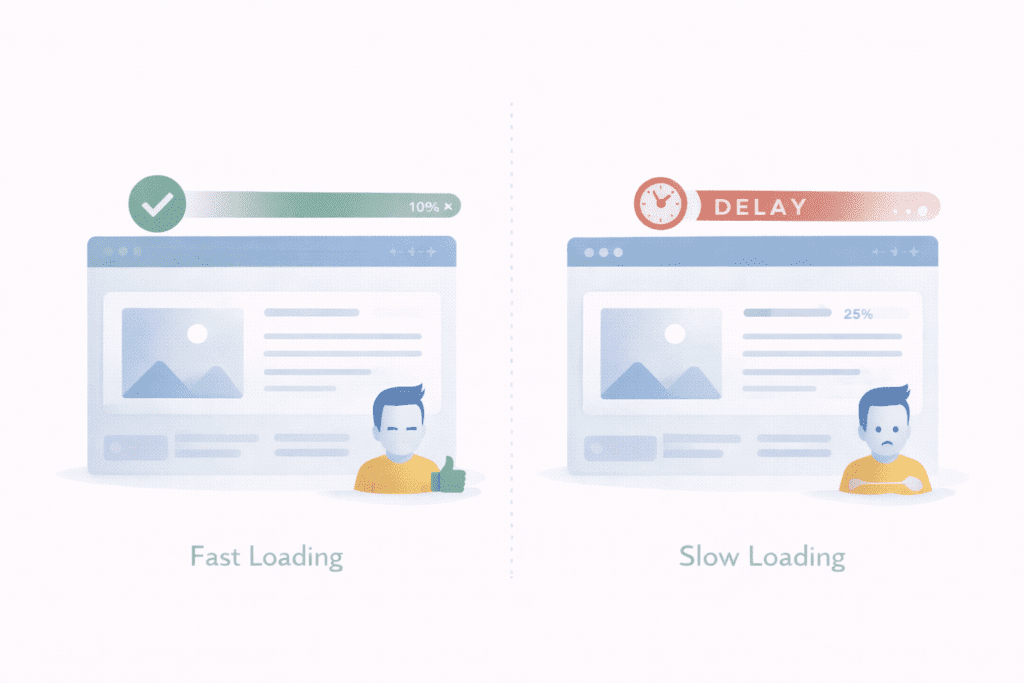
Website speed directly affects how users interact with a website.
When pages load quickly, visitors can navigate smoothly through the content. But when a web page loads slowly, people often leave before the page finishes rendering, which can be assessed using tools like Lighthouse.
That behavior has a direct impact on user experience and engagement.
Search engines also consider web performance when evaluating websites. Faster websites tend to deliver a smoother browsing experience, which helps search engines understand how well a site performs.
Another factor is conversion behavior.
If a website takes too long to load, visitors may abandon the page before completing actions such as reading content, signing up, or making a purchase.
Over time, slower loading pages can influence conversion rates and overall site performance.
How Core Web Vitals Help Evaluate Website Speed and Page Experience
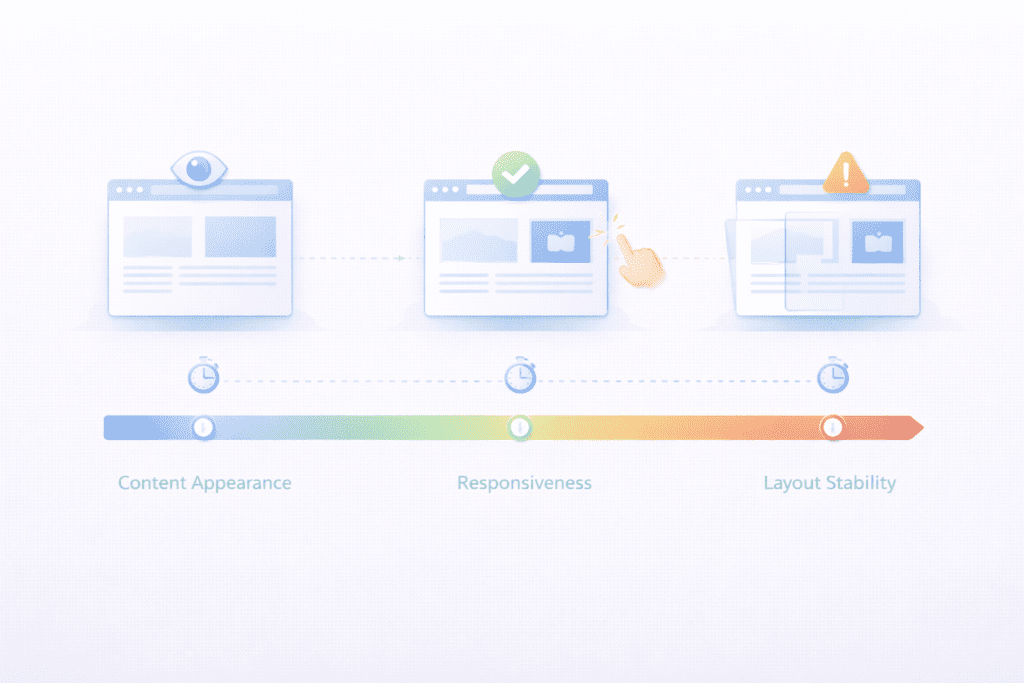
Google introduced core web vitals to measure how users experience website performance.
These metrics help evaluate how quickly content appears, how responsive the page feels, and whether the layout remains stable while loading.
Core web vitals focus on the real experience visitors have when interacting with a web page.
Search engines analyze these signals to better understand page experience and ranking factors. When a website performs well across these metrics, it often delivers a smoother browsing experience.
Developers usually monitor these metrics when analyzing website performance.
They provide insight into loading behavior, responsiveness, and visual stability during the page load process.
What a Website Speed Test Actually Measures
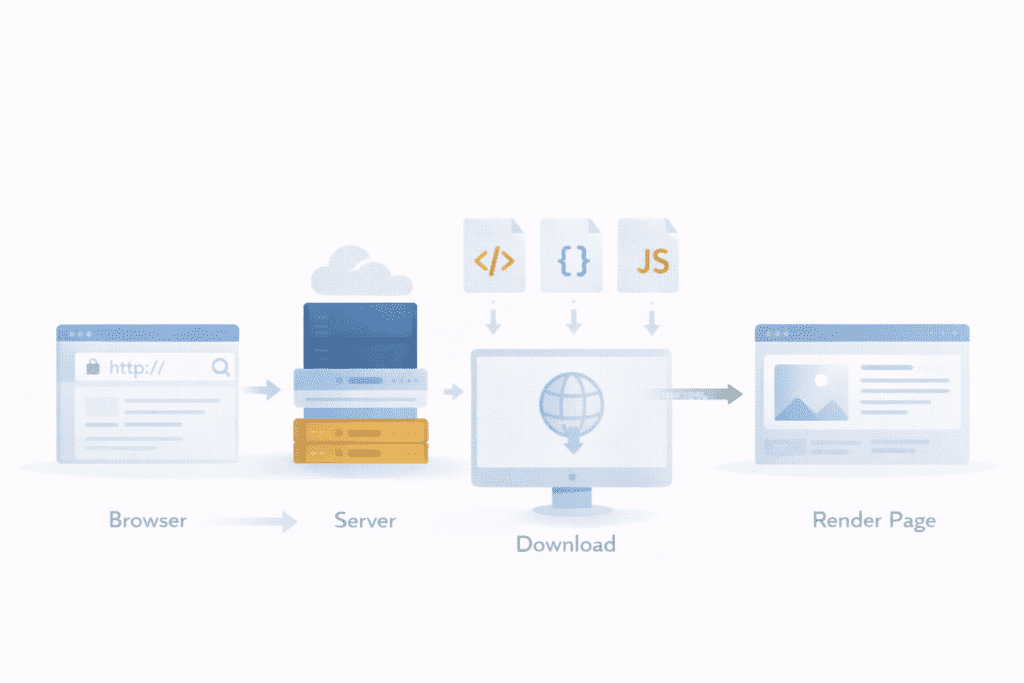
A website speed test examines how different parts of a web page load when a browser requests the page.
During the test, a speed test tool connects to the web server and requests the website url. The server responds by sending the page data, which begins the page loading process.
The browser then downloads the page resources such as html, css files, javascript, and other page elements.
Testing tools measure several technical stages during this process.
• Connection to the server: The speed test tool establishes a connection with the web server to begin the request process.
• Server response time: This measures how long it takes for the server to begin sending the first byte of data after receiving the request.
• Page loading sequence: The order in which page resources such as HTML, CSS, JavaScript, and images load in the browser.
• Rendering of the webpage: The moment when visible content begins appearing on the screen for the user.
These measurements help analyze how a website loads and whether the hosting environment supports fast page delivery.
Key Speed Metrics Used in Website Performance Testing
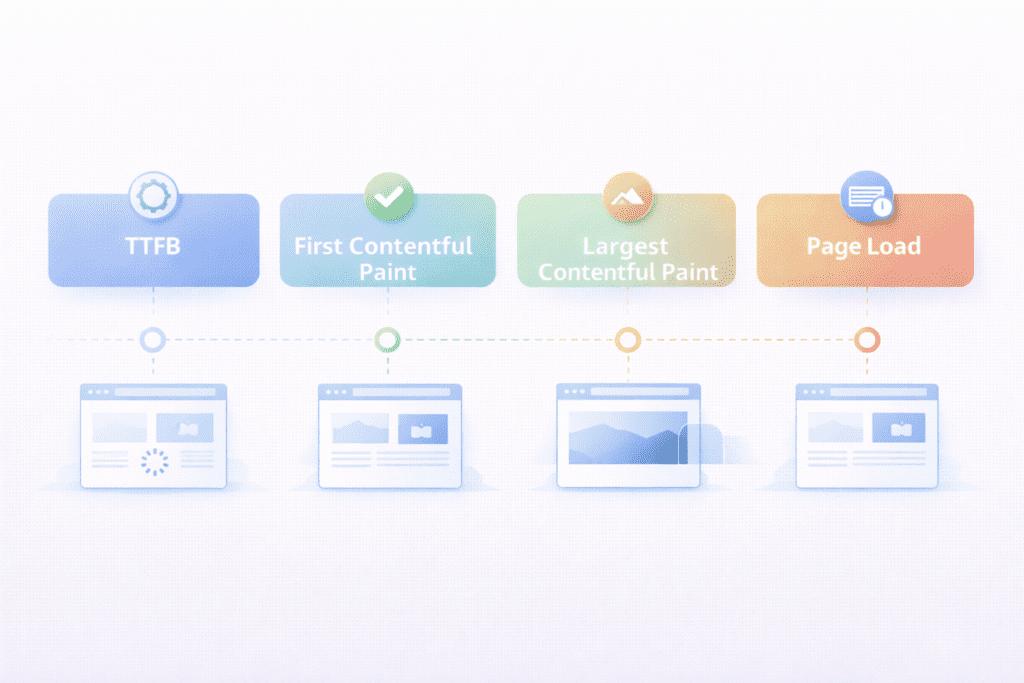
When you run a website speed test, the report usually shows several speed metrics. These metrics help analyze how quickly a web page loads and where delays might occur.
Each metric focuses on a different stage of the loading process. Together, they provide insight into both server behavior and browser rendering.
Understanding these numbers makes it easier to evaluate performance when choosing the fastest web hosting.
Time to First Byte
Time to first byte measures how long it takes for the browser to receive the first byte of data from the server after sending a request.
This metric reflects the initial response behavior of the web server, which can be analyzed using tools like Pingdom or PageSpeed Insights. If the response takes longer than expected, it may indicate slow hosting infrastructure or backend processing.
In many speed reports, this value appears as ttfb. A fast response usually suggests the hosting environment is capable of delivering pages fast.
First Contentful Paint
First contentful paint measures when the browser displays the first visible element on the screen.
This could be text, an image, or part of the page layout. It represents the moment visitors begin to see content appear.
This metric helps evaluate how quickly a web page starts rendering inside the browser.
Largest Contentful Paint
Largest contentful paint measures when the largest visible element of the page becomes fully visible.
For most web pages, this element might be a large image, a hero section, or a headline block.
Search engines use this metric as part of core web vitals to evaluate page speed and overall site performance.
Fully Loaded Time
Fully loaded time measures the moment when all page elements finish loading.
This includes images, scripts, css files, and third-party resources that may load after the main content appears.
While users often begin interacting with the page earlier, this metric helps understand the total loading process.
Website Speed Benchmarks: What Is Considered Fast?
After running a website speed test, the next question is usually whether the results are good or slow.
Performance benchmarks help interpret those results.
In general, faster websites tend to keep loading delays minimal and maintain stable performance across different devices.
For example, most developers aim for a fast server response and efficient page load behavior.
A web page that loads quickly usually delivers better user experience and stronger performance signals.
Another useful benchmark comes from core web vitals thresholds. These guidelines help evaluate how well a page performs under real conditions.
When a website consistently meets these benchmarks, it often means the hosting infrastructure and optimization are working together effectively.
How to Perform a Website Speed Test Step by Step
Running a website speed test is usually straightforward. Most testing tools follow a similar process when analyzing performance.
The test tool sends a request to the server, downloads page resources, and records performance metrics during the loading process.
The steps below show how the process usually works.
Step 1: Enter Your Website URL
Start by opening a speed test tool in your browser.
Enter your website url or the specific page you want to analyze. Some tools also allow selecting global test locations to simulate visitors from different regions.
Choosing different global locations can help reveal how the site performs for users around the globe.
Step 2: Run the Speed Test
Once the test begins, the tool connects to the server and requests the web page.
During this process, the tool records connection behavior, analyzes the page header, and tracks how resources load.
The test also measures response times, loading order, and overall site performance.
Step 3: Analyze the Results
After the test finishes, the tool generates a performance report.
This report highlights key metrics, identifies slow elements, and shows which page resources affect load speed.
By reviewing the test results, website owners can analyze which parts of the page need improvement.
These insights often help determine whether performance issues come from the website itself or from the hosting environment.
Best Website Speed Testing Tools for Analyzing Web Performance
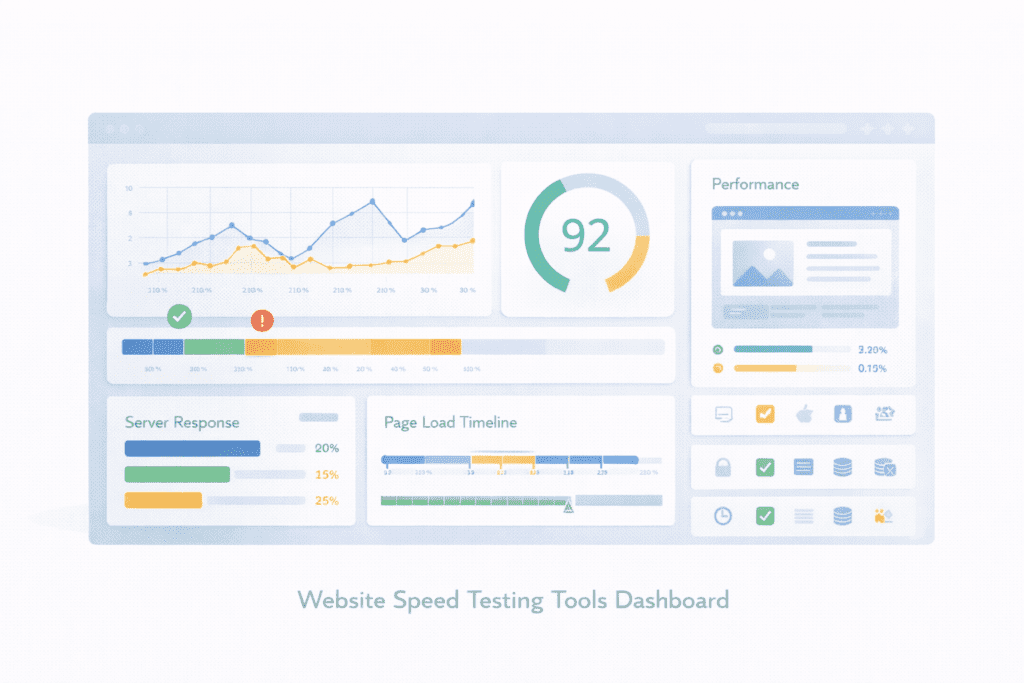
Running a proper website speed test usually requires specialized testing tools. These platforms simulate how a web page loads and record important performance metrics during the process.
Different tools analyze different parts of website performance, including HTTP and HTTPS requests. Some focus on server response behavior, while others provide detailed breakdowns of page resources and loading order.
Using multiple testing tools often provides better insight into real performance.
GTmetrix
GTmetrix is widely used for analyzing website performance and page loading behavior.
This platform evaluates a web page using performance metrics and provides detailed reports that help analyze slow resources. The tool examines page elements, resource loading order, and optimization opportunities.
One useful feature is its visual loading timeline. It helps identify when different parts of the webpage appear in the browser.
Developers often use gtmetrix to evaluate load speed and identify performance bottlenecks.
WebPageTest
WebPageTest provides advanced performance testing features.
It allows users to run tests from multiple global test locations, which helps measure performance across different regions. This approach can reveal latency issues or delays that occur when users access the website from different geographic areas.
The platform also provides deeper insights into server response behavior and page resource loading.
Because of these features, webpagetest is often used for more detailed performance testing.
Chrome Developer Tools
Chrome includes built in developer tools that help analyze performance directly in the browser.
These tools allow developers to inspect network activity, analyze resource loading order, and measure page speed during the loading process.
Using Chrome Developer Tools, it is possible to examine the page header, network requests, and response code returned by the server, which is critical for testing and monitoring.
These insights can help developers analyze how quickly the browser receives resources and renders the webpage.
Testing Web Hosting Speed and Server Response Performance
Testing website speed also helps evaluate hosting infrastructure.
When a website speed test runs, the testing tool connects directly to the server and measures response behavior. This helps reveal whether delays occur because of hosting limitations or website optimization problems.
Hosting infrastructure affects several aspects of performance.
Server hardware, storage technology, and configuration all influence how quickly the web server processes requests. Faster hardware can improve response times and reduce delays during the loading process.
A server speed test helps measure backend performance.
By analyzing response behavior and loading metrics, website owners can determine whether their web hosting provider is delivering consistent performance.
How to Test Web Hosting Speed Without Website Optimization Bias
Sometimes a website appears slow because of heavy themes, large media files, or third party scripts. These factors can hide the true performance of the hosting environment.
To evaluate hosting speed accurately, it helps to test a simplified version of the website.
• Empty test page: Create a basic static page with minimal code.
• Basic WordPress installation: Install a fresh WordPress setup without plugins.
• Minimal page elements: Avoid heavy themes or large media files.
Testing with a simple page helps isolate server performance.
This approach makes it easier to see whether the hosting infrastructure itself is responsible for slow load behavior.
Hosting Speed vs Website Optimization: Understanding the Difference
Hosting speed and website optimization both influence how quickly a web page loads.
Hosting infrastructure affects server response behavior. If the host environment is slow, the server may take longer to deliver the first byte of data, affecting the results of a free website speed test.
On the other hand, frontend optimization focuses on improving how resources load inside the browser.
For example, compressing images, reducing javascript files, and minimizing css files can improve loading efficiency.
In practice, both factors work together.
A fast hosting environment helps the page start loading quickly, while good optimization ensures resources render smoothly after the initial response.
Hosting Infrastructure Factors That Affect Website Speed
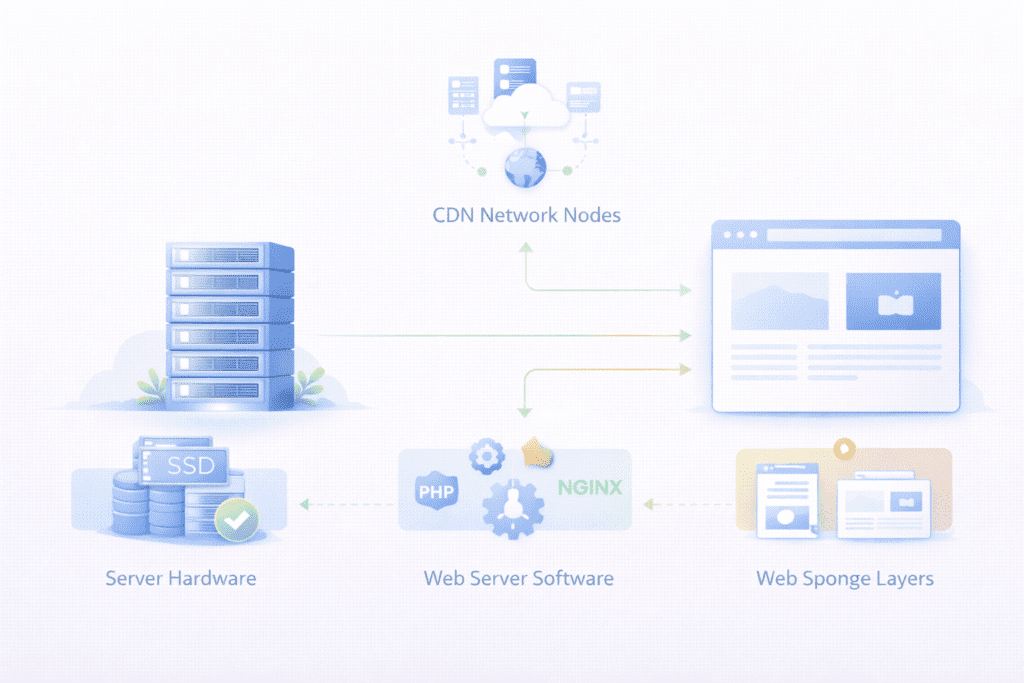
Website speed often depends on the underlying hosting infrastructure. Even if a website is optimized well, the hosting environment still plays a major role in performance.
The fastest web hosting usually relies on modern server hardware and efficient software configuration.
Several infrastructure factors influence how quickly a website loads.
• Data center quality: Reliable infrastructure ensures stable performance and consistent uptime.
• SSD vs NVMe storage: Faster storage devices help the server retrieve files quickly.
• LiteSpeed vs NGINX vs Apache: Different web server software can affect request processing efficiency.
• CDN integration: A CDN helps deliver content from locations closer to visitors.
When these factors work together, websites often deliver faster loading experiences.
Testing WordPress Hosting Speed
WordPress websites depend heavily on hosting performance.
Each page request may involve database queries, theme processing, and plugin execution. All of these operations occur before the server begins delivering page content.
If the hosting environment struggles to handle these tasks efficiently, loading delays can occur.
WordPress hosting environments are often optimized specifically for these workloads.
Server configuration, caching systems, and database performance can all influence load speed and responsiveness.
Plugin usage also affects website performance.
Heavy plugins or poorly optimized extensions may increase server workload, which can slow down page load behavior.
Desktop and Mobile Website Speed Testing
Testing performance on different devices helps reveal how users experience a website.
Desktop systems usually have stronger hardware and faster internet connections. Because of this, desktop testing often shows faster loading behavior.
Mobile testing can produce very different results.
Desktop and Mobile Performance
Desktop and mobile environments process web pages differently.
Testing desktop and mobile performance helps evaluate how pages render across different device types.
Modern testing tools simulate desktop and mobile environments to measure loading behavior under different conditions.
Mobile Website Speed Challenges
Mobile website speed often faces additional challenges.
• Network limitations: Mobile internet connection speeds may vary depending on location.
• Mobile rendering behavior: Smartphones process scripts and page elements differently than desktop systems, which can affect website speed during testing.
Because of these factors, mobile website speed testing provides valuable insight into real world performance.
Testing Website Speed From Global Locations
Server location can influence loading behavior.
When users access a website from far away regions, network latency increases and the data packet takes longer to travel between the browser and the server.
Testing from global locations helps analyze performance across different geographic regions.
Some testing tools allow performance testing from servers around the globe. This helps measure how the website performs for users in different countries, especially when using HTTPS.
Global testing can reveal whether hosting infrastructure delivers consistent speed across different regions.
How to Monitor Website Performance Over Time
Running a single speed test provides useful insight, but performance monitoring over time provides a clearer picture.
Monitoring tools track website performance continuously and collect data about loading behavior.
This approach helps identify sudden performance drops or server related issues.
Long term monitoring also helps evaluate how infrastructure changes affect performance.
When performance monitoring data is collected regularly, website owners can analyze trends and maintain stable site performance.
How to Analyze Website Speed Test Results
Speed testing tools provide detailed reports that show how a page loads.
Analyzing these reports helps identify performance bottlenecks.
For example, the report may show slow response behavior from the server or large page elements that delay rendering.
Reviewing the loading order of resources can also reveal whether scripts or media files are slowing the page.
By studying these reports carefully, website owners gain actionable insight into performance issues.
How to Optimize Website Speed After Testing
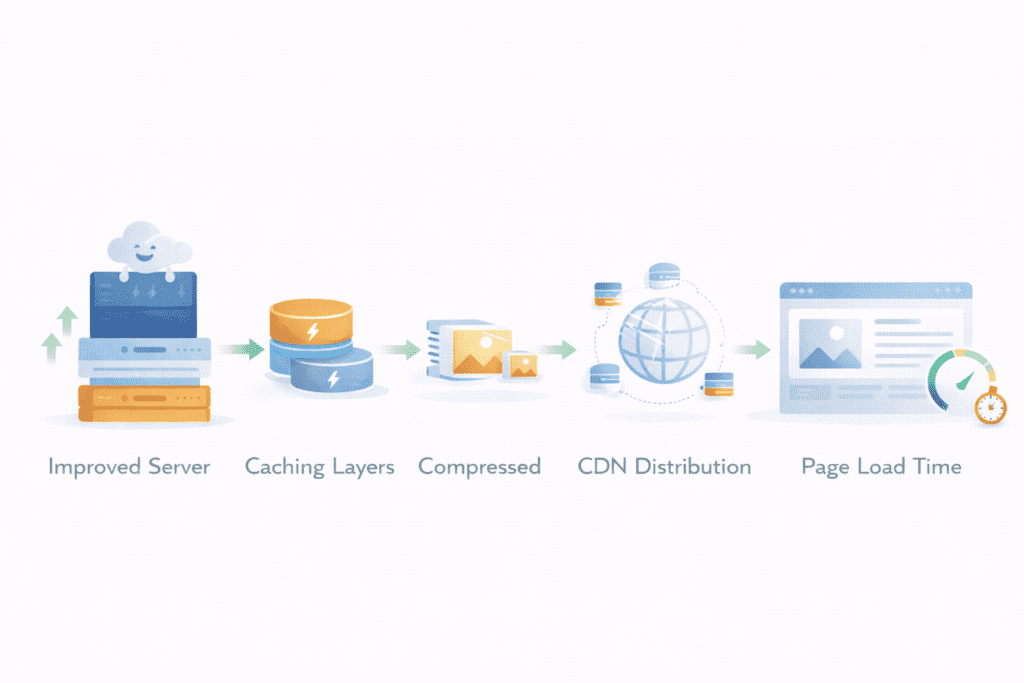
Once performance testing reveals slow areas, the next step is improving website speed.
Several improvements can help optimize overall web performance.
Optimize Server Performance
Improving hosting infrastructure often helps reduce response delays.
• Choose faster hosting infrastructure: Selecting the fastest web hosting can improve server responsiveness.
• Improve server response time: Better server configuration helps deliver content faster.
Optimize Website Resources
Front end resources also influence loading behavior.
• Compress images: Smaller media files load faster and reduce page load time.
• Minimize scripts: Reducing unnecessary JavaScript improves loading efficiency.
• Enable caching: Proper caching stores frequently requested resources so the server does not need to reload them repeatedly, which improves overall website speed.
Improve Page Speed
Reducing unnecessary page elements helps improve load speed.
• Reduce heavy scripts: Removing unused scripts can improve loading performance.
• Improve resource loading: Efficient loading order helps pages render faster.
These improvements help optimize overall website performance and create faster loading experiences.
How to Compare Hosting Speed Between Providers
Comparing hosting speed requires consistent testing conditions.
To evaluate hosting providers accurately, run the same website url on different hosting environments.
After running tests, compare response times and load behavior across different hosts.
Testing from multiple locations also helps determine whether the hosting provider delivers consistent performance globally.
By comparing these results, website owners can evaluate which provider delivers the fastest web hosting performance.
Website Speed Testing Checklist
A structured checklist can help ensure performance testing covers important factors.
• Run multiple tests: Repeat tests to confirm consistent results.
• Test different pages: Analyze performance across several page types.
• Check server response time: Identify delays from the server.
• Analyze Core Web Vitals: Review metrics that affect page experience.
Following this checklist helps ensure accurate testing and reliable performance insights.
Common Causes of Slow Website Speed
Several factors can slow down website performance.
Sometimes the problem comes from hosting infrastructure, while other times it comes from the website itself.
• Poor hosting infrastructure: Limited server resources may delay request processing.
• Overloaded server: High traffic or shared hosting environments can slow server responses.
• Heavy plugins: Excessive or poorly optimized plugins increase server processing workload.
• Unoptimized media files: Large images or videos increase page load time and can significantly slow down your website.
Identifying these issues is often the first step toward improving performance.
What Most Website Owners Miss About Speed Testing
Website owners sometimes misunderstand how performance testing works.
One common mistake is running only a single speed test. Performance can vary depending on location, server load, or network conditions.
Another oversight is ignoring server response behavior. Many people focus only on page load results without checking backend performance.
Some also test only desktop performance while ignoring mobile website speed.
Long term monitoring results are often overlooked as well.
Without ongoing monitoring, temporary performance drops may go unnoticed.
Frequently Asked Questions About Website Speed Testing
What is the best website speed test tool?
Several tools are commonly used for performance testing, including gtmetrix, webpagetest, and browser developer tools.
How do I check my website speed?
You can run a website speed test using online performance tools that analyze loading behavior and server response.
What is a good page speed score?
A good page speed score usually indicates that the page loads quickly and meets recommended performance metrics.
How do I test my server speed?
A server speed test analyzes how quickly the server responds when the browser requests a web page.
How does hosting affect website speed?
Hosting infrastructure influences server response behavior and overall website load performance.
Why is my website slow even with good hosting?
Slow performance can still occur if the website contains heavy scripts, large media files, or inefficient page resources.
Final Thoughts: Why Website Speed Testing Matters
Running a website speed test helps reveal how a website performs under real conditions.
These tests provide insight into server behavior, page loading processes, and performance metrics.
Monitoring performance regularly helps website owners detect slow areas and improve site performance.
Testing both desktop and mobile environments is also important because users access websites from many different devices.
Over time, choosing reliable hosting infrastructure and improving page resources helps create faster websites and better user experiences.