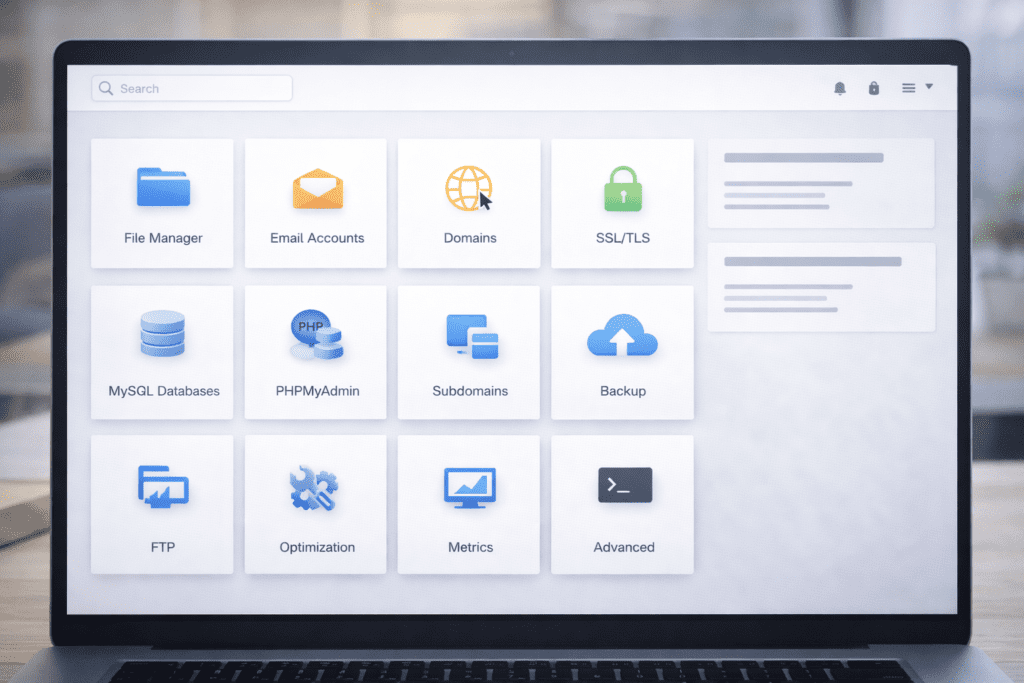
A Hosting Control Panel is the dashboard that lets you manage your website without touching complex server code. If you’ve ever logged into your web hosting account and seen dozens of icons and settings, you’ve already seen one in action.
After buying web hosting, a lot of people feel a little lost. You expect a simple “launch website” button. Instead, you see databases, domains, ssl settings, and something called cpanel. It can feel like you walked into the engine room of a ship.
Here’s the thing. A good control panel isn’t meant to overwhelm you. It’s meant to simplify web hosting so you don’t need server administration skills. This guide breaks down what a Hosting Control Panel is, how it works behind the scenes, and how you can actually use it with confidence.
By the end, you’ll understand where it fits in your web hosting plan and why it’s one of the most important tools in your hosting account.
What Is a Hosting Control Panel?
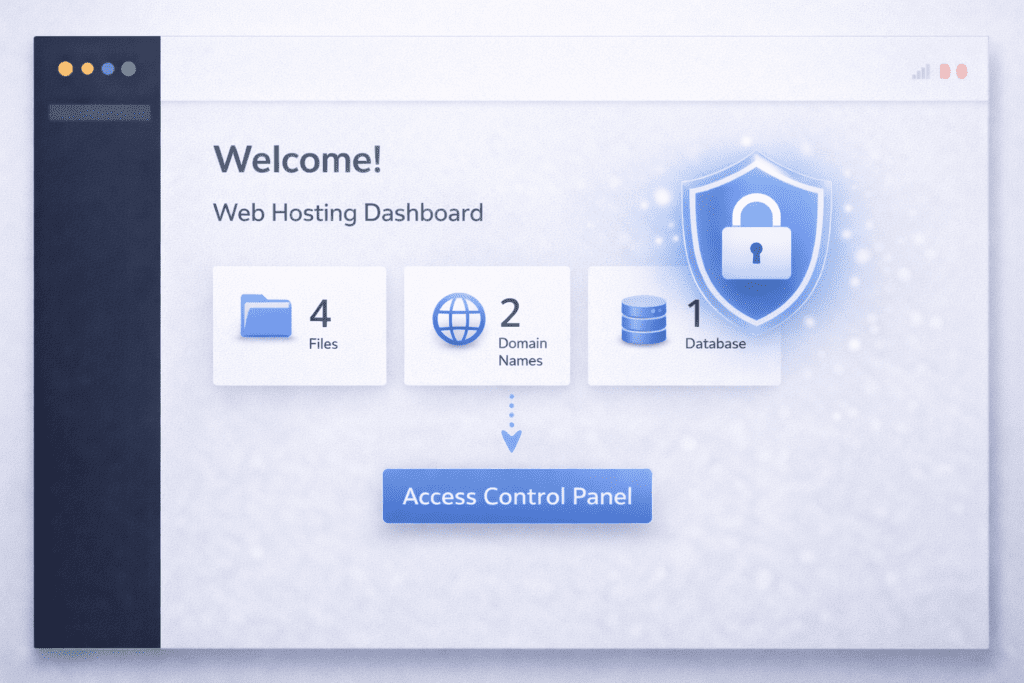
A Hosting Control Panel is a web-based interface that helps you manage your website and server settings in a visual way. Instead of typing commands into a web server, you click buttons inside an intuitive user interface.
In simple terms, it’s the control center for your web hosting service. It connects your hosting accounts to the server and turns technical server tasks into easy menu options.
Every website owner interacts with one, even if they don’t realize it. When you create email accounts, connect a domain name, install like wordpress, or upload files, you’re using hosting control panels.
The key difference comes down to access level. Direct server access means logging into the server through ftp or SSH and managing files manually. Control panel access gives you a graphical user interface that handles those actions safely in the background.
For most people, especially a beginner, this visual layer makes web hosting manageable. Advanced users sometimes prefer full control of the server. But for everyday website management, control panels offer the balance between control and ease of use.
A good control panel helps you manage your website’s hosting without needing to understand linux and windows servers or how the operating system works underneath.
And honestly, that simplicity is why hosting control panels exist in the first place.
Types of Hosting Control Panels: cPanel, Plesk, and Custom Dashboards
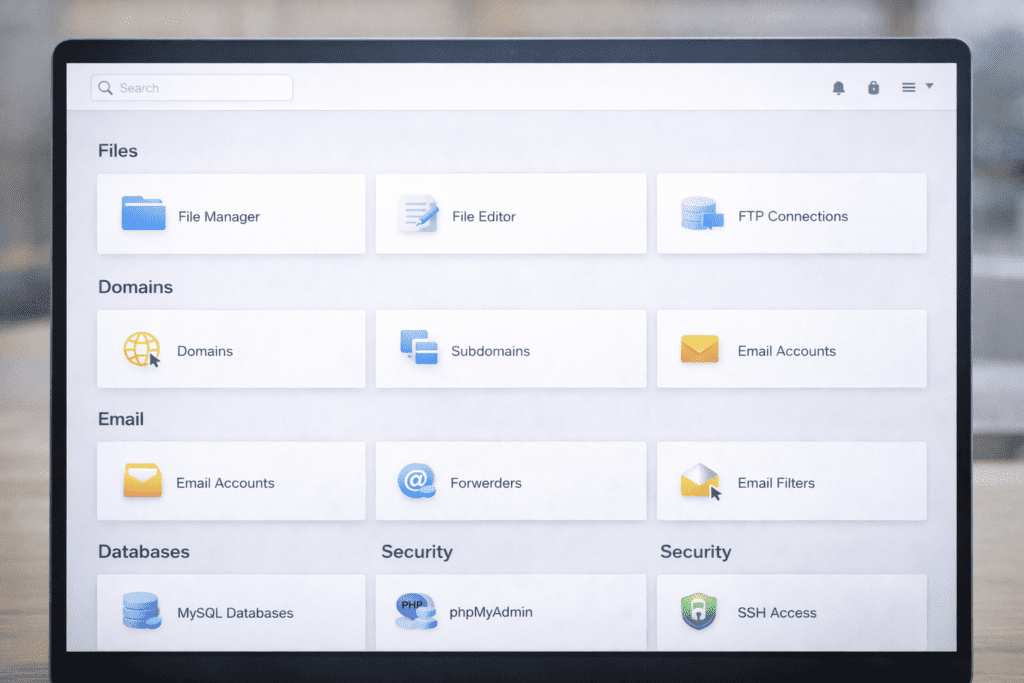
Not all control panels look the same, and that’s where people sometimes get confused.
The most common option in web hosting is cpanel. It’s widely used by hosting providers and runs mostly on linux-based hosting. It offers a clean interface with icons for file manager, database tools, domain settings, and ssl certificates. Many control panels like cpanel focus on simplicity and reliability.
Another popular option is plesk. Unlike cpanel, plesk supports both linux and windows servers. That makes it flexible for different operating systems. Some developers prefer plesk because it integrates well with development workflows and website management tools.
Then there are custom dashboards. Some hosting companies build their own web hosting control panel instead of using cpanel or plesk. These panels are often designed to feel more intuitive for hosting customers. The layout may look simpler, but the features are similar underneath.
So which hosting type uses which panel?
• Shared hosting plans often use cpanel
• VPS and dedicated hosting may use cpanel or plesk
• Managed platforms sometimes use custom control panels
• Enterprise setups may allow direct server management
Beginners usually prefer panels with an intuitive interface. Developers sometimes care more about control and flexibility.
From my experience researching hosting providers, ease of use often matters more than brand name. A good control panel should feel organized, not cluttered.
Key Insight: Why a Hosting Control Panel Acts as Your Website Dashboard
Think of the Hosting Control Panel as the dashboard of your web hosting account.
When you log in, you’re not directly touching the server. Instead, the control panel sends commands to the web server in the background. If you create a database, it runs server tasks automatically. If you install ssl certificates, it configures server security without manual coding.
This is where many control panels provide real value. They turn complex server administration into simple clicks.
For example, when you upload files through the file manager, the control panel updates your website and server directory instantly. You don’t need ftp unless you prefer it.
It’s not magic. It’s automation built into the hosting environment.
And honestly, once you understand that, the interface feels far less intimidating.
How to Access Your Hosting Control Panel Step by Step
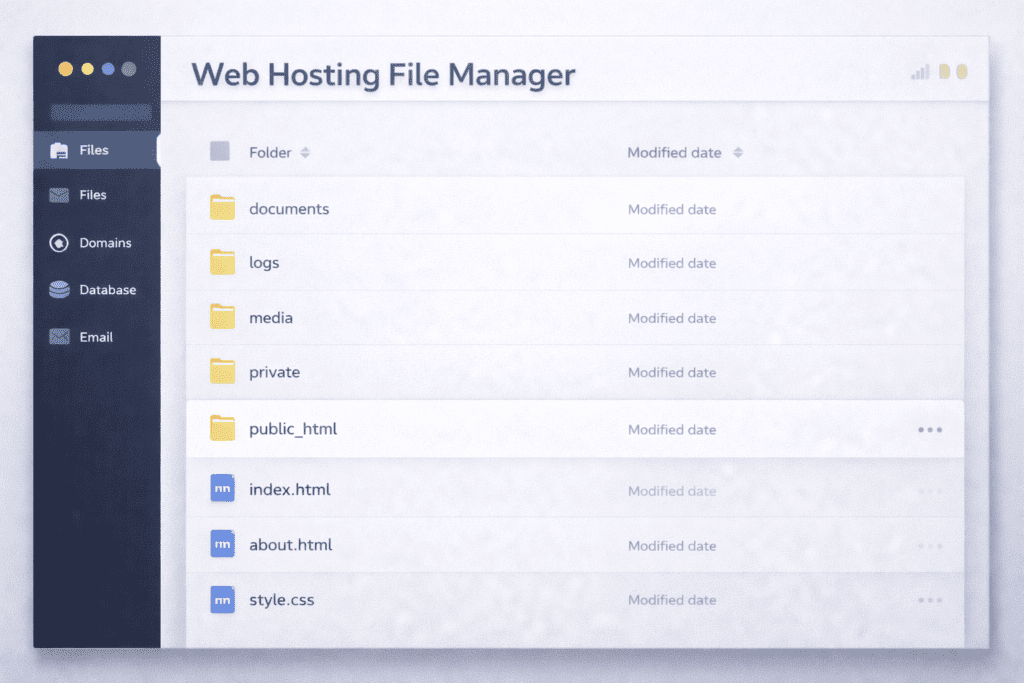
Accessing your Hosting Control Panel is usually simple, but it depends on your hosting company.
First, check your welcome email. Hosting providers typically send login details for your web hosting account and web hosting control panel access.
Second, log into your hosting provider dashboard. From there, you’ll usually see a button labeled cpanel, plesk, or control panel.
Third, some providers allow direct URL login. You might use something like yourdomain.com/cpanel or a dedicated login page.
Security matters here.
• Use strong passwords for hosting accounts
• Enable two-factor authentication if available
• Avoid logging in on public WiFi
• Keep your login URL private
A secure control panel protects your domain, database, and website performance.
Once inside, you’ll see management tools for file management, domain management, email accounts, ssl settings, and backup options. It may look busy at first. But after a few clicks, it starts to feel manageable.
How a Hosting Control Panel Works Step by Step
Once you log into your Hosting Control Panel, the first thing you see is the main dashboard. This interface connects your web hosting account to the server in the background.
Let’s break it down simply.
First, you enter your login details through your hosting provider. The control panel verifies your hosting accounts and loads your user interface. You don’t connect directly to the web server. The panel acts as the middle layer.
Next comes the dashboard overview. Here you’ll see icons for file manager, domain settings, database tools, email accounts, ssl certificates, and security features. Many control panels include shortcuts to popular tools.
Then comes file management. Using the file manager, you can upload files, edit content, or manage folders without ftp. The control panel also lets you monitor resource usage so you can see how your server resources are being used.
Domain management is another core area. You can connect a domain name, create subdomains, or adjust domain settings. If you manage multiple domains inside one web hosting plan, everything stays organized in one place.
Email setup is handled through the same interface. You can create email accounts linked to your domain, set up forwarders, and configure spam protection.
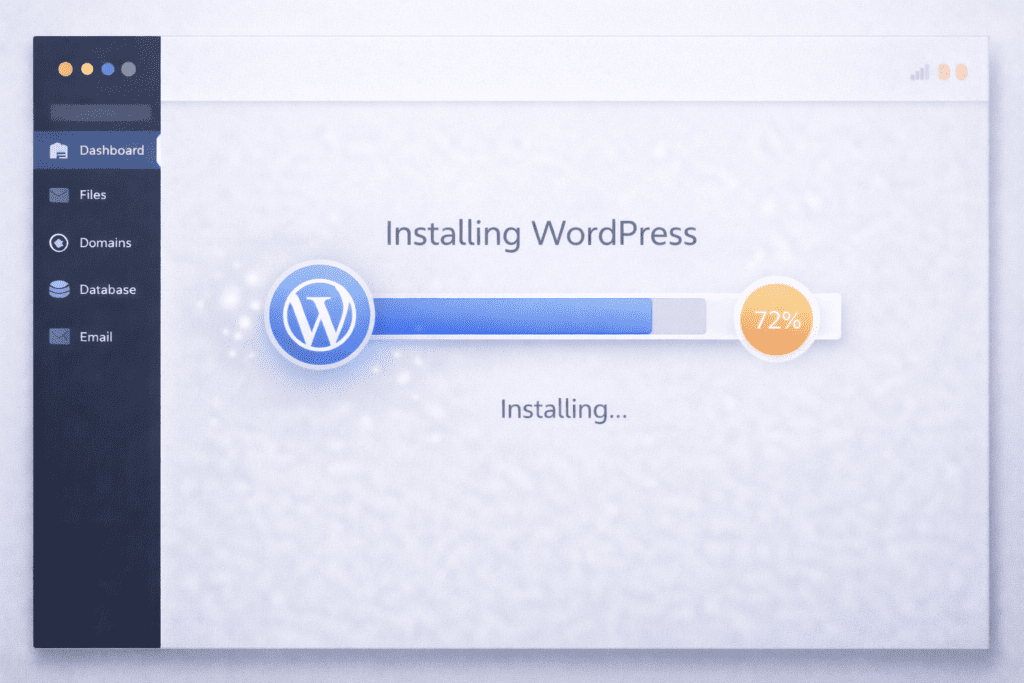
Database creation is also visual. Instead of writing commands, you click to create a database and assign users. If you run like wordpress, this step is essential.
Security controls allow you to install ssl certificates, enable free ssl, block IP addresses, and adjust server security settings. The control panel also includes backup tools for manual or automatic backup options.
Behind every click, the panel sends server tasks to the web server. It handles server management quietly so you don’t have to.
Behind the Scenes What Most Beginners Don’t Realize
Here’s something interesting.
When you press “Create Database,” the control panel is actually managing server administration in the background. It’s configuring files inside the operating system and adjusting server resources.
You don’t see that layer. And honestly, you don’t need to.
Web hosting control panels help simplify managing server actions through a graphical user interface. That’s why they’re considered essential in website hosting today.
Without a control panel, you’d need direct access through ftp or SSH. That requires technical comfort and understanding of server management.
For most beginners and experienced users, the visual interface provides the right balance between control and simplicity.
Core Features of a Hosting Control Panel
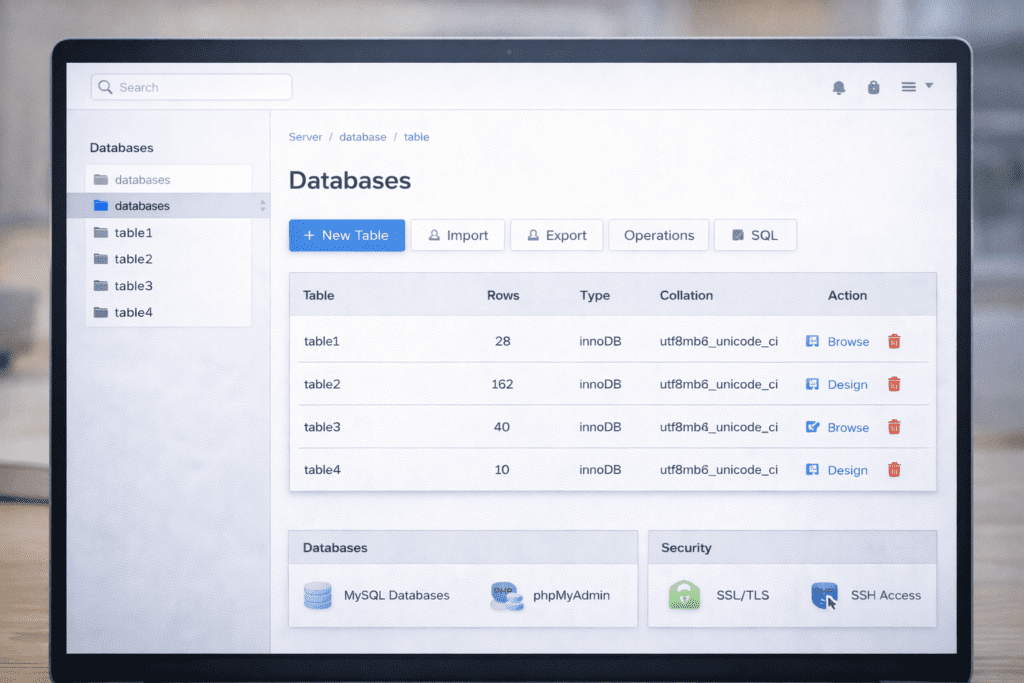
1. File Management
File management is one of the most used features.
• Upload website files
• Edit HTML or PHP files
• Organize folders inside your shared server
• Access files without ftp
The file manager makes everyday website management faster.
2. Domain and DNS Management
Domain management lets you control how your domain connects to your website.
• Add new domain names
• Create subdomains
• Configure redirects
• Adjust domain settings
This is where your domain and web hosting connect.
3. Email Account Setup
You can create business email accounts tied to your domain.
• Create custom email accounts
• Set up forwarders
• Enable spam filters
Everything stays inside your hosting environment.
4. Database Management
If you run a wordpress website, database tools matter.
• Create a new database
• Manage WordPress database settings
• Assign database users
The control panel also connects with phpMyAdmin for deeper access.
5. Security Tools
Security features protect both website and server.
• Install ssl certificates
• Activate free ssl
• Block suspicious IP addresses
• Password protect directories
Server security settings are usually accessible from this section.
6. Backup and Restore Options
Backups protect you from mistakes.
• Create manual backup
• Enable automatic backup
• Restore your site if something breaks
A good control panel makes restoring a website surprisingly simple.
Why a Hosting Control Panel Is Important in 2026
Web hosting has changed a lot in the last few years. More people are launching websites without technical backgrounds. That shift makes control panels more important than ever.
In 2026, the number of beginner website owners keeps growing. Bloggers, small businesses, freelancers, and creators all rely on web hosting to publish online. They don’t want to manage server code. They want an intuitive interface.
No-code and low-code tools are also rising. Website builders and platforms like wordpress web continue to simplify web design. But behind the scenes, everything still runs on a server. That’s where hosting control panels help bridge the gap.
Security threats have also increased. SSL certificates, free ssl activation, firewall settings, and backup management are no longer optional. A web hosting control panel centralizes these security features so you don’t miss critical updates.
Speed expectations are higher too. Visitors expect fast website performance. A good control panel lets you monitor resource usage and adjust server resources inside your hosting environment when needed.
From my research, hosting customers rarely think about server management until something breaks. In 2026, easy website management isn’t a luxury. It’s part of basic web hosting.
Is a Hosting Control Panel Free or Included With Hosting?
In most shared hosting plans, a Hosting Control Panel is included with your web hosting service. You usually don’t pay separately.
However, licensing can affect costs. Panels like cpanel and plesk charge hosting providers licensing fees. Some hosting companies absorb that cost. Others may increase the price of a hosting plan slightly.
Shared hosting almost always includes a web hosting control panel by default. VPS or dedicated hosting may charge extra depending on the configuration and operating system.
If you use unmanaged VPS hosting, you might not get control panels included. In that case, you would need to install one yourself or manage the server without a control panel.
Honestly, most beginners won’t notice the licensing side. But it explains why some hosting providers price plans differently.
Who Should Use a Hosting Control Panel?
A Hosting Control Panel is useful for almost anyone using web hosting.
Bloggers benefit from simple file management and domain settings. Small business owners use control panels to manage email accounts and ssl certificates. Freelancers often manage multiple hosting accounts from one interface.
Developers and agencies also use hosting control panels, though advanced users may combine them with direct server administration.
For beginners and experienced users alike, control panels offer a balance of control and flexibility. They reduce complexity without removing access to important management tools.
If your goal is managing a website without diving deep into server commands, a control panel that fits your needs makes a big difference.
Advantages and Limitations of Hosting Control Panels
Every tool has strengths and limits. Hosting control panels are no different.
Advantages:
• Simplifies server tasks
• Saves time with automation
• Improves ease of use
• Centralizes security features
• Reduces need for technical skills
Limitations:
• Less full control than direct server access
• Some advanced settings may be hidden
• Can vary between hosting companies
• May consume server resources
Advanced users sometimes prefer managing server tasks manually for full control. But for everyday website management, a good control panel usually offers enough flexibility.
Common Mistakes When Using a Hosting Control Panel
Even though control panels simplify web hosting, mistakes still happen.
One common issue is deleting files without creating a backup first. The file manager makes it easy to remove folders, but without a backup, recovery can be stressful.
Another mistake is changing domain settings without understanding DNS. A small typo can disconnect your domain from your website.
Ignoring security features is also risky. SSL certificates, password protection, and server security settings exist for a reason. Skipping them can expose your web server.
Some users forget to update PHP versions inside the control panel. That can affect website performance and compatibility.
And overusing auto-installers without understanding the setup can cause clutter inside your hosting environment. It’s convenient, but a little awareness helps.
Hosting Control Panel vs Direct Server Access
There’s a clear difference between using a Hosting Control Panel and logging into a server directly.
With a control panel, you use a graphical user interface to manage web hosting tasks. Everything from database creation to ssl configuration happens through clicks.
Without a control panel, you access the web server through SSH or ftp. This gives full control, but it requires comfort with server administration.
For most people, a control panel is enough. It handles managing server tasks while keeping things visual.
Advanced users may prefer direct access when they need full control of server resources or custom configurations. But for everyday website management, hosting control panels provide balance.
Real World Use Cases of a Hosting Control Panel
A Hosting Control Panel becomes practical when you use it for real tasks.
You might launch a wordpress site by installing like wordpress through an auto-installer. The control panel configures the database and domain automatically.
You might set up business email accounts connected to your domain name. That setup takes only a few clicks inside the interface.
If your website gets hacked, you can restore a backup directly from the panel. You can also activate free ssl or adjust security features to protect your site.
If traffic increases, you can monitor resource usage and upgrade your hosting plan accordingly.
These use cases show why control panels remain central in web hosting.
What Most Blogs Miss About Hosting Control Panel Tools
Not all hosting control panels are identical. Even if two hosting providers use cpanel or plesk, the interface layout and management tools may differ slightly.
Performance can also depend on the web hosting service and server optimization, not just the panel itself.
Some control panels include advanced settings that are hidden under deeper menus. Exploring those options can improve website performance and security.
Ease of use affects long term growth. If the panel feels intuitive, managing a website becomes less stressful.
That subtle difference often matters more than marketing claims.
Frequently Asked Questions About Hosting Control Panel
What is a Hosting Control Panel used for?
A Hosting Control Panel is used to manage web hosting tasks like file management, domain management, database creation, email setup, and ssl configuration.
Do I need technical skills to use a Hosting Control Panel?
No. Most control panels are designed with an intuitive user interface so beginners can manage web hosting without coding knowledge.
Is Hosting Control Panel the same as cpanel?
Not exactly. Cpanel is one of the most popular control panels, but there are others like plesk and custom dashboards.
Can I manage multiple websites with one Hosting Control Panel?
Yes, depending on your hosting plan. Many hosting accounts allow multiple domains inside one web hosting account.
Is a Hosting Control Panel secure?
Security depends on proper configuration. Enabling ssl certificates, strong passwords, and server security settings helps keep your site safe.
What happens if I don’t use a Hosting Control Panel?
You would need direct server access through SSH or ftp and handle server management manually.
How do I log into my Hosting Control Panel?
You can log in through your hosting provider dashboard or by using a direct URL provided by your hosting company.
What is a control panel in hosting?
A control panel in hosting is a web control panel that lets you manage your website, files, emails, and settings from one dashboard.
How does a web hosting control panel relate to the web server?
The control panel connects to the web server to start services, manage domains, and monitor site performance for you.
What are the key features of popular web hosting control panels?
Key features include file managers, database tools, email setup, backups, and one-click app installers for easy site management.
Which are the most popular web hosting control panels?
Popular control panels include cPanel, Plesk, and DirectAdmin, each offering different interfaces and management tools.
How do I go about choosing a web hosting control panel?
When selecting a control panel, consider ease of use, available features, server compatibility, and pricing for hosting plans.
What are common web hosting control problems and fixes?
Common issues are login errors, permission problems, or full disk space; fixes often involve resetting passwords, adjusting file permissions, or cleaning up files.
Can I switch control panels if I change hosting providers?
You can switch, but moving between various control panels may require migrating files, databases, and reconfiguring settings manually.
Why is understanding web hosting control important for beginners?
Understanding web hosting control helps beginners manage backups, security, and site settings without needing advanced server skills.
Can You Change or Switch Hosting Control Panels?
Yes, but it usually requires switching hosting providers.
Different hosting companies use different control panels. Migrating between them may involve moving your domain, database, files, and email accounts.
Data compatibility generally isn’t a problem, but the interface will change. That adjustment can take time.
Switching makes sense if you need better server management, improved ease of use, or a panel that supports both linux and windows servers.
Final Thoughts: Is a Hosting Control Panel Necessary?
A Hosting Control Panel simplifies how you interact with your web hosting service. It turns complex server administration into manageable tasks.
It allows you to manage web hosting, configure ssl certificates, create databases, and handle domain settings without touching raw server code.
For most website owners, it’s not just helpful. It’s essential.
If you’ve recently purchased a hosting plan, log into your web hosting control panel and explore. Click around. Create a test database. Review your security features.
Understanding your control panel builds confidence. And confidence makes website management much easier.