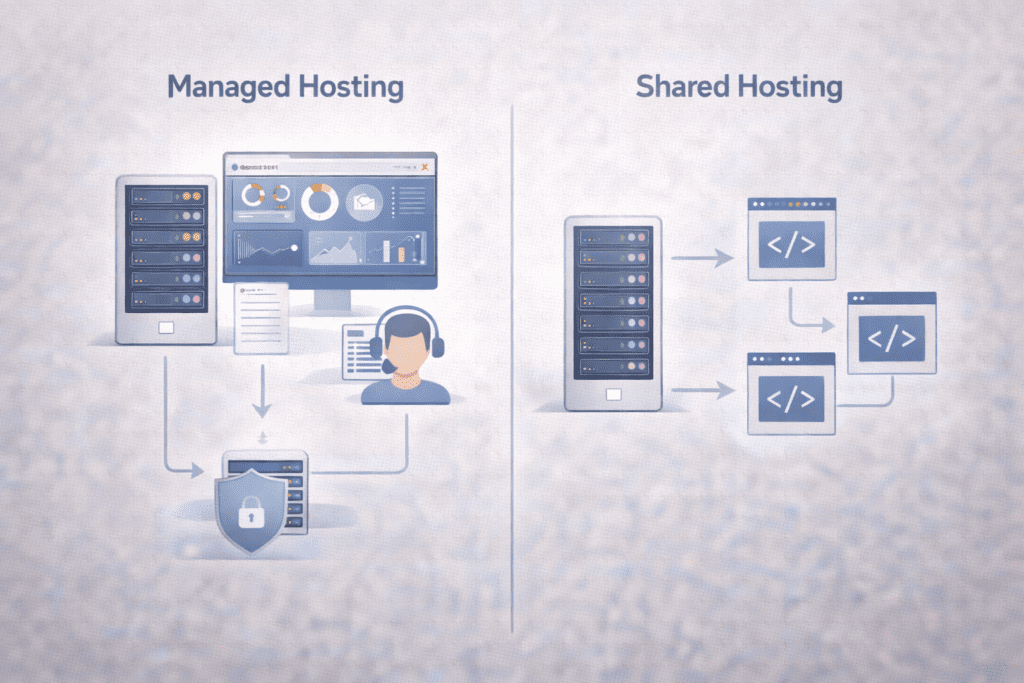
In 2026, websites are expected to be fast, secure, and available all the time. That expectation hasn’t changed. What has changed is how much work happens behind the scenes to keep a site running well. That’s why the choice between Managed vs Shared Hosting matters more today than it did a few years ago.
This article is written for beginners who want a clear comparison, not technical noise. It explains how managed hosting and shared hosting actually work, where the real differences show up, and how to choose the option that fits your needs. Along the way, it also points readers toward beginner-friendly hosting providers that are commonly used in the US.
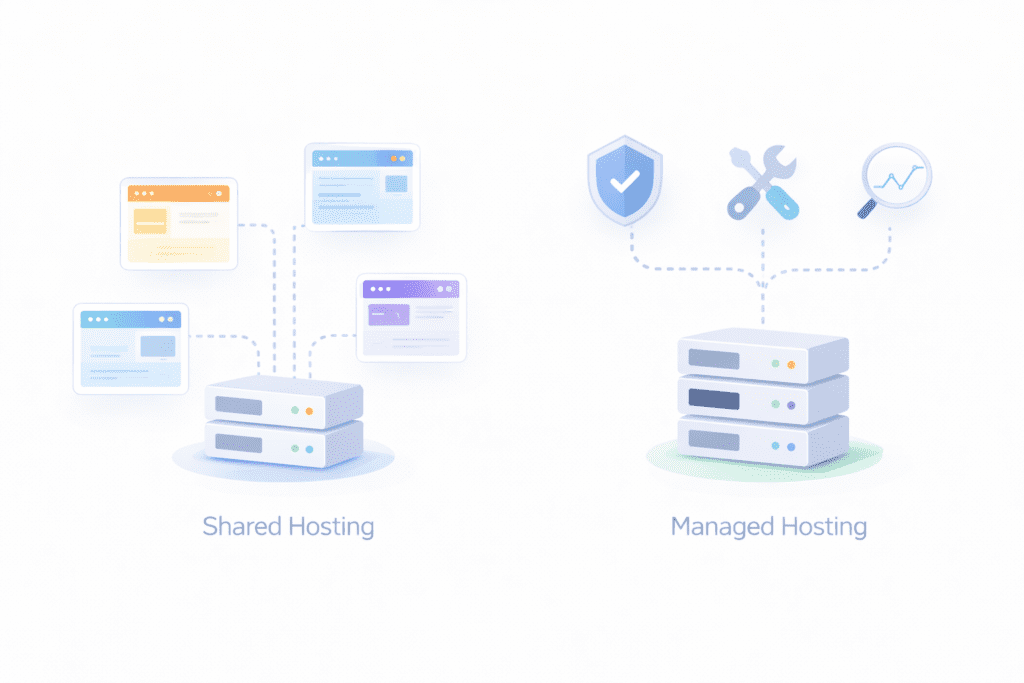
Shared hosting is the most basic form of web hosting. Your website lives on a shared server with many other websites. All of them use the same server resources like memory, processing power, and storage.
Because the cost is shared, shared hosting plans are inexpensive and easy to start with. The hosting provider takes care of the server itself, but you handle most things related to your site. That includes updates, backups in some cases, and security settings depending on the hosting plan.
Managed hosting works differently. Your site still runs on a server, but the hosting provider actively manages the technical side for you. That usually includes updates, security monitoring, backups, performance tuning, and server maintenance.
The core difference comes down to responsibility.
With shared hosting, you manage more of the website environment.
With managed hosting, the hosting provider handles most of that work for you.
People typically use shared hosting when:
• They want the lowest cost option
• The website is simple or new
• Traffic levels are low and predictable
Managed hosting is usually chosen when:
• Reliability and speed matter more
• Security needs are higher
• The site supports a business or revenue
• The owner prefers less technical work
Beginners often get confused because both options “host a website.” On the surface, they look similar. The difference shows up later, when updates break things, traffic increases, or security issues appear.
A simple way to think about it is this. Shared hosting gives you space on a server. Managed hosting gives you ongoing help running the site on that server.

The right choice depends less on technology and more on how you plan to use your website. Both hosting types work, but they solve different problems.
Managed hosting is a better fit if your site supports something important. That could be a business, a service, or anything tied to revenue. When uptime, security, and speed matter, having the hosting provider handle the technical side reduces risk.
Managed hosting makes sense when:
• You don’t want to deal with updates or server tasks
• Security and backups need to run without reminders
• The site is part of a business or brand
• You want support that fixes issues, not just explains them
Shared hosting works well when the website is simple and expectations are modest. Many personal sites and early projects start here for a reason. It’s affordable and easy to set up.
Shared hosting is usually enough if:
• The site is small and informational
• Traffic levels are low and steady
• Budget matters more than performance
• You’re comfortable handling basic site tasks
One thing people overlook is time. Shared hosting often costs less upfront, but it can demand more attention later. Managed hosting costs more, but it saves time and reduces hands-on work. Neither option is wrong. They just suit different situations.
If shared hosting sounds like the right fit, beginner-friendly options like Bluehost or HostGator are commonly used starting points.
Websites in 2026 face higher expectations than before. Visitors expect pages to load quickly. Search engines factor performance and reliability into rankings. Even short downtime can feel disruptive.
Security standards have also changed. Automatic updates, monitoring, and backups aren’t optional anymore. They’re expected. With shared hosting, some of that responsibility falls on you. With managed hosting, it’s built into the service.
Costs play a role too. Hosting prices have gone up across the board, which means value matters more than raw price. Paying less for a plan that causes problems later isn’t always cheaper in the long run.
This decision also affects growth. A site that starts small can outgrow shared hosting faster than expected. When that happens, performance issues often appear before clear warnings.
Choosing correctly early helps avoid rushed upgrades later. That’s why the Managed vs Shared Hosting decision matters more today. It’s not just about where your site lives. It’s about how smoothly it runs as expectations increase.
Is Managed Hosting Worth the Extra Cost in 2026?
This is usually the deciding question. Managed hosting almost always costs more than shared hosting, so it’s fair to ask what you’re actually paying for.
With shared hosting, the price stays low because many websites use the same server. That works, but it also means performance and security depend on what others are doing on that shared server. If one site spikes traffic or causes issues, others can feel the impact.
Managed hosting shifts that responsibility. The hosting provider actively maintains the server, applies updates, monitors performance, and handles security tasks. You’re paying for reduced risk and less hands-on work.
In 2026, that extra cost often makes sense when a site supports something important. Business websites, online stores, and professional blogs tend to benefit the most. Downtime or security problems cost more than the hosting upgrade itself.
That said, managed hosting isn’t automatically better for everyone. If the site is small, traffic is low, and you’re comfortable managing updates, shared hosting can still be practical.
The value comes down to trade-offs. Managed hosting costs more, but it saves time and reduces maintenance stress. Shared hosting costs less, but it expects more involvement from you. Neither option is wrong. The better choice depends on how critical the site is.
If managed hosting makes more sense for your situation, providers like SiteGround or InMotion Hosting offer beginner-friendly managed plans.

The differences between these two hosting types show up in everyday use, not just in feature lists.
Performance and speed: shared hosting splits server resources across many sites. Managed hosting usually runs on optimized servers with fewer resource limits, which helps pages load more consistently.
Security and updates: on shared hosting, you’re often responsible for site updates and basic security. Managed hosting handles updates, monitoring, and patching at the server level.
Server management: shared hosting gives limited control and expects you to manage your site environment. Managed hosting removes most server tasks from your plate.
Ease of use: shared hosting is simple to start but can become complex as issues arise. Managed hosting stays easier long term because problems are handled for you.
Customer support: shared hosting support focuses on access and basic issues. Managed hosting support usually goes deeper and helps resolve performance or security problems.
Pricing and long-term cost: shared hosting is cheaper upfront. Managed hosting costs more but can prevent expensive downtime or cleanup later.
Scalability: shared hosting has clear limits. Managed hosting scales more smoothly as traffic and features grow.
Understanding these differences helps you choose based on real needs, not just price.
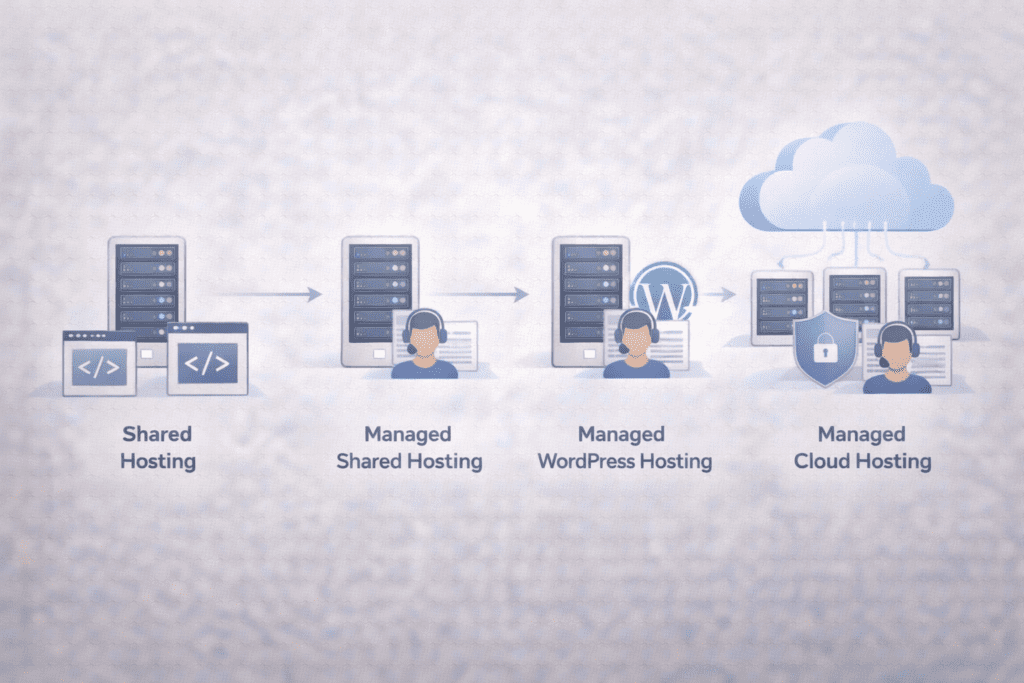
Not all shared hosting or managed hosting works the same way. The differences show up in how much control you have and how much work the hosting provider handles for you.
Shared hosting (basic shared plans):
This is the most common starting point. Multiple websites run on the same shared server. Resources are limited, but setup is simple and costs stay low. This option works best for small sites with steady traffic.
Managed shared hosting:
This looks like shared hosting, but with extra help included. The hosting provider handles updates, basic security tasks, and sometimes performance tuning. It’s still shared, but beginners get more support without moving to a higher tier.
Managed WordPress hosting:
This is a specialized form of managed hosting built specifically for WordPress sites. The server is optimized for WordPress, and the provider handles updates, backups, and security automatically. It costs more than shared hosting, but it removes a lot of technical work.
Managed cloud hosting:
Instead of relying on a single shared server, cloud hosting uses multiple servers. Managed cloud hosting adds automatic scaling, performance monitoring, and maintenance. This works well when traffic changes often or grows faster than expected.
Each option fits a different beginner situation. Shared hosting works for learning and simple sites. Managed shared hosting suits those who want extra help without a big price jump. Managed WordPress and managed cloud hosting are better when performance and reliability matter more.
Performance and Speed
Shared hosting divides server resources among many websites. When one site uses more resources, others may slow down. This isn’t always noticeable at first, but it can appear as traffic grows.
Managed hosting limits how many sites share a server or uses optimized server setups. Performance stays more consistent, especially during traffic spikes. For beginners, managed hosting usually feels faster over time.
Security and Updates
Shared hosting places more responsibility on the website owner. You may need to handle updates, plugins, and some security tasks yourself. If updates are missed, risks increase.
Managed hosting includes automatic updates, monitoring, and protection at the server level. This reduces the chance of issues caused by outdated software. For beginners, this added safety matters.
Maintenance and Management
On shared hosting, routine tasks fall on you. That includes backups in many cases, plugin updates, and troubleshooting problems.
Managed hosting shifts most of that work to the hosting provider. Server maintenance, backups, and monitoring happen without manual action. The time difference becomes noticeable as the site grows.
This feature-by-feature view shows where the real value of managed hosting appears. It’s not about more tools. It’s about fewer things you need to worry about.
Cost and Pricing
Shared hosting stays popular because of its low entry cost. Most shared hosting plans start cheap and cover the basics. That makes it attractive when budgets are tight or the site is just getting started.
Managed hosting costs more because you’re paying for ongoing work done by the hosting provider. Updates, security checks, backups, and performance tuning are included in the price. You’re not just renting space on a server. You’re paying for management.
The long-term cost difference matters more than the signup price. Shared hosting can stay affordable, but unexpected issues may require paid fixes or upgrades. Managed hosting costs more upfront, but it often prevents downtime and cleanup work later.
Scalability and Growth
Shared hosting has clear limits. As traffic increases, performance can drop because server resources are shared. Upgrading usually means moving to a new hosting plan or a different hosting type.
Managed hosting scales more smoothly. Providers often adjust server resources, caching, and performance settings as traffic grows. This makes growth less disruptive.
For beginners, shared hosting works until growth becomes noticeable. Managed hosting makes more sense once the site supports regular traffic, revenue, or customer interaction.
Comparing real shared and managed hosting plans side by side on Bluehost and SiteGround can make the differences more practical.

| Feature | Shared hosting | Managed hosting |
|---|---|---|
| Beginner friendliness | Easy to start, more manual work later | Easy long term with less hands-on work |
| Cost range | $2.00–$6.00/month | $15.00–$40.00/month |
| Performance level | Depends on shared server load | More consistent and optimized |
| Security level | Basic, user-managed in many cases | Higher, provider-managed |
| Best use case | Small sites, testing, low traffic | Business sites, growing traffic |
If you’re comparing real plans, reviewing beginner-friendly options like Bluehost, SiteGround, or InMotion Hosting can help clarify what’s included at each price point.
Making the right choice gets easier when you break it down into simple decisions.
Step 1: Define your website goals
Ask what the site is meant to do. A personal project has different needs than a business site that collects leads or processes payments.
Step 2: Evaluate your technical comfort level
If handling updates and fixes feels stressful, managed hosting removes that burden. If you’re comfortable learning, shared hosting can work early on.
Step 3: Set a realistic budget
Shared hosting keeps monthly costs low. Managed hosting costs more, but it often saves time and avoids future problems.
Step 4: Estimate traffic and growth plans
Low, steady traffic fits shared hosting. Growth plans or seasonal spikes usually benefit from managed hosting.
Step 5: Decide how much management you want
Some people want control. Others want things handled automatically. Be honest here.
Step 6: Compare beginner-friendly providers
Look for clear support options, simple dashboards, and transparent pricing.
Step 7: Choose a hosting plan that fits your needs
Pick the option that supports today’s goals without blocking tomorrow’s growth.
• Choosing based on price alone
• Overestimating technical skills
• Ignoring future growth
• Paying for managed hosting when it isn’t needed
• Using shared hosting for high-traffic or business sites
• Skipping support and security considerations
These mistakes usually lead to frustration later, not immediate failure.
VPS hosting sits between shared and managed options. It offers more control and better performance than shared hosting but expects technical involvement.
Cloud hosting focuses on scalability. It’s useful when traffic fluctuates, but it can be harder to predict costs.
Website builders trade flexibility for simplicity. They work for basic sites but limit control and customization.
For most beginners, managed vs shared hosting is the right starting comparison. Other options make more sense later, once needs are clearer.
It’s a comparison between hosting where you manage more tasks yourself and hosting where the provider handles most technical work.
Shared hosting is easier to start. Managed hosting is easier to maintain long term.
The difference is who handles updates, security, and server maintenance.
It can be, especially for business or revenue-focused sites.
Shared hosting is cheaper upfront. Managed hosting costs more.
Yes. Many people start on shared hosting and move up as needs grow.
Yes. Managed hosting usually offers more consistent performance.
Managed hosting is generally more secure because updates and monitoring are handled automatically.
Managed hosting fits businesses that rely on uptime and security. Shared hosting fits simple sites.
Base the choice on site importance, growth plans, and how much management you want.
The choice between Managed vs Shared Hosting comes down to responsibility and priorities.
Shared hosting works when budgets are tight and the site is simple. Managed hosting makes sense when reliability, security, and time savings matter more.
For beginners, starting small isn’t a mistake. Neither is choosing managed hosting early if the site supports something important. The best option is the one that fits your needs today and still works as your site grows.
Understanding that difference makes the rest of the comparison much easier.