
It’s 2026, and a lot of businesses in the US are still running web applications built years ago. Some of them work fine. Others feel slow, fragile, or risky to update. If your site or internal tool runs on CFML, the hosting choice behind it matters more than most people expect. That’s where ColdFusion Hosting comes in.
This guide is written for beginners in the United States who need clarity, not jargon. It breaks down what ColdFusion hosting actually is, who it’s meant for, and why choosing the right hosting provider in 2026 can save time, money, and stress. You’ll also see a side by side comparison of reliable ColdFusion hosting providers that beginners can choose with confidence.
Quick Recommendation: ColdFusion Hosting Snapshot
Best Overall: Hostek
Best for: Businesses and agencies that want fully managed ColdFusion hosting
Best for Performance & Enterprise: Liquid Web
Best for: Growing or high-traffic ColdFusion applications
Best for Legacy ColdFusion Apps: CFDynamics
Best for: Teams maintaining older or complex ColdFusion systems
Best Beginner-Friendly Option: HostMySite
Best for: Small to mid-sized US businesses using Windows-based ColdFusion
What Is ColdFusion Hosting and How Does It Actually Work?
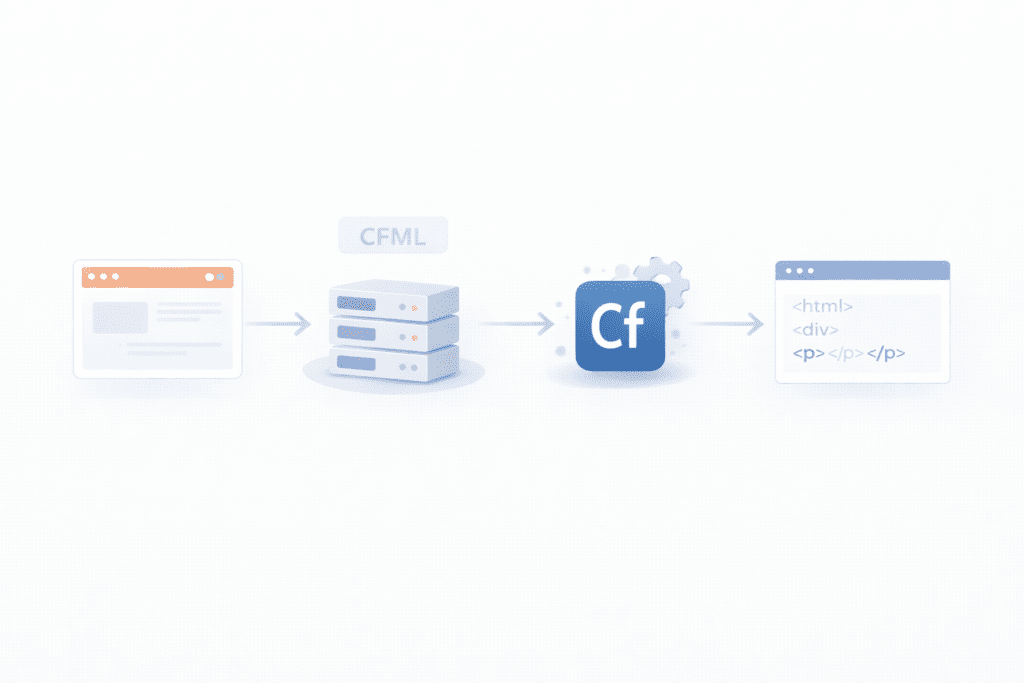
ColdFusion is a server side technology used to build dynamic web applications. It uses a language called CFML, which runs on the server, not in the browser. That detail matters.
ColdFusion Hosting: a web hosting service that supports CFML by running ColdFusion servers or compatible engines like Lucee.
Regular web hosting usually supports PHP or WordPress out of the box. ColdFusion is different. It needs a specific runtime installed on the server, plus proper configuration to handle CFML requests.
Here’s the basic idea. A visitor loads a web page. The server processes the CFML code using ColdFusion software. The server then sends the final HTML to the browser. If the server doesn’t support ColdFusion, the application simply won’t run.
ColdFusion hosting is commonly used by:
• Businesses running internal tools
• Agencies maintaining legacy applications
• Developers working on enterprise systems
• Companies that can’t easily rewrite older apps
Standard shared hosting plans usually don’t support ColdFusion at all. Even when they claim compatibility, it’s often outdated or poorly maintained.
Who Should Use ColdFusion Hosting and Who Should Avoid It?
ColdFusion hosting makes sense when you already rely on CFML or maintain an existing ColdFusion web application. Many US companies still do, especially in finance, healthcare, and logistics.
It’s also useful for development teams that prefer ColdFusion’s rapid development style and built in features. Some developers still find it faster for certain workflows. That said, it’s not for everyone.
You should probably avoid ColdFusion hosting if:
• You’re starting a brand new blog or brochure site
• You only need WordPress or PHP
• You don’t have access to ColdFusion skills
ColdFusion hosting solves a specific problem. If you don’t have that problem, simpler web hosting services are usually a better fit.
Why ColdFusion Hosting Still Matters in 2026
ColdFusion hasn’t disappeared. In fact, many business critical applications still depend on it. The issue isn’t relevance. It’s support.
Older ColdFusion versions come with security risks, compatibility issues, and performance limits. Running them on outdated servers increases the chance of downtime and data exposure.
Updated servers: modern operating systems, patched software, and better performance
Security: regular updates, firewall support, and safer configurations
Stability: fewer crashes and more predictable uptime
Choosing the wrong hosting provider in 2026 can lock you into unsupported environments. Choosing the right one gives your application room to breathe and time to evolve.
That’s why ColdFusion hosting isn’t just a technical choice anymore. It’s a risk management decision.
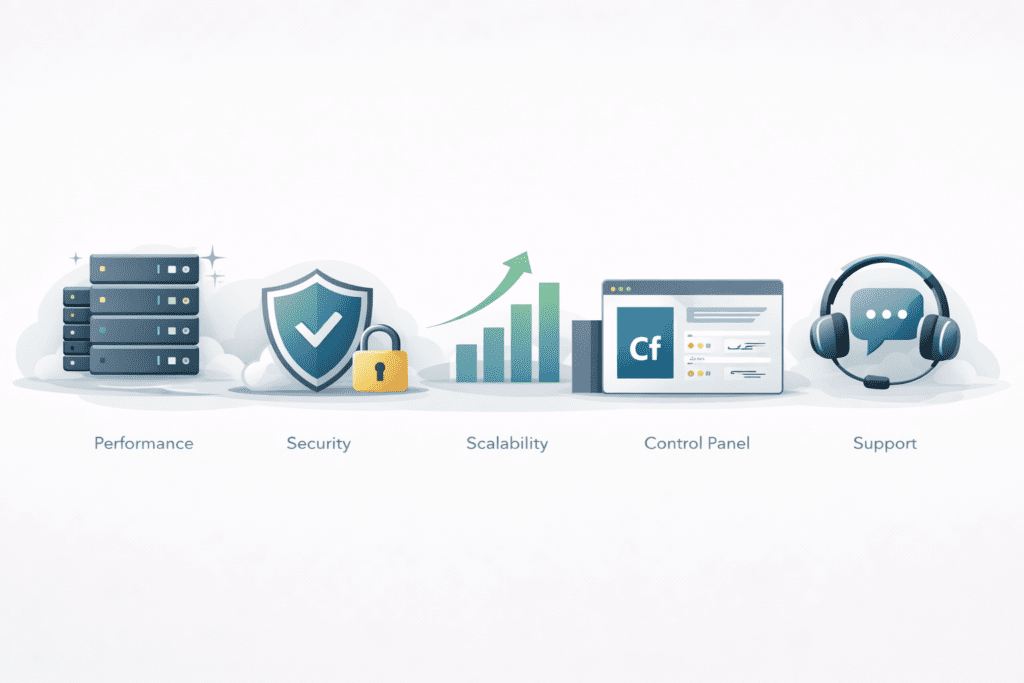
Key Features to Look for in ColdFusion Hosting in 2026

Not all ColdFusion hosting setups are equal. Some look fine on paper but fall apart once traffic grows or updates are needed. For beginners in the US, a few features matter more than everything else.
Supported ColdFusion versions: make sure the hosting provider supports modern Adobe ColdFusion releases or Lucee. Older versions can work, but they raise security and compatibility issues.
Server operating system: ColdFusion runs on both Windows and Linux. Windows hosting is common for Adobe ColdFusion, while Lucee often works well on Linux. The key is matching the server to your application, not personal preference.
Performance and uptime: look for optimized servers, SSD storage, and clear uptime guarantees. Even short downtime can break internal tools or customer facing apps.
Security and updates: regular patches, firewall support, and automatic updates reduce risk. ColdFusion servers that aren’t maintained tend to age badly.
Scalability: traffic rarely stays flat. The hosting plan should allow upgrades without rebuilding everything.
Control panel access: a clean control panel makes file management, backups, and basic configuration easier for beginners.
Support quality: ColdFusion issues are not always simple. Around the clock support with real ColdFusion experience matters more than fast chat replies.
Pricing transparency: ColdFusion licensing can affect cost. Hidden fees are common, so clear pricing is a big plus.
Adobe ColdFusion vs Lucee for Hosting Users
This is where people usually pause. Adobe ColdFusion and Lucee both run CFML, but they’re not identical.
Adobe ColdFusion is the commercial option. It comes with licensing costs but offers official support and long term stability. Many enterprises still rely on it, especially for older applications.
Lucee is open source. It’s lighter, flexible, and often cheaper to run. Some hosting providers include it without extra fees, which helps control hosting costs.
Here’s the practical difference. If your application was built on Adobe ColdFusion and uses specific features, switching engines may cause issues. If you’re building or maintaining simpler CFML apps, Lucee can be a solid option.
Neither choice is “better” in all cases. It depends on compatibility, budget, and how much control you want over the server.
Types of ColdFusion Hosting and When to Use Each
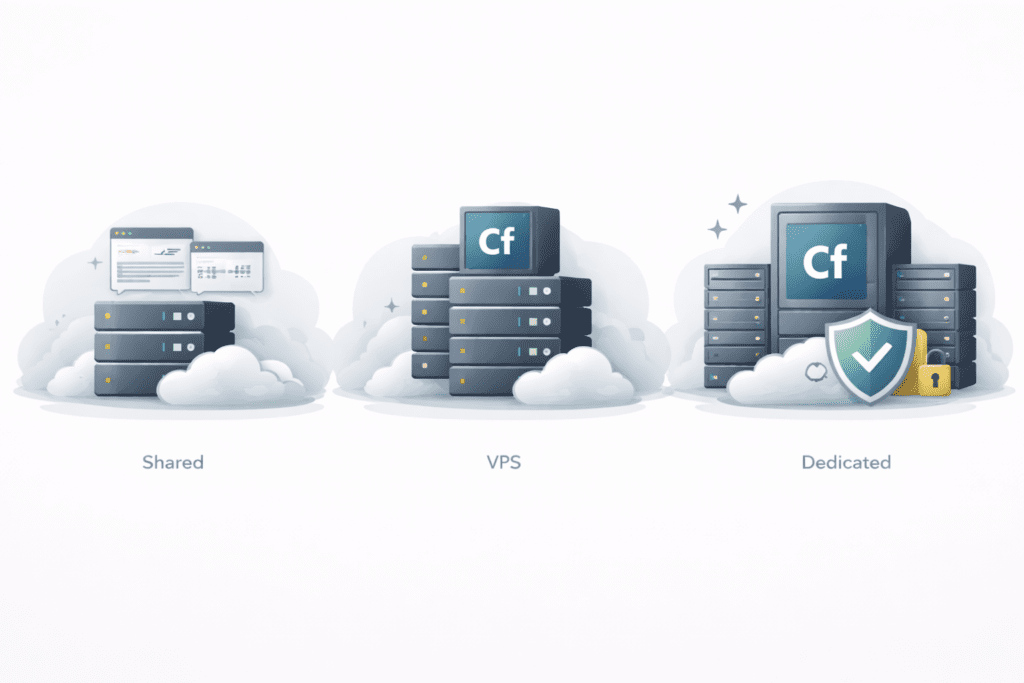
ColdFusion hosting comes in several forms. Choosing the wrong one is a common beginner mistake.
Shared ColdFusion hosting: multiple sites share one server. It’s cheaper and easier to manage, but resources are limited. This works for low traffic apps or testing environments.
VPS ColdFusion hosting: a virtual server with dedicated resources. It offers better performance and more control without the cost of dedicated servers.
Dedicated ColdFusion hosting: one server, one customer. This setup is powerful but expensive. It’s usually overkill for beginners unless the application is mission critical.
Managed vs unmanaged: managed ColdFusion hosting handles updates, security, and server maintenance. Unmanaged plans expect technical skills. Beginners usually do better with managed options.
For small US based projects, a managed VPS often hits the right balance between control and simplicity.
Is ColdFusion Hosting Expensive? Real Cost Breakdown
ColdFusion hosting can cost more than standard web hosting. That part is true. The reason isn’t the server itself. It’s licensing and maintenance.
Adobe ColdFusion requires paid licenses. Lucee does not. Server resources also matter. ColdFusion applications often need more memory and CPU than basic PHP sites.
Here’s a simple comparison. A basic shared hosting plan might cost a few dollars a month. A reliable ColdFusion hosting plan can cost several times more, especially with managed support included.
Is it always expensive? Not necessarily. Costs depend on:
• ColdFusion version used
• Server resources required
• Hosting type chosen
• Level of management included
If ColdFusion is critical to your application, the cost is usually justified. Paying less often leads to performance problems or downtime later.
8 Best ColdFusion Hosting Providers in 2026
Below are ColdFusion hosting providers that consistently show up as reliable options for US based websites and applications. Each provider follows the same structure so comparisons stay clear and practical.
1. Hostek ColdFusion Hosting

Hostek is well known in the ColdFusion community and focuses heavily on managed environments. It’s often chosen by businesses that want stability without handling server management themselves.
Supported ColdFusion versions include Adobe ColdFusion and Lucee, with multiple version options depending on the hosting plan.
Server options include shared hosting, VPS hosting, and dedicated servers. Most beginners start with managed VPS setups.
Key features:
• Managed ColdFusion servers
• Windows and Linux based options
• Strong uptime record
• Built-in backup systems
• Control panel access
Pros:
• Excellent customer support with ColdFusion experience
• Managed setup reduces technical work
• Reliable performance and security
Cons:
• Higher cost than basic web hosting
• Not ideal for very small budgets
Pricing overview: pricing varies by server size and licensing level.
Best for: businesses and agencies that want managed ColdFusion hosting with minimal operational risk.
If Hostek fits your requirements, you can review current plans directly on Hostek to confirm supported versions and pricing.
2. Liquid Web ColdFusion Hosting

Liquid Web is known for high-performance hosting solutions and enterprise-level infrastructure. ColdFusion support is offered through custom server configurations rather than entry-level plans.
Adobe ColdFusion can be installed on optimized servers designed for performance and reliability.
Server type: VPS hosting and dedicated servers.
Key features:
• High-performance server hardware
• Strong uptime guarantees
• Advanced security features
• Managed server options
• Around-the-clock support
Pros:
• Very reliable infrastructure
• Fast response time
• Good scalability
Cons:
• No shared ColdFusion hosting
• Higher starting cost
Pricing overview: pricing reflects enterprise-grade hosting services.
Best for: growing ColdFusion applications that need performance and dedicated resources.
Because ColdFusion setups are often customized, reviewing available server configurations on Liquid Web helps clarify pricing and performance options.
3. CFDynamics ColdFusion Hosting

CFDynamics focuses specifically on ColdFusion hosting and related technology solutions. It’s a niche provider, but that specialization is exactly why many teams choose it.
They offer managed ColdFusion servers with attention to performance and long-term stability, especially for legacy applications.
Supported ColdFusion versions: Adobe ColdFusion and Lucee.
Server type: VPS hosting and dedicated server hosting.
Key features:
• Managed ColdFusion environments
• Optimized server configurations
• Backup and monitoring included
• Windows hosting support
Pros:
• Deep ColdFusion expertise
• Suitable for complex applications
• Stable hosting experience
Cons:
• Fewer entry-level options
• Limited brand visibility outside ColdFusion users
Pricing overview: depends on server configuration and licensing needs.
Best for: teams maintaining older ColdFusion applications that require careful handling.
If you’re maintaining legacy ColdFusion applications, reviewing current server options on CFDynamics can help confirm compatibility.
4. HostMySite ColdFusion Hosting

HostMySite has offered ColdFusion hosting for many years and focuses primarily on Windows based environments.
It supports Adobe ColdFusion on Windows servers and provides managed hosting packages aimed at business users.
Server type: shared hosting, VPS hosting, and dedicated servers.
Key features:
• Windows hosting specialization
• Managed ColdFusion services
• Control panel access
• Backup and security tools
Pros:
• Long history with ColdFusion servers
• Multiple hosting package options
• Beginner-friendly management
Cons:
• Interface feels dated
• Performance depends on plan tier
Pricing overview: mid-range pricing compared to other ColdFusion hosting providers.
Best for: small to mid-sized US businesses running Windows-based ColdFusion applications.
You can explore Windows-based ColdFusion plans on HostMySite to see which tier fits your workload.
5. AccuWeb ColdFusion Hosting
AccuWeb offers flexible hosting plans that can support ColdFusion when properly configured. It works well for beginners who want options without jumping into enterprise pricing.
Supported ColdFusion versions: Adobe ColdFusion and Lucee
Server type: shared hosting, VPS hosting, and dedicated servers
Key features:
• Windows and Linux based hosting options
• Custom resource configurations
• Control panel access with backups
• Consistent uptime performance
Pros:
• Flexible plan choices
• Clear pricing structure
• Suitable for small to mid-size applications
Cons:
• ColdFusion support may require manual setup requests
• Less hands-on management compared to premium hosts
Pricing overview: depends on selected resources and ColdFusion version.
Best for: users who want flexibility across hosting types.
If flexibility matters most, comparing current configurations on AccuWeb can help narrow down your choice.
6. InterServer ColdFusion Hosting

InterServer supports ColdFusion mainly through customizable VPS environments. It’s often used by developers who prefer hands-on control.
Supported ColdFusion versions: Lucee by default, with configurable Adobe ColdFusion setups
Server type: VPS hosting
Key features:
• Affordable VPS packages
• Scalable server resources
• Root access
• Flexible configurations
Pros:
• Cost-effective VPS hosting
• Developer-friendly setup
• Easy scaling
Cons:
• Not beginner-oriented
• Requires server management skills
Pricing overview: competitive VPS pricing.
Best for: developers comfortable managing ColdFusion environments themselves.
Developers comfortable managing VPS environments may want to review available plans on InterServer.
7. VPSie ColdFusion Hosting

VPSie is a virtual server provider that allows ColdFusion setups through manual installation. It’s focused on infrastructure rather than application-specific hosting.
Supported ColdFusion versions: Adobe ColdFusion and Lucee with custom installs
Server type: VPS hosting
Key features:
• Virtual server flexibility
• Root access and optional control panels
• Scalable resources
Pros:
• Strong performance potential
• Custom environment control
Cons:
• No preconfigured ColdFusion support
• Requires setup experience
Pricing overview: budget-friendly VPS pricing.
Best for: experienced users building custom ColdFusion environments.
For custom infrastructure builds, checking VPS options on VPSie provides a clearer picture of available resources.
8. ServerHub ColdFusion Hosting

ServerHub focuses on managed servers with custom configurations. It’s designed for businesses that want performance and support handled professionally.
Supported ColdFusion versions: Adobe ColdFusion and Lucee
Server type: VPS hosting and dedicated servers
Key features:
• Managed ColdFusion environments
• SSD storage and optimized performance
• Professional support
Pros:
• Strong customer support
• Managed server setup
• Reliable hosting solutions
Cons:
• Higher pricing
• No shared hosting plans
Pricing overview: premium managed hosting pricing.
Best for: businesses that want stability without managing servers.
Businesses looking for managed performance can review ColdFusion-ready server plans on ServerHub.
ColdFusion Hosting Comparison Table
| Hosting provider | Supported versions | Hosting type | Server OS | Performance | Security | Starting price | Best use case |
|---|---|---|---|---|---|---|---|
| Hostek | Adobe, Lucee | Shared, VPS, Dedicated | Windows/Linux | Optimized servers | Backups | Mid-high | Managed hosting |
| Liquid Web | Adobe | VPS, Dedicated | Windows/Linux | High performance | Advanced | High | Enterprise |
| CFDynamics | Adobe, Lucee | VPS, Dedicated | Windows | Optimized | Monitoring | Mid | Legacy apps |
| HostMySite | Adobe | Shared, VPS, Dedicated | Windows | Stable | Backup tools | Mid | Small businesses |
| AccuWeb | Adobe, Lucee | Shared, VPS, Dedicated | Windows/Linux | Good uptime | Backups | Mid | Flexible plans |
| InterServer | Lucee | VPS | Linux | Scalable | Config-based | Low-mid | Developers |
| VPSie | Adobe, Lucee | VPS | Linux | Custom | Config-based | Low | Custom setups |
| ServerHub | Adobe, Lucee | VPS, Dedicated | Windows/Linux | Managed | Pro support | High | Managed solutions |
If two or three providers stand out to you, reviewing their official plans side by side helps confirm which one matches your application requirements.
How to Choose the Right ColdFusion Hosting
Step 1: identify the ColdFusion version your application needs
Step 2: select shared, VPS, or dedicated hosting
Step 3: choose between Windows and Linux servers
Step 4: check uptime guarantees and performance limits
Step 5: review security, updates, and backups
Step 6: compare pricing and scalability
Step 7: review official plans before committing
Common Mistakes Beginners Make with ColdFusion Hosting
• Using standard web hosting that doesn’t support ColdFusion
• Choosing outdated ColdFusion versions
• Ignoring operating system compatibility
• Selecting unmanaged hosting without technical skills
• Overlooking updates and security
• Choosing based only on price
ColdFusion Hosting vs Other Hosting Options
ColdFusion hosting differs from PHP hosting, which is widely supported on basic shared hosting plans. ColdFusion requires specific server setups.
Compared to Java hosting, ColdFusion offers faster development but fewer hosting options. Dedicated servers provide full control but higher costs.
For basic sites, shared web hosting works fine. For CFML applications, ColdFusion hosting is required.
FAQs About ColdFusion Hosting
What is ColdFusion hosting?
ColdFusion hosting supports CFML by running ColdFusion servers.
Is ColdFusion hosting still relevant in 2026?
Yes. Many business applications still rely on it.
Which hosting providers support ColdFusion hosting?
Several managed and VPS-based providers offer ColdFusion support.
Is ColdFusion hosting beginner-friendly?
Managed plans are easier for beginners than unmanaged setups.
What ColdFusion versions are supported?
Most providers support modern Adobe ColdFusion and Lucee versions.
Is ColdFusion hosting more expensive than regular hosting?
Usually, yes, due to licensing and server requirements.
Can ColdFusion hosting run on Linux servers?
Yes, especially when using Lucee.
Is ColdFusion hosting secure?
Security depends on updates, backups, and server management.
Do I need VPS or dedicated servers?
Most stable applications perform better on VPS or dedicated setups.
How do I choose the best ColdFusion hosting provider?
Match your application needs with support quality, performance, and pricing.
What is ColdFusion web hosting and how does it differ from other hosting service?
ColdFusion web hosting runs sites built with Adobe ColdFusion. It is like other hosting but adds the ColdFusion engine so CFML code runs. You can pick shared hosting, vps hosting, or dedicated server hosting depending on your site size and hosting needs.
Can I use ColdFusion with Windows hosting and Windows and Linux-based systems?
ColdFusion typically works best on Windows hosting, but you can also run CF apps on Linux with special support. Many hosting partners offer ColdFusion Windows hosting and can help move your entire website to the right server type.
ColdFusion shared hosting puts many sites on one server to save cost, while ColdFusion VPS hosting gives you a virtual server with more control, disk space, and a dedicated ip. VPS is better if you need more power or plan for ColdFusion growth.
How much disk space and database support do I need for a ColdFusion site?
Disk space needs depend on files and uploads. Most basic sites need a few GB. For databases, ColdFusion can use MySQL or other databases. Check your hosting plan for database limits and whether hosting accounts include mysql access.
Do hosting packages for ColdFusion include a control panel and free SSL?
Many plans include a control panel to manage files, emails, and databases and they may offer free ssl so your site is secure. If you need a custom setup, ask the provider if the control panel supports ColdFusion features and easy SSL setup.
Is dedicated server hosting or reseller hosting better for agencies or ColdFusion developers?
If you are an agency or ColdFusion developers who manage many client sites, reseller hosting can be good for selling hosting accounts. For high traffic or special performance needs, dedicated server hosting or a coldfusion vps hosting solution gives more power and control.
How reliable is ColdFusion hosting and what uptime can I expect like 99.999?
Top hosting providers aim for high uptime, sometimes advertising 99.999% reliability. Real uptime depends on the host, hardware, and support. Choose a provider with excellent customer service and clear uptime guarantees to ensure your website stays online.
Can I get a free domain or dedicated IP with ColdFusion web hosting plans?
Some hosts include a free domain or dedicated ip with certain plans. Check the details for each plan for coldfusion shared hosting or coldFusion vps hosting to see what is bundled, such as free domain registration or a dedicated ip address.
How do I move an existing ColdFusion site to a new host and what about submitting support tickets?
Move your files, database, and settings to the new host. Good hosts help with migration and let you submit support tickets or contact support for help. Look for hosting partners who offer migration help and clear steps to transfer the entire website.
Can ColdFusion hosting work with other web development tools like Ruby on Rails or CFML frameworks such as ColdFusion 8 apps?
ColdFusion hosting focuses on CFML apps, including older versions like ColdFusion 8, but many hosts also support other web development tools. If you need Ruby on Rails or mixed stacks, confirm the host supports windows and linux-based environments or offers separate servers for those technologies.
Can You Migrate ColdFusion Applications Between Hosts?
Migration is usually possible, but version compatibility and server configuration matter. Some providers assist with transfers, while others expect manual setup.
Final Verdict: Best ColdFusion Hosting Providers to Use in 2026
ColdFusion hosting remains important for CFML-based applications. The right hosting provider improves stability, security, and uptime.
Hostek and Liquid Web stand out for reliability and support. HostMySite and AccuWeb are easier entry points for beginners. For larger applications, managed VPS or dedicated setups offer better long-term stability.
If you’re ready to move forward, reviewing official plan details for Hostek or Liquid Web is a practical next step before making a final decision