You finally decide to start a website, search for WordPress hosting, and DreamHost keeps appearing as one of the top suggestions. It feels simple, affordable, and beginner-friendly, which is exactly what most first-time site owners want.
This DreamHost Review looks at what the platform actually offers in 2026, what beginners should know before choosing it, and whether it’s really a good fit for simple WordPress and small business websites.
Quick Recommendation: DreamHost Review Snapshot
Best for: Beginners who want simple WordPress hosting with low setup effort
Not for: Users who need advanced performance or premium support
One-line verdict: DreamHost is easy and affordable, but not the fastest host.
A typical beginner might spend around $35 to $60 in the first year on DreamHost for basic WordPress hosting, depending on the plan and renewal terms.
What Is DreamHost? (Beginner-Friendly Explanation)
DreamHost is a long-running web host that focuses heavily on WordPress and beginner-friendly hosting. It’s one of the hosting companies officially recommended by WordPress, which is a big reason it’s trusted by new users.
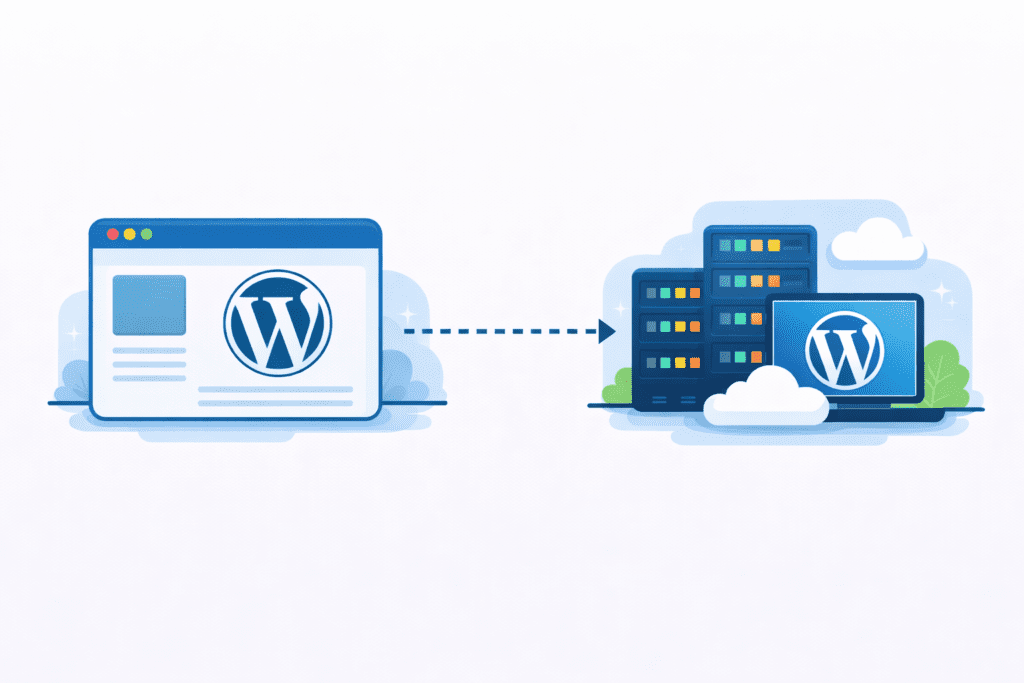
In simple terms, DreamHost lets you buy a hosting plan, install WordPress, and manage your site from one custom dashboard called the DreamHost panel. You don’t need to touch complicated server settings to get started.
DreamHost offers shared hosting, managed WordPress hosting through DreamPress, VPS hosting, and dedicated hosting. Most beginners only use shared hosting or a DreamPress plan.
The main difference between shared hosting and managed WordPress hosting is responsibility. Shared hosting gives you more control but requires manual updates. Managed hosting means DreamHost takes care of the technical aspects of WordPress for you.
Personally, I think DreamHost’s biggest strength is how little effort it takes to get started with WordPress.
Why DreamHost Is Still Important in 2026
DreamHost has evolved from a basic hosting provider into a WordPress-focused hosting platform.

In 2026, WordPress still powers a massive part of the web, and hosting for WordPress matters more than ever. People don’t just want a website. They want something that works without constant maintenance.
DreamHost stands out because it focuses on simplicity instead of performance extremes. It doesn’t try to compete with premium hosts on speed or enterprise tools.
Compared to budget hosts, DreamHost feels more stable and transparent. Compared to premium hosts, it feels more affordable and less complex.
DreamHost isn’t trying to be everything. It’s trying to be the easiest way for beginners to run a WordPress site without learning technical hosting.
That’s why it still stays relevant in 2026, especially for bloggers, first-time site owners, and small business users who just want something that works.
Key Features to Consider in This DreamHost Review
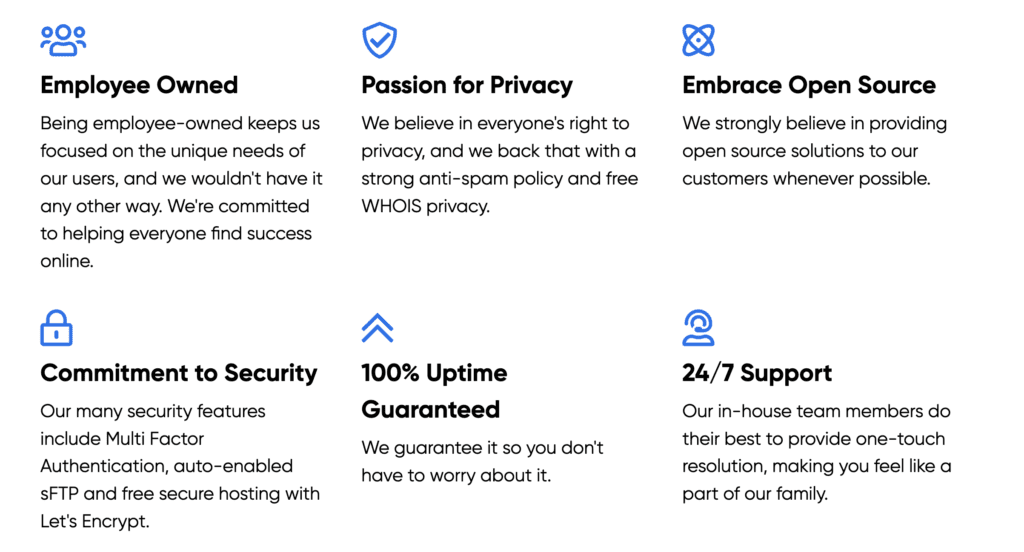
This section focuses on the real things that affect daily use, not marketing promises. These are the features that actually shape how easy or frustrating your hosting experience will feel.
1. WordPress-Friendly Setup
DreamHost is clearly built around WordPress.
You can install WordPress in one click, and in most cases it comes as pre-installed WordPress when you buy certain plans. That removes a lot of setup steps for beginners.
DreamHost also handles automatic updates on managed plans, so you don’t have to worry about core WordPress files breaking.
For people who want to get started with WordPress without touching technical settings, this is one of DreamHost’s biggest strengths.
2. Hosting Performance and Speed
Performance on DreamHost is average.
It uses SSD storage and basic optimization, but it’s not a high-performance hosting platform.
Pages load fast enough for blogs and simple business sites, but you won’t get the same speed as premium or cloud-based hosts.
In real-world use, DreamHost feels stable, but not especially fast.
That’s fine for most beginners. But if speed is your top priority, this might feel limiting later.
3. Ease of Use for Beginners
DreamHost doesn’t use cPanel.
Instead, it uses a custom control panel called the DreamHost panel.
Some users like it because it’s simple. Others find it confusing at first because it’s different from what most hosting companies use.
Personally, I think it’s easier once you get used to it, but the first day can feel slightly awkward.
After that, managing your hosting account, domains, and WordPress becomes straightforward.
4. Customer Support Quality
DreamHost offers live chat and ticket support.
There’s no phone support, which some people still expect.
Support is generally helpful, but not instant. Live chat can have wait times during busy hours.
For basic issues like WordPress setup or domain problems, support works fine.
For urgent problems, the lack of phone support can feel frustrating.
5. Security and Backups
DreamHost includes free SSL on all plans, which means your site is encrypted by default.
You also get basic backup features, but full automated backups depend on your plan.
Cheaper plans require manual backups, which beginners often forget.
This is one area where DreamHost is safe, but not generous.
Security is solid. Backup convenience is average.
6. Scalability and Growth
DreamHost supports growth, but slowly.
You can upgrade from shared hosting to VPS hosting or dedicated hosting, but the process isn’t as smooth as some modern platforms.
DreamPress is better for growing WordPress sites, but it’s still limited compared to high-end managed hosting.
DreamHost works best for small projects that grow steadily, not for fast-scaling businesses.
So what does this mean in real life?
DreamHost is strong at making WordPress easy.
It’s decent at performance.
It’s average at support and backups.
If your goal is simplicity over power, DreamHost fits well.
If your goal is speed, automation, and premium tools, you may outgrow it.
DreamHost Pricing & Renewal Costs
Pricing is one of the main reasons people choose DreamHost in the first place. It’s positioned as an affordable hosting provider, especially for WordPress users who don’t want complex plans.
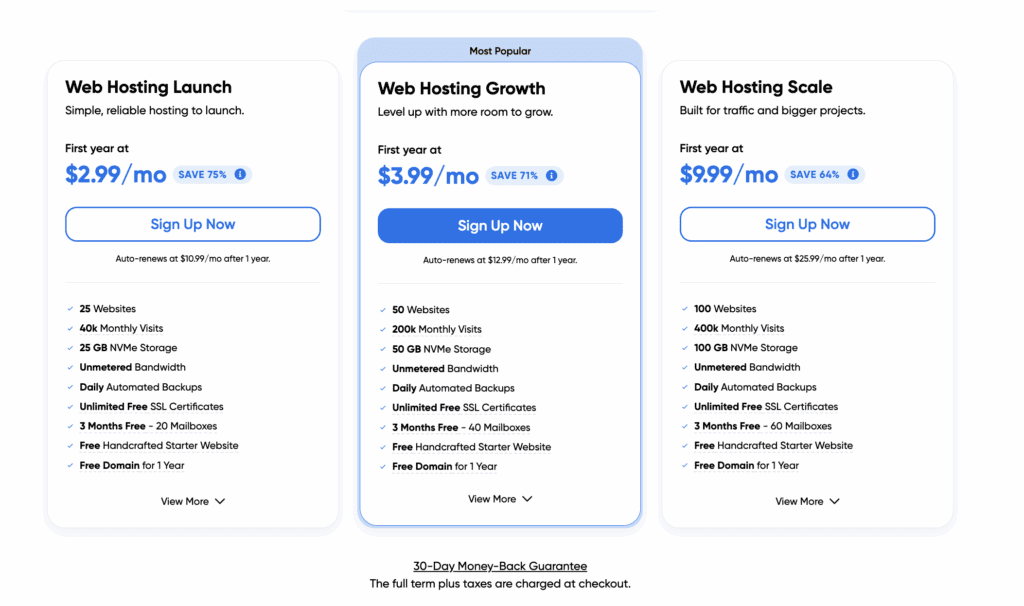
All DreamHost pricing and features are accurate at the time of writing. Please visit DreamHost.com for the latest plans and offers.
Intro Pricing vs Real Long-Term Cost
DreamHost usually offers low intro prices on its entry plans. The first year often feels very budget-friendly.
But like most hosting companies, renewal prices are higher after the initial term.
That doesn’t mean DreamHost becomes expensive. It just moves closer to standard market pricing.
So the first year feels cheap. The second year feels normal.
This is important for beginners who plan to keep their website long-term.
Renewal Price Differences Across Plans
Renewal pricing depends on which hosting plan you choose.
Shared hosting renews lower than DreamPress plans.
DreamPress costs more because it includes managed WordPress features, better performance, and automation.
VPS hosting and dedicated hosting renew at much higher rates, but those plans target advanced users.
In general, DreamHost’s renewals are still lower than many premium hosts, but higher than ultra-budget platforms.
Add-Ons and Hidden Fees
DreamHost keeps add-ons fairly simple.
You may pay extra for advanced backups, premium email, or higher performance features.
But most essential tools are already included.
You don’t feel forced to add ten extras just to make your site work.
Personally, I think DreamHost’s pricing feels more transparent than many hosting platforms.
Types of DreamHost Plans Beginners Can Choose From
DreamHost offers several plans, but beginners usually only need to consider a few.
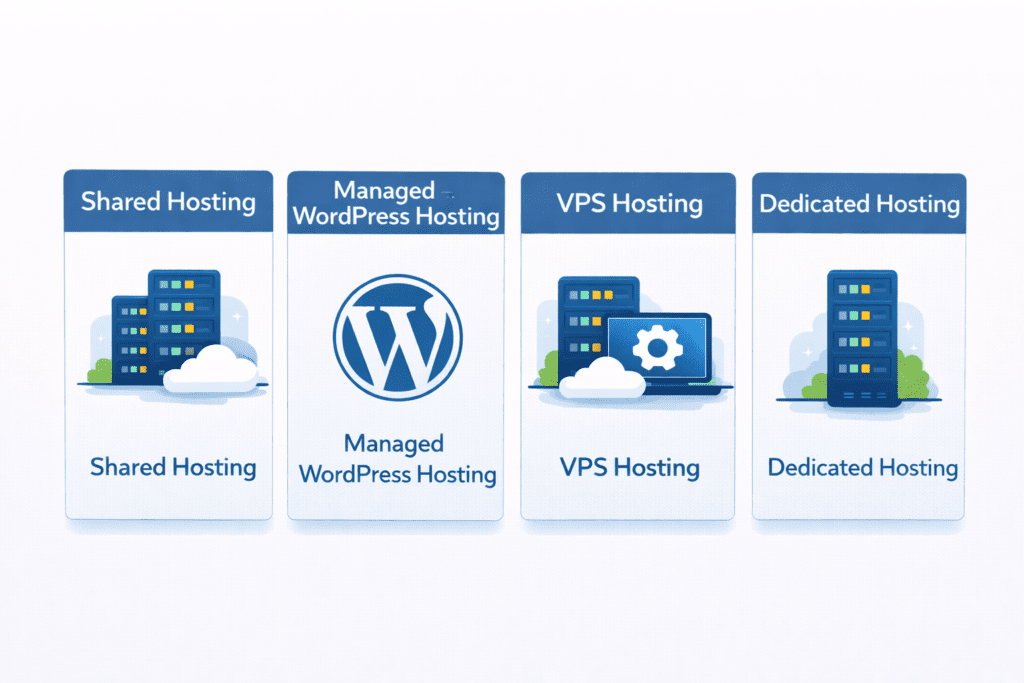
This is the cheapest option.
Shared hosting means your site shares resources with other websites on the same server.
It’s fine for blogs, portfolios, and small business sites with low traffic.
Performance is stable, but limited.
DreamHost Managed WordPress Hosting (DreamPress)
DreamPress is DreamHost’s managed WordPress solution.
WordPress is pre-installed, updates are automatic, and performance is optimized.
This is more expensive than shared hosting, but saves time and effort.
DreamPress works well for people who want WordPress without technical maintenance.
DreamHost VPS Hosting
VPS hosting gives you more power.
You get a virtual server with dedicated resources, which improves speed and stability.
It’s better for growing sites, but requires more technical knowledge.
DreamHost Dedicated Hosting
Dedicated hosting gives you an entire server.
This is the most expensive option and is meant for high-traffic sites or advanced applications.
Most beginners never need this.
So what’s the real takeaway?
DreamHost is affordable for basic hosting and WordPress projects.
It’s not the cheapest platform long-term, but it offers good value for users who want simplicity without premium pricing.
DreamHost Review: Plan-by-Plan Breakdown (2026)
This section looks at how each major DreamHost plan works in real use. Not just features on paper, but what beginners are likely to experience after signing up.
Overview
DreamHost shared hosting is the entry-level option and the most common starting point.
With shared hosting, your wordpress site runs on the same server as other websites. You share resources, which keeps costs low but limits performance.
This is meant for simple blogs, portfolios, and small business sites that don’t expect heavy traffic.
Key Features
Shared hosting includes a free domain for the first year, free SSL, basic email, and access to the DreamHost panel.
You also get unlimited traffic in theory, but in practice, performance depends on how many other sites are using the same resources.
It’s a basic hosting package, but enough for getting started.
Pros
- Very affordable entry price
- Free SSL included
- Easy WordPress setup
- Good for first-time users
Cons
- Average performance
- Limited control
- No cPanel
- Not ideal for growth
Who It’s Best For
Best for beginners who want the cheapest way to launch a wordpress website and don’t care much about speed or advanced features.
DreamHost Managed WordPress Hosting (DreamPress)
Overview
DreamPress is DreamHost’s managed WordPress solution.
This plan is built specifically for people who want WordPress without handling technical tasks.
DreamHost manages updates, security, and performance for you.
Key Features
DreamPress includes built-in caching, automatic updates, daily backups, and a free SSL certificate.
Every DreamPress plan is optimized for WordPress and includes tools that reduce maintenance.
It’s designed to help you manage your wordpress site without worrying about the backend.
Pros
- Fully managed environment
- Better performance than shared hosting
- Automatic backups
- Good for non-technical users
Cons
- More expensive than shared hosting
- Still not the fastest host
- Less flexibility for developers
Who It’s Best For
Best for beginners who want WordPress to “just work” and don’t want to deal with updates, security, or performance tuning.
This is ideal for bloggers, creators, and simple business sites.
DreamHost VPS Hosting
Overview
VPS hosting is for users who outgrow basic plans.
You get a virtual private server with dedicated resources.
That means better performance, more control, and more responsibility.
Key Features
VPS hosting gives you isolated resources, root access, and more customization options.
You can run more complex websites, custom apps, or high-traffic WordPress setups.
It’s closer to professional hosting than beginner hosting.
Pros
- Better speed and stability
- More control over settings
- Suitable for growing sites
- Scalable
Cons
- Higher cost
- Requires technical knowledge
- Overkill for small sites
Who It’s Best For
Best for growing businesses, developers, or users who need more than what shared or DreamPress can offer.
So what’s the honest picture?
DreamHost shared hosting is cheap and simple.
DreamPress is convenient and beginner-friendly.
VPS hosting is powerful but technical.
DreamHost works best for users who value simplicity first and upgrade slowly over time.
DreamHost Review Comparison Table
This is where DreamHost’s position becomes clearer. On its own, it feels simple and affordable. But once you compare it with other popular hosting providers, you can see what it does well and where it feels limited.
Here’s a beginner-focused comparison based on the things people usually care about most.
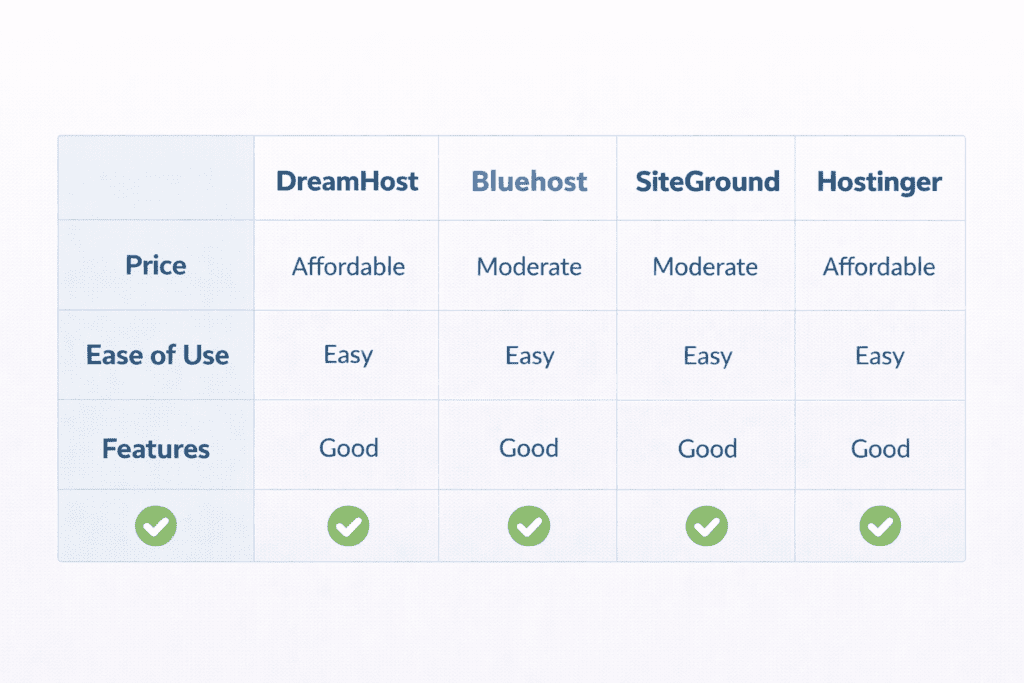
| Feature | DreamHost | Bluehost | SiteGround | Hostinger |
|---|---|---|---|---|
| Starting price | $2.59 | $2.95 | $3.99 | $1.99 |
| Renewal price | $5.99 | $9.99 | $14.99 | $7.99 |
| Performance | Average | Good | Very good | Average |
| Support quality | Good | Good | Excellent | Fair |
| Best use case | Simple WordPress | Beginner WordPress | Performance sites | Budget blogs |
These numbers aren’t fixed forever, but they reflect how each brand generally positions itself in the US market.
DreamHost focuses on simplicity and WordPress.
Bluehost focuses on beginner onboarding.
SiteGround focuses on performance and support.
Hostinger focuses on low pricing.
DreamHost vs Bluehost
This is one of the most common comparisons.
Both DreamHost and Bluehost are popular with beginners and WordPress users.
Bluehost feels more guided. It holds your hand through setup and uses a more traditional dashboard.
DreamHost feels cleaner, but also more bare. You get fewer tools, fewer upsells, and fewer distractions.
Performance is similar, but Bluehost often feels slightly faster on heavier sites.
If you want guidance and structure, Bluehost feels easier.
If you want simplicity and less clutter, DreamHost feels calmer.
DreamHost vs SiteGround
SiteGround plays in a different category.
It’s more expensive, but also more powerful.
Performance is noticeably better. Support is faster and more technical.
DreamHost feels lightweight compared to SiteGround.
If you’re running a serious business site, SiteGround usually makes more sense.
If you’re running a personal site or small blog, DreamHost is usually enough.
DreamHost vs Hostinger
This is mostly about price.
Hostinger usually wins on cost. It’s often the cheapest option on the list.
DreamHost costs more, but offers better WordPress tools and a longer money-back guarantee.
Hostinger feels more generic. DreamHost feels more WordPress-focused.
If your only goal is saving money, Hostinger wins.
If your goal is easy WordPress hosting, DreamHost feels more natural.
What This Means in Real Life
Here’s the honest takeaway.
DreamHost isn’t trying to be the fastest or the most powerful host.
It’s trying to be the easiest.
For beginners who want WordPress without complexity, DreamHost makes sense.
For users who want performance, support depth, or advanced tools, other hosts may fit better.
Before choosing, ask yourself one simple question:
Do you want easy and simple, or fast and powerful?
Your answer usually points to the right host.
How to Decide If DreamHost Is Right for You (Step-by-Step)
Choosing a hosting provider isn’t about picking the most famous name. It’s about choosing something that fits how you actually plan to use your site.
Step 1: Define Your Website Goal
Start with what you’re building.
Is it a blog, a portfolio, a small business site, or something more serious?
DreamHost works best for simple WordPress projects. If your goal is a content site or a basic business site, it fits well.
If you’re building something complex or traffic-heavy, it may feel limiting later.
Step 2: Choose Hosting Type
DreamHost offers different plans, but most beginners only need two.
Shared hosting is enough for personal blogs and simple sites.
DreamPress is better if you want WordPress with less maintenance and fewer technical steps.
VPS and dedicated plans exist, but they’re not beginner-friendly.
Step 3: Set a Real Budget
The first year on DreamHost usually feels cheap.
The second year is more realistic.
It’s not overpriced, but it’s not ultra-budget either.
If you’re planning long-term, always look at renewal pricing, not just intro deals.
Step 4: Compare Competitors
Before committing, compare at least one alternative.
Bluehost, SiteGround, and Hostinger all offer different strengths.
This helps you understand what DreamHost is good at and what it doesn’t try to compete with.
Once you compare, your decision feels more grounded.
Step 5: Buy Only What You Need
DreamHost offers add-ons like premium email, backups, and performance upgrades.
Some are useful. Many are optional.
Personally, I think beginners should start with the base plan and upgrade only if something becomes necessary.
DreamHost Refund, Cancellation & Money-Back Policy
DreamHost offers one of the longest refund periods in hosting.
You get a 97-day money-back guarantee on shared hosting and DreamPress plans.
That’s over three months to test the service.
If you cancel within that window, you can get a refund on hosting fees.
Domain fees and add-ons usually aren’t refundable.
The cancellation process is simple and handled from your account dashboard.
No phone calls. No pressure.
Common Beginner Mistakes When Buying DreamHost
One common mistake is choosing the wrong plan.
Some users pick shared hosting when they really want managed WordPress.
Others buy DreamPress without needing the extra features.
Another mistake is ignoring renewal pricing.
The first year feels cheap. The second year feels different.
Overloading WordPress with too many plugins is also common.
People install everything and then wonder why the site feels slow.
Skipping backups is another issue.
Even simple sites should have a backup plan.
DreamHost Review – Dedicated Pros & Cons (Summary)
Pros
- Very beginner-friendly
- Strong WordPress support
- Free SSL included
- Long money-back guarantee
Cons
- Average performance
- No phone support
- Custom control panel instead of cPanel
- Limited advanced features
Frequently Asked Questions About DreamHost Review
Is this DreamHost Review honest for beginners?
Yes. It focuses on real expectations instead of marketing promises.
Is DreamHost worth it in 2026?
It’s worth it if your goal is simple WordPress hosting with low setup effort.
How much does DreamHost cost after the first year?
Renewal prices are higher than the intro deal but still affordable.
Is DreamHost good for WordPress websites?
Yes. WordPress is DreamHost’s strongest area.
Is DreamHost hosting fast enough?
It’s fast enough for small sites. Not ideal for high-performance needs.
Does DreamHost include free SSL?
Yes. Free SSL is included on all plans.
Can I upgrade my DreamHost plan later?
Yes. You can move from shared to DreamPress or VPS anytime.
8. Is DreamHost better than Bluehost?
DreamHost is simpler. Bluehost feels more guided. It depends on your style.
Is DreamHost Review reliable for buying decisions?
It’s reliable if you understand your own needs first.
Who should avoid DreamHost in 2026?
People who want premium performance, phone support, or advanced hosting tools.
Final Verdict: DreamHost Review 2026 – Is It Worth It?
DreamHost is best for beginners who want WordPress without complexity.

It doesn’t try to be the fastest or the most powerful host.
It tries to be the easiest.
If your priority is getting online quickly with minimal effort, DreamHost makes sense.
If your priority is performance, scaling, or business-critical reliability, you’ll probably outgrow it.
Bottom line?
DreamHost is a solid starting point. Just don’t expect it to be your final destination if your site grows big.