
When I first started learning about websites, this part confused me too. I kept seeing the term web host everywhere – tutorials, YouTube videos, even checkout pages when buying a domain name. In the US especially, people usually hear about web hosting the moment they try to make their website live or start an online project.
Here’s the thing. Most explanations online make this sound way more technical than it needs to be. That’s why beginners feel stuck before they even start.
So let’s keep it simple.
No developer language.
No unnecessary details.
Just the basics that actually matter.
By the end of this guide, you’ll understand why web hosting is essential, how hosting works behind the scenes, and how to choose the right web setup without stress. This guide is written for beginners who want clarity, not confusion.
What Is Web Hosting?
Web hosting means storing your website’s files online so people can access them using the internet. More clearly, web hosting is a service that keeps your website available 24/7 by placing it on a server.
A web host provides space on a server where your website content lives. This includes text, images, videos, and other elements that help make your website accessible to visitors. Without that space, your website simply cannot exist online.
Think of it this way. Your website is like a house. The domain name is the address people type in. The web host is the land the house sits on. Without land, the house has nowhere to stand. That’s why hosting is a service every website needs.

This setup allows visitors from the US or anywhere else to view your site when they open a browser and enter your web address.
Why a Website Cannot Exist Without Hosting
A website is not just an idea or a design. It’s a collection of files on a server. Those files must live somewhere, and that “somewhere” is provided by a web hosting service.
Behind the scenes, your website is stored on a physical server or a virtual server managed by hosting companies. When your site is live, these servers work constantly to deliver your content to users.
Without hosting:
- There’s no place to store website files
- Your domain name has nothing to connect to
- Visitors cannot reach your site
That’s why website hosting is not optional. It’s the foundation of everything else you build online.
How Web Hosting Works (Step-by-Step)
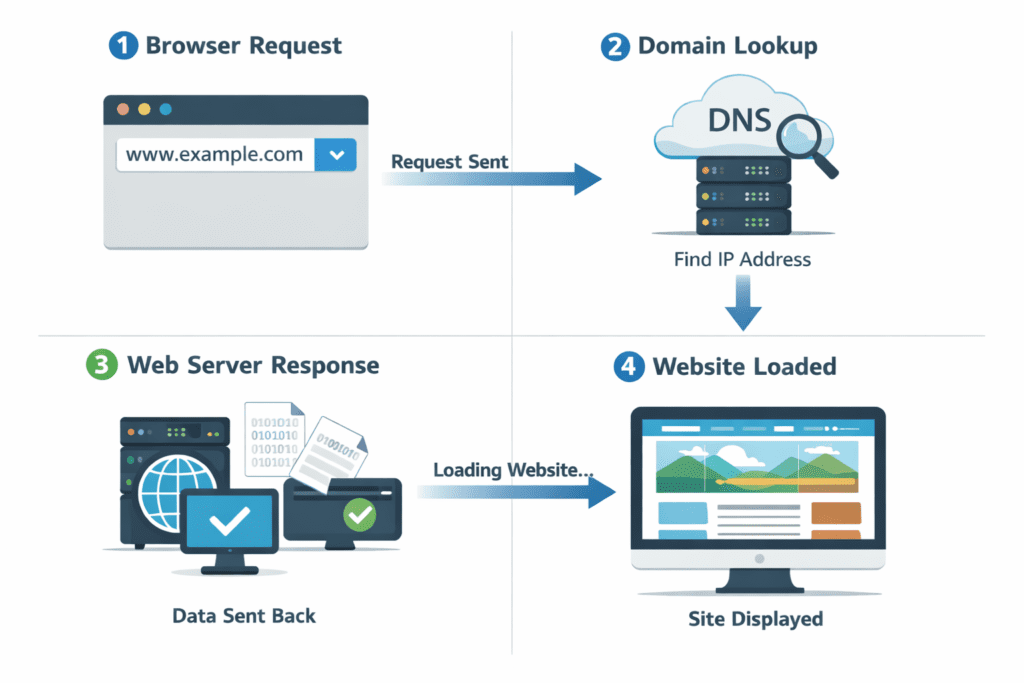
Here’s what actually happens when someone types your website URL into a browser:
First, the browser looks up your domain name.
Next, it finds the correct web server linked to that domain.
Then, the server retrieves your website files.
Finally, the browser displays the site on the screen.
In most cases, this entire process takes less than a second, but it depends on your hosting plan, bandwidth, and server resources.
This is where hosting quality matters. A slow or overloaded server can delay loading time. For US visitors, speed expectations are high. If a site takes too long, users usually leave.
This process explains how web hosting work behind the scenes. Hosting works quietly, but it plays a huge role in user experience.
The Role of Servers in Web Hosting
A server is a powerful computer designed to store and deliver website data. Unlike personal computers, servers stay online all the time. A web host manages these machines and keeps them running.

Some hosting setups use a single physical server, while others rely on multiple server systems working together. In both cases, proper server management ensures your site stays online and secure.
Your website doesn’t just sit there. The hosting environment actively responds every time someone visits your site. That’s why hosting gives reliability and access – even while you sleep.
Web Hosting vs Domain Name (Most Beginners Get This Wrong)
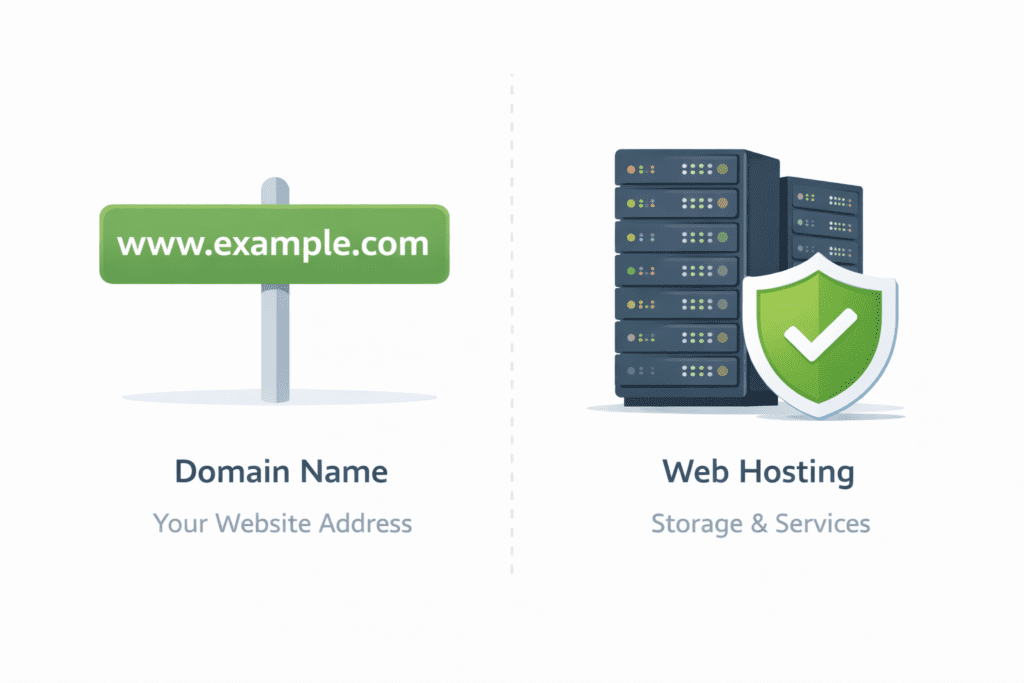
This is where most beginners in the US get confused.
A domain name is your website’s address, like a .com.
Web hosting is where your website files are stored.
You need both. Always.
This clears up the difference between web hosting and domains. Hosting and a domain name work together, but they serve different purposes. One points people to your site. The other stores the site itself.
Without hosting, a domain does nothing. Without a domain, hosting has no address.
Types of Web Hosting (Explained Without Tech Overload)

There are many types of web hosting services, but here’s the honest truth: most beginners don’t need to understand all of them on day one. Still, knowing the basics helps you avoid bad decisions later.
This is where people usually get overwhelmed. Personally, I think most beginners overthink this part. Let’s simplify it.
Shared hosting means your website lives on a server with many other websites. All those sites share the same server, including memory and processing power.
This type of hosting is usually chosen by:
- Bloggers
- Small business websites
- New projects
The biggest advantage is price. Shared hosting can start very cheap, which is why it’s popular in the US. Many hosting providers promote it as a beginner-friendly hosting option.
The downside? Since many sites use the same server resources, performance can slow down if another site gets heavy traffic. Still, for new sites, shared hosting is often enough.
VPS Hosting
VPS hosting is short for Virtual Private Server hosting. This setup uses a virtual private server created inside a larger machine.
Here’s the key difference:
You still share hardware, but your website runs on its own virtual server with allocated resources.
This matters because vps hosting gives you dedicated performance compared to shared setups. When traffic grows, people usually upgrade to VPS because it feels more stable.
For growing US-based websites, VPS hosting is often the middle ground between cost and performance.
Dedicated Hosting
With dedicated hosting, your website gets an entire dedicated server to itself. No sharing. No neighbors.
This hosting type is typically used by:
- Large businesses
- High-traffic platforms
- Custom web application setups
Dedicated hosting gives full control, but it’s not beginner-friendly. Dedicated hosting provides power most new sites don’t need. Also, dedicated hosting can cost significantly more than other hosting packages.
Honestly, most beginners should skip this at the start.
Cloud Hosting
Cloud hosting works differently. Instead of relying on one machine, it pulls resources from multiple systems. Cloud hosting uses a network of servers to keep websites online.
This is why many US companies prefer it. If traffic spikes, the system adjusts automatically. Many cloud hosting providers focus on flexibility and scalability.
This cloud-based web hosting setup is useful for sites that expect growth, but it’s not always the simplest choice for beginners.
What Is a Web Hosting Provider?
A web hosting provider is a company that owns or manages servers and rents out that space to website owners. In simple terms, hosting companies keep your site online.
Most hosting providers offer services like:
- Server space
- Security features
- Automatic backups
- Email hosting
- Customer support
A good web hosting service provider also helps with updates, monitoring, and uptime. For US-focused websites, choosing providers with US-based data centers and support usually makes things smoother.
What Do Hosting Providers Actually Do?
Behind the scenes, hosting companies handle a lot more than beginners realize.
They manage:
- Server management
- Hardware maintenance
- Network stability
- Security patches
A hosting company provides the technical foundation so you don’t have to worry about servers crashing or updates failing. This is why managed hosting exists – it removes complexity for site owners.
In short, hosting providers take care of the technical heavy lifting so you can focus on content or business.
How Much Does Web Hosting Cost in the US?
Let’s talk numbers, because this matters.
Typical web hosting costs in the US look like this:
- Beginner websites: $3–$10/month
- Growing sites: $10–$30/month
- High-traffic sites: $50+ per month

Cheap hosting isn’t always bad. This usually works fine for new sites, but there are exceptions. Renewal pricing is where many people get surprised, especially when hosting cost jumps after the first year.
Paid hosting generally performs better than free hosting, but price alone doesn’t tell the full story.
Why Cheap Hosting Isn’t Always a Bad Idea
Many beginners think they must buy the best web hosting right away. That’s not always true.
If you’re just starting out:
- Low traffic
- Simple content
- Small audience
Then basic hosting is often enough. Hosting is generally about matching your needs, not buying the biggest plan.
That said, extremely cheap or free hosting providers may limit bandwidth, display ads, or restrict control. So balance matters.
Hosting, Performance, and US Visitors
For US audiences, performance expectations are high. People expect fast-loading pages and minimal downtime.
Your hosting plan, server location, and bandwidth directly affect speed. That’s why many web owners prefer hosting that comes with US-based servers.
This is one reason hosting usually performs better when server locations match the target audience.
Do You Need Web Hosting? (Quick Real-World Scenarios)
This question comes up a lot, especially from beginners in the US. The answer depends on what you’re trying to do, but in most cases, hosting is required.
Here are some simple scenarios.
Bloggers
Yes. If you want to publish content and host a website that people can access anytime, hosting is necessary. Blogging platforms still rely on a web host behind the scenes.
Small Businesses
Yes. Business websites need reliable server uptime, security, and support. A proper web hosting service helps maintain credibility.
Online Stores
Absolutely yes. Online stores rely on stable server resources, strong security, and enough bandwidth to handle traffic and payments.
Portfolio Websites
Yes. Even simple portfolios need hosting to stay visible online and make your website accessible to potential clients.
In short, if you want people to visit your site online, hosting is not optional. These are basic hosting needs.
Common Web Hosting Mistakes Beginners Make (Very Important)
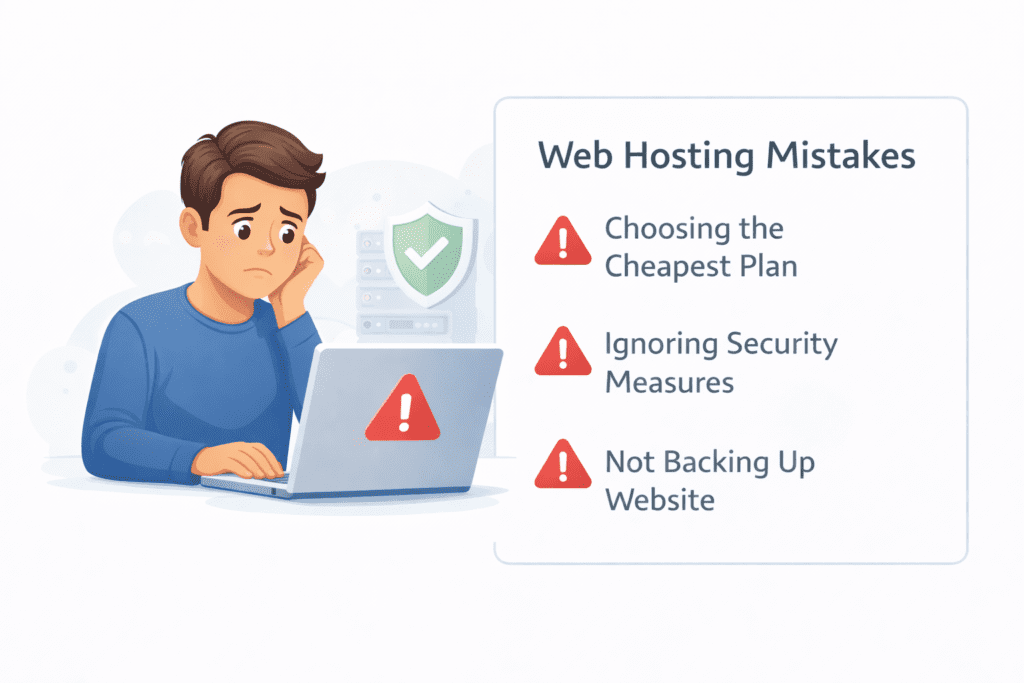
This section matters a lot for SEO and for real users. Most people don’t fail because hosting is complicated. They fail because they rush.
Here are the most common mistakes beginners make.
Choosing Only Based on Price
Many people go straight for the cheapest hosting plan without understanding what they’re getting. Cheap plans can work, but not all cheap plans are equal.
Ignoring Renewal Costs
Intro prices look great, but renewal web hosting costs are often higher. This catches many beginners off guard.
Buying Too Much Hosting Too Early
Some beginners jump straight into dedicated hosting or large hosting packages. Honestly, that’s unnecessary for most new sites.
Not Checking Server Location
If your audience is in the US, your web server should ideally be located there. Server location affects speed and user experience.
Picking the Wrong Hosting Type
There are different type of web hosting options for a reason. Choosing the wrong hosting type can limit growth or waste money.
These mistakes are avoidable if you slow down and understand what you’re buying.
Is Web Hosting the Same as Website Builders?
This is another common confusion point.
Web hosting and website builders are related, but they are not the same thing.
A website builder helps you design a site visually. Hosting is what keeps that site online. In many cases, builders include hosting, but web hosting is the service working underneath.
Here’s the simple way to look at it:
- Builders = design tools
- Hosting = infrastructure
They overlap, but they serve different roles. Hosting comes first. Builders come second.
Hosting vs Website Builders: When They Overlap (And When They Don’t)
Some platforms bundle everything together. Others don’t.
If you use a builder that includes hosting:
- You still rely on a hosting account
- Your site still lives on a server
- You still depend on the hosting environment
When they don’t overlap, you choose hosting separately and connect it to your builder or CMS. Both approaches work. It depends on what hosting you choose and how much control you want.
Free Hosting vs Paid Hosting (What Beginners Should Know)
Yes, free hosting exists. And yes, you can technically use it.
But here’s the honest take.
Free web hosting often comes with:
- Limited bandwidth
- Forced ads
- Weak server resources
- Fewer customization options
Paid hosting gives you more control, better support, and stability. For serious projects, paid hosting is usually the better long-term choice.
That’s why many people start small, then upgrade as their site grows.
FAQs About Web Hosting (US Search Intent)
What is web hosting in simple words?
Web hosting means renting space on a server so your website files can be accessed online.
Can I host a website for free?
Yes, but free hosting providers usually limit performance and features.
Is web hosting required for WordPress?
Yes. Even WordPress hosting relies on a web host to store files and data.
How long does it take to set up hosting?
In most cases, setup takes minutes, not days.
Can I change hosting later?
Yes. Many hosting companies allow migration, and switching providers is common as sites grow.
Choosing the Right Web Hosting (Beginner Guidance)
Choosing hosting doesn’t have to feel overwhelming.
The key is to choose the right web hosting based on:
- Your current traffic
- Your budget
- Your future plans
Avoid trying to pick the best web hosting service on paper. Instead, focus on what works now. Selecting a web hosting service that fits today is often smarter than planning five years ahead.
For most beginners, shared or basic VPS options are enough. Hosting is best suited when it matches your real needs, not your fears.

Final Thoughts: What You Should Remember
Bottom line?
Web hosting isn’t magic, and it’s not something to be afraid of. It’s simply the system that stores your website and delivers it to visitors. Once you understand that hosting means space, servers, and access, everything else becomes easier.
If you’re in the US and just starting out, don’t chase perfection. Start simple. Learn as you go. You can always upgrade later.
Web hosting is essential, but it doesn’t need to be complicated. Once this foundation is clear, building and growing your website feels far less intimidating.