A web hosting checklist is a simple way to review pricing, features, and support before choosing a provider. Instead of guessing or rushing, it helps beginners compare options with clear steps.
This guide explains what a web hosting checklist includes, why it matters in 2026, and how to use it before selecting a web host. By the end, you’ll know what to look for and how to avoid common mistakes without pressure.

If two hosts both cost $2.99 per month, but one renews at $11.99 and the other at $6.99, the checklist quickly shows which option fits better.
By the end of this part, you will know what a checklist does and why beginners should always use one before buying hosting.
What Is a Web Hosting Checklist
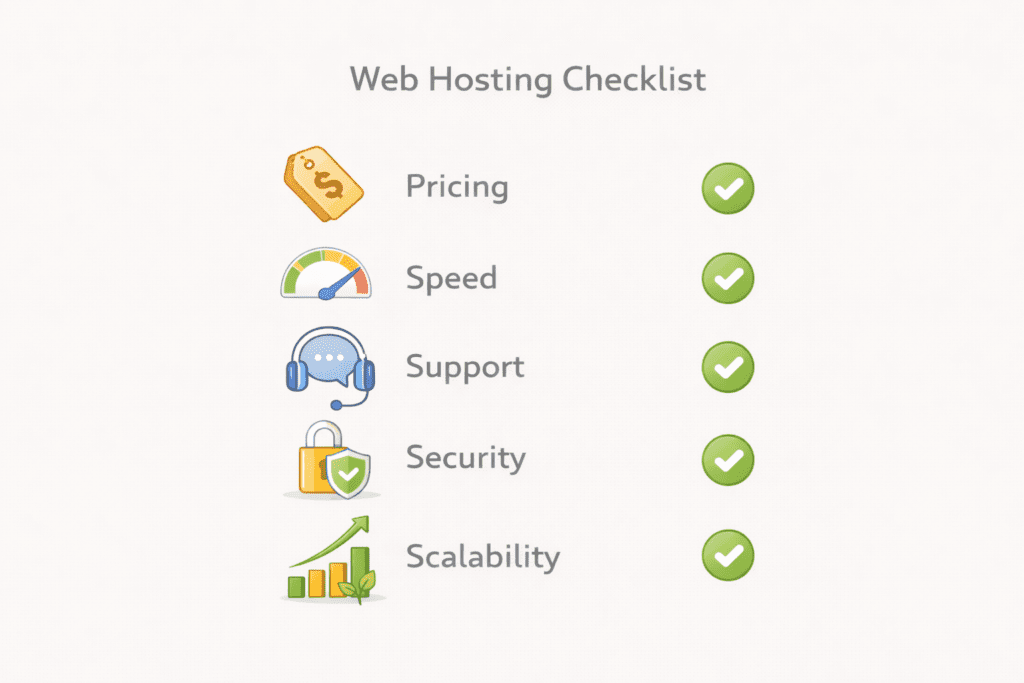
A checklist is a short review tool. It helps you check important items before making a decision. A hosting checklist does the same for hosting.
In simple terms, a web hosting checklist is a list of things to verify before choosing a web host. It focuses on pricing, speed, support, security, and growth.
Instead of trusting promises, you review facts. That keeps beginners in control.
Why Beginners Should Use a Checklist
Beginners often choose hosting based on price alone. That usually leads to problems later.
A checklist helps with choosing a web host by forcing a pause. You review what matters now and what will matter later. This reduces surprises.
It also helps beginners compare web hosting providers fairly. Two plans may look similar, but their limits can be very different.
Using a checklist keeps decisions practical and calm.
How a Checklist Prevents Long Term Website Problems
Hosting affects more than launch day. It affects speed, stability, and future growth.
A poor hosting plan can slow your site. It can limit traffic. It can make support hard to reach. These issues appear months later.
A checklist helps you check whether a host fits your hosting needs today and tomorrow. That prevents redoing work later.
It also helps with choosing your web host based on facts, not hype.
What You Will Learn Before Choosing a Web Host
In this guide, you will learn how to review ease of use, pricing clarity, uptime, security, and support.
You will also learn how different hosting types affect beginners. This includes shared hosting, cloud hosting, and managed wordpress hosting.
Most importantly, you will learn how to choose with confidence instead of guessing.
Why a Web Hosting Checklist Is Important in 2026
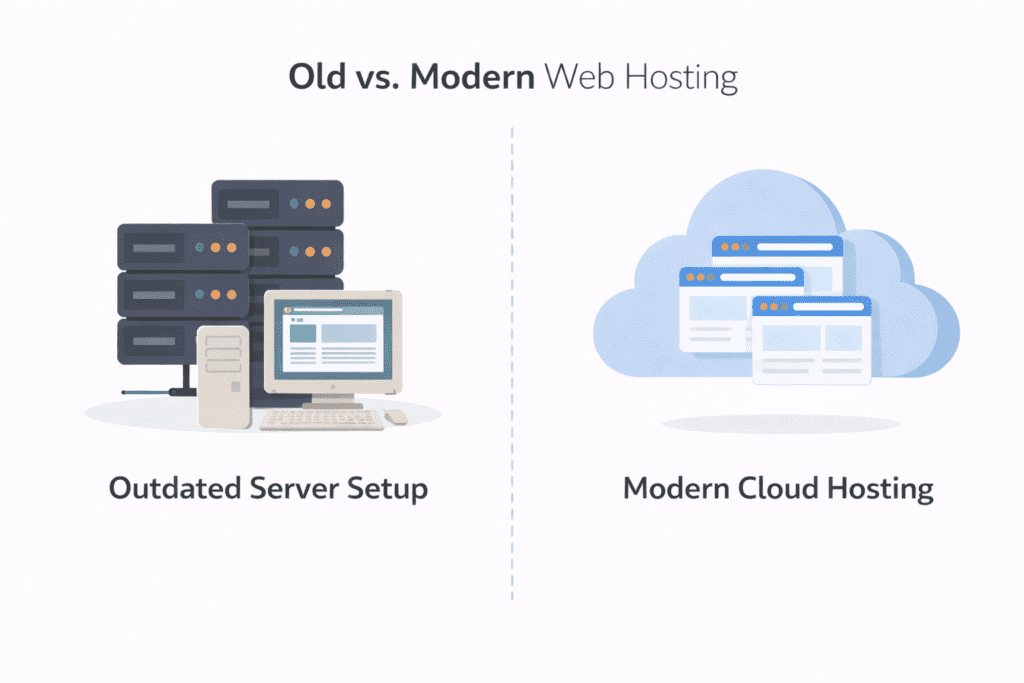
Web hosting is not what it used to be. In 2026, beginners face more choices, more pricing tricks, and more technical claims than ever. A web hosting checklist helps cut through that noise.
How web hosting has changed for beginners
Years ago, hosting focused on storage and basic access. Today, a web host controls speed, security, and how easily a site can grow.
Modern hosting services bundle tools, limits, and rules into each plan. Two plans may look similar, but behave very differently once a site is live. That difference matters to beginners.
A checklist helps compare what actually affects a new website, not just what sounds good on a sales page.
New expectations in speed, security, and ease of use
Beginners now expect fast loading pages. Website speed matters even for small sites. Slow pages push visitors away before content loads.
Security expectations are higher too. An ssl certificate is no longer optional. It protects visitors and builds trust. Backups matter as well. Losing content can end a site early.
Ease of use also matters more. A clean control panel reduces mistakes. Complicated systems slow learning. A checklist helps confirm these basics are covered.
Why old hosting advice no longer works
Old advice often pushes advanced setups. It assumes beginners are comfortable managing a server or reading technical limits.
That no longer fits reality. Most beginners want hosting that works quietly. They want support when needed. They want clarity.
A checklist replaces outdated tips with simple checks that match how hosting works today.
What beginners risk without a checklist
Without a checklist, beginners often miss renewal pricing. They ignore uptime guarantees. They overlook support limits.
These problems appear later. By then, switching hosts feels stressful.
Using a checklist early helps avoid downtime, slow pages, and wasted money. It supports choosing the right hosting instead of fixing mistakes.
Why 2026 makes checklists more necessary
The hosting industry is more competitive now. Plans change often. Features shift. Prices reset after promotions.
A checklist keeps decisions steady even as offers change. It helps beginners review facts instead of reacting to pressure.
That stability is what makes a web hosting checklist essential in 2026.
Key Factors to Include in a Web Hosting Checklist
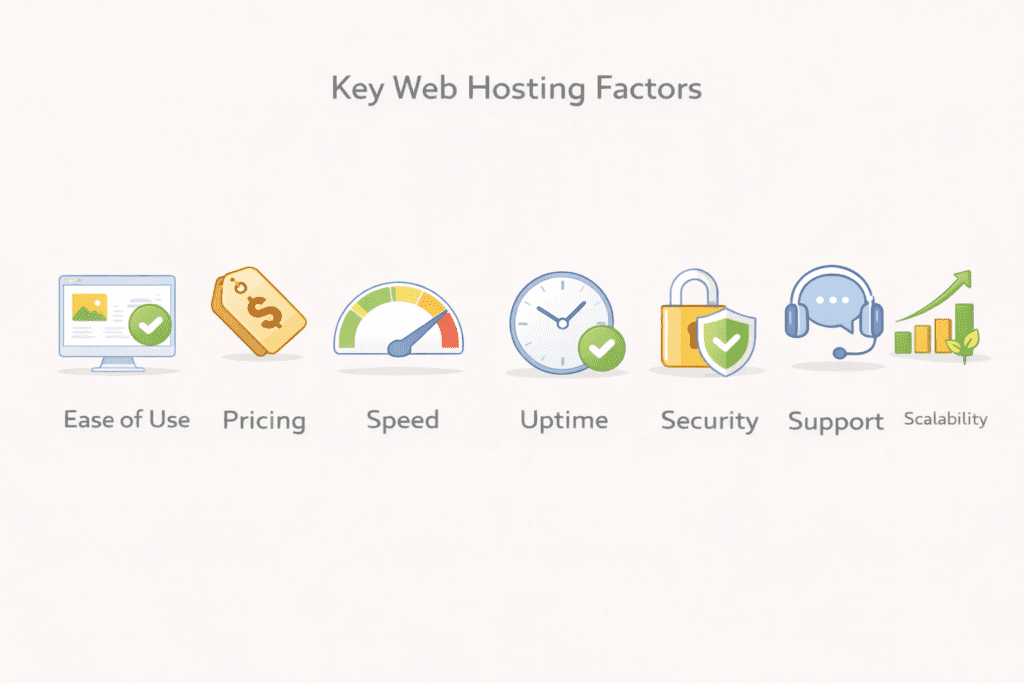
A strong web hosting checklist focuses on factors that affect real use. Not marketing claims. These checks help beginners avoid problems before they start.
1. Ease of use for beginners
Ease of use decides how fast you learn. A clean control panel matters because beginners need clear menus, not clutter.
One click installs reduce mistakes. They help launch a wordpress site without touching files or settings.
The learning curve should feel manageable. If setup feels confusing on day one, that web host may not be the right fit.
2. Pricing and long term costs
Intro prices attract attention. Renewal prices decide the real cost.
A checklist helps when choosing a web host by forcing you to review the full price cycle. This includes the cost of your plan, add ons, and upgrades.
Hidden fees often appear later. Checking pricing early prevents regret.
3. Website speed and performance
Speed matters even for small sites. Visitors leave if pages load slowly.
Performance depends on the server, the physical server quality, and how traffic is handled on a shared server.
A checklist helps verify whether hosting supports stable website’s performance, not just promises speed.
4. Uptime and reliability
Uptime means how often your site stays online. Even short downtime hurts trust.
A reliable host uses stable hardware and clear guarantees. This includes how they manage each server and their overall reliability.
A checklist helps beginners confirm these details before choosing.
5. Customer support quality
Support becomes important the first time something breaks.
Good technical support answers quickly and clearly. Live chat helps beginners solve issues faster than email.
A checklist reminds you to ask a web host how support works before buying. That saves stress later.
6. Security features
Security protects both your site and visitors.
An ssl setup is essential. A proper ssl certificate, often a let’s encrypt ssl certificate, encrypts data and builds trust.
Malware protection matters too. Malware infections can shut down a site fast. A checklist confirms these protections exist.
7. Scalability and future growth
Sites change over time. Traffic grows. Content expands.
A checklist helps review upgrade paths. This includes moving from shared hosting to cloud hosting, vps, or a vps hosting option later.
Choosing hosting that grows with you prevents rebuilding from scratch.
Why These Factors Belong on Every Checklist
These checks cover setup, cost, speed, security, and growth.
Together, they help beginners avoid choosing based on price alone. They support smarter decisions and long term stability.
That is the real value of a checklist.
Types of Web Hosting to Review Using a Web Hosting Checklist
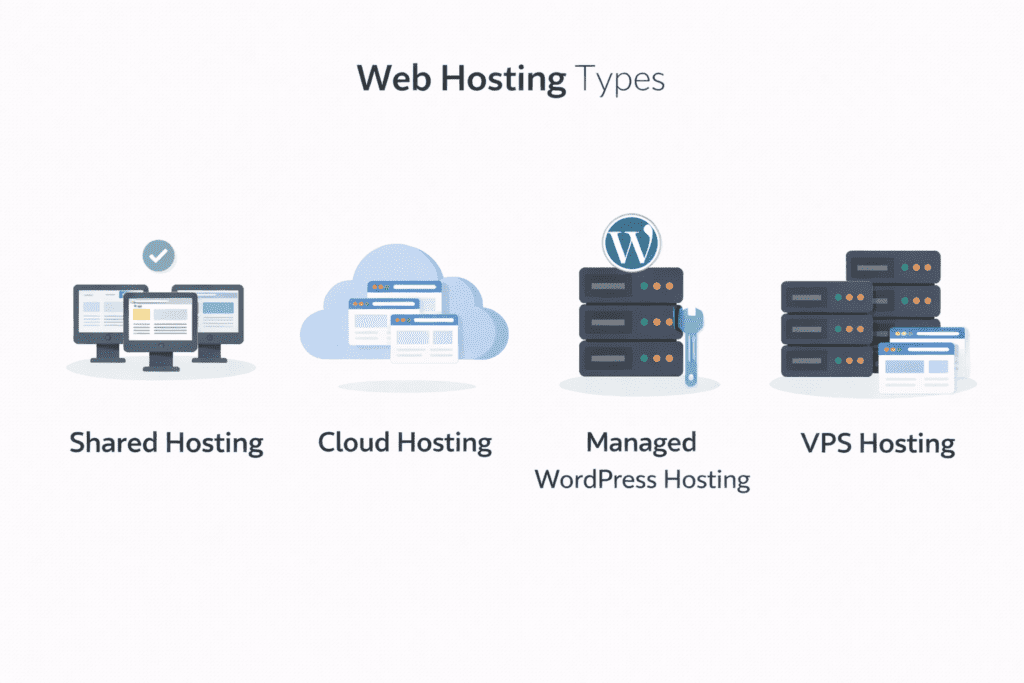
Not every hosting type fits beginners. A web hosting checklist helps review each option before choosing, so beginners avoid paying for power they do not need.
Shared hosting is the most common starting point. Multiple websites use the same server, which keeps costs low.
For beginners, this setup works well for blogs, small business sites, and personal projects. A checklist helps confirm limits, speed expectations, and how traffic is handled on a shared server.
This option meets most beginner hosting needs early on.
Cloud hosting
Cloud hosting spreads a site across multiple systems instead of one physical server. This improves flexibility and handles growth better.
Beginners usually do not need it at launch. A checklist helps decide when cloud hosting makes sense, especially when traffic becomes less predictable.
It costs more than shared hosting, but offers room to scale.
Managed WordPress hosting
Managed wordpress hosting is built specifically for wordpress websites.
Updates, backups, and performance tuning are handled automatically. A checklist helps beginners check what is included and what still requires manual work.
This option suits beginners who want less maintenance and more guidance from the host.
Hosting types beginners should avoid early
Some options create unnecessary complexity.
A dedicated server gives full control over an entire physical server, but beginners rarely need that power. Costs are high and management is technical.
Dedicated hosting and advanced vps setups also require deeper knowledge. A vps plan or virtual private server may sound appealing, but they increase responsibility.
A checklist helps beginners avoid these choices until they truly need them.
Why Hosting Type Matters on a Checklist
Each type of hosting affects cost, performance, and learning curve.
Using a checklist helps beginners compare different hosting options calmly instead of guessing. It supports a better hosting choice from the start.
Understanding hosting types also makes later upgrades easier, without starting over.
Complete Web Hosting Checklist Step by Step
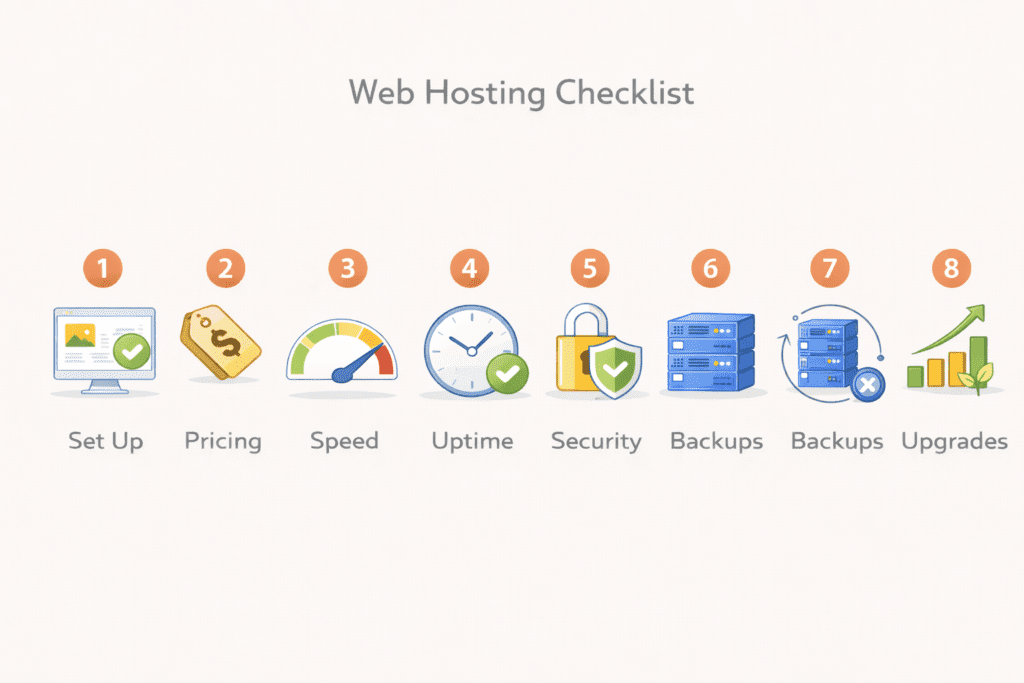
This section turns the idea into action. Each item explains what to check and why it matters before you choose a web host.
Checklist Item 1: Beginner setup and onboarding
What to check
Look for guided setup, clear steps, and a simple control panel.
Why it matters
A smooth start reduces mistakes. Beginners should not struggle on day one while launching a wordpress site or basic web application.
Checklist Item 2: Transparent pricing
What to check
Review intro pricing and renewal pricing together. Check add ons and the cost of your plan over time.
Why it matters
Pricing surprises cause regret. A checklist keeps choosing a web host based on real numbers, not promotions.
Checklist Item 3: Speed and server quality
What to check
Confirm how the server is managed, where the server location is, and whether resources are shared fairly.
Why it matters
Good hardware and smart limits protect website speed and overall website’s performance, even on shared hosting.
Checklist Item 4: Uptime guarantees
What to check
Look for clear uptime commitments and how issues are handled during downtime.
Why it matters
If visitors cannot visit your site, trust drops fast. Reliability protects growth.
Checklist Item 5: Support availability
What to check
Review technical support channels. Live chat, response time, and hours matter.
Why it matters
When you have a technical question, fast help prevents mistakes. Support quality defines the beginner experience.
Checklist Item 6: Security essentials
What to check
Confirm ssl is included. Verify the ssl certificate, often a let’s encrypt ssl certificate, is active by default. Check malware protection.
Why it matters
Security protects visitors and search trust. Beginners should not manage this manually.
Checklist Item 7: Backup and restore options
What to check
Review how often backup runs and how easy restore is. Confirm you can access a backup of your website.
Why it matters
Mistakes happen. Reliable backup options prevent data loss and save time.
Checklist Item 8: Upgrade and scaling options
What to check
See how upgrades work from shared hosting to cloud hosting, vps, or vps hosting later.
Why it matters
Traffic growth should not force rebuilding. Flexible upgrades support future website traffic changes.
Web Hosting Checklist Comparison Table (With Pricing Transparency)
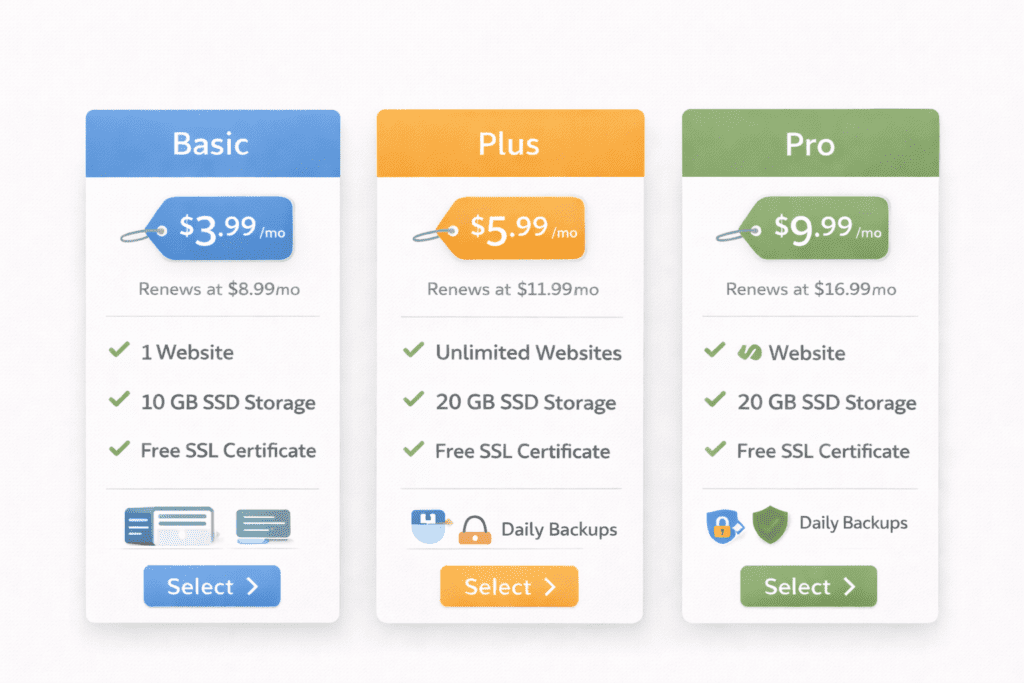
These prices reflect typical US entry-level costs beginners see at signup and after renewal. This helps compare real long-term impact.
| Hosting Type | Ease of Use | Pricing Transparency (USD) | Speed and Uptime | Support Quality | Security Features | Best Use Case for Beginners |
|---|---|---|---|---|---|---|
| Shared hosting | Very easy | $2.50 to $5 intro → $7 to $12 renewal | Stable for small sites | Beginner friendly | SSL and basic protection | First websites |
| Cloud hosting | Moderate | $10 to $20 starting → scales with usage | Flexible and stable | Good availability | Strong defaults | Growing sites |
| Managed WordPress hosting | Easy | $15 to $30 starting | Optimized for WordPress | Guided support | Automatic security | Low maintenance sites |
| VPS hosting | Advanced | $20 to $60 starting | High control | Technical support | User managed | Not ideal early |
This pricing view makes it easier to compare what you pay now versus later, which is exactly what a web hosting checklist is meant to reveal.
How to Use This Web Hosting Checklist Before Choosing a Web Host

A checklist only works if you use it in order. Skipping steps brings confusion back.
Step 1: Define your website goal
Start with one purpose. A blog, a service page, or a simple business site.
This helps match website needs with the right hosting solution. Not every site needs the same power.
Step 2: Set a realistic budget
Look beyond promo prices. Review renewal costs and add ons.
This step protects you from underestimating the long term cost of your plan. Budget clarity makes decisions easier.
Step 3: Match hosting type to your needs
Use the checklist to compare types of web hosting calmly.
Most beginners start with shared hosting. Growth later may require cloud hosting or a vps option. Advanced setups can wait.
Step 4: Compare providers using the checklist
Apply the same checklist to every option. Speed, uptime, security, and support should be reviewed equally.
This avoids bias and highlights which web hosting providers actually fit your situation.
Step 5: Choose with long term growth in mind
Think ahead without overbuying.
A good hosting choice supports upgrades when traffic grows and handles a traffic spike without stress.
Common Web Hosting Mistakes Beginners Make Without a Checklist
Many beginners choose the cheapest plan only. That often leads to limits later.
Ignoring renewal pricing causes budget shock.
Overpaying for unused features is common. Buying power meant for serious business sites rarely helps beginners.
Skipping backup and security settings risks data loss. A checklist keeps these basics visible.
Web Hosting Checklist vs Website Builders
A checklist matters most when choosing hosting directly.
Website builders bundle hosting and design together. They are quick to launch, but flexible growth is limited.
Hosting offers control. Builders offer speed.
For business websites and long term projects, hosting gives room to expand. For quick launches, builders may work.
The checklist helps decide which path fits your goal.
Frequently Asked Questions About Web Hosting Checklist
What is a Web Hosting Checklist
It is a review tool that helps beginners check key hosting factors before buying.
Why do beginners need a web hosting checklist
It prevents rushed decisions and missed costs.
How do I use a Web Hosting Checklist correctly
Follow it step by step before choosing a host.
Is a web hosting checklist useful for small websites
Yes. Small sites still depend on speed and reliability.
What is the most important item in a web hosting checklist
Pricing clarity and support quality usually matter most.
Yes. It forces review of renewal pricing and add ons.
Should beginners use the same checklist for all hosting types
Yes. The same checks apply across different web hosting options.
Does a web hosting checklist help with long term growth
Yes. It highlights upgrade paths early.
Is a free web host safe according to a web hosting checklist
Usually not. Limits and risks are high.
How often should beginners review their web hosting checklist
Before buying and again before renewing.
Final Verdict: Is a Web Hosting Checklist Worth Using
Yes. Especially for beginners.
A checklist simplifies decisions by replacing guesswork with clarity. It keeps focus on features that actually matter and avoids pressure.
When choosing hosting, confidence comes from understanding, not speed.
Using a checklist makes choosing the best host feel manageable and calm.