

Most websites don’t fail overnight. They slowly become harder to manage. Pages load a bit slower, small errors appear, and support feels less helpful than before. These are usually not content problems. They are hosting problems.
US websites often outgrow their hosting plan without realizing it. Traffic increases, plugins add weight, and expectations rise. But the hosting stays the same. Over time, this mismatch causes performance and reliability issues.
This guide explains the real signs you need to upgrade your web hosting plan. If you’re aiming for better web hosting, these signals help you decide when and why it’s time to move-before problems start costing traffic or trust.
Sign 1: Your Website Is Loading Slower Than Before
When a website feels slower than it used to, that’s usually the first warning sign. Slow load times often mean the server is struggling to keep up with demand.
A shared hosting setup works fine early on, but as content grows, resources get tighter. The result is slower responses, delayed page loads, and frustrated users. Search engine systems also notice this drop in website speed and adjust visibility over time.
❝ A page that loads even 1 second slower can reduce engagement without showing any obvious error. ❞
If your site feels heavier and nothing else changed, it may be time to upgrade instead of trying quick fixes.
Sign 2: Frequent Website Downtime
Downtime is more than an inconvenience. When a site goes offline, visitors leave and may not come back. Even short outages can affect trust and uptime scores.
Shared hosting plans are more likely to face downtime because multiple sites depend on the same server. If one site spikes in usage, others feel the impact. This isn’t rare-it’s a common limitation.
When downtime becomes familiar, it’s a strong sign you need better hosting rather than temporary workarounds.
Sign 3: You’re Hitting Resource Limits
Many hosting providers place limits on CPU, RAM, and bandwidth. When your site hits those limits, performance drops or features stop working properly.
You may see warning emails, throttling notices, or error messages on your website. These are clear indicators your current hosting plan can’t meet demand anymore.
At this stage, upgrading to a stronger hosting solution-such as VPS hosting-often restores stability and improves user experience.
Sign 4: Traffic Has Grown Significantly
Growth is a good problem to have, but it often exposes hosting limits. When traffic increases, the server has to handle more requests at the same time. If your hosting plan was chosen for a smaller audience, it may no longer keep up.
This usually shows up as pages loading slower during busy hours or admin dashboards feeling sluggish. The site may still work, but performance becomes inconsistent. For US websites, where visitors expect fast access, this hurts user experience quickly.
Traffic growth is one of the clearest signs you need to upgrade. Better web hosting gives your site more room to handle visitors without stress on the server.
Sign 5: Poor Performance During Traffic Spikes
Traffic spikes are different from steady growth. They happen during promotions, seasonal trends, or sudden attention from search engine results or social media.
On limited hosting services, spikes cause delays or temporary outages. The server struggles because resources are fixed. Shared hosting setups are especially vulnerable here, since multiple sites compete for the same capacity.
If your site performs well most days but struggles during busy moments, that’s a warning sign. Upgrading to a stronger hosting type, such as VPS or cloud hosting, helps absorb sudden demand without crashing.
Sign 6: Your Hosting Lacks Needed Features
Early hosting plans often focus on basic needs. As your site grows, missing features become noticeable.
Lack of automatic backups, weak security tools, or no caching options can slow progress. Without a firewall or proper monitoring, risks increase. These gaps affect website performance and long-term stability.
Many people reach this stage and realize their current host no longer supports what the site needs. Upgrading your web hosting plan brings access to essential features like stronger security, staging tools, and better control.
At this point, the issue isn’t price-it’s capability
Sign 7: Customer Support Is Slow or Unhelpful
Support quality becomes more important as a site grows. When something breaks, delays matter. If you’re waiting hours-or days-for help, that’s a problem.
Many basic hosting services offer limited support, especially on lower-tier plans. Responses may feel scripted or issues remain unresolved. This often happens when the hosting company is stretched too thin.
Reliable hosting providers invest in faster, knowledgeable support. When support becomes a bottleneck, it’s a clear sign you need to upgrade to better web hosting that actually helps you manage problems instead of adding stress.
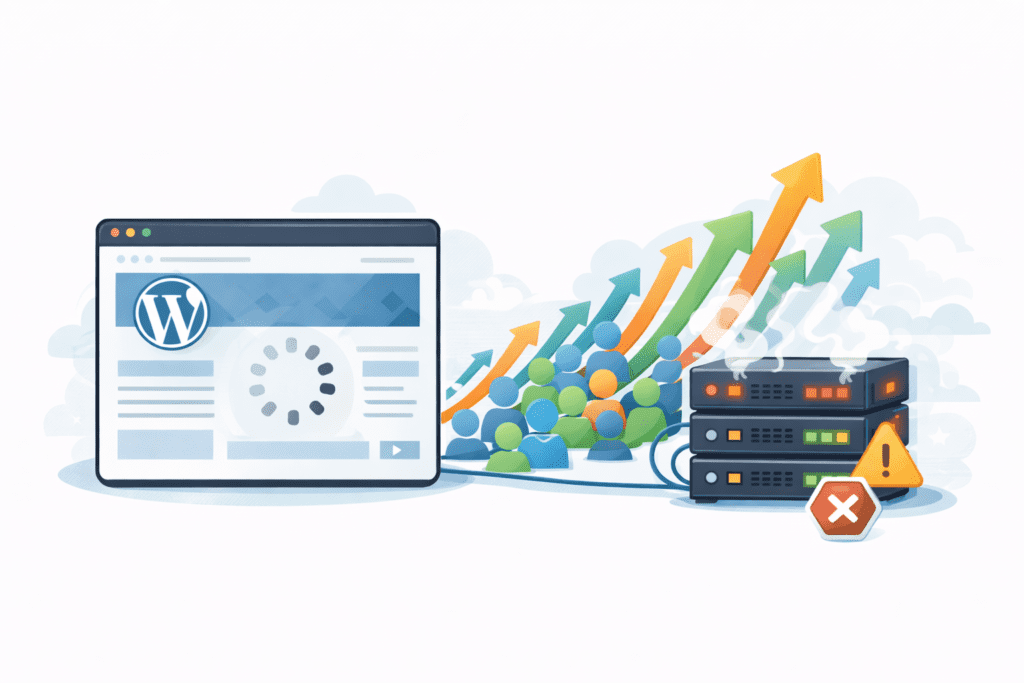
Shared hosting works well at the beginning, but it has natural limits. Multiple sites share the same server resources, which creates performance trade-offs over time.
As you add more pages, plugins, or even multiple sites under one account, the strain increases. A shared hosting plan can only handle so much before speed and uptime suffer.
When your site reaches this stage, it’s often time to move to VPS hosting or another hosting type that gives you more control and consistency.
Sign 9: Security Concerns Are Increasing
Security issues tend to rise as websites grow. More traffic, more data, and more features also mean more risk.
If you’re seeing frequent alerts, suspicious activity, or compliance concerns, your current hosting setup may not be enough. Basic hosting often lacks advanced security features or proactive monitoring.
Upgrading gives you access to stronger protection, better isolation, and improved tools to manage threats. For many US sites, better security alone justifies the upgrade.
Sign 10: Your Business or Website Goals Have Changed
Sometimes the biggest change isn’t technical-it’s strategic.
If you plan to add new features, expand content, or grow your business, your hosting must support that direction. A plan that worked for a small blog may not support growth goals.
When your vision changes, your hosting should change too. That’s often the final sign that it’s time to upgrade your web hosting plan to something that can meet your needs.
What Happens If You Don’t Upgrade When Needed?
When you ignore the warning signs, problems tend to stack up. Slow pages don’t fix themselves. Downtime becomes more frequent. Visitors lose patience, and search engine systems take notice of poor signals.
Over time, this leads to lost traffic and missed opportunities. Even if your content is solid, weak hosting holds everything back. At this stage, the cost of not upgrading is usually higher than the cost of moving to better web hosting.
What Hosting Plan Should You Upgrade To?
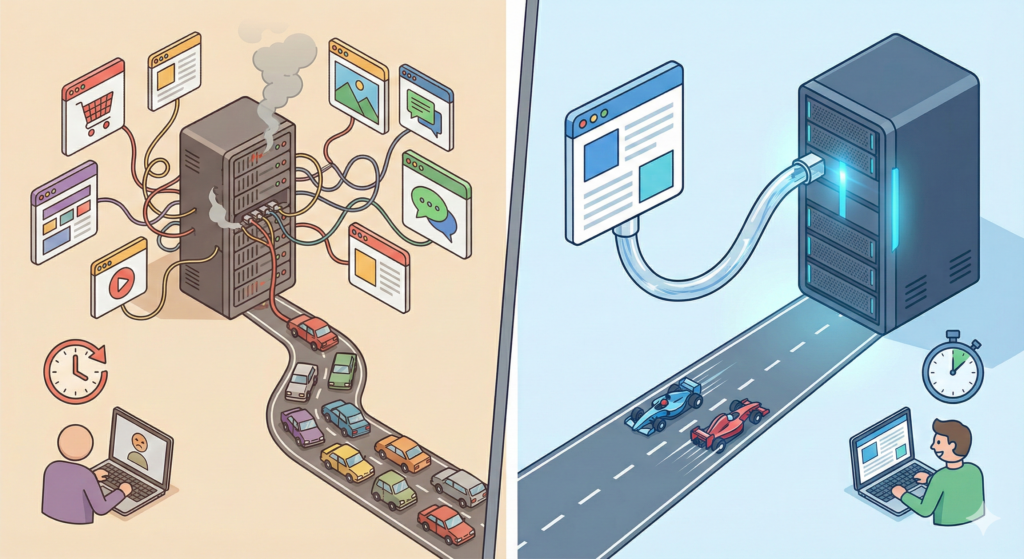
The right upgrade depends on where you’re coming from and where you’re headed.
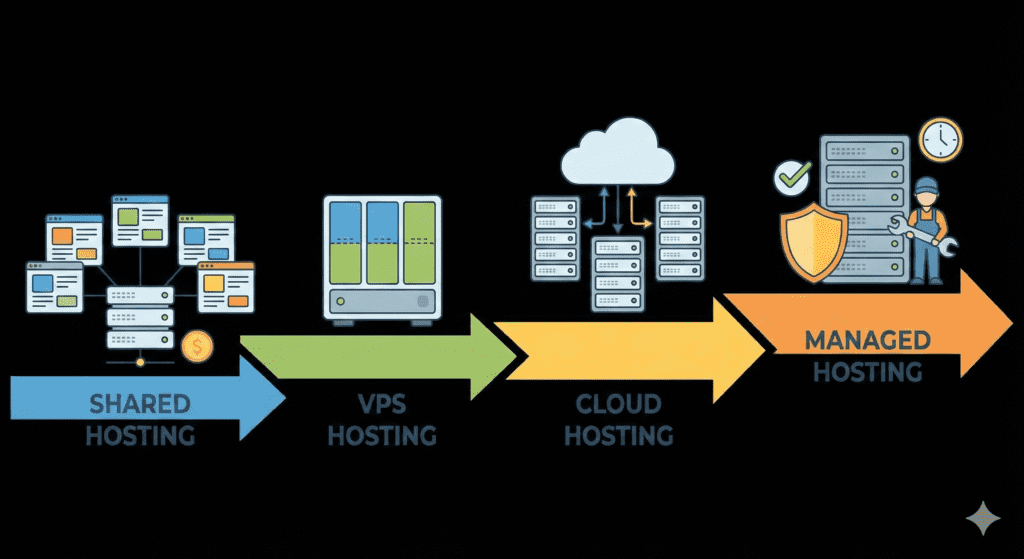
Many sites move from shared hosting to VPS hosting when traffic and resource use increase. This gives the server more dedicated power and reduces performance swings.
Others move from VPS to cloud hosting when they need flexibility during traffic spikes. Cloud setups spread load across multiple servers, which helps with reliability.
For site owners who want fewer technical tasks, managed hosting is often the next step. This option shifts maintenance, updates, and monitoring to the provider, which simplifies day-to-day management.
There’s no single best choice. The goal is choosing a hosting solution that fits your current needs without paying for things you won’t use yet.
How Much Does Upgrading Hosting Cost in the US?
Hosting costs in the US usually rise in steps, not jumps. Moving from a basic shared hosting plan to VPS hosting often means a moderate increase, while managed or cloud options cost more due to added services.
Budget planning matters here. Look at monthly pricing, renewal rates, and what’s included. A slightly higher monthly cost can make all the difference if it improves stability, speed, and support.
In many cases, better web hosting pays for itself by reducing downtime and improving user experience.
Common Mistakes Beginners Make When Upgrading Hosting
One common mistake is upgrading too late. Waiting until performance problems are constant makes transitions more stressful.
Another issue is choosing the wrong plan. Bigger isn’t always better. Paying for features you don’t need yet can waste money without solving real problems.
Not backing up before upgrading is also risky. Always back up your website so you can recover quickly if something goes wrong during the move.
FAQs – Upgrading Web Hosting Plans
Will upgrading improve speed?
Usually, yes. Better server resources and optimized setups often improve website speed and consistency.
Can I downgrade later?
Most hosting providers allow plan changes, but it’s best to confirm before upgrading.
Will upgrading cause downtime?
Some upgrades are seamless, while others may require brief downtime. Planning ahead minimizes disruption.
How often should I upgrade?
There’s no fixed schedule. Review performance regularly and upgrade when signs start appearing.
What are common signs you need better web hosting?
Common signs that indicate you need better web hosting include persistent slow website loading times, frequent downtime, lack of security features, hitting storage or bandwidth limits (need more space), and poor customer support from your current host. If core web vitals are suffering or visitors can’t access your website reliably, it’s time to consider upgrading or switching to a new web host or managed hosting provider.
How do I know if my slow website means I should upgrade your hosting?
If your site is slow across different devices and networks and slow website loading times don’t improve after optimizing images and code, it’s likely a server or hosting issue. Signs that it’s time to upgrade include high server response times, frequent CPU or memory throttling on a shared plan, or traffic spikes that your current web host cannot handle. Consider upgrading your web hosting plan or moving to a bigger shared hosting, dedicated hosting, or managed wordpress hosting solution.
When is it time to upgrade your web hosting plan for growth?
You should upgrade your hosting when your site’s traffic grows, you need more resources, or you want to grow your business with faster performance and better uptime. If you need more space, advanced security, database capacity, or features you need for e-commerce, look for a new hosting plan or web hosting service that supports scaling, such as a VPS, dedicated hosting, or managed hosting tailored to wordpress hosting.
What security features should I expect from a better web hosting provider?
A good web hosting provider should include SSL certificates, malware scanning and removal, automated backups, firewalls, DDoS protection, and easy restore options. For wordpress sites, managed wordpress hosting often provides additional security hardening and plugin management. If your previous hosting provider lacks these features or charges extra for basics, it may be time to move to a host with stronger security features.
How do I decide whether to switch to a better new web host or just upgrade with my current host?
Compare costs, performance, uptime guarantees, support quality, and available features. If your current host can offer a new hosting plan that addresses slow website issues, adds managed hosting, or provides the features you need, upgrading could be simplest. If they cannot or the support is poor, switching to a new host or web hosting service with a proven track record may be the right choice — time to make the move if core web vitals and user experience continue to suffer.
Are there specific signs that indicate it’s time to consider managed hosting or dedicated hosting?
Signs to look for include frequent traffic surges, complex application needs, poor performance on shared plans, and requirements for compliance or advanced security. If you need guaranteed resources, better performance for heavy databases or e-commerce, or hands-off server management (manage your website without server administration), managed hosting or dedicated hosting may be the right choice.
How does poor customer support from a web hosting service show signs you need to upgrade?
Poor support is evident when issues take too long to resolve, responses are unhelpful, or your host cannot provide guidance for migrations and backups. If you repeatedly face long ticket wait times, unresolved outages, or your current web host lacks a responsive team, it’s time to consider a new web host with 24/7 support and clear service level agreements.
Can website optimization fix slow performance or is it time to switch hosting providers?
Optimization (caching, CDN, image compression, code minification) can often improve a slow website, but if you’ve implemented best practices and the site is still slow, signs it’s time to upgrade include sustained high TTFB, throttled resources, and degraded core web vitals. In that case, switching to a web hosting provider with better infrastructure or upgrading your hosting plan is likely necessary.
What practical steps should I take when I decide it’s time to switch or upgrade my hosting?
First, analyze performance metrics and backup your site. Compare hosts for features you need (wordpress hosting support, managed services, security features, uptime). Test a new host with a migration or staging environment, review migration support, check time to consider transfer windows, and confirm DNS changes. If you need a new host, choose one that matches your growth goals and offers the right web hosting service and support to avoid repeated issues with your previous hosting provider.
What Should You Do Next After Spotting These Signs?
Start by reviewing your current hosting plan and noting where limits appear. Compare upgrade options based on traffic, features, and support quality.
Planning the transition matters. Choosing the right web host and timing the move carefully helps avoid unnecessary downtime.
Taking action early makes upgrades smoother and less stressful.
Final Thoughts
Hosting upgrades aren’t about chasing the biggest plan. They’re about keeping your website stable as it grows.
When signs start showing-slow pages, downtime, limited features-it’s better to act than wait. Better web hosting gives your site the room it needs to perform well for US visitors today and scale tomorrow.
If you stay proactive, hosting becomes a foundation instead of a problem. That shift alone can make all the difference.